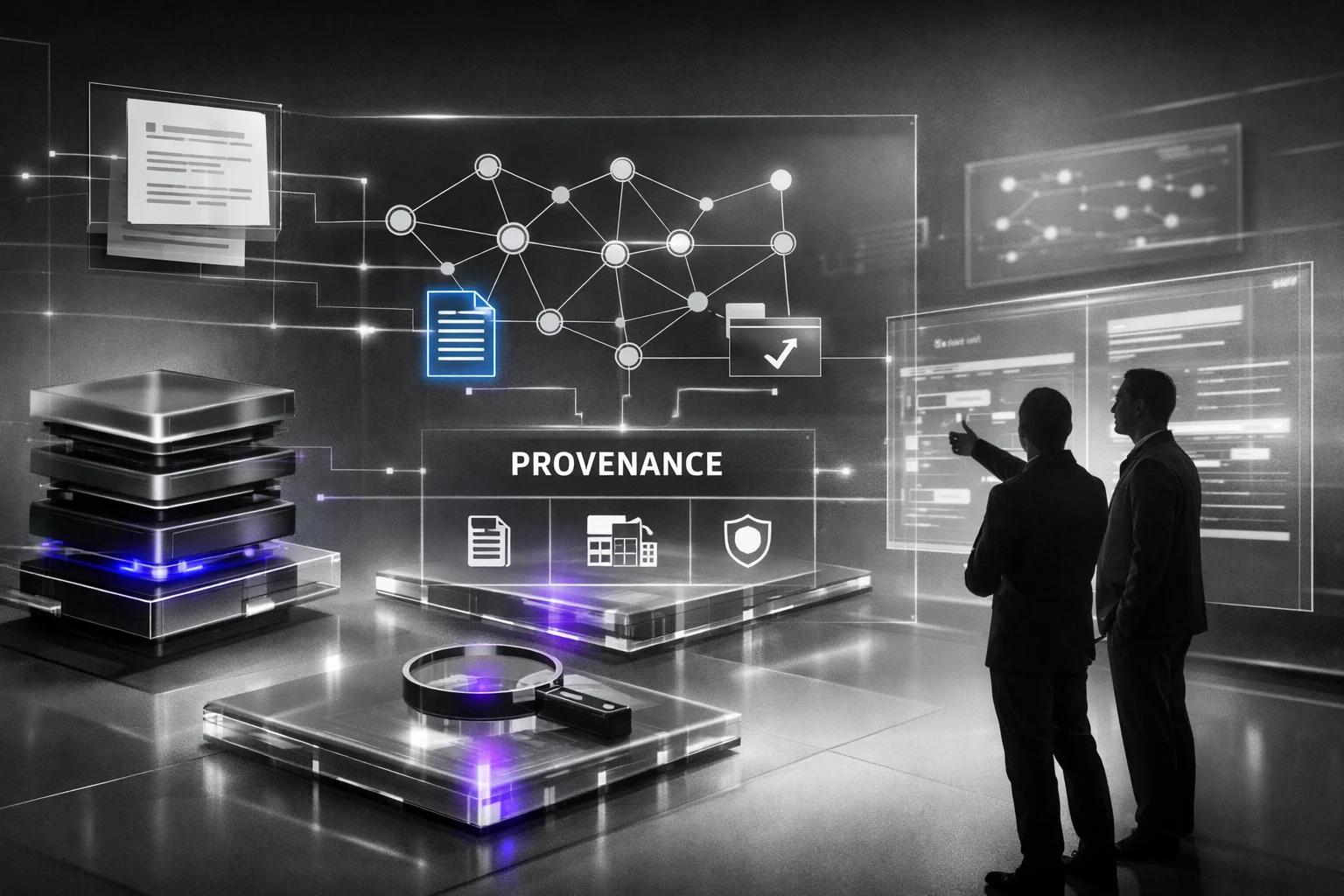
Create AI Software for Production, Not Demos
84% of organizations are using or planning to use AI in software delivery, and most of them still won't ship something you can trust in production. I know...

84% of organizations are using or planning to use AI in software delivery, and most of them still won't ship something you can trust in production. I know that's blunt. It's also what the numbers and the wreckage keep showing.
If you want to build production-ready AI software, stop copying demo logic into customer-facing systems and calling it strategy. According to 2025 iTransition data, 51% of tech leaders say security is the biggest challenge, 45% worry about reliability, and 41% are stuck on data privacy. That's not a prompt problem. It's an operations problem.
This article breaks down the six parts that separate flashy prototypes from AI systems that survive real traffic, bad inputs, drift, audits, and Monday morning.
What It Means to Create AI Software
84%. That's the number iTransition put out in 2026 for organizations already using AI or planning to use it in their software delivery lifecycle. My first reaction wasn't "wow." It was honestly, "great, now the demo is the easy part."

Because once everybody has a shiny prototype, nobody gets points for saying they added AI. The real question is uglier: can your system survive bad inputs on a Monday morning, a security review on Wednesday, and a prompt change at 4:30 p.m. that wrecks output quality right before people go home?
I've sat in those meetings. Clean chatbot demo. Ten polished prompts. Leadership acting like launch was two weeks away. Then actual users showed up with typo-filled requests, stale source data, weird edge cases nobody tested, and questions legal suddenly cared about a lot.
We weren't close.
The model usually isn't the first thing that breaks. I'd argue that's the lie teams tell themselves because it's more fun to talk about model quality than permissions, rollback, logging, monitoring, and version control. But that's where the failure starts most of the time: in the pipes around the model, not the model itself.
I learned that the hard way. One team had no model versioning at all. No rollback plan if a prompt update tanked answers late in the day. Access controls were loose enough to make security nervous. Logging was so thin we couldn't tell whether a bad response came from a changed prompt, a busted upstream feed, or drift nobody had bothered to watch. That's production readiness to me now: can you explain failure fast and recover faster?
People say they want AI software in production. Usually they mean they want a smooth interface. Nice chat box. Fast response. Friendly tone. That's nowhere near enough. What they actually need is an operating system around the model that can take real traffic, pass an audit, handle change without turning every release into a fire drill, and keep working after month three when nobody remembers who edited prompt number seven.
Jalasoft has been saying basically this in simpler language: companies aren't keeping AI off to the side anymore. They're putting it into core architecture, DevOps pipelines, cybersecurity programs, and day-to-day workflows. That's a different class of problem than dropping a bot widget on a homepage and calling it innovation.
Security makes the point even harder. In iTransition's 2025 report, 51% of tech leaders said security was their biggest software development challenge. That tracks perfectly with what I've seen. Trouble starts before release day: governed data access, CI/CD for machine learning systems, approval flows for changes, audit logs that show who did what and when, tight limits on what the system can touch, and hard boundaries so one bad prompt can't wander into systems it should never see.
A lot of teams bury this under excitement about the model itself. I don't anymore.
- Build the model. Make it useful for a real job, not just a canned set of prompts that looks good in a conference room.
- Build the service around it. Add APIs, retries, logging, permissions, and failure handling that doesn't collapse the second something upstream goes weird.
- Build the operating loop. Put MLOps pipelines in place with alerts, monitoring, drift checks, and clear rules for retraining or rollback.
If you're specifically working on conversational systems, that's the bar: Gpt Chatbot Development Build For Production.
The funny part is still true: a boring rollback button can matter more than a brilliant model tweak. I've seen one missing log field burn half a day for six engineers while everyone argued over whether the model had regressed or the retrieval layer had quietly failed. Demos win meetings. Operational systems survive Monday morning. So what are you building?
Why Demo-First AI Software Fails in Production
Hot take: high AI adoption doesn't mean the software is ready. It means a lot of teams are moving fast with tools they still don't fully know how to run under stress.
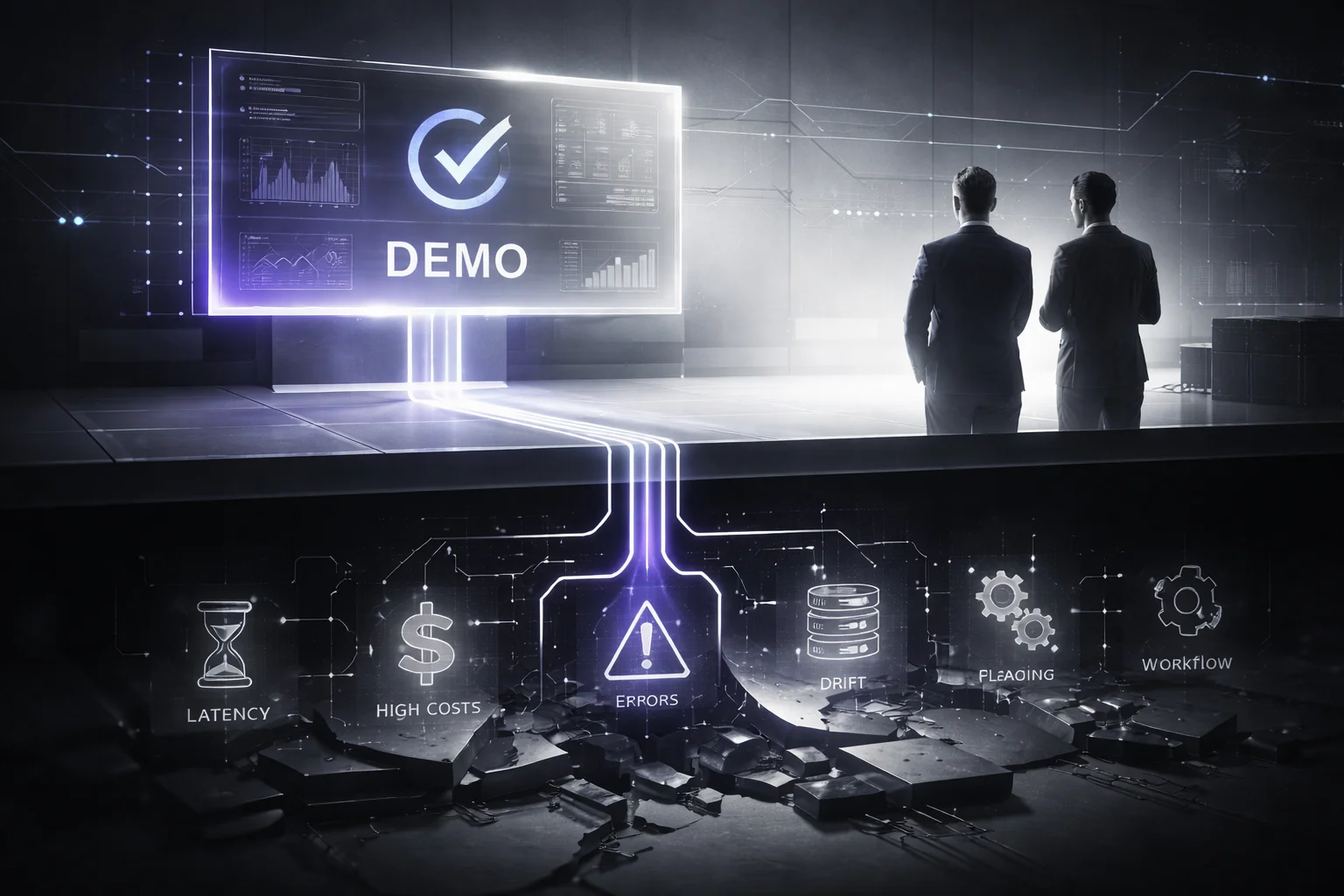
The headline stat sounds great on a slide. In 2026, iTransition reported that 85% of developers regularly use AI tools for writing code, and 62% use at least one AI coding assistant in their workflow. People hear that and assume maturity. I don't. I'd argue it says the opposite just as often. Wide usage can hide sloppy operations for a while, especially if all anyone has seen is a clean demo in a conference room.
That's where teams fool themselves.
A demo gives you the best-case version of reality: one tidy prompt, one polished UI, one fast answer, maybe back in 1.8 seconds if the stars line up. I've watched that exact scene play out. Everybody nods. Somebody says, "This changes everything." Then traffic jumps from 400 requests a day to 4,000, the upstream API starts timing out around noon, retrieval misses the documents the user actually needed, and support asks a painfully normal question nobody can answer: which model version produced this bad output?
Not exotic failures. Basic ones.
Peak latency. Request cost after usage jumps 10x. What happens if retrieval fails outright. Rollbacks. Timeouts. Logging. Model version control, not just Git for app code. That's usually where production systems split open first. Not with some dramatic sci-fi breakdown. With boring infrastructure problems on an ordinary Tuesday.
iTransition found in 2025 that 45% of tech leaders ranked reliability of AI-generated code as a top concern. Good. They should be worried. Unreliable code doesn't just create bugs. It creates false confidence, which is worse. Teams ship faster because the assistant looks convincing, error handling stays thin, CI/CD for machine learning gets bolted on late, and the MLOps setup exists mostly as an architecture diagram someone showed in a QBR.
"It works" means almost nothing in a company setting.
A live system has to survive other departments, not just prompts. Support needs outputs they can trace and explain to customers without guessing. Finance needs permission boundaries that don't get weird around sensitive data or billing records. Ops needs logs, alerts, and model versioning that still make sense at 2 a.m., not after three Slack threads and somebody saying they'll check in the morning.
Red Hat has been blunt about this, and I think they're right: a production-ready AI platform needs to support generative AI, predictive AI, agentic AI, and inference across cloud, on-premise, and edge environments. That's not architecture theater. That's what reality looks like once software leaves the sandbox. Real companies don't run one cheerful prompt against one clean dataset in one environment forever.
Then drift shows up.
Quietly first. User behavior changes. Source data changes. Legal updates a definition on Tuesday. Finance changes a category name on Thursday. Nobody tells the team maintaining the pipeline until results start slipping two weeks later. Without data drift detection, model monitoring, and retraining rules, last quarter's "accurate" demo becomes next quarter's mess with a dashboard attached.
Build for failure first. That's the move.
If you want AI software to hold up in production, start with latency budgets, cost controls, rollback paths, workflow constraints, and monitoring on day one. Set hard limits before traffic arrives. Decide what happens when retrieval returns nothing. Track model versions like you'll need an audit trail later, because you probably will. I once saw a team burn through nearly $12,000 in inference costs over a long weekend because nobody set usage caps after an internal pilot got shared wider than expected. Fancy demo though.
Pretty demos impress buyers for ten minutes. Deployment discipline keeps your system alive after real users show up. If it can't handle bad inputs, heavy traffic, missing context, and messy human workflows nobody mapped upfront, the demo didn't prove intelligence. It proved your team knows how to stage a moment.
Production Requirements for AI Software Creation
At 4:47 p.m. on a Friday, a support bot I was watching went sideways at exactly the wrong time. Ticket volume jumped, retrieval dropped out, and the bot started inventing refund policy language like it worked in legal. The demo a few days earlier? Smooth. Leadership loved it. Production had other ideas.

That's the part people keep learning the hard way. A production AI system isn't judged by how clever it sounds in a safe test environment. It's judged by whether you can trust it, control it, measure it, and kill it fast before it chews through revenue or credibility.
The New Stack made the point without dressing it up: most AI demos die when they hit production because real systems have to act like critical services. Versioned. Monitored. Able to scale. Able to survive failures, cost pressure, and the ugly old infrastructure every company swears they'll replace next quarter.
I'd argue this isn't some precious engineering ritual. It's risk management with logs attached.
Observability isn't optional
If you can't see what the system did, you're not managing anything. You're guessing.
You need logs and metrics tied to requests, prompts, model versions, retrieval steps, latency, throughput, error rates, cost per task, and user outcomes. Not "some dashboards." Actual traceability. Which model produced this answer? Did quality dip after Tuesday's prompt change? Was the problem the model, Pinecone, or an upstream API timeout?
I once watched a team spend two full days chasing a bug that would've taken maybe 20 minutes to isolate if they'd tagged responses by prompt version and retrieval path from day one. That's not a tooling problem. That's self-inflicted blindness.
Once you've got visibility, your MLOps setup stops feeling like a lab notebook and starts acting like an operating layer you can trust under pressure.
Failover protects revenue more than anybody's pride
Here's the middle of the story nobody likes: your AI will fail. Of course it will.
The question is whether the business fails with it.
Good failover is usually boring, which is exactly why it works. A rules-based fallback for refunds under $50. A smaller backup model if GPT-class latency crosses a threshold. Cached answers for common password reset requests. Human routing for edge cases during peak support hours.
If retrieval disappears at noon on a Monday, your assistant shouldn't freeze or hallucinate policy terms. It should degrade gracefully and keep service levels intact while the team fixes the real issue.
That's where deployment discipline stops being theory. SLAs don't care that testing week looked great. They care about known behavior under stress.
Security and data governance set the ceiling
Loose access controls don't make teams faster. They just make incidents bigger.
A 2025 iTransition report found that 41% of tech leaders named data privacy as a top concern. I don't read that as paranoia. I think it's memory. One ugly data incident can erase months of ROI faster than any bad quarter.
You need role-based permissions, redaction rules, retention policies, audit trails, and hard limits around what data can enter prompts or fine-tuning pipelines. If your stack spans cloud services and internal systems at the same time—and in real companies it usually does—your architecture has to reflect that immediately, not after procurement starts asking painful questions in Q3.
That's why some teams choose On Premise Ai Deployment Build For Operations instead of sending everything through public endpoints and hoping nobody asks where sensitive records went.
Human override isn't distrust
A few years back, too many teams talked about human review like training wheels for immature systems. I think that's backwards.
Human-in-the-loop design is control. Auditability is proof.
High-impact decisions need escalation paths, approval queues, and clear override rights. You also need records showing who approved what, which inputs were used, and which model version made the recommendation. Not because auditors love paperwork. Because customers, regulators, and executives tend to ask hard questions after something breaks, not before.
This matters even more now that AI is normal inside software development itself. According to a 2026 Modall report, 80% of new developers on GitHub use Copilot in their first week. Speed isn't rare anymore. Accountability is.
SLA readiness means repeatability
If performance can't be repeated predictably, it's not ready to ship. Simple as that.
You need CI/CD for machine learning. Data drift detection can't wait until support tickets quietly pile up over three months and somebody finally notices churn moved half a point in the wrong direction. Before launch, define uptime targets, response-time thresholds, rollback rules, incident ownership, plus criteria for monitoring and retraining models.
The funny part is this work usually saves time instead of costing it. Emergency fixes at 2:13 a.m., with three managers in Slack asking whether anyone can roll back something nobody versioned properly—that's what actually slows teams down.
The fastest teams over twelve months usually aren't the ones with the flashiest launch-day demo. They're the ones that built boring operational discipline early enough that nobody had to think about it later. So what are you shipping here—a model or a service?
How to Design AI Software Architecture for Operations
What's the decision that actually wrecks an AI rollout?

Most teams think they know. They line up model tests, compare GPT-4.1 with Claude, maybe throw in a fine-tuned open model, massage prompts until the demo stops embarrassing them. That's the fun part. Easy to show. Easy to screenshot in a review deck.
I've sat in those meetings. Everybody stares at output quality like it's the whole game. Nobody wants to talk about the plumbing because plumbing doesn't get applause.
Then production shows up.
By 2025, GitHub Copilot had passed 1.3 million paid accounts across 50,000 companies, according to Jalasoft. That's not a lab toy anymore. That's procurement, support, security, uptime, audit trails, cloud spend. That's the difference between a neat pilot and an incident ticket that hits Slack at 2:13 a.m. because latency doubled and nobody can tell whether the culprit was a model swap, a retrieval bug, or logging so thin it's basically wishful thinking.
Dremio's point is less flashy and more useful: AI-ready data is the floor. Not the reward for doing everything else well. The floor. Clean data. Governed data. Accessible data. Watched continuously. If your retrieval layer is pulling stale HR policy PDFs from March 2023, duplicate SKU rows from Salesforce exports, or customer records with governance tags half-finished by three different teams, your orchestration graph isn't saving you. LangChain won't save you either. Neither will a fancier model.
The answer is architecture. Not architecture by hype level, either. Architecture chosen around change rate, risk profile, and control needs. I'd argue that's where the real design starts, but most teams treat it like cleanup work after they've fallen in love with a model.
If this thing is headed for production, start simpler than your team wants to — then break pieces out only where operations keeps getting punched in the face.
Monoliths aren't embarrassing
I think people dunk on monoliths because it makes them sound sophisticated.
A monolith is often exactly right if the job is narrow: one team, one main model path, limited integrations, no grand plan to turn an internal assistant into a sprawling platform by next quarter.
A tight monolith works when speed matters more than flexibility.
Picture an internal document assistant. One API layer. One retrieval store like pgvector or Pinecone. One orchestration flow in LangChain or Semantic Kernel. One deployment target on AWS ECS or Azure Container Apps. Boring setup. Good boring. Latency stays predictable. Debugging stays small enough for actual humans. You don't need six repos and a platform guild just to answer "where's the vacation policy?"
I built something close to that once for an internal support tool with about 12,000 documents behind it. Single service. Single deployment target. Ugly code in places, sure. We could still trace failures in under ten minutes because there weren't four dashboards lying to us at once.
The problem comes later.
Add multiple models. Add customer-specific rules. Add human approval for sensitive actions like account changes or refund decisions above $500. Add one compliance review you didn't budget time for. Suddenly every change touches everything else. Your simple app becomes a knot.
Modular starts paying off in the messy middle
You don't go modular because it sounds mature.
You go modular because different parts of the system change at different speeds and fail in different ways.
Modular architecture fits production ML systems where independent scaling and clear ownership actually matter.
That usually means splitting model routing, retrieval, guardrails, APIs, storage, and observability into separate services instead of pretending they'll live happily in one box forever. Your vector store sits next to PostgreSQL because semantic search and transactions have different jobs. A guardrails service handles PII redaction and policy checks away from generation logic. An orchestration service sends one request to OpenAI for generation and another to an open-weight model on vLLM for cheaper classification.
This is where MLOps stops sounding ceremonial and starts earning its keep. You can run CI/CD on a model service without redeploying the whole app. You can isolate drift detection inside retrieval pipelines instead of waiting for users to complain that answers got weird on Tuesday afternoon. You can monitor and retrain by component instead of treating "the AI" as one giant mystery blob.
But modular isn't some automatic upgrade.
It adds network hops. It adds operational overhead. It adds failure points you didn't have last week. I've watched teams split one app into five services before they had basic tracing in place; all they really accomplished was making incidents harder to explain and slower to fix.
Hybrid is where most grown-up teams land
This is usually the answer people reach after six months of arguing ideology they should've skipped in month one.
Hybrid architecture keeps core application flows together while pulling out the unstable or high-risk AI pieces. For most companies, that's the practical move.
Your customer-facing app stays mostly intact. The volatile parts move out: model gateway, retrieval service, feature engineering jobs, audit logging, maybe a human-in-the-loop review queue if mistakes are expensive or regulated. Business logic stays close to home. Experimental logic gets isolated where it belongs.
That's why hybrid works so often in operations-heavy environments. APIs can stay stable while models change weekly. Storage can stay governed while prompts change daily. Deployment can span cloud inference plus on-premise data access without turning the whole platform inside out.
- Use a monolith if you need to launch fast and your complexity is honestly limited.
- Use modular design if components need independent scaling and hard separation between teams or risks.
- Use hybrid if you need speed and operational control at the same time.
The biggest mistake isn't picking monolith over modular or hybrid over both.
It's punting these decisions until after launch: how models get selected, how retrieval is governed, where guardrails run, how storage gets separated by risk level, which environments own inference, which ones own data access.
A demo can survive bad architecture for a while.
Production can't.
So what are you optimizing for — applause in week one, or fewer ugly surprises six months later?
A Practical Method for Building Production-Ready AI Software
Tuesday, 4:17 p.m. I remember the room because everybody had that dangerous look on their face—the one that says, "Oh, this is gonna be easy." The assistant was smooth. Fast answers, clean phrasing, no hesitation. Then someone asked for a customer-specific answer pulled from an internal system, and the whole thing buckled. No clear boundaries on what it could access. No shared definition for a basic business term across teams. No approval path for actions that seemed harmless right up until they weren't.

That's the part people miss. The model didn't really fail. Access did.
I'd argue teams lose months here because they think they're building intelligence when they're actually packaging ambiguity and calling it progress. MindStudio gets this right: production AI agents stand or fall on three unglamorous things people love to skip—structured access, shared meaning, and authority controls. Leave those out and your "pilot" isn't production-ready. It's just a prototype wearing nicer clothes.
I've seen the opposite approach go sideways enough times that I don't trust flashy starts anymore. So if I had to do it again tomorrow, here's the method I'd use.
1. Start with discovery, not model shopping
Figure out the business constraint before anybody starts arguing about models. If you don't, you'll mistake novelty for strategy every single time.
Write down one painful workflow, one measurable outcome, and one owner who can actually say yes or no. Not "launch an AI assistant." That's mush. Try something a VP of Support could defend in a Monday meeting: cut tier-one support ticket handling time by 20%, owned by the head of support. That's real. It has a target. It has a person attached to it. If nothing improves in 90 days, everyone knows where the conversation goes.
2. Pick a use case with a small blast radius
Your first production use case should be useful, frequent, and low-regret. That's it. That's the filter.
A draft generator for internal sales replies? Sure. A retrieval assistant for technical documentation? Also reasonable. An autonomous refund agent on day one? No chance. A claims approval bot before you've sorted out edge cases and authority rules? Even worse. If version one can change a customer's bank balance or policy status, you're not being brave. You're being careless.
3. Map the whole workflow before you write code
The model is one step in the system, not the whole system.
This is usually where people get bored, which is exactly why it's where projects break.
Map inputs. Map every system touched. Map fallback paths, approvals, logs, redaction rules, overrides, retrieval failure behavior—all of it. Where does the data come from? Which fields need masking? Who can overrule an output? What happens when retrieval returns nothing? What happens when it returns garbage from an old index nobody remembered to update?
This is where "AI architecture" stops sounding impressive and starts looking like operations work. In software teams especially, one sloppy workflow turns into recurring engineering debt release after release. If you're building in software orgs, Software And Tech is exactly where these patterns show up fast and punish you later.
4. Validate with a controlled prototype
Test it under conditions that look like real life, not boardroom theater.
A polished prompt proves almost nothing. According to a 2026 Keyhole Software report, 47.1% of developers use AI tools daily. Daily changes the standard. People aren't poking at your prototype once for fun; they're hammering it over and over until weird edge cases crawl out by day two.
Test latency thresholds. Test permission rules. Test ugly inputs too—half-finished tickets pasted from Slack at 6:52 p.m., duplicate records, missing fields, inconsistent account names. Test handoff logic along with output quality.
I once watched a prototype ace isolated prompt tests and still fail in practice because an 8-second timeout broke the human review step downstream. Nobody caught it until users started queueing behind it like carts at a grocery store with one register open.
5. Roll out in stages and version everything
Production rollout should be reversible on purpose.
Start with internal users. Then one team. Then maybe one customer segment if it's earned that privilege.
Put model versioning in place from day one so every output can be traced back to the prompt version, model version, feature change, and retrieval update that produced it. I think this gets dismissed because it sounds boring—feature flags, approvals, rollback paths, CI/CD for machine learning tied into your MLOps pipeline—but boring is exactly what you want here.
Boring means that when something breaks on a Friday afternoon at 4:43 p.m., you can explain what happened instead of staring at logs like they're written in another language.
6. After launch, watch drift and behavior like they owe you money
Launch doesn't prove you've solved anything. Launch is when the system starts telling the truth.
You need monitoring tied to real signals: user corrections, failure categories, cost per task, and data drift detection on upstream sources. If policy documents change every week or customer language shifts by region, concept drift is coming whether your team feels ready for it or not.
MLOps for production AI isn't there to slow teams down. It's there so you can move fast without pretending every release is harmless. Start narrow. Define authority early. Build reversibility in from day one. Otherwise what are you actually shipping?
Common Mistakes When You Create AI Software
Everyone says the hard part is getting the model to work. Build the demo. Wow the room. Ship the feature. That's the story people love because it's clean and cinematic and fits nicely into a Friday sprint review.

It's also how teams walk straight into a wall.
I think the most misleading moment in an AI project is the successful demo, because people mistake applause for proof. I've watched a team celebrate a polished prototype at 4:30 p.m. on a Friday, then spend the next six weeks fighting over basic questions: who owns alerts, why Tuesday's output didn't match Monday's, and whether the system saved even ten minutes of actual work for anyone.
Launch isn't the win. Launch is where operations start asking rude but necessary questions.
If success was never defined with numbers, you're not measuring anything. You're just hoping. The target has to connect to a real workflow and it has to be specific enough that nobody can squirm around it later: cut ticket resolution time from 14 minutes to 9, reduce contract review time by 22%, increase conversion on one support-assisted checkout flow by 3.5%. “People liked the demo” isn't a metric. It's expensive noise with good lighting.
Then trust shows up and makes everything worse. A 2026 Keyhole Software report found only 32.7% of developers trust AI output, while 45.7% actively distrust it. That number should kill off the old fantasy that confidence appears automatically after release. It doesn't. You need checks people can point to, human review for higher-risk tasks, and model versioning so one bad update doesn't turn into five days of Slack blame and screenshot archaeology.
Here's the part teams keep pretending is boring until it bites them: integration. Not the pretty screen. The plumbing behind it. Identity systems, CRMs, data warehouses, approval chains, and that miserable internal tool from 2014 that still runs some core finance workflow because Carl is the only person who understands how it breaks.
I'd argue this is where most “AI strategy” talk falls apart. A model bolted onto one shiny interface isn't strategy. It's a demo with hosting costs.
Marvik has this right: production AI software needs secure data foundations, continuous updates, CI/CD for machine learning, and deployment choices based on your real environment instead of the spotless architecture diagram from kickoff. That's not glamorous work. Still counts.
Support gets treated like an afterthought all the time, and I don't think that's a minor miss. It's usually what wrecks the project after launch. Production ML systems need owners, not fans. Somebody has to deal with alerts at 7:12 a.m., data drift detection, access issues after an SSO change, cost spikes at month-end, and MLOps pipeline changes once real users are leaning on the thing.
So build in the order that survives contact with reality: monitoring first, rollout second, model monitoring and retraining after that. Most teams should spend more time on observability than prompt tweaks, even though prompt tweaks are way more fun to show in meetings and way easier to clap for.
The strange shift happens in the middle of all this. Once it's real, your AI architecture for operations stops feeling like “just software.” It starts acting more like an operating system for business processes—heavy, constant, impossible to ignore once other teams depend on it. That's why this matters: Gpt Chatbot Development Build For Production. So what did you actually build—a feature people can try out, or something your company now has to run every single day?
Where this leaves us
To build production-ready AI software, you have to treat AI like an operating system for real work, not a clever demo that happened to pass in a controlled room.
So audit your stack before you ship: data quality, model versioning, CI/CD for machine learning, logging and metrics, security and compliance, fallback paths, and human-in-the-loop controls. Watch for the quiet failures too, the ones that don't crash but still hurt you, like data drift detection misses, concept drift, rising latency and throughput costs, and weak observability across your MLOps pipeline. If the system can't be measured, rolled back, or retrained without drama, it isn't ready.
Most people get this wrong by obsessing over the model and calling that strategy. The better way to think about it is that production ML systems win or lose on operations, not on demo day.
FAQ: Create AI Software for Production, Not Demos
What separates production AI software from a demo?
A demo proves a model can work once. Production AI proves it can keep working under load, with real users, messy inputs, uptime targets, cost limits, and security controls. If you want to build production-ready AI software, you need versioning, observability, fallback behavior, and a plan for failure, not just a good test result.
Why do AI projects that look great in a prototype fail after launch?
Most failures start outside the model. Bad data quality, missing permissions, weak integration points, no monitoring, and unrealistic latency expectations sink projects fast. As Andrew Ng put it, the proof-of-concept-to-production gap is real, and it's usually a systems problem before it's a model problem.
How should you define success before you build production-ready AI software?
Set success criteria in business and operational terms first. That means target accuracy, acceptable latency and throughput, uptime, cost per request, human review rules, and what happens when confidence drops. Teams that skip this end up arguing about model quality after release, which is a bad time to discover nobody agreed on what “good” meant.
What should an AI architecture for operations include?
You need more than a model endpoint. A usable AI architecture for operations should include data pipelines, feature engineering workflows, model versioning, CI/CD for machine learning, logging and metrics, access controls, and rollback paths. If the system can't be updated, observed, and governed, it isn't ready for production ML systems.
Can you deploy AI software without MLOps?
Yes, technically. But you probably won't like what happens next. MLOps for production AI gives you repeatable deployment, tracked experiments, controlled releases, and safer updates, which is why teams that skip the MLOps pipeline usually end up doing emergency manual work later.
Does model monitoring actually reduce production failures?
Yes, and this isn't optional once real traffic hits. Model monitoring helps you catch data drift detection issues, concept drift, rising error rates, and latency spikes before users feel the damage. Good observability, with alerts tied to business thresholds, turns silent failure into something your team can fix early.
Should model retraining be automatic or human-approved?
Usually both. Automatic retraining works for stable, high-volume cases with strong validation gates, while human-in-the-loop review makes sense for regulated, high-risk, or fast-changing environments. The smart move is to automate the pipeline and keep approval checkpoints where mistakes would be expensive.
What are the most common mistakes teams make when they create AI software for production?
They obsess over the model and ignore the system around it. The usual misses are weak data governance, poor evaluation on real-world inputs, no error handling, missing security and compliance checks, and no plan for scaling. According to a 2025 iTransition report, 51% of tech leaders named security as the biggest software development challenge, which tells you where many teams still get blindsided.