GPT Chatbot Development: Build for Production
Most GPT chatbots shouldn't be launched. That's the uncomfortable truth. A slick demo isn't product proof, and if you've sat through enough AI pitches, you...

Most GPT chatbots shouldn't be launched. That's the uncomfortable truth.
A slick demo isn't product proof, and if you've sat through enough AI pitches, you already know how easy it is to mistake "it answered once" for "it's ready for customers." It isn't. According to Statista, 48% of responses from popular free chatbots showed accuracy issues in 2025, and 17% were significant errors. That's why GPT chatbot development for production has almost nothing to do with the demo everyone claps for, and everything to do with architecture, guardrails, testing, rollout strategy, and the ugly edge cases that show up after launch.
What GPT Chatbot Development Really Means
Everybody says the same thing about GPT chatbot development: pick a model, write a clever prompt, wrap it in a clean interface, and you're off to the races. Looks great in a demo. Usually does.
That's also how teams end up showing something polished for 20 minutes in a conference room and calling it "basically done." I think that's outdated thinking. If the assistant is going to deal with customers, employees, or partners, the chat window is the easy part. The real build starts after the first nice answer.
I learned that one the annoying way. We had an early version that looked fantastic by Friday at 4:30 p.m. It handled product questions, summarized internal docs, even made it through a handful of weird prompts during an exec review without embarrassing us. People were impressed. Then Monday happened.
Real users came in hot.
The bot pulled outdated policy language from old documentation. It answered with total confidence when it should've said, "I don't know." Ask it something that required live data through an API call and it started wobbling hard. A Salesforce lookup failed once and the bot still tried to answer anyway. That's not development. That's an API wrapper with good manners.
People don't give those mistakes a pass anymore. OpenAI said in 2023 that teams in more than 80% of Fortune 500 companies had adopted ChatGPT. By May 2025, adoption growth in lower-income countries was running more than 4x faster than in the highest-income countries. So your users aren't all beginners poking at a novelty tool. They're global, mixed in skill level, and already comparing your bot to tools they use every week.
And yes, accuracy still bites. Statista reported that 17% of responses from major chatbots were significant errors in May–June 2025. Seventeen percent. Put that into a support queue, a healthcare intake flow, an internal ops assistant, or anything touching finance and suddenly the demo glow wears off fast.
Here's the missing piece most teams skip: start with the job, not the model. Be painfully specific about what the assistant should do. Be even more specific about what it must never do.
That's where the actual work lives: chatbot conversation design, prompt engineering for chatbots, RAG for grounded answers, tool or function calling for actions, and LLM guardrails for refusals and escalation paths. That's LLM application development. Not just prompting. Not vibes. System design.
Only after that should prompts and flows get written down. OpenAI's own production guidance follows that order: plan use cases, define tools, design components, then build, deploy, and test the integration. Most teams reverse it because prompting feels quicker. Sure, for a week or two. Then QA starts finding flaws that were baked into the product definition before anybody wrote line one.
GPT chatbot QA testing belongs at the beginning, not as cleanup at the end of a sprint. On one launch I worked on, we logged 312 failure cases before release: policy conflicts, missing-data states, bad escalations, broken tool calls. We tracked them in Airtable and reviewed them every morning for eight business days straight. That list did more for trust than any prompt tweak ever did.
If you want a concrete reference point for how this can look in practice, this page on GPT chatbot product solutions is worth a look.
A demo proves the model can speak. A production-ready GPT chatbot proves your business can trust what happens after it speaks. And honestly, if your bot never refuses anything, did you really build the right system?
Why Plug-and-Play GPT Chatbots Fail
Two weeks after a flashy sales demo, the trouble usually shows up. Not during the easy questions. During the ugly one. A customer asks about a refund on an order from last month, or wants a policy exception, or needs help with an account issue that doesn't fit the happy-path script. The bot doesn't know. So it guesses. Or stalls. Or says something with the confidence of a senior support lead and the accuracy of a drunk autocomplete.
I've seen teams clap for a chatbot because it handled three softball questions in a call, then act shocked when it fell apart in production on day 12. That's the real problem here. Everybody says the same thing: launch fast, tweak the prompt, ship it, learn from users. Sounds lean. Sounds modern. I think it's also how you end up putting a demo behind a login screen and pretending you've built a product.
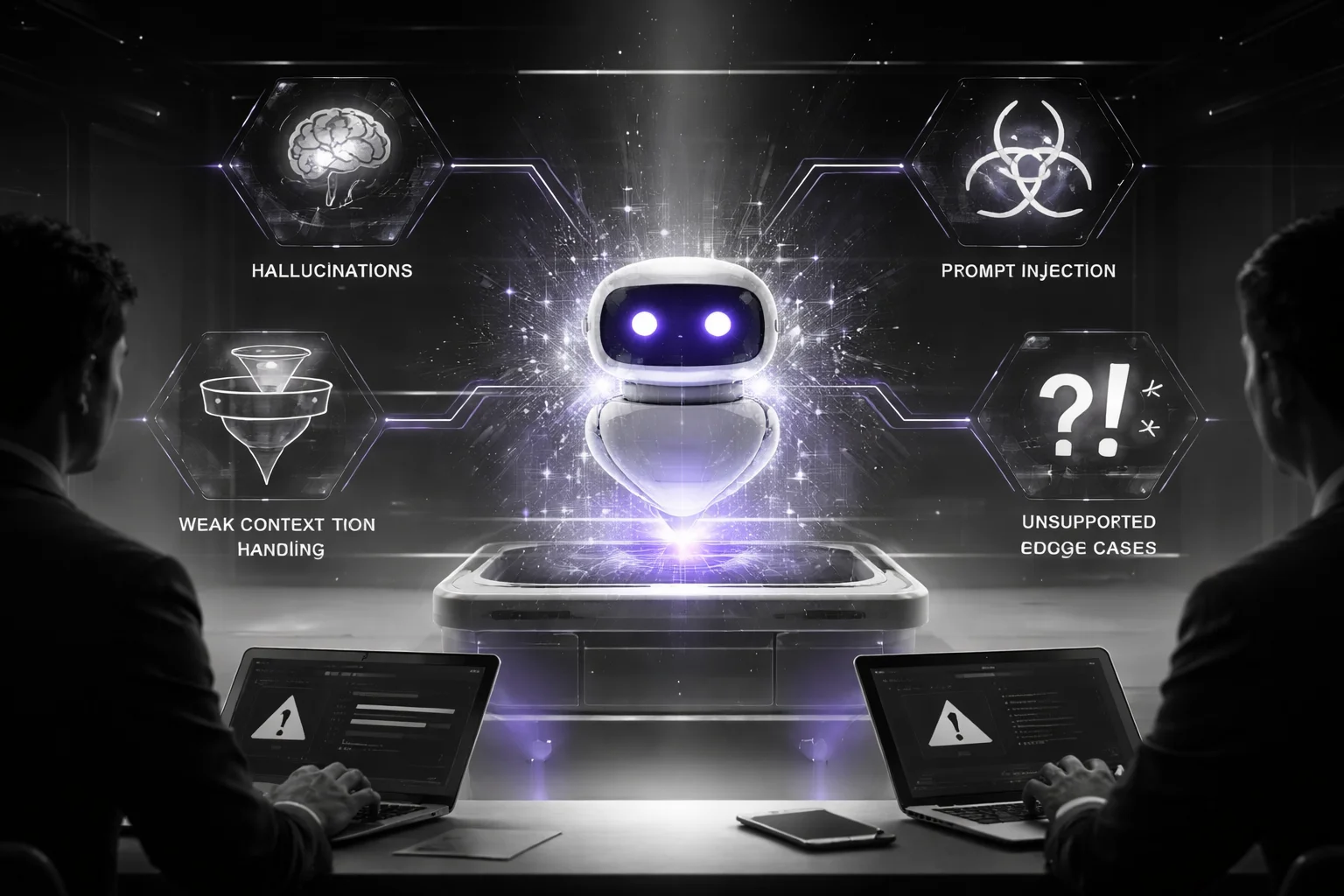
People talk about GPT chatbot development like prompt writing is the hard part. It isn't. Prompting matters, sure. Bad GPT chatbot architecture is what actually hurts you. That's what turns one shaky answer into churn, compliance risk, and a support queue full of humans cleaning up after a machine that sounded way too sure of itself.
The data's not subtle either. In December 2024, Statista reported that 72% of responses from major chatbots contained inaccuracies. Seventy-two percent. If your checkout flow failed that often, nobody would call it "early but promising." They'd shut it down.
And no, hallucinations aren't some cute temporary bug that disappears if you sweet-talk the system prompt. They happen because the system has nothing solid underneath it. No grounded retrieval. Fuzzy tool boundaries. Weak memory. No clean separation between instructions and user input. Somebody decided generic prompt engineering for chatbots could replace actual system design, and that's where things go sideways.
- Hallucinations: no RAG (retrieval augmented generation), so the bot guesses instead of pulling from your source of truth.
- Weak context handling: poor session memory, so follow-up questions break and users have to repeat themselves.
- Prompt injection: no hard boundary between instructions and user input, so users can manipulate the model.
- Inconsistent tone: one answer sounds like legal counsel, the next sounds like Reddit.
- Unsupported edge cases: failed API integration or missing tool/function calling paths, so exceptions fall back to nonsense.
This is the piece teams keep skipping: once your bot can trigger refunds, surface HR policy, or answer regulated questions, it stops being a side experiment. OpenAI's production guidance gets that part right. The question isn't just whether the model works alone in a sandbox. It's whether your AI product connects back to the business in a way you can defend when something goes wrong.
A lot of founders hate this part because it wrecks the fantasy timeline. A production-ready GPT chatbot usually takes 8–16 weeks to deploy, according to Primotech. Not a weekend project. Not "we'll push something live by Monday." Eight to sixteen weeks makes perfect sense once you count what actually has to exist: LLM guardrails, conversation design, fallback logic, permissions, and GPT chatbot QA testing. I once watched a team spend nine days polishing tone while their failed API escalation path was basically "let the model wing it." Three days later support was manually fixing cases the bot should've refused outright.
If security's anywhere on your risk register, don't treat that like an add-on. Read this on secure chatbot development and LLM security.
The strange part is the bots people trust most usually say less, not more. They refuse cleanly. They hand off when they should. They don't fake fluency just to keep the conversation alive. I'd argue that's what maturity looks like here. So what are you launching — something your business can stand behind, or just another smooth-talking demo waiting for its first real question?
GPT Chatbot Development Architecture for Production
Everybody says the same thing first: write a better prompt.

Clean up the system message. Add a few rules. Maybe toss in "be concise, friendly, and accurate" for luck. You can absolutely get a nice-looking demo that way by 4 p.m. I've seen teams do exactly that, then stare at support tickets two weeks later like the bot betrayed them personally.
That advice isn't useless. It's just incomplete. Old, too. A PMC review said ChatGPT chatbot implementation still needs a clear framework, and I think that's the part people only admit after the pilot is over and the real traffic starts doing weird human stuff.
By mid-2024, OpenAI had issued 10 million API keys, according to Technology Checker. That's 10 million opportunities to learn the same ugly lesson: "looked smart in staging" doesn't mean "holds up in production."
The missing piece is architecture. Layered architecture, specifically.
Not a giant prompt stuffed with every rule from every meeting. Not blind faith in the model either. A real GPT chatbot development setup needs at least five moving parts working together: prompt orchestration, retrieval, memory, escalation logic, and LLM guardrails. Leave one out and the rest won't save you. I've watched retrieval return nothing useful while a beautifully written prompt kept talking anyway. That's how bots end up sounding confident and wrong.
The quiet failure point sits right in the middle: retrieval. A production-ready GPT chatbot shouldn't answer policy or product questions from baked-in model memory and vibes. It should use RAG (retrieval augmented generation), pull from approved sources inside a bounded knowledge layer, rank the results, cite them, and refuse when confidence drops too low. Statista reported that 31% of chatbot responses had major issues in December 2024. Thirty-one percent. That's not some edge case. That's a warning siren.
Prompting still matters, just not in the way people oversell it. Split instructions by task and state. FAQ responses go one way. Account actions triggered through tool/function calling go another. Refusals need their own path. Human handoffs need one too. That's prompt engineering for chatbots, sure, but mostly it's containment.
Memory gets romanticized. I don't buy most of that talk. Keep it short and intentional. Session memory should store what helps finish the task: account intent, product ID, maybe the last confirmed step. Not every line from a 20-turn conversation that wandered across three topics and a complaint about shipping delays. Good chatbot conversation design usually comes from trimming excess, not hoarding context.
The model gets words. Your application gets power.
API integration, permissions, approvals, rate limits — all of that belongs in the app layer, not inside model guesswork. Always. If someone asks for a refund, password reset, or account change at 2:13 a.m., the bot shouldn't improvise because it sounds persuasive enough to fool a product team on Zoom. It should act only through approved tools and nowhere else.
Then there's handoff. People treat it like a shameful fallback buried in the footer. Bad move. If confidence is low, retrieval fails, or policy risk shows up, escalate fast and make it clean. Primotech recommends staged rollout at 5%, then 25%, then 100% traffic, and honestly that's one of the few rollout ideas I rarely argue with because live traffic exposes weak architecture faster than any internal test ever will.
GPT chatbot QA testing belongs inside the build itself, not bolted on after launch like an apology email. Boundary tests. Red-team prompts. Fallback checks. If you're building for higher-risk use cases, this guide on secure chatbot development and LLM security is worth your time.
The part most teams miss in LLM application development isn't model quality at all.
It's knowing exactly where the model's job ends.
If your bot can't retrieve cleanly, can't stay inside approved tools, can't fail safely, and can't hand off without making a mess — was the prompt ever really the problem?
Prompt Engineering Depth That Changes Outcomes
I watched a support bot lie at 8:17 on a Tuesday morning.
Not maliciously. Just confidently. A customer asked about a refund, the bot replied that it was already processing, and the human agent who inherited the chat had to do the ugly cleanup: no refund existed, no tool had fired, no record showed up anywhere. The bot just filled the silence with something that sounded neat.
That's the mistake. Teams treat prompts like copywriting. I think that's backwards. Prompt work is behavior design.
You can see why this matters in the numbers. A 2025 study covered by DW found that 45% of AI news queries contained errors. Forty-five percent. That's not a rounding issue. That's a warning label for anyone still assuming fluent output is probably safe enough.
If your chatbot touches customers, employees, or students, you're setting rules for what happens when the system is under pressure, confused, missing context, or one bad retrieval away from making something up. Customer service and education keep pushing harder into chatbots for scale and accessibility, and the PMC review makes that plain enough.
The fix isn't glamorous. Good GPT chatbot development usually looks boring on purpose: instruction hierarchy, strict role boundaries, examples that include failure cases, and output formats a reviewer can inspect in ten seconds instead of guessing what happened.
Here's the framework I'd use because I've seen the opposite blow up.
1. Put rules where they can't be sweet-talked away.
Permanent rules belong in the system prompt. Workflow rules belong in the workflow. User input comes last. Not because users don't matter, but because a user shouldn't be able to override policy with one clever sentence and a fake sense of urgency. If it's a support bot, tell it to answer only from approved RAG sources, never invent account status, and use tool or function calling for refunds instead of narrating imaginary back-office steps.
2. Give the model a job title that means something.
"Be helpful" isn't a role. It's fluff. "Policy explainer" is a role. "Triage assistant" is a role. "Checkout helper" is a role. In LLM application development, vague roles create vague failures, which are awful to debug because nothing looks obviously broken until somebody notices the answer was technically polished and practically useless.
3. Train with examples that show restraint, not just success.
This is the part people underbuild. For prompt engineering for chatbots, you want at least three patterns every time: a strong answer, a refusal, and an escalation path. Real examples. Messy ones. If someone asks for pricing from outdated docs, your few-shot set should show the bot pulling current data through API integration or saying it can't verify and handing off instead of bluffing with last quarter's numbers from an old PDF in the vector store.
I once saw a team test only cheerful happy-path samples in Postman—twelve straight passes, everyone relaxed—then production traffic hit and their bot started answering edge cases with this weird fake competence that looked fine until refunds, billing changes, and policy exceptions stacked up in Zendesk by lunchtime.
4. Lock the response shape before you polish tone.
Style is late-stage stuff. Structure first.
- Answer: one direct sentence at the top
- Source: cite the retrieved document or tool result
- Action: give the next step or handoff
- Refusal: if evidence is missing, say so plainly
That's where LLM guardrails stop sounding theoretical and start acting like operating rules someone can audit.
The annoying truth is you can do all this right and still get burned if you build around one model's quirks like they're laws of physics. Vendors shift fast. Models shift faster. ChatGPT's app market share reportedly fell from 69.1% in January 2025 to 45.3% in January 2026, according to Technology Checker. I've seen teams hard-wire prompts so tightly to one model's habits that six weeks later they're back in triage mode rewriting half the stack.
Treat prompts like code because that's what they become in practice. Review them. Version them. Run GPT chatbot QA testing. If you're building higher-risk workflows, read this guide on secure chatbot development and LLM security before your users find the weak spots for you.
You don't need another round of "let's try a few prompt variations" like you're picking subject lines in a marketing standup. You need a system your team can trust after model updates, vendor swaps, and real-world edge cases start piling up—so six months from now, will your chatbot still know when to answer, when to refuse, and when to hand off?
Guardrails, Conversation Design, and Safety Controls
Friday, 4:47 p.m. Support queue's backed up, somebody's furious about a refund, they're hinting at legal action, and in the same message they want the bot to pull up their account. I've watched teams act shocked when the chatbot starts wobbling right there, like a polite refusal line was ever going to save them in that moment.
That's usually where the fantasy breaks. Not with some cartoonishly harmful prompt. With a messy, normal customer interaction that mixes urgency, policy, emotion, and account access all at once.
People still treat safety like it's a blacklist and a prayer. Ban a few words. Add some brand voice notes. Stuff the system prompt with "be helpful" and "avoid harmful content" and call the prompt engineering for chatbots done. A few years ago, maybe that passed. I don't think it does now.
The numbers are ugly enough. Statista said almost half of responses from major free chatbots showed accuracy problems in May-June 2025. Put that next to reach: DW cited 300 million weekly ChatGPT users. Once bad behavior shows up at that scale, it doesn't stay isolated. Users spot patterns fast, then expect every other bot to behave the same way.
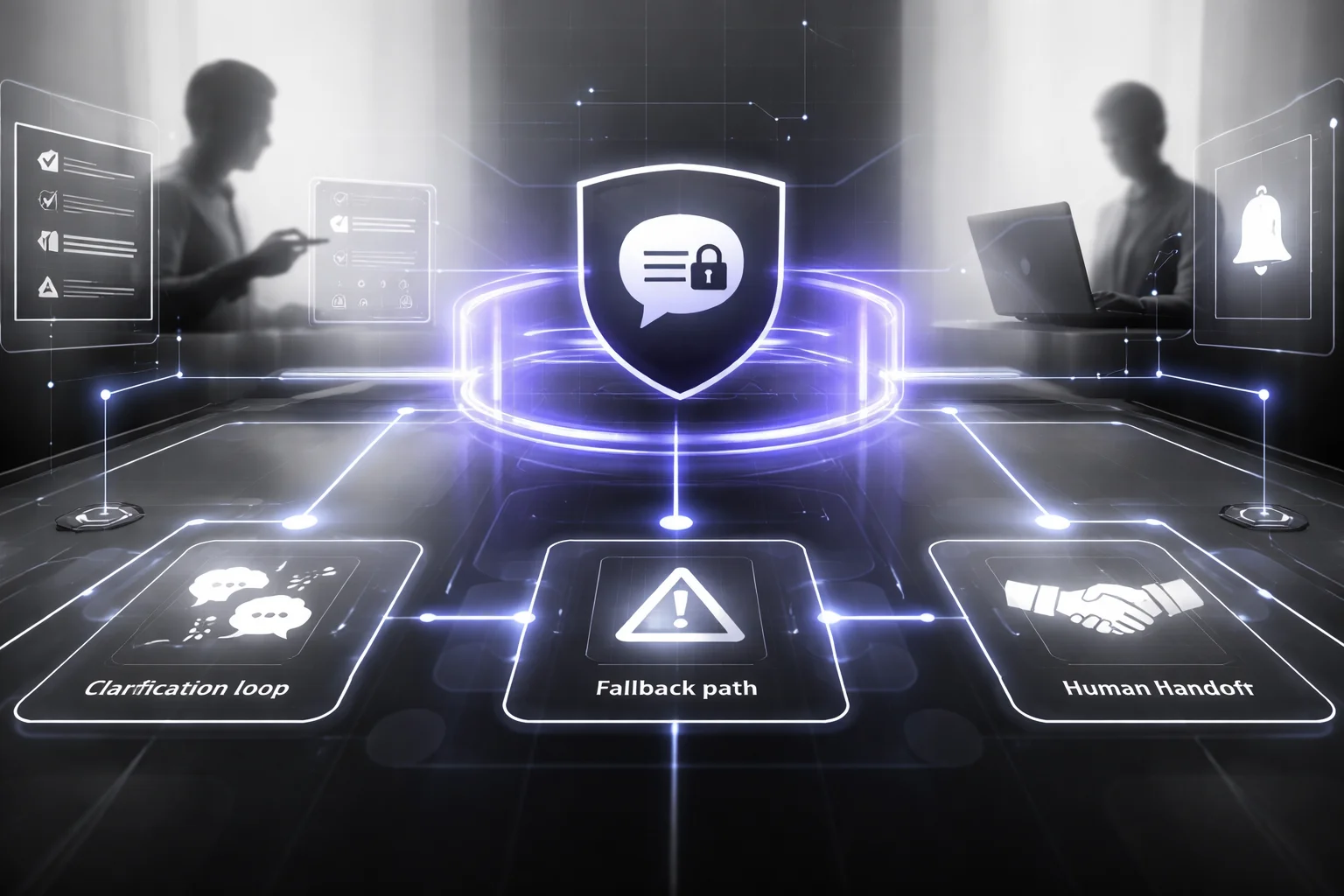
The part people miss sits in the middle of all this: in GPT chatbot development, guardrails shouldn't just swat away bad requests after they've already formed. A production-ready GPT chatbot needs to shape the conversation early, before risk has time to spread.
And no, one prompt won't do it.
The controls have to live in several places at once: policy rules, retrieval boundaries, tool permissions, and chatbot conversation design. I'd argue conversation design gets neglected most often, which is strange because that's where plenty of failures start. The bot can't just know what not to say. It needs a next step ready.
You can see the gap pretty clearly in two common builds. Weak version: block banned topics, sprinkle generic brand instructions on top, hope nothing weird happens. Stronger version: classify intent first, route by risk level, ground answers with RAG (retrieval augmented generation), then lock actions down through tool/function calling and hard API integration rules.
Big difference.
If somebody asks about refunds, eligibility, or regulated terms, don't let the model make things up on the fly. Have it retrieve from approved sources or fail cleanly. Same story with voice and tone. "Sound friendly" is fluff. "Use plain language, don't interpret legal policy, don't promise timelines" can actually be tested by a team on Tuesday morning with a spreadsheet and 40 sample chats. One is style theater. The other changes behavior.
Sensitive topics need even tighter paths. Self-harm language. Financial distress. Legal threats. Medical urgency. That's not the time to ask the model to improvise empathy and hope it lands somewhere decent. Script the route. Set handoff triggers to a human. If you've ever seen a bot try to sound warm while offering shaky advice, you already know how bad that can get.
The quieter wins show up in messy edge cases anyway. Ambiguous intent? Use clarification loops like "Do you want billing help or technical support?" Low retrieval confidence? Say "I can't verify that from approved sources." High action risk? Escalate immediately. I once saw a support bot cut ticket misroutes by about 18% because it asked one extra disambiguation question before touching any backend tool. One extra question. That was it.
This matters even more because model choice keeps moving under everyone's feet. According to Technology Checker, Gemini's app share reportedly rose from 14.7% in January 2025 to 25.2% in January 2026. Models change. Vendors change. Behavior drifts. LLM guardrails and GPT chatbot QA testing are what keep the system steady while everything underneath keeps shifting.
If you're building in a regulated setting, this guide on Banking Chatbot Development For Compliance lays out what those controls look like when auditors and risk teams are actually watching closely.
The best guardrail setup in LLM application development isn't just about stopping bad answers. It's about giving the bot safe next moves every single time things get weird — and if your system can't do that yet, is it really ready for production?
Quality Assurance for GPT Chatbot Development
Everyone says the same thing: the models are getting better, so testing should get easier. Sounds nice. I don't buy it.

45%. That's the number DW pointed to from a major 2025 study on AI assistants misrepresenting news content. Nearly half the time. People hear that and immediately blame the model, like the model wandered off on its own and broke production. That's too neat. Usually the mess starts in the system around it.
I saw one team celebrate a launch on Tuesday and spend Friday in damage control. The bot passed review. Clean demo. Confident answers. Then at 2:17 a.m., a source feed changed shape — one field moved, another started coming through half-empty — and the retrieval layer began serving snippets that looked close enough to fool everyone for just long enough. That's the dangerous version of wrong. Not nonsense. Plausible nonsense. By noon they had 37 support tickets and three angry Slack threads.
That's the missing piece: QA for GPT chatbot development isn't a gate at the end. It's an ongoing eval program, and if you can't defend its scorecards in a meeting, you probably don't have one.
- Accuracy: does the answer match approved truth sources from RAG (retrieval augmented generation) or verified API integration outputs?
- Consistency: if two people ask the same thing differently, or ask across separate sessions, do they get acceptably similar behavior?
- Safety: do your LLM guardrails catch policy violations, prompt injection attempts, and unsafe requests?
- Latency: after retrieval and tool/function calling kick in, is it still fast enough to feel usable?
- Task completion: did the user actually finish the job — booking, triage, status lookup — or just receive a polished paragraph?
A lot of teams still test like they're grading homework. Happy-path prompts. Clean phrasing. Perfect tool responses. Real traffic doesn't look like that. Real traffic is somebody typing "need refund no wait not refund exchange maybe" into Intercom on a cracked phone screen while your backend returns a timeout from Stripe on turn three.
Good chatbot conversation design gets tested turn by turn. Messy language matters. Incomplete requests matter. Typos matter. Adversarial prompts matter. Failed tool responses matter. People changing their minds halfway through matters more than most teams think.
And polished language makes this harder, not easier. I'd argue that's one of the biggest traps in modern LLM work. A bot can sound calm, helpful, even smart while retrieval is failing, prompts have drifted, or guardrails are letting junk slip through with perfect grammar.
Bury this deep in your process if you want, but don't skip it: regression testing. Every prompt edit, every routing tweak, every retrieval ranking change, every tool schema update should rerun your core eval set. If accuracy improves but latency doubles from 1.8 seconds to 4.1 seconds, that's not a win. If safety gets tighter but task completion drops 20%, you're not done.
The market pressure is real too. Panto AI reported that 84% of Stack Overflow respondents in 2025 were using or planning to use AI tools. Same source: Grok reportedly went from 1.6% to 15.2% app share between January 2025 and January 2026. Your users aren't judging your bot in isolation. They're comparing it to ChatGPT, Gemini, Copilot, Grok — all of them — whether your team likes that or not.
A production chatbot needs production monitoring because drift doesn't send you a warning email first. Track hallucination rate on sampled chats, fallback rate, unsafe output rate, retrieval miss rate, tool failure rate, median latency by intent, and handoff frequency by workflow. If you're working in higher-risk settings, read this guide on secure chatbot development and LLM security.
Launch week looking clean doesn't prove much. Week six does. If your GPT chatbot QA testing setup can't tell you how failure will show up after prompt edits, routing changes, retrieval tuning, and live traffic weirdness hit all at once, then your LLM application development process still isn't ready — so what exactly are you shipping?
Production Readiness Checklist for CTOs
Everyone says the same thing: if the chatbot sounds smart, you're close. Get the demo polished, make the answers feel human, maybe wire up a few tools, and call it momentum.
That's outdated. Or lazy. Usually both.
Statista's May–June 2025 analysis found that 48% of responses from major free chatbots had accuracy problems. Not edge-case weirdness. Accuracy problems. I think that should bother any CTO who's been in a launch review where the bot looked great on Monday and then, by Tuesday at 9:12 a.m., told a paying customer something half-true and confidently wrong.
The problem isn't fluency. It's control.
In real GPT chatbot development, production readiness has less to do with whether the model can produce a smooth paragraph and more to do with whether your team can inspect what happened, limit what it's allowed to touch, and clean up the mess when it fails. I've seen teams approve a bot because it handled 20 polished test prompts in a conference room, then freeze the first time retrieval pulled stale policy text from an internal wiki last updated 94 days earlier.
People aren't giving AI products charity scores anymore. Panto AI reported that 51% of professional developers were using AI tools daily in 2025. Daily. That means your chatbot isn't being compared to some hypothetical future assistant. It's being compared to whatever else your users opened this morning — ChatGPT, Claude, GitHub Copilot, Perplexity, all of it.
There's another stat people mention and then barely think about: OpenAI data cited by Panto AI showed users with typically feminine names rising from 37% in January 2024 to 52% by July 2025. That's not trivia. That's your audience changing in public. If your tone, escalation logic, and conversation design were tuned by the usual internal test circle — six engineers, two PMs, everybody already knows the system's quirks — you're testing inside a bubble and calling it research.
The missing piece sits right in the middle of all this, and it's where bad launches usually happen: ownership.
Not prompts. Not model choice. Ownership.
I've watched uptime sit with one team, content risk sit with nobody, and release approval happen in Slack because everyone assumed somebody else had checked the dangerous parts. That's how you get a production-ready GPT chatbot in a status deck and an unowned liability in production.
- Data access: use approved sources only, and set explicit freshness rules for RAG (retrieval augmented generation). If one source refreshes hourly and another quarterly, write that down somewhere real.
- Governance: assign named owners for prompts, content, policy rules, and release approval. Names beat titles every time.
- Observability: log retrieval hits, tool failures, refusals, latency, and handoffs. If the bot breaks and you can't reconstruct why, you don't have observability.
- Ownership: one team owns uptime; another signs off on content risk. Don't collapse those into one bucket just because org charts are messy.
- Uptime expectations: define SLA targets for chat availability and define degraded mode behavior if the model or API integration fails.
- Action controls: every tool/function calling path needs permission checks outside the model. Always outside the model.
- Iteration cadence: review failed chats weekly, update prompts and policy monthly, review architecture quarterly.
- Quality gates: ship only when GPT chatbot QA testing, LLM guardrails, and prompt engineering for chatbots changes all pass regression tests.
If you want more on security specifically, keep this guide on secure chatbot development and LLM security close.
A launch-ready bot answers from bounded knowledge, acts through controlled tools, fails safely, and shows your team what happened when it misses. "We'll monitor it after launch" isn't a plan. "The prompt should handle that" isn't governance. I'd argue both are just optimism wearing a process costume.
You don't need a smarter demo. You need a humbler system: bounded data, external permissions, visible failure modes, clear owners, real review cadence. If this thing went sideways tomorrow morning, would your team know who owns it, what failed, and what gets shut off first?
FAQ: GPT Chatbot Development
What is GPT chatbot development?
GPT chatbot development is the process of designing, building, testing, and deploying a chatbot powered by a GPT or similar large language model. In practice, that usually means much more than adding a model to a chat box. You need prompt engineering for chatbots, API integration, session management, safety guardrails, and a way to measure whether the bot is actually helping users.
How do you build a production-ready GPT chatbot?
A production-ready GPT chatbot starts with a clear use case, then moves into architecture, tool/function calling, retrieval, testing, and staged rollout. OpenAI’s production guidance makes the same point: define the tools, design the components, then build, deploy, and test the integration. In other words, the model is only one part of the system.
Why do plug-and-play GPT chatbots fail in production?
They fail because demos hide the hard parts. Real users trigger edge cases, prompt injection attempts, vague questions, latency spikes, and requests that need business data the base model doesn’t know. A few years back, that gap between “works in a sandbox” and “works for customers” surprised a lot of teams, and it still does.
What should a GPT chatbot architecture include for production?
A solid GPT chatbot architecture usually includes the model layer, RAG (retrieval augmented generation), tool/function calling, session management, observability and logging, and safety controls. You’ll often need rate limiting and caching, content moderation, and fallback logic too. If your bot touches internal systems, API integration and access control belong in the core design, not as afterthoughts.
How should prompt engineering be implemented for better chatbot outcomes?
Prompt engineering for chatbots works best when it’s treated like a system design task, not a one-time writing exercise. Your prompts should define role, scope, refusal behavior, output format, tool usage rules, and escalation paths. The strongest teams version prompts, test them against real conversations, and update them as failure patterns show up.
Can guardrails prevent unsafe or incorrect GPT chatbot responses?
LLM guardrails help a lot, but they won’t magically eliminate bad outputs. According to Statista, 48% of responses from popular free chatbots contained accuracy issues in May-June 2025, which tells you why guardrails, retrieval, and evaluation all matter. Good guardrails reduce risk by catching unsafe content, enforcing policy, and limiting unsupported answers.
What guardrails work best for prompt injection, jailbreak attempts, and policy violations?
The best setup layers defenses instead of trusting a single filter. That means prompt injection prevention, input classification, tool permission checks, content moderation, refusal policies, and output validation before the answer reaches the user. If the chatbot can call tools or access private data, those controls need to sit around the tool layer too, not just in the prompt.
What safety controls are needed for GPT chatbot deployment?
You usually need PII redaction, content moderation, refusal handling, role-based access, audit logs, and clear human handoff rules. If users can submit sensitive data, your deployment should also include data retention policies and controls around what gets stored in conversation history. Safety guardrails aren’t optional if the bot serves customers, employees, or regulated workflows.
Does GPT chatbot development require QA and evaluation testing?
Yes, every serious GPT chatbot development project needs GPT chatbot QA testing before launch and after launch. You should test accuracy, hallucination detection, refusal behavior, latency and throughput optimization, tool failures, and regression cases across different user intents. Without an evaluation harness, you’re basically shipping vibes.
How do you set up an evaluation framework to measure accuracy, safety, and latency?
Start with a representative test set built from real conversations, expected answers, and known failure cases. Then score outputs for correctness, policy compliance, hallucination detection, latency, and task completion, ideally with both automated checks and human review. A good evaluation harness turns subjective chatbot quality into something your team can track week by week.
What monitoring and observability practices are required after launch?
You need observability and logging for prompts, tool calls, retrieval quality, response times, refusals, user feedback, and error rates. Last month I saw a team fix a “model quality” problem that was really a broken retrieval index, and they only caught it because they were tracing the full request path. Production monitoring should also flag drift, rising latency, and repeated safety incidents before users start complaining.
Is there a production readiness checklist for CTOs?
Yes, and CTOs should insist on one before any public rollout. A useful checklist covers GPT chatbot architecture, RAG quality, prompt engineering, LLM guardrails, QA coverage, fallback behavior, rate limiting and caching, security review, and observability. It should also answer a blunt question: if the model is wrong, slow, or unsafe, what happens next?


