Voice Bot vs Chatbot: Pick the Channel That Wins the Moment
Voice bot vs chatbot: use this ROI-first decision matrix to choose the right channel by task, customer context, cost, latency, and compliance—then scale both.
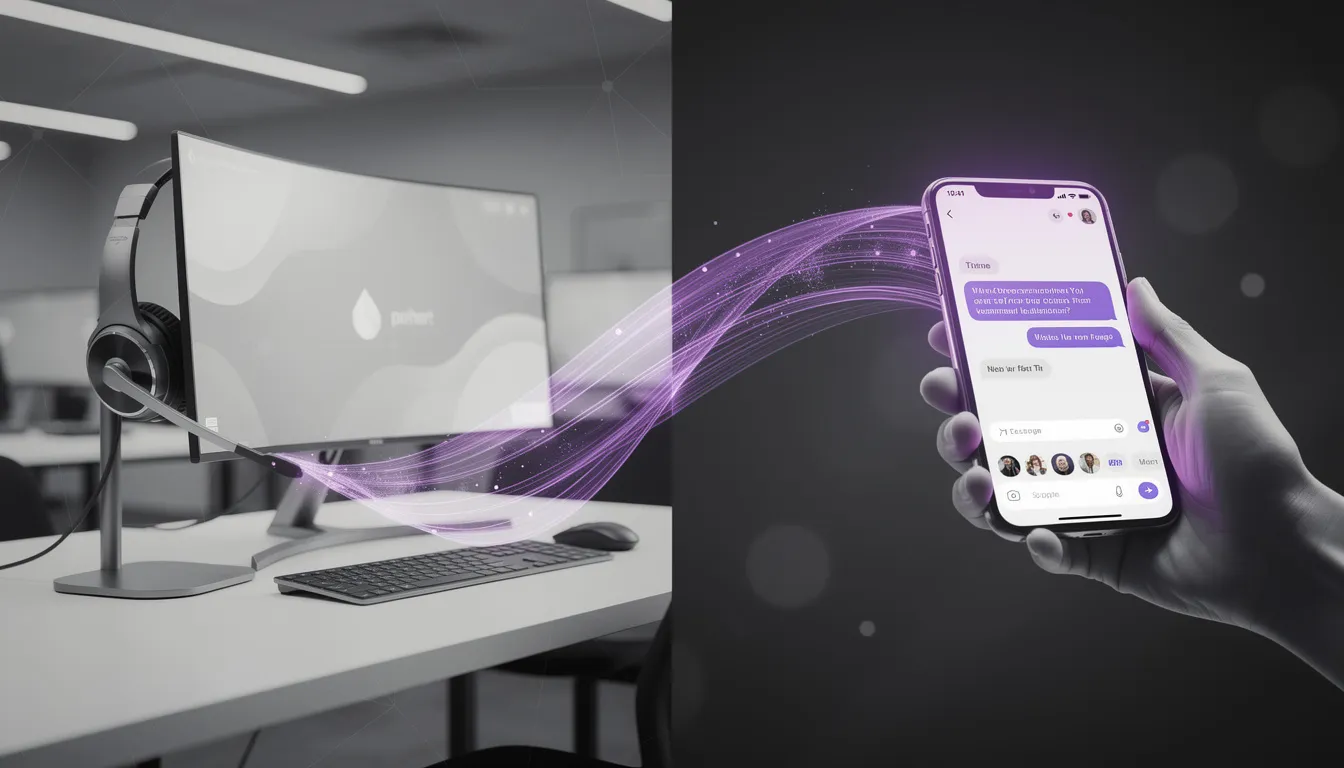
If you had budget for only one: would you automate the chat queue or the phone line—and what would break if you guessed wrong?
That’s the real tension inside voice bot vs chatbot decisions. Not because one channel is “better,” but because each one amplifies different failure modes. Pick the wrong one and the damage won’t show up as an obvious outage. It shows up as silent failures: a lower completion rate, rising average handle time, a dip in customer satisfaction score, or a compliance risk that only becomes visible after the fact.
We’ve learned to reframe this debate as “voice-first vs text-first tasks.” In other words: what is the customer trying to do, in what moment, under what constraints?
In this guide, we’ll give you a practical decision matrix tied to measurable outcomes: cost per interaction, containment, completion rate, and CSAT. You’ll get a use-case map, the cost and latency realities most teams underestimate, accessibility and regulatory considerations that can make the choice non-optional, and an omnichannel blueprint that lets you scale without duplicating work.
At Buzzi.ai, we build coordinated conversational AI agents across channels (including WhatsApp and voice). The point isn’t to ship a “chatbot project” and a separate “voice bot project.” The point is to build one capability layer—intents, policies, analytics—and render it wherever the customer shows up.
Voice bot vs chatbot: the practical difference (not the glossary)
You already know the dictionary definitions. What matters in operations is how each channel behaves under pressure: when the customer is in a hurry, when they’re frustrated, when the environment is noisy, or when the task requires precision.
A voice bot turns conversation into a real-time interface: it has turn-taking, tone, and a clock ticking while the caller waits. A chatbot turns conversation into a scrollable interface: users can skim, pause, and copy/paste.
That difference shows up everywhere—from dialog design to QA effort to what “good” looks like on a dashboard.
Think in constraints: hands, eyes, and urgency
Channel choice is usually sold as preference (“Gen Z likes chat”) or fashion (“voice is back”). In practice, it’s mostly constraints: what the customer can physically do and how urgent the situation is.
Voice wins when the customer’s hands or eyes are busy, or when urgency is high. Think about a delivery driver calling to reroute after a road closure. Or a customer who just saw a suspicious transaction and wants to freeze a card now. In those moments, a text UI is a tax.
Chat wins when the customer wants precision, quiet, or record-keeping. A customer at work checking billing details doesn’t want to speak an account number out loud. A customer comparing plan options wants to scan and bookmark.
The takeaway: map “channel fit” to moments, not demographics. The best multichannel support teams don’t ask, “Should we do voice or chat?” They ask, “When does voice remove friction, and when does it add it?”
A conversation is a UI: error recovery looks different
In voice, misunderstandings create friction fast because the user can’t see what the system thinks. Every error becomes a repair loop: clarification, confirmation, repetition. A voice bot that’s “almost right” can be worse than an old IVR, because it feels like it should understand you.
In chat, users can scan options, click buttons, or correct themselves without the same emotional cost. They can also multitask: read the reply, find an order ID, and come back.
Design follows behavior. Voice needs shorter turns, explicit confirmations for critical steps, and clean escape hatches. Chat can handle richer structured prompts: cards, quick replies, and forms that reduce ambiguity in transactional workflows.
For the same task, your UI might look like this:
- Voice confirmation step: “I can reschedule your appointment. Did you mean Tuesday at 3 PM? Say ‘yes’ or ‘no.’”
- Chat structured step: “Choose a new time” + selectable time slots + a confirm button + a receipt message.
Where the tech actually diverges: STT + NLU + TTS vs text NLU
The core of both systems is natural language understanding: turning messy human input into structured intent recognition and extracted entities. But the voice stack adds two additional layers that change everything: speech-to-text (STT) on the way in and text-to-speech (TTS) on the way out.
That means voice has more places to fail:
- Accents, background noise, and domain terms that break transcription
- Barge-in and endpointing (knowing when someone is finished speaking)
- Latency that feels longer because the caller is waiting in real time
Chat is “simpler,” but it still fails on context and ambiguity. It just fails more quietly: users abandon, rephrase, or open a ticket. Voice fails loudly: customers repeat themselves, get annoyed, and hang up.
Implementation reality: voice requires more QA in real acoustic environments, not just a test set in a quiet office. If you’re serious about voice AI contact center vs chat based support, plan for field testing: phones on speaker, noisy shops, car Bluetooth, and different regional accents.
The decision matrix: match channel to task, not to trend
“How to choose between a voice bot and a chatbot” becomes easy once you treat each candidate workflow like a product decision. The goal isn’t to pick a channel. The goal is to maximize resolution with minimum friction and maximum trust.
Below is a practical mapping of task types to channel fit, followed by a simple rubric you can run in a workshop.
Task types that skew voice-first
Voice-first tasks usually share a trait: the customer wants to get to the outcome with minimal navigation and minimal reading. They don’t want a menu; they want momentum.
Voice bots tend to win when tasks are:
- High urgency: account lockouts, card freezes, outage triage, appointment changes
- High emotion: complaints, billing shocks, service disruptions (tone and speed matter)
- Low visual dependency: status checks, simple changes, guided troubleshooting
- Compatible with call identity flows: verification through phone number + backend checks, with a clear handoff to human agent when needed
Industry examples make it concrete:
- Banking: “Freeze my card” is a voice-first moment because urgency dominates.
- Healthcare: Rescheduling an appointment is often voice-first, especially for older patients or while commuting.
- Telecom: Outage triage is voice-first because customers call when the internet is down.
Operationally, voice-first is where IVR replacement can cut average handle time by removing tree-navigation and routing the call correctly on the first try.
Task types that skew text-first
Text-first tasks tend to be “dense.” They involve options, details, or data entry that humans handle better visually.
Chatbots tend to win when tasks are:
- Information-dense: plan comparisons, policy details, troubleshooting steps that benefit from links
- Data-entry heavy: addresses, serial numbers, order IDs (copy/paste beats spell-out)
- Asynchronous: follow-ups, receipts, return labels, document exchange
- Audit-friendly: where a transcript is useful evidence of what was agreed
Example: a refund request is often better in chat. You can send the policy excerpt, a return label link, and a confirmation message that the customer can reference later. That structure tends to protect customer satisfaction score more than a long voice explanation.
Hybrid wins: start in chat, finish in voice (and vice versa)
In practice, the highest-performing systems don’t force a single channel. They treat channels as stages of one workflow.
Hybrid patterns are common in voice bot vs chatbot for customer support:
- Chat → voice: chat collects context and verifies basics; voice handles complex negotiation, emotional de-escalation, or time-sensitive steps.
- Voice → chat: voice identifies the intent and authenticates; chat delivers links, forms, photos, and a written summary.
Consider an insurance claim: the customer starts in WhatsApp to ask for claim status, shares a claim ID, and uploads a photo. If the case becomes complex—or the customer is upset—the system escalates to a voice call with the same case ID and the full context carried over.
The point is continuity: same policy rules, same tools, same context. Channel switching should feel like changing windows, not starting over.
A simple scoring rubric buyers can use in a workshop
If you want a method that survives internal politics, use a rubric. Score each candidate use case from 1–5 on these criteria:
- Urgency
- Hands/eyes busy
- Data-entry need
- Compliance/audit needs
- Emotional load
- Cost sensitivity (is the interaction volume high enough that cost per interaction dominates?)
Then decide:
- Voice-first if urgency + hands/eyes + emotion dominates.
- Text-first if data entry + audit + information density dominates.
- Hybrid if both are high; plan a fallback channel.
Finally, attach a KPI line to every use case: target containment, target completion rate, target average handle time impact, and CSAT guardrails. That’s how you keep the “decision matrix” from becoming an opinion poll.

ROI and cost per interaction: what changes between voice and chat
Most ROI models fail in the same way: they treat automation as if it’s a single lever. It isn’t. Chat and voice change different cost structures, and they create different “hidden costs” when the customer doesn’t actually get resolved.
Here’s the clean way to think about a voice bot vs chatbot cost comparison for call centers: the unit economics depend on what you replace. Chat usually replaces agents typing. Voice usually replaces agents listening and talking (and it can replace the IVR itself).

Cost drivers for chatbots
Chatbots are cheap to scale. Once you’ve paid the fixed costs—platform, integration, knowledge upkeep, analytics—each additional interaction tends to be marginally inexpensive.
The hidden cost is “deflection without resolution.” A chatbot that answers FAQs but can’t check order status feels productive on a dashboard (lots of sessions!), but it can create downstream tickets and repeat contacts. The deflection metric looks good; the completion rate tells the truth.
Chat excels when you have high-volume, low-stakes intents where self-service automation can reliably resolve without deep account context.
Cost drivers for voice bots
Voice adds variable costs that chat doesn’t have: telephony minutes, speech-to-text, text-to-speech, and typically more QA effort per flow. You’re also dealing with a more brittle user experience: if the bot misunderstands, the repair loop can inflate average handle time quickly.
But voice bots can unlock bigger savings when they reduce live-agent talk time and modernize IVR replacement. If you can contain calls that used to spend 2–3 minutes just navigating menus and authentication, the savings can be meaningful even with higher per-minute costs.
In contact center automation, voice’s best lever is time. Minutes are money.
How to model ROI without fantasy numbers
Start with your baseline, not benchmarks. Pull your top 10 intents by volume and average handle time. For each intent, estimate an achievable containment rate based on complexity and compliance constraints. Then apply a conservative “automation discount” for edge cases and handoffs.
Here’s an illustrative (not predictive) walkthrough:
- Monthly calls for “balance + recent transactions”: 100,000
- Current AHT: 4 minutes
- Live agent cost: $0.80 per minute (fully loaded)
- Target voice containment: 45% (conservative)
- Voice bot variable cost (telephony + STT/TTS): $0.12 per call contained
Baseline cost: 100,000 × 4 × $0.80 = $320,000/month.
If voice contains 45,000 calls, agent minutes reduced = 45,000 × 4 = 180,000 minutes, saving $144,000/month. Variable automation cost = 45,000 × $0.12 = $5,400/month. Net = ~$138,600/month before platform/integration overhead.
Two important caveats keep this honest:
- Track leading indicators like completion rate and transfer quality, not just call deflection.
- Model the “bad automation” cost: if the bot adds 30 seconds of repair for the 55% it can’t contain, you may increase total minutes even while “automating.”
For measurement and virtual agent guidance, Gartner’s broader customer service research is a useful framing resource (even if you don’t agree with every forecast): Gartner customer service technology insights.
Latency, accuracy, and the ‘repair loop’ problem
Teams usually think about accuracy as a model problem. Customers experience it as a time problem. The gap between those two is where voice projects win or lose.
In voice bot vs chatbot deployments, latency and accuracy failures compound each other: a small delay feels bigger when the user is already repeating themselves.
Latency tolerance: why voice feels slower even when it’s fast
Voice has turn-taking. The system has to detect end-of-speech (endpointing), transcribe, interpret, decide, and speak back. Even if that only takes a second, it can feel longer because the customer is waiting in silence.
Chat can stream partial answers, show typing indicators, and let users skim ahead. It gives the brain something to do. Voice forces you to wait.
The design move is simple: keep voice turns short and goal-directed, and confirm only when the step is risky. A long, friendly prompt is often perceived as slow.
Before/after example:
- Long: “I can help you with many things today including billing, technical support, plan changes, and more. Please tell me in a few words what you’d like to do.”
- Concise: “Tell me what you need: billing, technical support, or plan change?”
Accuracy is not one number: accents, noise, and domain terms
Speech recognition accuracy varies by environment and vocabulary. A call from a quiet living room is not a call from a shop floor. A general model that handles “balance check” might struggle with drug names, model numbers, or regional place names.
Chat failures are usually intent/context errors. Voice failures include those plus transcription errors. That’s why voice testing in real conditions matters.
Mitigations that work in practice:
- Constrain critical steps (e.g., “Say ‘yes’ or ‘no’” instead of open-ended questions).
- Use re-ask strategies (“I heard X. Is that correct?”) only when risk is high.
- Offer fallback to a link or WhatsApp continuation for hard-to-transcribe data.
Example: in a pharmacy refill flow, medication names can be brutal for STT. A good design doesn’t force spelling by voice. It asks for a birth date and then offers a short list of medications from the patient profile, letting the user choose by number.
For a rigorous overview of how ASR is evaluated (and why robustness matters), NIST’s speech research resources are a good starting point: NIST Information Access Division (speech and language).
Measure ‘repair’ explicitly
Containment is not the same as success. A voice bot can “contain” a call by never transferring it, while still destroying CSAT through repeated misunderstandings.
Measure repair as first-class metrics:
- Reprompt rate: how often the bot asks the customer to repeat or rephrase
- Confirmation rate: how often the bot must confirm understanding
- Fail-to-transfer rate: customer hangs up after multiple failures instead of being helped
- Transfer-after-failure: transfers triggered by 2+ misunderstandings
Set thresholds. A common guardrail is “max 2 reprompts before handoff to human agent.” That keeps the system honest and protects the brand.
If you’re building voice experiences, this is where implementation partners matter. We go deep on these issues in our AI voice assistant development for contact centers work—because the difference between a helpful voice bot and a frustrating one is rarely the model; it’s the repair design.

Accessibility and compliance: when the channel choice isn’t optional
Some “voice bot vs chatbot” decisions are not product debates. They are accessibility and compliance obligations. In those environments, the right answer is often “both,” with a consistent policy layer and clear user choice.
Accessibility realities: voice helps some users and hurts others
Voice can dramatically improve access for users with low literacy or vision impairment. But it can be unusable for hearing-impaired users or people in noisy environments. Chat helps in those cases and provides a written record that many users rely on.
The safe rule: offer channel choice when possible, and don’t force a single modality. Make “easy escalation” an accessibility feature, not an exception path.
A public-sector style example: a benefits status check available via both voice and chat. The voice bot handles simple “status” questions quickly; chat provides detailed dates, links, and a transcript.
Regulated industries: audit trails, consent, and disclosures
In banking and healthcare, consent capture and disclosures are not optional. Chat transcripts make auditing easier because the record is native. Voice may require recording policies, retention controls, and careful handling of what was said versus what the system inferred.
A good pattern for voice is explicit consent logging: the voice bot reads the disclosure, asks for confirmation, and the system logs a consent event with timestamp and the disclosure version.
For chat accessibility requirements and design considerations, the WCAG standard is the baseline reference: W3C Web Content Accessibility Guidelines (WCAG). (Even if your chatbot isn’t on the public web, WCAG provides the shared language for accessibility compliance.)
Privacy-by-design: minimize what the bot must hear or store
Privacy-by-design is the easiest way to reduce compliance work. Don’t collect what you don’t need. Don’t repeat sensitive data out loud. And don’t store raw transcripts longer than required.
Practical moves include:
- Use tokenized identifiers.
- Mask playback (e.g., “Your balance is available in the app” instead of reading it aloud in public).
- Route sensitive steps to authenticated channels (secure app or authenticated chat).
Example: verify identity using last-4 digits and a one-time code, then send a secure WhatsApp link for full details. You keep the voice flow fast without turning it into a privacy hazard.

Omnichannel architecture: reuse intents, policies, and analytics
Here’s the strategic shift: if you build voice and chat as separate products, you’ll pay twice in training data, twice in governance, and twice in analytics. You’ll also get inconsistent outcomes: the voice bot says one thing, the chatbot says another, and your agents become the “truth layer.”
An omnichannel strategy using both voice bots and chatbots works best when you treat channels as presentation layers on top of one shared capability stack.
One brain, many channels
We prefer to think of the system as “one brain, many channels.” Centralize:
- Intents and entities
- Policies and guardrails
- Tool access (CRM, ticketing, billing, scheduling)
- Knowledge base content
Then render them differently per channel. The “reschedule appointment” intent is the same. The voice prompt is short and guided. The chat prompt is structured and link-friendly.
This is compounding ROI: every new intent you build becomes available across voice and chat without a complete rebuild.
Routing and handoff: keep context intact
The goal of omnichannel routing isn’t just to move people between channels. It’s to prevent customers from repeating themselves.
That means when you handoff to human agent, you pass:
- The customer’s goal (intent)
- Verified identity status (what checks passed)
- Collected fields (order ID, appointment date, device type)
- A summary of what was tried (so the agent doesn’t restart the script)
Design for graceful degradation: when voice fails, offer SMS or WhatsApp continuation; when chat fails, offer a voice callback. Customers experience this as competence.
Shared measurement: make voice and chat comparable
Shared analytics prevents local optimization. If one channel is optimized for deflection while another is optimized for resolution, your overall operation gets worse even as each team claims success.
Define common metrics across channels:
- Task completion (completion rate)
- Time-to-resolution
- Transfer quality (did the agent have context?)
- CSAT delta for automated vs human-handled flows
- Cost per interaction
Then add channel-specific metrics:
- Voice: reprompt rate, barge-in rate, silence time, transfer-after-failure
- Chat: abandonment rate, time-to-first-response, button vs free-text ratio
This is where orchestration matters. Our work on AI agent development that orchestrates voice and chat is built around shared intent layers, tool access, and unified analytics so you can compare outcomes instead of arguing about channels.

Phased rollout plan: de-risk, then expand to voice (or vice versa)
Most failures aren’t technical; they’re sequencing failures. Teams start with the hardest workflows, skip integration, and then blame the model when the system can’t actually resolve anything.
If you’re evaluating how to choose between a voice bot and a chatbot, use a phased rollout that earns trust.
Phase 1: pick 2–3 intents that can’t embarrass you
Start with high-volume, low-complexity, low-regret workflows. These are the intents that users already expect to be self-service.
Good starters by industry:
- Retail/ecommerce: order status, delivery ETA, return initiation
- Banking: branch hours, card activation status, balance inquiry (with safe masking)
- Telecom: outage check by area, plan usage status, appointment scheduling
The critical point: integrate with systems of record early. Otherwise you fall into the “FAQ trap,” where the bot talks but can’t do. Define go/no-go criteria up front: completion rate, containment, and customer satisfaction score guardrails.

Phase 2: add identity + transactions
Once Phase 1 is stable, move from informational to transactional workflows: payments, changes, claims intake. This is where the ROI often gets real—and where logging and governance need to get tighter.
Introduce stricter consent capture and PII handling, and tighten escalation rules. Expand test coverage for edge cases: partial authentication, account mismatches, and policy exceptions.
Example progression in banking: balance → recent transactions → dispute intake with a clean handoff to human agent when the case becomes complex.
Phase 3: orchestrate both channels and optimize
Now you earn the compounding returns. Add proactive notifications in chat (receipts, updates, reminders). Offer voice callbacks for complex cases. Use omnichannel routing to keep context intact.
Optimization is mostly prompt engineering and flow design, not magic model tuning. If reprompts are high, reduce open-ended questions, add targeted confirmations, and improve entity capture. Then retrain with real transcripts and call logs, not hypothetical examples.
Common mistakes buyers make (and how to avoid them)
The fastest way to waste money is to buy “a channel.” The second fastest is to measure the wrong thing. Here are the mistakes we see repeatedly in voice bot vs chatbot programs—and the fixes that keep them on track.
Buying a channel instead of a workflow
Teams pick voice or chat politically: “Our competitors have a voice bot” or “WhatsApp is the future.” The result is low adoption because the bot doesn’t match the job-to-be-done.
Start from the workflow and the success metric. Then select the channel. And insist on integration with CRM/ticketing early so the bot can actually resolve, not just explain.
A common failure anecdote: a chatbot that answers FAQs but can’t look up an order. Customers ask anyway, get a generic answer, then open a ticket. You didn’t reduce demand; you just added a step.
Measuring deflection instead of resolution
Deflection is seductive because it’s easy to count. But it can rise while customers get more frustrated.
Use resolution-first KPIs: completion rate, time-to-resolution, transfer quality, and CSAT. Run holdout tests for key intents (automation on vs off) so you can see the customer satisfaction score impact without guessing.
If your dashboards don’t show repair and escalation, they’re not telling you the truth.
Fragmented vendors and duplicated training data
Separate vendors for voice and chat often mean duplicated intents, inconsistent policies, and split analytics. You end up with two versions of reality—and twice the governance work.
A unified approach reduces overhead and speeds iteration. When evaluating vendors, ask directly how they share NLU assets across channels and how they keep policies consistent.
Vendor evaluation checklist items:
- Can we reuse intents/entities across voice and chat?
- How is context preserved across handoffs and omnichannel routing?
- What repair-loop metrics do you expose by default?
- How do you manage consent, logging, and retention for regulated workflows?
Conclusion: pick the moment, then pick the channel
The right question isn’t voice bot vs chatbot. It’s which tasks are voice-first or text-first given urgency, data entry, and real customer context.
ROI is won in operations: containment plus completion rate, lower average handle time, and protected customer satisfaction score. Voice introduces extra latency and speech recognition accuracy constraints; chat introduces precision and audit advantages. You can design for both—if you treat repair and escalation as core product features.
Accessibility and regulation can force multimodal support. Plan for consent, logs, and privacy-by-design. And if you want the highest leverage approach, go omnichannel: one intent/policy layer rendered across voice and chat with shared analytics.
Want to make this real quickly? Run a 30-minute “channel fit” workshop using the scoring rubric above, pick 2–3 pilot intents, and build a plan that reuses the same intents across voice and chat. If you’d like help, explore our AI agent development that orchestrates voice and chat and request a pilot roadmap.
FAQ
What’s the practical difference between a voice bot and a chatbot for businesses?
A voice bot is optimized for real-time, turn-based conversations on phone lines or voice interfaces, where latency and repair loops matter a lot. A chatbot is optimized for visual, scrollable interactions where users can skim, copy/paste, and proceed asynchronously. In practice, the “best” choice depends less on preference and more on constraints like urgency, data entry needs, and the customer’s environment.
How do I choose between a voice bot and a chatbot for customer support?
Use a decision matrix: score the workflow on urgency, hands/eyes busy, data-entry burden, compliance/audit needs, emotional load, and cost sensitivity. Voice tends to win for urgent or emotional moments; chat tends to win for precision, documentation, and link-heavy tasks. When both are high, design a hybrid flow with context continuity and a clear fallback channel.
What KPIs prove ROI for voice bots vs chatbots (AHT, CSAT, completion rate)?
Start with completion rate (did customers actually finish the task?) and time-to-resolution, then connect those to average handle time and cost per interaction. For voice, add repair-loop metrics like reprompt rate and transfers-after-failure, because they predict CSAT drops early. For chat, track abandonment rate and how often sessions end in a ticket anyway—deflection alone is not ROI.
Is a voice bot cheaper than a chatbot for call centers when you include telephony and STT/TTS costs?
Not always on a per-interaction basis: voice often has higher variable costs due to telephony minutes and speech-to-text/text-to-speech usage. But voice can be cheaper at the business level when it replaces expensive live-agent minutes or outdated IVR navigation, which directly reduces AHT. The only reliable answer comes from modeling your top intents with conservative containment assumptions and measuring repair loops.
Which customer queries are best for voice-first vs text-first automation?
Voice-first queries are typically urgent, emotional, and simple to express: card freezes, outage triage, appointment changes, basic status checks. Text-first queries are information-dense or data-entry heavy: policy details, plan comparisons, addresses, serial numbers, and any workflow that benefits from links or documents. Many organizations get the best outcomes by starting in chat for context collection and moving to voice for complex resolution.
How do latency and speech recognition accuracy impact voice bot containment rates?
Latency affects perceived competence: even short delays feel long in voice because customers wait in silence, which increases hang-ups and frustration. Speech recognition accuracy isn’t a single number—noise, accents, and domain vocabulary can sharply change performance across environments. When accuracy drops, repair loops rise (reprompts, confirmations), and containment can look “fine” while CSAT collapses—so measure repair explicitly and cap reprompts before human escalation.
Can I start with a chatbot and later add a voice bot without rebuilding intents and integrations?
Yes—if you build the system the right way: one shared intent/entity layer and shared tool integrations, with different prompts and UX patterns per channel. That’s exactly why we recommend an omnichannel architecture instead of separate channel projects. If you’re planning this path, our AI agent development service is designed to reuse workflows across voice and chat so you don’t pay twice.
External references used: Gartner customer service technology insights, NIST speech and language resources, WCAG accessibility guidelines.


