Design AI Personalization Users Actually Control and Trust
Design AI personalization solutions with real user control, transparency, and trust—so recommendations feel helpful, not creepy, and drive long-term ROI.

Most AI personalization solutions don’t fail because the models are weak. They fail because the people on the other side of the screen feel watched, nudged, and trapped. When a feed, recommendation, or notification starts to feel like surveillance, users quietly opt out: they disable prompts, churn to competitors, or stop trusting what they see.
The paradox is simple: as your personalization engine gets more powerful, the downside of getting the experience wrong grows exponentially. High-performing recommendation algorithms that operate as a black box are now a liability. To turn personalization into durable advantage, you have to treat it as a collaboration between algorithms and people, not a guessing game behind a curtain.
In this article, we’ll unpack how modern ai personalization solutions actually work, why opaque systems feel creepy, and how to design user-controlled personalization that users can understand and shape. We’ll move from principles to concrete UI patterns, and then to the technical and organizational practices that make them real. Along the way, we’ll show how Buzzi.ai partners with teams to build ethical AI and customer experience personalization that compounds trust instead of eroding it.
What AI Personalization Solutions Actually Do Today
Personalization used to mean crude segmentation and targeting: “new visitors,” “high spenders,” “marketing leads in EMEA.” Today’s ai personalization solutions are very different. They function as always-on behavioral personalization engines sitting on top of a customer data platform (CDP), reacting in real time to what people click, watch, buy, and ignore.
Instead of an analyst defining a few static segments, a behavioral personalization engine ingests streams of signals: page views, searches, product detail views, dwell time, add-to-cart events, and purchases. On top of this, it adds contextual data such as device, time of day, or rough location. This is what powers real-time personalization: a user’s experience can change on the next screen based on what they did on the last one.
From static segments to behavioral personalization engines
Think about the evolution of a streaming platform. Phase one: simple rules (“show popular in your country”). Phase two: basic collaborative filtering (“people who watched this also watched…”). Phase three: a full behavioral engine recalculating recommendations after every watch, skip, or thumbs-down to drive hyper-personalization at the individual level.
An ecommerce site follows the same arc. It moves from showing generic “bestsellers” to surfacing “people like you also bought” and “complete the look” bundles based on your browsing history and real-time cart behavior. Under the hood, these recommendation algorithms rely on a constantly updated user preference model built from CDP data, event streams, and a personalization platform that orchestrates everything.
Where AI personalization shows up in real products
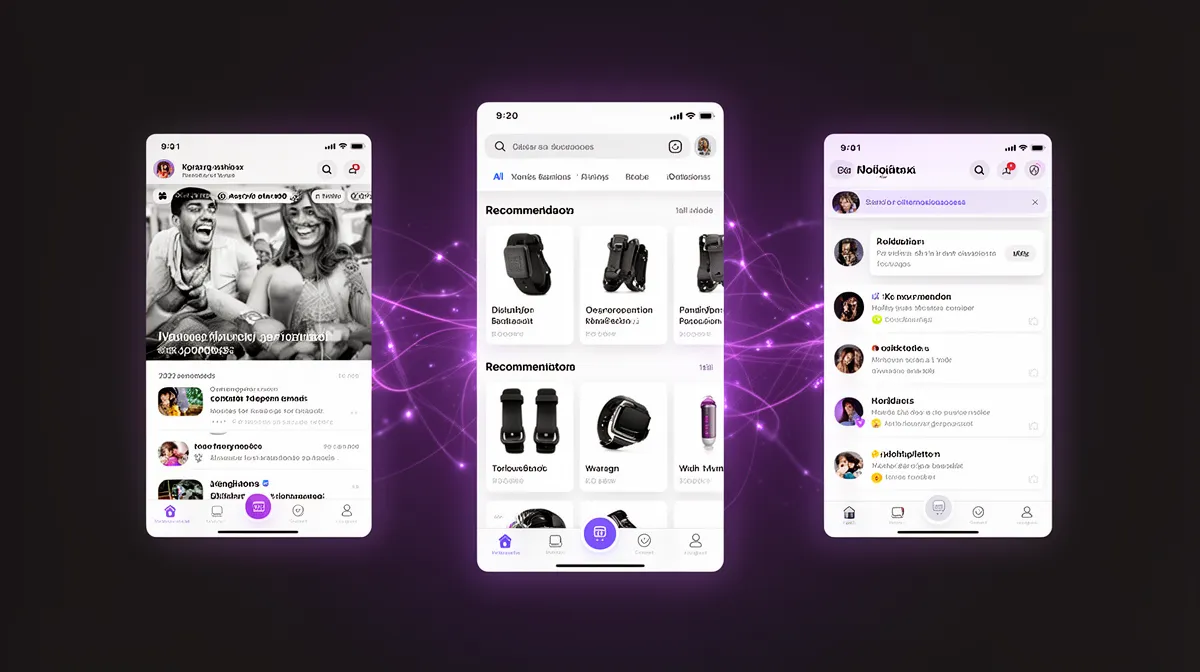
Once you see it, you can’t unsee it. Customer experience personalization now touches almost every surface:
- Feeds: news, social, learning, or product feeds ranked just for you.
- Recommendations: “you might also like” carousels, related content, upsell offers.
- Search: personalized ranking of results based on past behavior.
- Pricing and offers: dynamic discounts, bundles, or credit limits tuned to risk and propensity.
- Emails and notifications: triggered, tailored messages based on behavior and predicted intent.
- In-app UI: feature modules, dashboards, or tutorials rearranged via experience optimization.
This is true in B2C—retail, media, fintech—and in B2B SaaS, where you’ll see “recommended for your team” dashboards, proactive alerts, or onboarding guidance. The surface area is wide, but the underlying pattern is the same: a shared set of recommendation algorithms and a single user preference model driving experience customization across channels.
Why accuracy alone no longer wins
For the last decade, most teams optimized their personalization platform for a narrow set of KPIs: click-through rate, conversion, watch time, average order value. If a model moved those numbers, it was deemed a success. But there’s a missing column in that spreadsheet: user comfort, understanding, and perceived control.
As models get better, the line between “how thoughtful” and “how did they know that?” gets very thin. Without data transparency and visible controls, hyper-relevant recommendations start to feel like surveillance. In a world of ethical ai scrutiny, you can’t afford to treat user trust as a side constraint; it has to be an explicit optimization objective, on par with engagement.
Why Opaque Personalization Feels Creepy to Users
Most of us have had the same experience: you casually browse something once, and the internet follows you around with eerily specific ads or suggestions. The algorithm did its job. You, however, felt like you’d stepped into a one-way mirror.
The psychology of "being watched" versus "being served"
Users constantly infer intent from product behavior. If they don’t know why something appears, they fill the gap with assumptions about hidden motives: “Are they trying to make me spend more? Are they selling my data?” This is where “uncanny relevance” emerges—personalized experiences that feel too accurate without explanation, triggering a sense of being monitored.
Psychologically, perceived control often matters more than the actual data used. If people feel they’ve chosen what to share and see a path to change it, they are far more comfortable. Without clear user consent flows and easy levers, even modest personalization can feel invasive, undermining user trust and your broader ai ethics story.
The control gap in most personalization platforms
Here’s the structural problem: most personalization systems are built for marketers and growth teams, not for end users. The operator-facing UI in a personalization platform offers exquisite granularity—segments, triggers, lookalike models—while the user-facing side is often a single binary switch, if that.
This mismatch creates what we can call the “control gap.” Internal teams enjoy highly refined targeting dials, while users get buried settings or no meaningful personalization controls at all. The result is friction with legal and privacy teams, more conversations about privacy compliant personalization, and rising pressure from regulators and consumers to improve consent management.
Regulatory pressure: from opaque targeting to explainable experiences
Regimes like GDPR and CCPA don’t ban AI-driven personalization, but they fundamentally change its constraints. GDPR’s rules on profiling, automated decision-making, and transparency give users rights to consent, to access their data, and in some cases to an explanation of how decisions are made. The European Data Protection Board’s guidance on profiling and automated decision-making makes this particularly explicit.
Opaque recommendation engines and unchecked hyper-personalization raise both regulatory and reputational risk. Recent enforcement cases and investigations into ad-targeting practices have shown that “black box” experiences are no longer acceptable. This is where privacy-by-design, explainable ai, and practical model explainability stop being research topics and start being UX requirements.
Industry surveys, like Deloitte’s reports on consumer attitudes to personalization and privacy, show the same pattern: people are happy to share data in exchange for value, but only when they understand what’s happening and feel in control. News coverage of personalization backlash in social feeds and targeted political ads reinforces that the stakes are now mainstream, not niche.
Principles of User-Controlled AI Personalization
So how do you move from creepy to trusted? The answer isn’t to abandon ai personalization solutions, but to redesign them as enterprise ai personalization solutions with user control baked in. The system proposes; the human disposes.
Treat personalization as a collaboration, not an imposition
User-controlled personalization means the AI doesn’t sit in the shadows guessing—it collaborates in the open. The system offers suggestions, explains them, and lets users shape or override its choices. Instead of learning only from inferred behavior, it treats explicit feedback and choices as first-class signals.
This collaboration rests on three principles: explicit user consent for key features, visible controls near the experiences they govern, and reversible choices. A streaming app that asks about your favorite genres and lets you adjust them anytime combines stated preferences with behavior, leading to a richer user preference model and better signals than pure guesswork. It’s also the blueprint for the best ai personalization platform for ethical user-controlled experiences.
Optimize for trust, not just clicks
To make this real, you have to change what “good” looks like. Instead of optimizing purely for engagement, add trust and comfort metrics alongside your KPIs: satisfaction with recommendations, perceived control, and clarity of explanations. These can come from in-product surveys, user interviews, or tracking the usage of controls themselves.
Imagine an A/B test where Variant A maximizes CTR with aggressive targeting, while Variant B uses gentler defaults and clearer explanations. Variant A may win on short-term clicks, but Variant B could show higher retention, fewer complaints about creepiness, and more data willingly shared over time. That’s what mature ethical ai and experience optimization looks like: optimizing for the compounding value of user trust, not just short-term spikes.
Build privacy-by-design into your personalization architecture
It’s easy to talk about privacy-by-design in the abstract; it’s harder to wire it into your stack. In the context of personalization, it means data minimization (collect only what’s needed), clear consent flows for each feature, and granular scopes (“use my activity to tune content, but not pricing,” for instance). It also means treating privacy architecture and UX as two sides of the same promise.
Under the hood, this might look like isolating sensitive attributes, tagging events with consent flags, and ensuring those flags are checked at every stage of the pipeline. For sensitive segments or high-impact experiences, you can include human-in-the-loop review for new rules or models, and lean more on contextual targeting (e.g., page context) vs. deep profiling. This is how ai ethics moves from policy slide to operating rhythm.
Designing Effective Personalization Controls and Preference Centers
Once you accept that control is central, you face a design question: what should users actually be able to do? The answer lives in a combination of simple inline controls and a well-structured preference center that feels like a tool, not a legal form.
Core control patterns that work
There are a few proven personalization controls you see in every mature product:
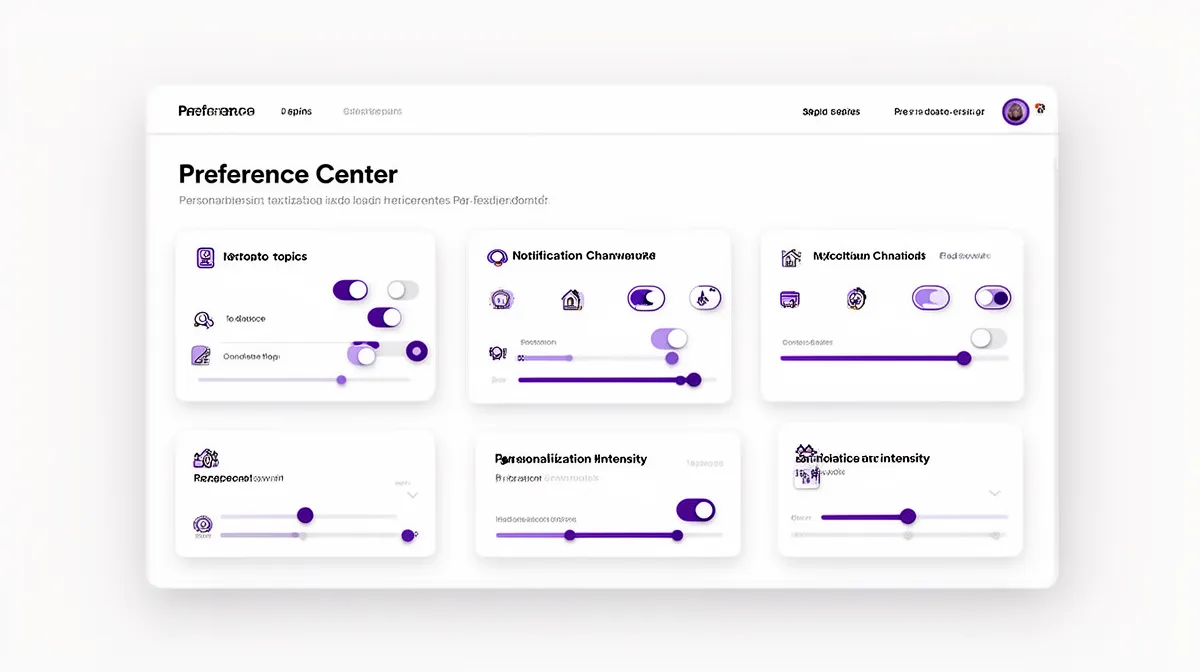
- Global on/off toggle for personalization (“Use my activity to personalize my experience”).
- Granular category toggles: topics, genres, product types, or use-cases with opt-in and opt-out options.
- Sliders for intensity or frequency: “how often should we send recommendations?” or “how personalized should your feed be?”
- Per-channel notification controls: email, SMS, push, in-app for different recommendation types.
Each pattern fits a different context—sliders are great for frequency, toggles for inclusion/exclusion, multi-select chips for interest areas. Crucially, controls should appear close to the experience they affect: notification controls in the notifications view, feed tuning in the feed, not just in a buried settings menu. That’s how you implement how to implement user-controlled ai personalization in product design in practice.
Designing a user-friendly preference center
A good preference center is the control room for your ai personalization solution with transparency and explainability. At minimum, it should answer four questions in plain language:
- What is being personalized? (feeds, recommendations, offers, notifications).
- What data or signals are used? (activity, purchases, saved items, inferred interests).
- What are my current choices? (categories opted into, channels enabled, personalization level).
- How do I turn things off globally?
Microcopy matters here. Users don’t need to see terms like “behavioral personalization engine” or “latent embeddings.” Instead, use simple explanations like, “We use your activity here to recommend similar content” with links to more detailed data transparency pages if needed. Use progressive disclosure: a simple default view covering the basics, with deeper options for power users who want to fine-tune their user preference model or switch to opt-in personalization only.
Inline controls: making personalization adjustable in context
Global settings are necessary but not sufficient. The most powerful feeling of control comes from inline tuning: thumbs up/down, “show me more/less like this,” “not relevant,” and “snooze this type of recommendation.” They sit right next to the content, offer a low-friction action, and provide immediate feedback.
These controls should feed directly into your user preference model and real-time personalization logic. If a user downvotes several items in a category, that category should fade quickly, and a small visual confirmation (“We’ll show you less of this”) reassures them their input matters. This is experience optimization with the user firmly in the loop, not just a human-in-the-loop behind the scenes.
Transparency and Explainability in Recommendations, Feeds, and Alerts
Control without understanding is fragile. To make ai personalization tools that avoid creepy recommendations, you need clear, human explanations embedded into the experience. That’s where practical transparency and explainability come in.
"Why am I seeing this?" as a first-class feature
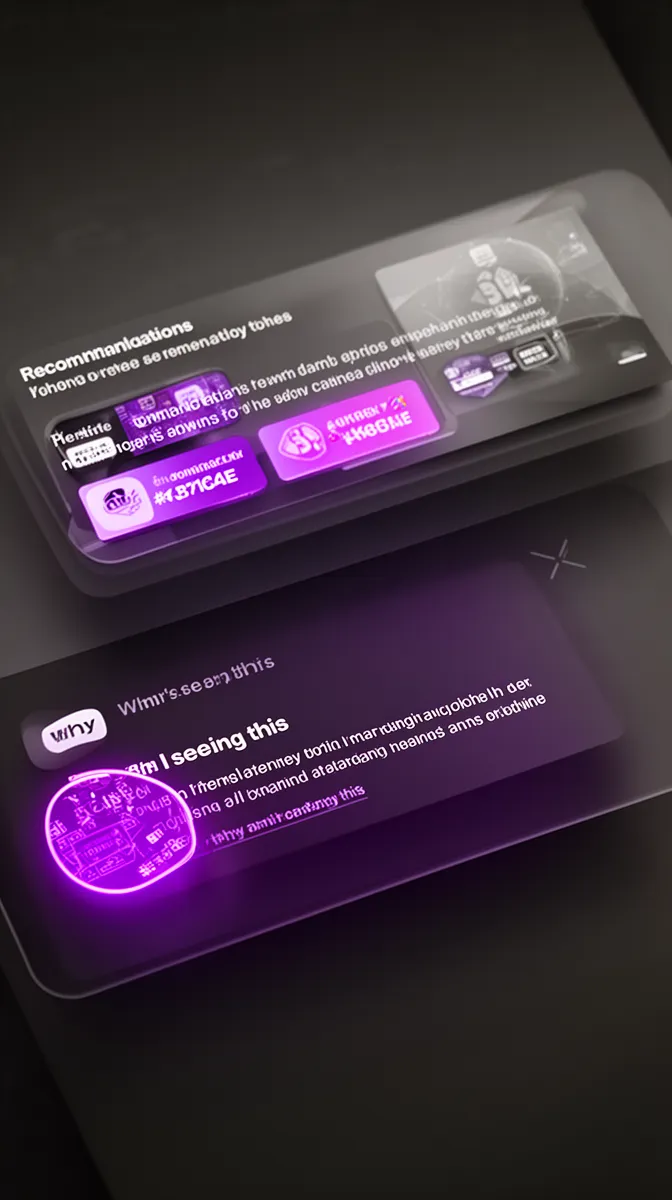
Every significant personalized element—a recommendation card, a major feed module, a high-impact alert—should offer a “Why am I seeing this?” entry point. That doesn’t mean you expose the internals of your recommendation algorithms; it means you map model outputs back to meaningful, user-understandable reasons.
You can think of this in layers. First, a one-line rationale on the surface: “Recommended because you follow AI and product design,” or “Based on your recent orders and saved items.” Second, optional detail for the curious: a short panel listing top contributing factors, maybe grouped by category (“Topics: AI, analytics; Actions: viewed 5 similar items”). This is practical model explainability in service of customer experience personalization, not a research paper.
Explaining complex recommendation algorithms simply
Users don’t need to know about neural networks; they do need to see a clear relationship between their actions and outcomes. A good pattern is to show the top two or three contributing factors: categories they follow, items they interacted with, or their organizational role. You can reinforce this visually with icons, badges, or filters that echo those factors.
For example, a B2B dashboard might surface “Recommended reports” with small tags like “Because you monitor: revenue, churn” or “Frequently used by teams like yours.” Behind the scenes, your user preference model aggregates dozens of signals, but the explanation distills them into a simple mental model. Technical teams can take inspiration from engineering blogs that document explainable recommendation systems at scale.
Being honest about uncertainty and limits
Most systems overstate their confidence by pretending they’re always right. A more trustworthy approach is to be explicit about experimentation and uncertainty: labels like “We’re trying something new—tell us if this is off” invite feedback. The goal isn’t to lower expectations; it’s to reposition the system as something that learns with the user.
From a human-in-the-loop perspective, this feedback becomes valuable training data. From a user perspective, seeing the system admit it might be wrong makes it feel less manipulative and more collaborative. This is where ethical ai meets real-world user trust: acknowledging limits is often more convincing than asserting perfection.
Technical and Organizational Practices for User-Controlled Personalization
Design patterns and copy are only half the story. To sustain a truly ai personalization solution with transparency and explainability, your data models, services, and teams all need to align around user agency. This is as much an organizational design problem as it is a technical one.
Designing preference models that keep users in the loop
Start by distinguishing explicit and implicit signals. Explicit signals are user-stated: chosen topics, toggles in the preference center, thumbs up/down. Implicit signals are inferred: clicks, time on page, scroll depth. In a user-controlled system, explicit signals should usually carry more weight, especially when users make a clear choice to opt in or out.
Structurally, your user preference model should map directly to visible controls: categories, channels, personalization levels, opt-in flags, last-updated timestamps. This also supports data minimization: only store what’s needed for the declared use. When someone turns something off, that choice should travel everywhere—into models, caches, and logs—via clear opt-out logic that engineers can understand and audit.
Implementing consent and opt-out logic in your stack
Effective consent management isn’t just a banner; it’s a data flow. When a user gives consent for certain forms of personalization, that decision needs to be captured as structured data, propagated through your analytics pipelines, and enforced at inference time. If consent is revoked, you may need to stop logging certain events, stop using historical data for new inferences, or downgrade to coarser, more privacy compliant personalization.
From an ai architecture perspective, this means treating consent flags as inputs to your personalization services, not just to your marketing tools. It also means building auditability: logs or dashboards that can answer “when was personalization applied, based on what consent state?” That’s key for ai governance, debugging, and regulatory inquiries alike.
Cross-functional collaboration: product, UX, data, and legal
Because the stakes span UX, revenue, and regulation, user-controlled personalization cannot live only in the data science team. It has to be a joint initiative between product managers, designers, engineers, data scientists, and legal/compliance. Many organizations formalize this with a working group focused on ai ethics and personalization.
In practice, this looks like recurring design reviews focused on controls and transparency, legal checkpoints for new features, and UX research cycles specifically probing trust and comfort. Governance policies define sensitive categories, escalation paths for risky experiments, and acceptable trade-offs. When you reach this level of maturity, you’re not just shipping features—you’re building sustainable enterprise ai solutions around user agency.
For organizations looking to accelerate this, partnering with experts in AI personalization and agent development services can help bring proven architectures and patterns into your stack faster.
Retrofitting User Control Into Existing Personalization Systems
Most teams don’t have the luxury of starting from scratch. They already have ai personalization solutions running in production, stitched into core funnels. The good news is that you can retrofit user agency into these systems without a total rebuild—if you move methodically.
Audit your current personalization footprint
The first step is a map. Identify every place where customer experience personalization appears today: feeds, carousels, cross-sell modules, pricing or risk scores, triggered notifications. For each, document what data is used, how decisions are made, and whether any controls or explanations are visible.
You can then score each touchpoint on three axes: transparency (do users know this is personalized and why?), control (can they adjust it?), and regulatory risk (is sensitive data involved, or automated decisions with significant impact?). This audit exposes blind spots where privacy-by-design principles aren’t yet applied and guides where to start improving trust.
Layer controls and transparency without full re-platforming
Once you have the map, you can layer upgrades. A common pattern is to start by adding inline controls and basic explanations—small “Why this?” links and “Show me less like this” actions—on top of existing modules. In parallel, you design a simple centralized preference center that ties the most critical controls together.
Technically, you can decouple these UI additions from the underlying engine through APIs or configuration layers. A simple personalization toggle at the module level can gate calls to the engine; explanation APIs can expose reason codes that your front end turns into human copy. This staged approach is how many teams learn how to implement user-controlled ai personalization in product design across an existing product without halting traffic.
Measure impact beyond engagement: trust and satisfaction
To know whether your retrofit is working, you need more than CTR dashboards. Track NPS or CSAT specifically about content and recommendations, perceived control scores (“I feel in control of my experience”), opt-in and opt-out rates, and complaint volume mentioning creepiness or privacy. These are the trust metrics that tell you if your new patterns are landing.
Run A/B tests comparing more transparent, control-rich experiences against your baseline. Over time, correlate improvements in trust metrics with retention, lifetime value, and the richness of signals users are willing to share. This is where experience optimization, user trust, and ethical ai converge into a concrete ROI story.
How Buzzi.ai Delivers Ethical, User-Controlled Personalization
Designing and implementing ai personalization tools that avoid creepy recommendations is both a technical and organizational challenge. At Buzzi.ai, we focus on building ai personalization solutions where user agency, explainability, and compliance are part of the architecture, not bolted on at the end.
Solution architecture built around user agency
In a typical engagement, we start by designing a modular ai personalization solution that treats preference models as first-class citizens. That means data structures and APIs that expose user preferences directly to the UI, not just to the model layer. We also design explainability hooks—reason codes, feature contributions, and experimentation flags—that product teams can surface in a user-friendly way.
Our pipelines are consent-aware and aligned with privacy-by-design principles: consent flags flow from UX to storage to inference, and sensitive segments can be isolated or subjected to additional review. Because many clients already run CDPs or existing engines, we integrate with those systems rather than forcing a rip-and-replace, delivering enterprise ai personalization solutions with user control on top of what’s already there.
From discovery to implementation: working with Buzzi.ai
We usually begin with an AI discovery and strategy engagement to map your current personalization footprint, risks, and opportunities. From there, we run design sprints focused on controls, transparency, and consent UX, alongside technical design for preference models and explainability services. Implementation follows in phases, with integration into your stack and continuous optimization based on user research and metrics.
Because we’ve worked with regulated industries and trust-sensitive markets, we bring patterns that anticipate questions from legal, compliance, and security teams. Our ai implementation services emphasize cross-functional collaboration—product, UX, data, and legal in one room—to make sure your ai personalization tools are both loved by users and defensible to regulators.
When to partner instead of building everything in-house
Some organizations have strong ML teams but limited experience with explainable AI and user-centered AI UX. Others are stretched thin and can’t afford years of trial and error on personalization that risks brand trust. In both cases, partnering with an ai solutions provider that specializes in enterprise ai solutions for personalization can dramatically compress the learning curve.
We’ve seen mid-market companies attempt DIY personalization, only to stall when questions about fairness, consent, and explanations appear. With the right ai consulting services, they’re able to design and ship a user-controlled system faster, with patterns battle-tested across other deployments. If you’re in that position, exploring how Buzzi.ai can support your roadmap may be the highest-leverage step you can take.
Conclusion: Personalization That Users Actually Trust
AI-driven personalization is no longer optional in competitive markets—but neither is trust. Ai personalization solutions only create durable value when users can see what’s happening, shape it to their needs, and walk away if they choose. That requires intentional design of controls, transparency, and privacy-by-design foundations.
From inline tuning controls to robust preference center experiences and consent-aware architectures, user-controlled personalization is entirely achievable—even on top of existing systems. The payoff is a more resilient relationship with your users: they share more, stay longer, and advocate more strongly because they feel respected. If you’re ready to reassess your current experiences through the lens of user control and trust, we’d invite you to explore an AI discovery engagement with Buzzi.ai and sketch what a user-controlled AI personalization solution could look like across your product portfolio.
FAQ: User-Controlled AI Personalization
What are AI personalization solutions, in practical product terms?
AI personalization solutions are systems that tailor experiences like feeds, recommendations, search results, offers, and notifications to each user. They rely on data such as behavior, preferences, and context to decide what to show and when. In practice, they’re the engines behind things like “recommended for you” carousels, personalized dashboards, and smart alerts.
Why does AI personalization sometimes feel creepy instead of helpful?
Personalization feels creepy when it’s highly accurate but completely opaque—users don’t know what data was used, why something appears, or how to change it. That triggers a sense of being watched rather than being served. Without clear consent, explanations, and controls, even well-intentioned personalization can look like surveillance.
How can we give users real control over AI-driven personalization?
Real control starts with visible, meaningful settings: global on/off toggles, category-level choices, frequency sliders, and channel-specific notification options. Inline controls like “show me more/less like this” let users tune recommendations in context. Under the hood, their choices must update the preference model and be respected by all personalization logic.
What are the best UI patterns for personalization controls and preference centers?
Effective patterns include simple toggles for enabling personalization, grouped topic or product-type switches, and clear sections that explain what’s being personalized and why. A well-designed preference center puts these in one place with plain-language descriptions and a global opt-out. It also offers progressive disclosure, so casual users and power users both feel at home.
How can we explain personalized recommendations in clear, non-technical language?
Focus on the user’s perspective, not the model’s internals. Short phrases like “because you follow these topics,” “based on what your team uses most,” or “similar to items you viewed recently” are usually enough. Offer a deeper view for curious users, but keep everything in human terms rather than algorithmic jargon.
What data about personalization should we disclose to users to build trust?
At minimum, explain which experiences are personalized, what data you use (e.g., on-site activity, purchases, saved items), and what you explicitly do not use (e.g., sensitive categories). Show users their current preferences and give them easy ways to edit or turn things off. Linking to a clear data and privacy explainer page can further reinforce trust.
How do privacy laws like GDPR and CCPA affect AI personalization design?
GDPR and CCPA introduce requirements around consent, transparency, data access, and sometimes the right to explanation for automated decisions. That means you need consent-aware data flows, understandable notices about personalization, and ways for users to opt out or limit processing. Treating personalization as a core use case in your privacy-by-design efforts is now essential, not optional.
Can we retrofit user-controlled personalization into an existing recommendation engine?
Yes. You can start by auditing where personalization exists today, then adding visible explanations and simple controls to those touchpoints. Over time, you can connect those controls to your underlying models and build a centralized preference center, without needing to replace your entire stack on day one.
How do we measure whether personalization is improving trust, not just clicks?
Beyond engagement metrics, track user satisfaction with recommendations, perceived control, opt-in and opt-out rates, and complaint volume related to creepiness or privacy. Periodic surveys can capture sentiment around fairness and clarity. When these trust metrics move in the right direction alongside retention and LTV, you know your approach is working.
How can Buzzi.ai help us implement ethical, user-controlled AI personalization solutions?
Buzzi.ai works with teams to design and implement personalization that users actually trust. We help you map your current footprint, design user-friendly controls and explanations, and build consent-aware, explainable architectures that integrate with your existing stack. If you’re exploring this, our AI discovery and strategy engagement is a good starting point.


