GPT API Development That Ships: Architect for Tools, State, and Scale
GPT API development is software architecture: function calling, Assistants API, state, and guardrails. Learn patterns that ship reliable AI features at scale.
If your GPT API development is “a prompt plus an API call,” you don’t have an AI feature—you have a demo. Demos are optimistic by design: clean inputs, one happy path, and no one asking the model to do something slightly weird at 4:57pm on a Friday.
Production GPT API development is architecture: state, tools, routing, and observability. The model is only one component in a system that looks suspiciously like a distributed application with a probabilistic core. That’s why “it worked yesterday” is a common failure mode, and why “we added one more tool and everything got worse” is almost a rite of passage.
If you’re here, you’re probably feeling some combination of: brittle behavior, prompt sprawl, random tool failures, latency spikes, and cost surprises. You might also be under pressure to ship something that doesn’t just answer questions, but actually does work—create tickets, update records, schedule meetings, approve refunds, and leave a clean audit trail.
In this guide we’ll lay out a modern reference approach to GPT API architecture: decision rules for function calling vs the Assistants API, practical conversation state management patterns, data integration via RAG and systems-of-record APIs, and the guardrails you need before you scale usage. This is the kind of LLM application development we build at Buzzi.ai—AI agents and OpenAI API integration that live inside real workflows, not side demos.
What “modern GPT API development” actually means in 2026
Modern GPT API development isn’t “prompt engineering, but better.” It’s the shift from text-in/text-out interactions to tool-using systems that plan, call APIs, persist state, and recover from failure. Put differently: we stopped building chatbots and started building software that happens to have a language model in the loop.
The reason this matters is simple. The model got more capable, but the surface area of your product got bigger: more steps, more dependencies, more edge cases, and more places to leak time or money.
From Chat Completions to tool-using systems
The evolution looks roughly like this:
- Prompt-response: one prompt, one answer. Great for copywriting, shaky for workflows.
- Structured outputs: same interaction, but you demand a predictable format.
- Function calling / tool invocation: the model selects a tool and proposes arguments.
- Assistants / runs: managed threads and multi-step tool execution.
- Agentic workflows: orchestration across multiple steps, tools, and sometimes models.
Here’s the before/after most teams experience. “Before”: an FAQ bot answers policy questions from a static prompt. “After”: users ask, “Can you refund invoice 18492?” and the assistant has to look up the customer, find the invoice, check eligibility, create a refund request, and notify the user—all while respecting permissions and recording what happened.
The capability jump is real. So are the new failure modes: state drift, tool mismatches, partial writes, rate limits, and long-tail cases your prompt never anticipated.
The new unit of design: workflows, not prompts
A useful mental model is: the LLM is a CPU, and tools are syscalls. You don’t “wish” a process into existence; you design an execution plan with safe interfaces.
In practice, most production workflows break into a small set of step types:
- Classify (what is the user trying to do?)
- Retrieve (fetch relevant docs/data)
- Decide (apply policy and choose a path)
- Act (call tools that change the world)
- Verify (validate output, enforce policy, detect contradictions)
Consider three common SaaS workflows and how they map:
- Refund approval: classify → retrieve invoice + policy → decide eligibility → transact (create request) → verify/audit
- Onboarding checklist: classify role/org → retrieve checklist → act (create tasks, invite users) → verify completion state
- Lead enrichment: classify lead type → retrieve CRM record → act (call enrichment APIs) → verify data quality
This is what “workflow automation” looks like in LLM form: the model helps plan and communicate, but tools do the real execution.
Determinism is designed, not requested
Teams often try to prompt their way into reliability: “Be consistent,” “Always output JSON,” “Never call tools incorrectly.” It reads like a plea because it is.
Determinism comes from the system you build around the model: constrained schemas, routing rules, smaller tool surfaces, validation, retries with budgets, and evals that catch regressions.
Reliability in GPT API development is not a prompt property. It’s an architectural property.
A concrete example: your assistant calls create_refund_request when the user only asked to “check status.” The fix isn’t “be careful.” The fix is a router that separates lookup from transact, a policy layer that blocks write tools by default, and a schema that forces explicit user confirmation before a write tool becomes eligible.
Core components of a production GPT API architecture
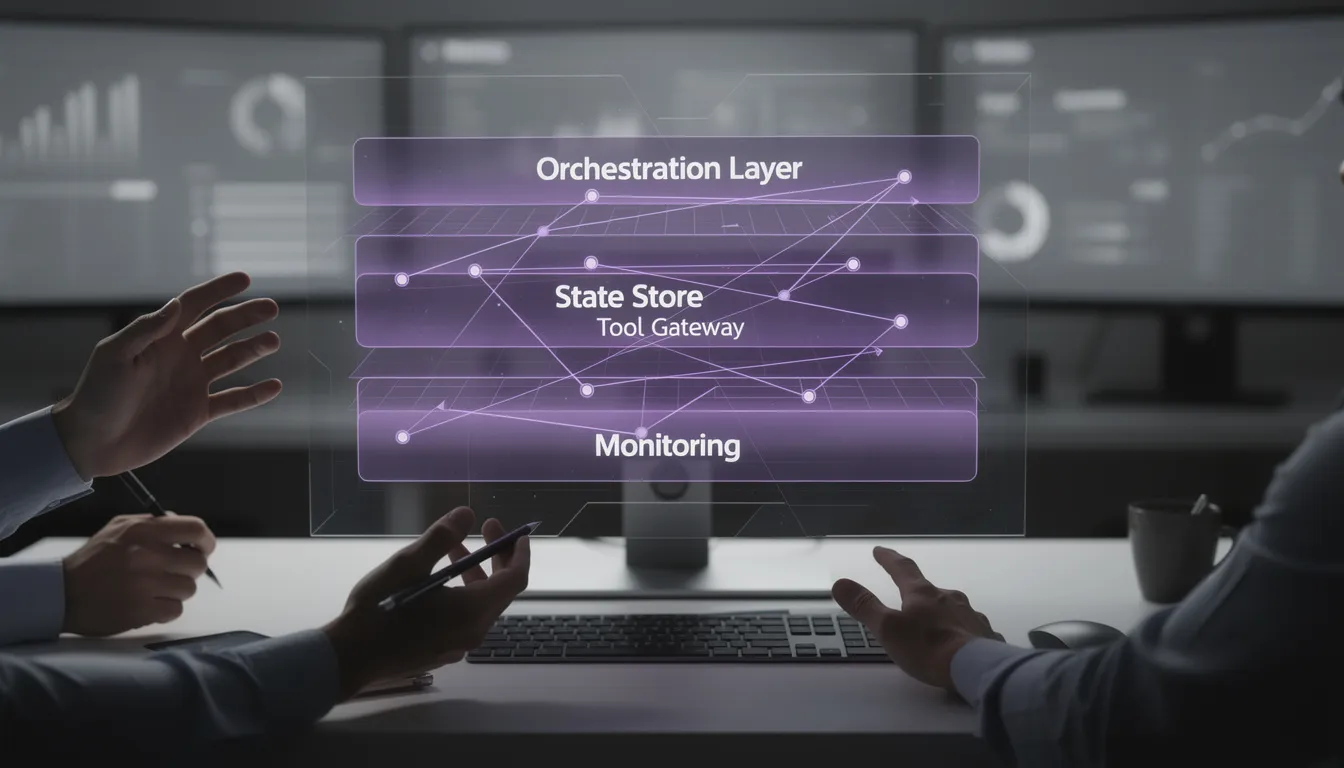
Production GPT API architecture is easier to reason about when you name the components. You’re building a system with an orchestration layer, a state/memory layer, and a tool boundary that behaves like a real API gateway.
When you get those three right, everything else—prompt iteration, model upgrades, even adding new capabilities—becomes less scary.
The orchestration layer (your real product surface)
The orchestration layer is the part you actually own. It shapes requests, selects models, routes intents, invokes tools, and decides how to recover when something goes wrong.
Think of it as an anti-corruption layer for the LLM: the model changes quickly, but your product contract can’t. Martin Fowler’s work on anti-corruption layers is a helpful reference for this kind of boundary design (overview here).
A useful way to describe the orchestrator is as a small set of responsibilities (not a thousand prompt files):
- generate(): produce user-facing text with explicit format constraints
- plan(): select next action(s) given state and user intent
- call_tool(): execute tool invocation with validation, timeouts, and retries
- summarize(): compress long histories into episodic summaries with references
Most importantly: keep all model calls behind a stable internal interface. Prompts and models can evolve; your application should not fracture every time you learn something new.
For teams that want concrete implementation guidance, we’ve collected production patterns for AI API integration that map directly to these layers.
State and memory: session persistence vs knowledge
State management is where most “smart chat” features quietly die. The failure is subtle: the model behaves inconsistently because it’s guessing what it should have been told.
The fix is to separate three things:
- Conversation state (ephemeral): current task, last N turns, temporary variables
- User/org context (semi-stable): preferences, entitlements, permissions, language, time zone
- Knowledge (RAG): policies, manuals, contracts, and other documents you retrieve on demand
We like to define a “state budget”: what must be in-context, what can be fetched just-in-time, and what must be stored server-side for correctness and cross-channel continuity.
Example: a support agent copilot that works across web chat and email. You don’t want to paste entire email threads into every request. You persist the ticket ID, current resolution step, and a short episodic summary; then retrieve the last few messages or relevant KB passages when needed.
Tooling boundary: schemas, permissions, and idempotency
Tools are APIs. Treat them like it.
That means each tool needs:
- Clear contracts (JSON schema for inputs/outputs)
- Permissions (read-only vs write tools; per-user scopes)
- Idempotency for writes (so retries don’t double-charge or double-create)
- Business rules outside the model (validation and policy checks)
A typical set of tools might include get_customer, search_invoices, and create_refund_request. The first two can be broadly available. The last one should require explicit confirmation, an eligibility check, and an auditable reason.

Designing a robust function calling architecture (without tool chaos)
Function calling is the heart of modern GPT API development, and also the fastest way to create chaos. The model will happily call tools you didn’t expect, with arguments that are “plausible” rather than correct.
The point of architecture here is to reduce the degrees of freedom. Fewer eligible tools, tighter schemas, and explicit routing steps turn tool invocation from improvisation into execution.

Start with tool taxonomy: lookup, transform, transact
A simple taxonomy prevents a lot of pain. Classify tools by what they do and how risky they are:
- Lookup: fetch information (CRM read, invoice search, KB retrieval)
- Transform: compute/format (summarize ticket history, normalize addresses)
- Transact: change the world (create refund request, update subscription, send email)
Then attach guardrails to each class. Lookup tools can be called freely with rate limits and caching. Transform tools should be bounded (size limits, predictable output schemas). Transact tools should be gated: confirmations, policy checks, and idempotency keys.
Here’s a “table-style” grouping that works well in practice:
- Lookup (low risk): get_customer, search_invoices, get_subscription_status
- Transform (medium risk): summarize_ticket_thread, extract_entities_from_email
- Transact (high risk): create_refund_request, update_billing_address
Schema design for reliable tool calls
Tool schemas are where you buy determinism. The best schemas are small, explicit, and constrained. The worst schemas are “one big JSON blob” that makes it impossible to know what was intended.
Practical schema design rules:
- Prefer required fields over “optional everything.”
- Use enums for known categories (plan_type, refund_reason, channel).
- Constrain formats (ISO dates, currency codes) and validate server-side.
- Version your schemas so you can evolve them without breaking clients.
For example, a schedule_demo tool schema should force timezone and duration constraints, and ideally accept a small set of meeting types rather than free-form text. If the model has to guess, it will.
If you want the official baseline guidance on structured arguments, OpenAI’s docs are the right canonical reference (OpenAI API documentation). Also review the documentation on function calling / tools and structured outputs as you implement schemas and validators.
Routing strategies: single-router, two-stage, and policy-first
Routing is the difference between a toolset and a usable system. There are three common patterns, each with clear tradeoffs:
- Single-router: one model call chooses the tool and arguments. Fast, but gets less reliable as the toolset grows.
- Two-stage: (1) classify intent → (2) select tool + args. Slower, but much more accurate and debuggable.
- Policy-first: hard rules decide which tools are eligible before the model sees them. Best for safety and compliance.
Consider a billing dispute workflow. A single-router might jump straight to “issue refund” because that’s a plausible resolution. A two-stage router classifies “status inquiry” vs “refund request,” and only exposes transact tools on the refund path. A policy-first router blocks write tools unless the user is entitled and has confirmed—so even if the model wants to act, it can’t.
Failure handling: retries, backoff, and safe fallbacks
Production means you plan for failure. Not as a theoretical exercise, but as the default posture.
Good failure handling tends to look like:
- Timeout budgets per step (don’t let one tool call eat the entire interaction)
- Retries only for idempotent operations (or with idempotency keys)
- Exponential backoff for transient failures
- Safe fallbacks: ask clarifying questions, reduce toolset, switch model, or hand off to a human
- Attempt history: persist what was tried to prevent loops and aid debugging
A failure story you’ll recognize: during search_invoices, you hit a rate limit. Without a plan, the user sees “something went wrong.” With a plan, the orchestrator backs off, serves cached partial results (“I found 3 invoices; fetching the rest”), and continues—or asks the user to narrow by date to reduce load.
Assistants API vs low-level APIs: a decision framework
The Assistants API can feel like “the right way” because it bundles threads, tool runs, and multi-turn behavior. Low-level APIs (like Chat Completions / Responses-style primitives) can feel like “more work.” The actual question is simpler: do you want convenience now, or control forever?
Most teams eventually want both—which is why the best answer is often a hybrid.
Use Assistants API when you want managed threads + tool runs
Use the Assistants API when you want standardized multi-turn behavior with managed threads, and when speed of iteration matters more than fine-grained orchestration control.
This is especially compelling for internal tools and ops assistants that execute repeatable SOPs: fetch a record, check policy, generate a response, and log the action. You still own safety and guardrails, but you get a lot of machinery “for free.”
OpenAI’s official docs are again the best source of truth for the Assistants concepts and capabilities (OpenAI API documentation).
Use low-level APIs when you need tight control and custom orchestration
Low-level APIs are the right choice when latency budgets are strict, when you need bespoke routing, or when your pipeline uses multiple models and caches aggressively.
Example: a consumer chat feature with heavy personalization. You may need to precompute user context, run a fast intent classifier, gate tool access with policy logic, and only then call a larger model. That kind of response orchestration is easier when you control every step.
Hybrid pattern: Assistants for iteration, low-level for scale
A pragmatic pattern is to prototype with Assistants, then migrate “hot paths” to low-level once you know what matters. The key is to avoid a forked world: keep a shared tool registry and schema versions so your system remains coherent.
A phased plan might look like:
- Beta: Assistants-managed threads, a small toolset, manual review for write actions.
- GA: introduce policy-first routing, idempotency, and structured task state.
- Scale: move frequent flows to low-level APIs with caching and tighter latency budgets.
Conversation state management for multi-turn applications
Conversation state management is where GPT API architecture becomes product architecture. Users don’t want “a chat.” They want a task to finish, even if they leave and come back later, switch devices, or change channels.
The trap is to treat the transcript as state. Transcripts are human-readable, not machine-reliable. You need structured state that your system can enforce.
Three memories: short-term context, durable profile, and episodic summaries
Multi-turn conversational applications behave best when you separate memory into three layers:
- Short-term context: last N turns + active task state (what we are doing right now)
- Durable profile: stable preferences and permissions (ICP, locale, entitlements)
- Episodic summaries: periodic summaries that cite source events (what happened last week)
Example: a sales assistant should remember the team’s ICP and meeting preferences (durable), keep current lead details and next steps in short-term context, and store episodic summaries of prior meetings so the assistant doesn’t “rediscover” the same facts every time.
State as data: store structured task state, not just transcripts
The most effective reliability upgrade is to persist machine-readable state: IDs, statuses, required fields, and the current step. This reduces prompt length and increases determinism, because the model stops inferring what the system already knows.
A refund workflow state object might track:
- order_id / invoice_id
- customer_id
- refund_reason (enum)
- eligibility_status (unknown/eligible/ineligible)
- confirmation (pending/confirmed)
- step (retrieve → decide → request → notify)
After each tool call, run a deterministic “state reducer” that updates this object. The model can propose changes, but your application applies them according to rules. This is how you get predictable behavior without turning your system prompt design into a novel.
Cross-channel continuity (web, mobile, WhatsApp)
Cross-channel continuity is the easiest way to tell if your GPT integration is real. When a user starts on web chat and continues on WhatsApp, do you keep context, identity, and consent intact—or do you start over?
To do this well, you need server-side session persistence and user mapping. Channels also impose constraints: WhatsApp message length, attachment handling, latency variability, and voice interactions. State has to live in your backend, not in a fragile client-side transcript.
Scenario: a user asks on web, “Check invoice 18492,” then later messages on WhatsApp, “Any update?” A robust system ties both to the same ticket/workflow state, retrieves the current status, and responds without re-asking the basics.

Integrating external data: RAG, databases, and APIs (without hallucinations)
“Hallucination” is often just the system failing to retrieve the right facts at the right time. Your job is to make correctness cheap: route queries to retrieval, call systems of record for live data, and add a verification step for high-stakes outputs.

RAG when correctness depends on your documents
Retrieval augmented generation (RAG) is the right tool when correctness depends on your policies, manuals, contracts, and knowledge base documents. It keeps the model grounded and lets you include citations so users can see where answers came from.
Chunking and indexing are not back-office chores—they’re product decisions. Retrieval quality sets the ceiling. If your chunks don’t map to how users ask questions, the model will either answer vaguely or fill gaps with confident nonsense.
Example: contract-aware support responses. Instead of “I think you can cancel anytime,” the assistant retrieves the customer’s contract section and responds with a citation-backed answer, including the exact cancellation window.
Live systems of record: prefer APIs over scraped text
If data changes, call the source API. Don’t paste stale exports into prompts and hope for the best. CRMs, billing systems, ERPs—these are your truth. Treat the LLM as an interface to them, not a replacement.
A good tool returns only what’s needed. For “check invoice status,” you typically need invoice_id, status, amount, due_date—not the full customer record with sensitive fields.
Verification loop: retrieve → answer → check
For high-stakes flows, add a verification loop. The pattern is simple:
- Retrieve the relevant facts (docs or live records).
- Answer with structured output and citations where possible.
- Check the draft against rules, schemas, and policy.
Example: refund eligibility. The model drafts a decision and explanation, but a deterministic validator enforces the policy rules (purchase date window, plan type, prior refunds). If the validator rejects it, the assistant asks for missing info or routes to a human.
Production guardrails: monitoring, cost control, and SLAs
Shipping GPT API development to production means taking on operational responsibility. This is where many “AI features” get quietly throttled: not because they’re useless, but because they’re unpredictable, expensive, or hard to debug.
The fix is boring—in the best way. You apply the same operational discipline you’d apply to any distributed system.
Observability: logs, traces, and evals tied to business metrics
Start with a complete chain of evidence: what the user asked, what the system decided, what tools were called, what happened, and how long it took.
A minimal dashboard checklist:
- Logs: redacted inputs, prompts/system messages, tool args/results, token counts
- Traces: step-by-step latency across multi-call workflows
- Errors: tool failures, schema validation failures, policy blocks
- Evals: routing accuracy, output format adherence, regression suites for key flows
- KPIs: deflection rate, resolution time, conversion, human handoff rate
To sanity-check your operational approach, the cloud frameworks are useful. AWS’s Well-Architected Framework is a strong reference for reliability and operational excellence (AWS Well-Architected Framework).
Cost architecture: token budgets, caching, and batching
Cost control is a design problem, not a finance surprise. The simplest rule is to put explicit budgets everywhere: per request, per workflow, and per user/org.
Common cost levers:
- Token budgets: cap context size; summarize periodically; avoid repeated system prompts
- Caching: memoize safe tool results and repeated answers (top FAQs, policy snippets)
- Batching: move non-interactive work to async jobs (enrichment, nightly indexing)
Example: a SaaS knowledge assistant can cache top FAQ answers and batch nightly content enrichment so interactive sessions stay fast and cheap.
Safety and compliance: permissions, redaction, and audit trails
AI governance is easiest when it’s built into the tool boundary. The model should not be your permission system.
Three practical guardrails:
- PII minimization: fetch and send only required fields; redact; encrypt at rest; access-control logs
- Least privilege: default to read-only tool scopes; expose write tools only when allowed
- Audit trails: record tool calls with actor, timestamp, inputs, outputs, and approval signals
For API security baselines, OWASP’s API Security Top 10 is a solid checklist (OWASP API Security). The point isn’t “LLM security is special”—it’s that your tool layer is still an API, and the usual rules apply.

How Buzzi.ai delivers GPT API development services for SaaS teams
Most SaaS teams don’t need “an agent.” They need a workflow to run reliably at scale, with clean interfaces, predictable costs, and a rollback plan.
That’s how we approach GPT API development services for SaaS products at Buzzi.ai: architecture-first, with implementation details that survive real traffic and real users.
Architecture-first delivery: discovery → reference design → build
We start from the workflow and failure modes, not the model choice. The model is a dependency; the architecture is the product.
A typical 3–4 week engagement produces tangible artifacts you can keep:
- Week 1 (Discovery): workflow mapping, tool inventory, risk analysis, success metrics
- Week 2 (Reference design): state model, tool schemas, routing strategy, observability plan
- Weeks 3–4 (Build): orchestration layer, tool gateway, evals, rollout + guardrails
This is the difference between “we integrated OpenAI” and “we shipped a reliable feature.”
Modernization path for brittle prompt scripts
If you already have a GPT integration, odds are it’s prompt-heavy and state-light. That’s normal; it’s how you get to the first demo.
Modernizing usually follows a Pareto path:
- Identify prompt sprawl and extract reusable workflows.
- Introduce a tool abstraction layer with versioned schemas.
- Implement structured state and deterministic reducers.
- Add evals, retries, timeouts, and safe fallbacks.
- Prioritize the highest-volume flows first.
Before: one giant prompt attempts to do everything. After: an orchestrated pipeline with tool calls, state updates, and clear error handling strategies.
Where this shows up in real products (examples)
These patterns are not theoretical—they’re how teams ship “agentic workflows” that customers actually trust:
- Support: ticket triage + knowledge answers with citations (see smart support ticket routing for a related use case)
- Sales: lead enrichment + meeting scheduling (see AI-powered sales assistant)
- Ops/finance: invoice processing + exception handling (see automated invoice processing)
In each case the model is not the “doer.” It’s the planner and communicator, sitting on top of a tool layer that enforces correctness.
Conclusion: ship GPT API development as a system, not a stunt
Good GPT API development is an architectural problem: orchestration, state, tools, and guardrails. Function calling succeeds when schemas, routing, and idempotent tools are designed deliberately. The Assistants API vs low-level APIs choice is fundamentally a control vs convenience tradeoff—and for many teams, the best answer is a hybrid.
Conversation state management becomes reliable when you persist structured task state, not just transcripts. And production readiness means observability, budgets, and safe fallbacks before you scale usage—because that’s how you maintain SLAs in a world where one component is probabilistic.
If your GPT feature works in demos but breaks in production, we can help you refactor it into a tool-using, stateful system with clear SLAs. Talk to Buzzi.ai about GPT API development and we’ll review your workflow, tooling boundary, and rollout plan.
If you want the most direct service path for teams building production GPT integrations, start here: AI API integration services.
FAQ
What is GPT API development and how is it different from prompt engineering?
Prompt engineering focuses on getting a model to respond well for a single interaction. GPT API development is broader: you’re building a system that routes requests, calls tools, persists state, and recovers from failures reliably.
In other words, prompt engineering is one input into a production architecture. GPT API development includes tool contracts, permissions, observability, and cost control—things prompts can’t reliably solve.
If your feature needs to do work (create tickets, update records, schedule actions), you’re past “prompting” and into real LLM application development.
What does a production-grade GPT API architecture look like?
A production-grade GPT API architecture usually has an orchestration layer, a state/memory layer, and a tool boundary. The orchestration layer owns routing, retries, timeouts, and model selection; state is persisted server-side; tools are versioned APIs with schemas and permissions.
It also includes observability (logs, traces, evals) tied to business metrics, and explicit budgets for latency and tokens. Without those, you can’t run the system at scale—or debug it when it breaks.
The model becomes a component, not the product.
How do I design function calling with reliable JSON schemas?
Start with small schemas that force required fields and constrain inputs with enums and formats. Avoid “any” blobs: they make validation impossible and encourage the model to invent structure.
Then validate tool inputs server-side and version schemas to avoid breaking changes. Reliability comes from making the tool surface easy to call correctly and hard to call incorrectly.
Finally, separate read tools from write tools and gate writes with explicit confirmation and policy checks.
When should I use the Assistants API instead of Chat Completions or other low-level APIs?
Use the Assistants API when managed threads and tool runs help you move faster, especially for internal assistants and repeatable SOP workflows. It reduces the amount of orchestration code you need to write up front.
Use low-level APIs when you need tight control over latency, caching, routing, or multi-model pipelines. You’ll do more work, but you get a system that matches your product constraints precisely.
Many teams prototype with Assistants and migrate high-volume flows to low-level primitives once they learn what actually matters.
How do I manage conversation state and memory across multiple sessions?
Split memory into short-term context (last turns + active task), durable profile (preferences, permissions), and episodic summaries (what happened previously). Persist the durable and episodic layers server-side, and pull them in only when relevant.
For multi-session reliability, store structured task state (IDs, steps, missing fields) rather than relying on transcripts. This keeps prompts shorter and behavior more deterministic.
For teams implementing this across channels, Buzzi.ai’s AI agent development approach typically pairs state stores with tool gateways and rigorous evals.
How can I prevent the model from calling the wrong tool?
First, reduce the toolset the model can see at any given moment using routing and policy-first gating. The model can’t call what you don’t expose.
Second, constrain tool schemas so intent must be explicit (for example, require a confirmation flag for write actions). Third, add validators and “attempt history” to detect loops and force clarifying questions.
This is less about “smarter prompting” and more about designing a reliable tool abstraction layer.
How do I handle rate limits, retries, and timeouts in GPT workflows?
Set explicit timeout budgets per step and use retries only for idempotent operations (or with idempotency keys for writes). Implement exponential backoff for transient failures and capture attempt history to avoid repeated loops.
Use caching for safe reads and partial results so a single transient failure doesn’t collapse the whole user experience. For high-volume systems, combine rate limiting and batching for background tasks.
This is classic distributed systems hygiene—just applied to tool-using LLM workflows.


