Generative AI Solutions Win on Speed: The Time-to-Output Playbook
Learn how to evaluate generative AI solutions with time-to-output metrics, draft-to-final KPIs, and ROI frameworks that prove workflow acceleration in weeks.

What if the best way to evaluate generative AI solutions isn’t asking “Is this output perfect?” but “How fast did we get to a usable first draft—and how much faster did we finish?” That question sounds almost too simple, which is exactly why it works.
Most GenAI pilots fail for a predictable reason: they’re judged like a demo. The team runs a handful of prompts, gets a few “wow” outputs, compares a couple of benchmark-ish screenshots, and declares victory (or quietly shelves it when reality hits). In production, though, the work isn’t “generate text.” The work is reviewing, editing, approving, and shipping inside real tools with real constraints.
Our thesis is contrarian only because the industry keeps dodging it: GenAI’s first and most reliable economic value is workflow acceleration. It’s the ability to get to a decent first draft quickly, then iterate to final faster with a human-in-the-loop who remains accountable. That’s why time-to-output beats subjective quality debates as your primary lens.
In this playbook, we’ll make it operational. You’ll get a time-to-output framework (with three clocks), a KPI set for draft-to-final workflows, a lightweight baseline method, and a practical ROI model that doesn’t rely on fantasy “hours saved.” We’ll also show how we approach measurement-led deployments at Buzzi.ai: not shipping a chatbot, but instrumenting outcomes so you can prove GenAI ROI in weeks.
For context on why this matters now, even optimistic estimates of GenAI’s impact emphasize adoption and productivity—but also highlight the gap between potential and realization. See: McKinsey’s analysis of generative AI’s productivity potential.
Why “output quality” is the wrong first question
Quality matters. It’s just not the best first question when you’re evaluating generative AI solutions for real work. If you start by arguing about whether Tool A “writes better” than Tool B, you’ll end up optimizing for model trivia instead of business throughput.
When you treat GenAI as a workflow component, the objective shifts from “best possible answer” to “fastest path to a shippable artifact.” That’s measurable, repeatable, and—crucially—comparable across teams and vendors.
Quality is a lagging indicator (and a political one)
In knowledge work, “quality” is rarely a single thing. A compliance reviewer prioritizes risk. A manager prioritizes clarity. A frontline operator prioritizes speed. The same output can be “excellent” and “unusable” depending on who is holding the pen.
That’s why quality assessments are political: they’re easy to debate and hard to settle. And because they’re subjective, they don’t scale well as an evaluation framework for enterprise rollout.
Consider a common story. Team A chooses a tool because it “scores higher” in internal writing reviews and looks great in demos. Team B chooses a tool that’s slightly less elegant—but integrates directly into their ticketing and document workflow. Six weeks later, Team A has a beautiful drafting experience that still requires copy/paste, manual citations, and longer approvals because reviewers don’t trust it. Team B ships faster because the draft arrives pre-structured, logged, and routed with the right reviewer context.
The lesson isn’t “quality doesn’t matter.” It’s that in production, quality is intertwined with process. If you optimize for quality in isolation, you often degrade value realization and end up with slower end-to-end delivery.
For a macro view of adoption and why operationalization matters, the Stanford HAI AI Index tracks how usage is growing—and how the real story is implementation, not capability.
GenAI’s economic wedge: first drafts, not final answers
Most enterprise work is draft work. We produce artifacts that are meant to be reviewed, edited, and approved. GenAI is unusually good at compressing “blank-page time” into seconds and getting you to something that a human can critique.
That’s the wedge: ai-assisted drafting that makes iteration cheaper. It’s why the best deployments focus on the draft-to-final workflow rather than pretending the model is a fully autonomous author.
Here are five common enterprise artifacts where first-draft speed creates outsized leverage:
- SOPs and internal policy updates
- Customer support replies and troubleshooting steps
- PRDs and technical spec sections
- Claims notes and case summaries (with structured fields)
- Contract clause suggestions and redline guidance (with review gates)
Notice the pattern: these aren’t “creative writing” problems. They’re structured, iterative, and governed. GenAI’s job is to accelerate the first usable artifact so humans can do the judgment.
A simple reframing: from “accuracy” to “cycle time”
Instead of asking “How accurate is this model?” ask “How much does this reduce cycle time?” Treat GenAI like a productivity tool and evaluate it using the language operations teams already understand: cycle time reduction and throughput improvement.
Start by defining the unit of work (UoW): one support ticket response, one proposal section, one weekly report, one policy update. Then measure how quickly that UoW moves from request to done.
Simple math makes this concrete. If your team completes 200 UoW/month and GenAI reduces end-to-end cycle time by 30%, you don’t just “save time.” You unlock capacity. In a constrained system, that often means either (1) the same team clears more work or (2) the team hits the same output with less overtime, fewer delays, and tighter SLAs. That’s operational efficiency you can put on a dashboard.
The Time-to-Output framework for evaluating GenAI tools
Time-to-output is not a single number. It’s a small set of clocks that tell you where GenAI is helping—and where it’s merely moving work around.
When we evaluate generative AI solutions at Buzzi.ai, we treat instrumentation as a first-class requirement. If you can’t measure time-to-output inside the workflow, you’re not doing operations—you’re doing vibes.
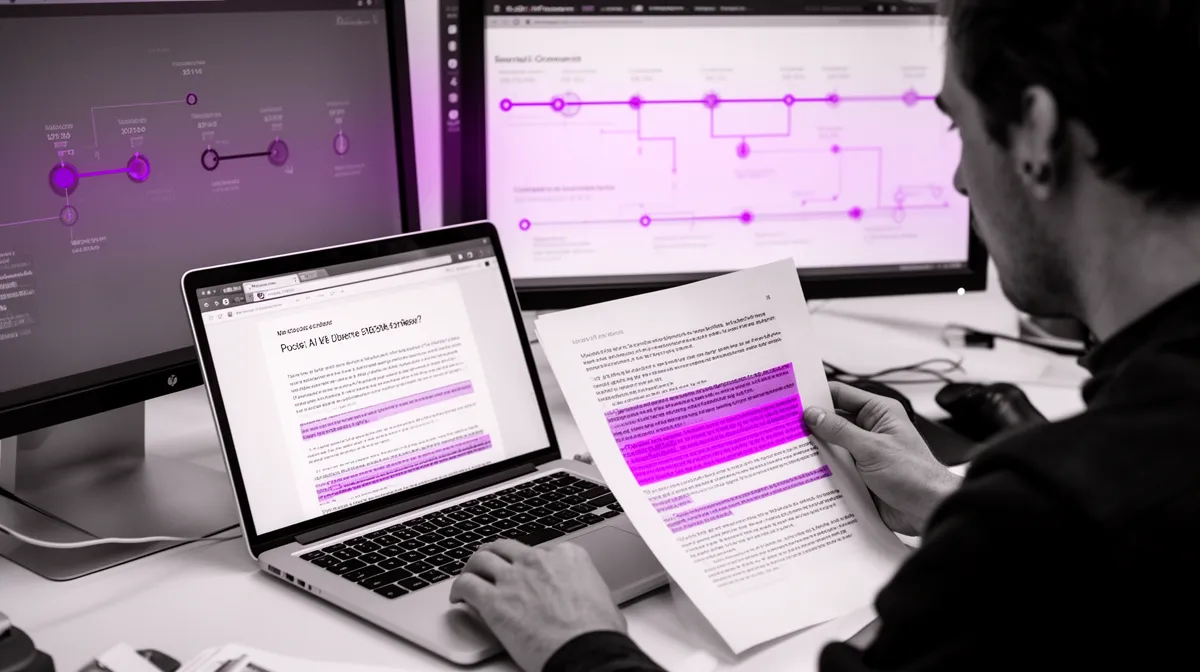
Define three clocks: prompt-to-draft, draft-to-final, end-to-end
Think in three clocks:
- Prompt-to-draft time: how long it takes to get to a usable first draft, including prompt crafting and any quick re-prompts.
- Draft-to-final time: human edits, fact checks, compliance review, rewrites, approvals, and any back-and-forth iteration.
- End-to-end cycle time: the whole system—queue time, handoffs, waiting on approvals, and constraints in tools like CRM, ticketing, or document systems.
Most GenAI pilots only optimize the first clock. That’s why they feel impressive in a demo. But in production, the second and third clocks determine whether you actually get workflow acceleration.
Here’s a table-like narrative across two workflows:
Support response workflow: Prompt-to-draft might drop from 8 minutes (search + compose) to 1 minute. But if the AI draft triggers extra policy checks, the draft-to-final can rise from 6 minutes to 9 minutes. If escalation queues aren’t fixed, end-to-end still stalls. Result: users complain even though “the AI is fast.”
Internal policy drafting: Prompt-to-draft drops modestly (from 30 minutes to 10). Draft-to-final drops more meaningfully if the draft is structured and cites internal sources, because reviewers spend less time reformatting and more time validating. End-to-end drops only if approval routing is clear. Result: less drama, more shipping.
The punchline: a generative AI platform that improves clock #1 while degrading #2 and #3 is not a productivity tool—it’s an interruption generator.
What “usable draft” means (and how to operationalize it)
“Usable draft” is where most pilots get lazy. Teams assume everyone knows what it means, then discover that half the organization thinks “usable” equals “publishable.” It doesn’t.
Operationalize “usable” with acceptance criteria per workflow. Not per model. Not per vendor. Per workflow. You want a definition that reduces debate and increases repeatability.
Example acceptance criteria for a customer support draft might include:
- Matches the approved template structure (greeting, diagnosis, steps, close)
- Uses policy-compliant language (no promises, correct refund phrasing)
- Includes required troubleshooting steps for the category
- Asks for missing information when needed (device, version, order ID)
- Flags risk (billing dispute, account access) for escalation routing
This is change management for AI in disguise: you’re defining what “done” looks like. Once you do, the rest becomes measurable.
Instrument the workflow, not the model
If you can’t capture timestamps, you can’t manage cycle time. Instrumentation is the difference between “we think it helped” and “we can prove it.”
Focus on events, not content. You don’t need to store sensitive text to measure productivity metrics; you need a timeline.
Checklist: what to log in common systems of record (events only):
- Google Docs / Microsoft 365: document created, AI draft inserted, first human edit start, last edit, comment created/resolved, share-to-review, approval recorded, publish/export.
- Zendesk / Freshdesk: ticket created, AI suggestion generated, agent opened suggestion, first reply drafted, internal note added, escalation, reply sent, ticket solved.
- Jira: issue created, summary/description generated, status changes, reviewer requested, pull request linked, done.
- Salesforce: lead created, email sequence generated, first send, reply received, opportunity stage change.
This approach is analogous to how mature engineering orgs think about throughput and lead time. If you want the conceptual roots, DORA’s framing around delivery performance is a useful mental model, even outside software: Google Cloud’s overview of DORA metrics.
KPIs that prove workflow acceleration (beyond ‘hours saved’)
Executives don’t want poetry about “efficiency.” They want a set of operational metrics that tie to business outcomes. The good news: once you adopt a time-to-output mindset, the KPI set becomes straightforward.
We’ll focus on metrics that are hard to game, easy to explain, and directly connected to workflow acceleration—especially for draft-to-final work.
Core KPI set: speed, throughput, and rework
Start with a core set you can deploy in a pilot and keep as you scale:
- Median prompt-to-draft time (p50): the typical experience.
- Tail prompt-to-draft (p90/p95): the worst cases that destroy trust and adoption.
- Draft-to-final time per UoW: split into active work time vs waiting time.
- End-to-end cycle time: request created → final sent/published.
- Throughput per FTE: UoW per person per week/month.
- Rework rate: revision cycles per UoW; % requiring major rewrite.
Recommended target ranges by maturity (these are directional; your baseline is the real benchmark):
- Pilot (weeks 1–3): 15–30% reduction in prompt-to-draft; stable draft-to-final (no regression).
- Early scale (weeks 4–8, integrated): 20–40% reduction in prompt-to-draft; 10–20% reduction in draft-to-final; rework stable or improving.
- Scaled (quarterly): sustained 10–25% improvement in end-to-end cycle time for the “middle 60%” of cases; p95 under control via routing and risk classes.
The point isn’t to chase an industry number. It’s to quantify value realization with metrics you can defend in a room full of skeptics.
Human-in-the-loop collaboration metrics that executives understand
Human-in-the-loop isn’t a philosophical stance; it’s an operating model. So measure it like one.
- Edit time per draft (minutes) and edit-time delta vs baseline
- Acceptance rate: % of drafts approved with minor edits
- Escalation/override rate: how often humans bypass AI output entirely
- Reviewer time: approval time and number of review rounds
You don’t need heavy NLP to get a useful “edit distance” proxy. Two practical options:
- Track time-in-editor between “draft inserted” and “submitted for review.”
- Track insertions/deletions count (many editors expose this in telemetry or revision metadata) to approximate how much rewriting occurred.
These are productivity metrics that map directly to knowledge worker efficiency. They also reveal something subtle: sometimes AI makes drafts faster but harder to edit because they’re verbose or mis-structured. That shows up immediately in edit time and overrides.
For cautious, real-world signals on how people collaborate with AI, see the Microsoft Work Trend Index. Treat it as directional, not as a guarantee for your context.
Quality without debates: risk-weighted quality checks
We still need quality. We just need it in a form that doesn’t devolve into taste wars.
The trick is to use lightweight, objective proxies and segment by risk class:
- Template completeness: required fields present, correct structure
- Citation presence: links to internal KB/SOP where required
- Policy compliance flags: disallowed phrases, missing disclaimers
- Defect escape rate: issues caught after sending/publishing
Example risk classes for support:
- Low: billing questions, shipping status
- Medium: account access, refunds with exceptions
- High: legal threats, medical/financial advice, security incidents
Now you can ask a much better question: “How does time-to-output change by risk class, and what’s the defect escape rate?” That’s how you scale safely.
Benchmarking: what ‘good’ looks like in real teams
Internal-first benchmarking is the only benchmarking that matters. Compare against your baseline in your tools, with your people, under your governance.
A useful mental model is a benchmark ladder:
- Week 0: baseline measured (no GenAI)
- Week 2: pilot shows prompt-to-draft improvements; draft-to-final is mixed
- Week 6: integration reduces friction; trust improves; draft-to-final starts dropping
- Week 12: scale with routing and risk classes; p95 comes down; end-to-end benefits become visible
Common early wins (when workflow integration and training are real): 20–40% faster to first draft, and 10–25% faster draft-to-final. The trap is when only clock #1 improves. If draft-to-final worsens, you’re creating a new bottleneck called “review skepticism.”

How to build a baseline before you deploy generative AI
If you want to know how to measure ROI of generative AI solutions, you start before the model touches production. Baselines aren’t bureaucracy; they’re insurance. Without one, every stakeholder will “remember” the old process differently.
The baseline also forces clarity: What is the workflow? What is the unit of work? What does “done” mean? That definition work is often where the first productivity gains come from.
Pick one workflow and one unit of work (UoW)
Pick a workflow with enough volume and pain to matter. Good candidates include support triage, proposal drafting, knowledge base updates, invoice exceptions, and routine ops reporting.
Then define the UoW precisely. “A ticket” might be too broad if half your tickets are password resets and the other half are complex integrations. You want something that avoids apples-to-oranges comparisons.
A quick decision matrix for selecting a first workflow:
- Volume: enough weekly throughput to get signal quickly
- Variance: not too heterogeneous; segmentable by complexity
- Risk: manageable with human approval and risk classes
- Data access: internal KB/SOP available; system events can be logged
- Clear done state: sent, published, approved, closed
Run a two-week time study (lightweight, not bureaucratic)
You don’t need a six-month transformation project. You need a two-week sampling window that captures reality across performers and case types.
Collect timestamps and effort estimates with minimal friction. Sample junior and senior operators, easy and hard cases. And critically, record waiting time separately from active work time.
Template: what to capture per case for time-to-output:
- Request created time
- Draft started time
- Draft completed time
- Review submitted time
- Approved time
- Sent/published/closed time
- Active edit minutes (self-reported or tracked)
- Number of revision cycles
This baseline becomes the before/after backbone for your generative AI workflow automation metrics and KPIs.
Baseline the constraints that GenAI can’t fix alone
GenAI is not a magic wand for broken workflows. If approvals are slow, templates are unclear, and policies are inconsistent, the model will simply generate drafts faster that then wait longer.
Common constraints to baseline:
- Approval bottlenecks (legal/compliance SLAs)
- Missing or outdated knowledge
- Unclear templates and inconsistent “done” definitions
- Routing ambiguity (who reviews what, when)
Example: the AI drafts a policy update in 10 minutes, but legal review takes 5 business days regardless. Your solution isn’t “a better model.” It’s routing + risk classes + templating + a better review process. That’s ai implementation strategy, not prompt engineering.

A practical ROI model for generative AI solutions in knowledge work
ROI needs to survive finance, not just the pilot team. The most defensible ROI models translate time-to-output improvements into either increased throughput or reduced work (deflection). “Hours saved” is a useful intermediate variable, not an outcome.
ROI equation: capacity unlocked × value per unit − total cost
A practical ROI equation looks like this:
ROI = (Capacity unlocked × Value per unit) − Total cost
Where capacity unlocked is derived from cycle time reduction and adoption rate, and total cost includes both one-time and recurring components.
Use conservative assumptions:
- Adoption rate ramps (not 100% on day one)
- Variance and tail cases (p90/p95), not just averages
- Learning curve effects
- Quality guardrails and review time
Separate costs cleanly:
- One-time: integration, change management, training, workflow redesign
- Recurring: inference/API usage, monitoring, QA sampling, ongoing improvements
Worked example (support team): A 25-agent team handles 12,500 tickets/month (500 per agent). Baseline draft-to-final active work averages 6 minutes, and end-to-end averages 10 hours due to queues. After workflow-integrated GenAI, active work drops to 4.8 minutes (20% reduction) for 60% of tickets (adoption and fit). That’s 12,500 × 0.6 × 1.2 minutes saved = 9,000 minutes/month ≈ 150 hours/month.
What is 150 hours worth? If you redeploy it into throughput (more tickets closed) and SLA improvement (fewer escalations, better CSAT), value might show up as reduced backlog and churn. If you redeploy into revenue protection (faster responses reduce cancellations), value per unit is higher. The key is to choose the benefit pathway upfront.
Avoid the ‘hours saved’ accounting trap
If time saved isn’t redeployed, it doesn’t create ROI. It creates a nicer day. That’s not cynical; it’s just accounting.
So define where freed capacity goes:
- Faster SLAs (reduce refunds, churn, escalations)
- More pipeline coverage (more follow-ups, more proposals)
- More experiments shipped (marketing tests, documentation improvements)
- Better knowledge base hygiene (reduce repeat tickets)
Then track realized benefits quarterly. Don’t just report “time saved.” Report SLA improvement, backlog reduction, win-rate changes, or conversion lift—business outcomes that leaders already care about.
Example: a 15% faster proposal cycle can yield either (1) more bids submitted per quarter or (2) faster turnaround that improves win rates. Either is measurable. Both are better than a timesheet story.
Vendor comparison: score integration and instrumentation, not demos
When you compare vendors, demos are table stakes. The differentiators are workflow integration and measurement.
An RFP-style checklist for evaluating a generative AI platform:
- Can we capture time-to-output metrics automatically (events, timestamps)?
- Does it integrate with our systems of record (ticketing, CRM, docs)?
- Does it support role-based controls, audit logs, and risk classes?
- Can it enforce templates and required fields/citations?
- Does it support human-in-the-loop approvals and escalation routing?
- Can time-to-output improvement be a contractual success criterion?
For cost modeling inputs (recurring inference costs), it’s useful to sanity check with official documentation like OpenAI’s API pricing. Even if you don’t use OpenAI, the discipline is the same: costs should be explicit and tied to volume assumptions.
Common pilot mistakes—and how to design a POC that can scale
Most GenAI POCs aren’t designed to scale. They’re designed to impress. And that’s why they don’t survive contact with operations.
Here are the mistakes we see most often, along with how to correct them before you burn credibility with your team.
Mistake #1: optimizing prompts while ignoring process
Prompt craft matters, but process design dominates ROI. If your users must copy/paste between tools, hunt for context, and manually log actions, prompt-to-draft improves while draft-to-final gets worse.
Before/after vignette: In the “before,” an agent opens a ticket, copies details into a chat tool, pastes output into Zendesk, then edits and sends. In the “after,” a button inside the ticket generates a structured draft using ticket fields and knowledge base context, logs the event, and routes based on risk. The second version wins not because the model is smarter, but because the workflow is.

Mistake #2: no governance for speed metrics
Without definitions, teams accidentally (or intentionally) game metrics. Someone marks “draft done” before it’s usable. Another avoids the tool on hard cases. Suddenly your dashboard tells a story that isn’t true.
Governance checklist for time-to-output measurement:
- Define event semantics (what counts as draft created, submitted, approved)
- Audit sampling (random review of cases weekly)
- Exception handling (how to label edge cases and outages)
- Guardrails (risk classes, required citations, approval policies)
For a governance-oriented lens, the NIST AI Risk Management Framework is a strong reference point. It won’t tell you your KPI targets, but it will help you operationalize risk-based evaluation.
Mistake #3: measuring averages instead of tails
Knowledge work has heavy tails. The median case is often easy. The worst 5–10% is where trust is lost and adoption stalls.
So measure p90/p95, and segment by complexity and risk class. Averages can look great while p95 destroys your SLA and your team’s willingness to use the tool.
A practical adoption tactic: target the “middle 60%” first—cases that are common, moderately complex, and low-to-medium risk. This is where you build momentum without triggering every possible edge case at once.
Where Buzzi.ai fits: workflow-centric GenAI that you can measure
We built Buzzi.ai around a simple observation: the durable advantage in generative AI solutions comes from workflow integration and measurement, not from chasing the latest model leaderboard. Models change fast. Workflows change slowly. That’s where ROI lives.
From copilots to agents: embed GenAI into the actual system of record
Copilots are helpful, but they often live outside the system where work happens. We focus on AI agents that operate inside ticketing systems, CRMs, and document workflows—so drafting, routing, and logging happen where your team already works.
The design goal is not “generate text.” It’s to reduce draft-to-final time by removing handoffs and automating steps around the draft: pulling context, applying templates, flagging risk, and triggering the right review path.
If you’re exploring this direction, see our AI agent development for workflow-integrated GenAI approach.
Common implementation patterns include support triage agents, document extraction + draft response pipelines, and sales follow-up generation directly inside CRM. In each case, workflow automation is the product—not the chat window.
Measurement-driven deployments: instrumentation as a first-class feature
Because we treat instrumentation as a feature, deployments start with baselines and clocks. We define events, implement logging, and build KPI dashboards aligned with operational owners (ops, product, compliance).
A typical first 30 days looks like:
- Discovery and workflow mapping
- Two-week baseline time study (or historical event extraction when available)
- Pilot in production-like conditions
- Integration into system of record
- Weekly KPI review cadence and bottleneck diagnosis
When KPIs stall, we treat it like any ops problem: diagnose whether the constraint is knowledge gaps, review SLAs, routing, or user training—not “the model isn’t good enough.”
Change management: make speed safe
Speed without safety creates risk, and risk kills adoption. That’s why change management for AI is about making “faster” feel legitimate.
Three practical moves:
- Train teams on what “good enough draft” means and when to escalate
- Align incentives around throughput and quality outcomes, not prompt wizardry
- Communicate clearly: GenAI accelerates iteration; humans remain accountable
A short internal comms script leaders can reuse:
“We’re using GenAI to reduce blank-page time and speed up iteration. The AI produces drafts; you own the decision. If a case is high risk or unclear, escalate as usual. Our goal is faster cycle time with the same—or better—quality outcomes.”

Conclusion: time-to-output is the metric that makes GenAI real
Generative AI doesn’t win because it’s perfect. It wins because it’s fast in the specific way your workflow cares about: getting to a usable draft and helping humans converge on final faster.
The playbook is simple: measure three clocks (prompt-to-draft, draft-to-final, end-to-end), adopt draft-to-final KPIs that executives understand (edit time, acceptance rate, escalation rate, p95 cycle time), and build baselines so you can prove change. When you do, pilots stop being science projects and start being scalable programs.
If you’re evaluating generative AI solutions, start with one workflow, a two-week baseline, and a time-to-output KPI scorecard. Buzzi.ai can help you design, integrate, and instrument a workflow-centric pilot that proves ROI fast—book a discovery call.
Next step: explore our workflow process automation services to operationalize measurement-led automation that holds up under scrutiny.
FAQ
How should enterprises measure the real value of generative AI solutions?
Enterprises should measure generative AI solutions by how they change workflow outcomes: cycle time, throughput, and rework—not by how impressive a demo looks. Start with an internal baseline for one unit of work, then compare prompt-to-draft, draft-to-final, and end-to-end time after deployment. Tie the improvements to business outcomes like SLA compliance, backlog reduction, or conversion lift so the value is finance-grade.
Why is time-to-output a better metric than output quality for GenAI?
Output quality is subjective and varies by reviewer, role, and risk tolerance, which makes it hard to compare tools and hard to scale decisions. Time-to-output is measurable and directly linked to operational efficiency: how quickly you get to a usable draft and how quickly you finish. You still track quality, but you do it with objective proxies and risk classes so you don’t get trapped in endless debates.
What are the best KPIs for generative AI workflow acceleration?
The best KPIs combine speed, throughput, and rework: p50 and p95 prompt-to-draft time, draft-to-final time, end-to-end cycle time, throughput per FTE, and revision cycles per unit of work. Add human-in-the-loop measures like edit time, acceptance rate, and escalation/override rate. These metrics show whether the tool is genuinely accelerating work or just shifting effort into review and correction.
How do you baseline draft-to-final time before implementing GenAI?
Pick one workflow and define a crisp unit of work with a clear “done” state, then run a lightweight two-week time study. Capture timestamps for request created, draft started, draft completed, review submitted, approved, and sent/published, plus active edit minutes and revision cycles. Separate active work from waiting time so you can see which constraints are process issues rather than drafting issues.
What benchmarks indicate real generative AI productivity gains?
Good benchmarks are internal-first: improvements versus your own baseline under real operating conditions. Many teams see early prompt-to-draft gains (often 20–40%), but the real proof is sustained reductions in draft-to-final and end-to-end cycle time after integration and training. Watch p95 performance and segment by complexity and risk class; if tails are bad, adoption will stall even if averages look strong.
How can we measure human-in-the-loop collaboration without heavy analytics?
You can measure human-in-the-loop collaboration with simple telemetry: time-in-editor, number of revision cycles, acceptance rate with minor edits, and override rate. For a proxy of edit distance, track inserted/deleted characters or revision counts where your tools support it. The goal is not perfect linguistic analysis—it’s understanding whether AI drafts are easy to validate and finalize in your real workflow.
How do we compare generative AI vendors beyond demos and benchmark scores?
Compare vendors on workflow integration and instrumentation: can it plug into your system of record, enforce templates, support role controls, and automatically capture time-to-output metrics? Ask how it handles risk classes, approvals, and audit logs for governance. If you want help designing a measurable pilot and integration plan, Buzzi.ai’s workflow-integrated AI agent development is a practical place to start.