Design an Enterprise AI Digital Assistant That Actually Does Work
Design an enterprise AI digital assistant that takes real actions, reduces task-switching, and boosts knowledge worker productivity with measurable ROI.

Most “enterprise AI assistants” are just prettier search boxes. They answer questions, summarize documents, maybe even write an email draft—but they rarely move work forward. If your Enterprise AI digital assistant can’t schedule a meeting, submit a purchase request, or push an approval through your ERP, it’s an FAQ bot with better marketing.
This gap matters because knowledge workers already drown in tools. Every approval, update, or simple question requires hopping between email, calendar, ERP, CRM, chat, and ticketing systems. That task switching quietly destroys knowledge worker productivity and makes it almost impossible to prove hard ROI from yet another AI widget.
The alternative is to treat your enterprise AI assistant as an action-oriented AI agent—a governed digital team member embedded into your core systems. Instead of just answering questions, it orchestrates workflow automation, routes approvals, nudges decisions, and executes defined steps across applications. That’s where real productivity gains and measurable value show up.
In this blueprint, we’ll walk through how to design that kind of assistant: the architecture, permissioning model, integration priorities, audit and logging strategy, and a practical time-savings/ROI model. We’ll also dig into rollout strategy and common failure modes. At Buzzi.ai, we specialize in tailor-made AI agents and enterprise integrations (including voice, chat, and workflow), so we’ll anchor this in the kinds of projects we see succeed in the wild.
What an Enterprise AI Digital Assistant Really Is (and Isn’t)
From FAQ bot to digital team member
Let’s start with a clear definition of what an enterprise AI digital assistant should be. Think of it as a context-aware, action-capable AI agent embedded inside your enterprise systems, not a generic chatbot sitting off to the side. A true assistant understands users, systems, and workflows well enough to actually do work.
That’s the key difference between “what is an enterprise AI digital assistant” and “yet another enterprise chatbot.” Most chatbots and even some AI copilot for enterprises products are passive: they answer questions, maybe pull in a document, sometimes summarize a thread. A real assistant can schedule, submit, update, and coordinate. It can kick off an expense approval, route it to the right manager, and then update your ERP when it’s approved.
Multi-system integrations are not a nice-to-have here—they’re the core of the value proposition. An intelligent virtual assistant that can’t see your calendar, email, ERP, CRM, ticketing, and identity systems is working blind. It might be able to answer policy questions, but it can’t become the digital worker your teams will actually rely on day-to-day.
Contrast a legacy intranet bot that tells you, “The travel policy is on page 17 of this PDF,” with an assistant that says, “You’re under your travel budget for this quarter; I’ve drafted an approval request for your manager, would you like me to send it and then book flights that comply with policy?” One is an answer engine. The other is an enterprise AI assistant you’ll miss when it’s gone.
Key capabilities that matter for knowledge workers
To make a difference in knowledge worker productivity, you need to design for a specific capability set. First, the assistant must understand context across systems: who the user is, which project or account they’re working on, what’s already in motion, and what’s blocked. That context is what turns an LLM from a clever parrot into a context-aware assistant.
Second, it needs clear, well-defined actions it can perform: create calendar events, send emails or messages, open tickets, generate reports, draft purchase orders, and more. These are the building blocks of an action-oriented AI agent. The assistant doesn’t need to do everything at once, but each new capability should remove steps from a real workflow.
Third, it should handle approvals gracefully. That means routing, tracking, and escalating approvals without humans copy-pasting data between systems. Along the way, it should summarize sprawling threads and surface decisions. This is where a “single pane of glass” interaction channel—whether chat, voice, or a sidebar—comes in: the assistant hides system complexity so users can stay focused on outcomes.
Consider a finance analyst. Today, they might: pull data from ERP, paste into Excel, format a report, email a manager, wait for feedback, then update ERP again. With the right assistant, they ask in chat, “What was our Q2 software spend vs budget by department?” The assistant pulls ERP data, compiles a table, and on request, drafts a budget adjustment request and routes it to the right approver—no app hopping required.
Why most current assistants stall at surface-level answers
Most current “enterprise AI digital assistant for knowledge workers” offerings stall out because they optimize for conversation quality instead of integration and action design. You get a slick interface and impressive language capabilities, but behind the curtain, the assistant has no real levers to pull. It becomes a Q&A layer on top of the same old manual workflows.
The missing ingredients are usually a robust permissions model, credible enterprise integrations, and end-to-end workflow design. Without business process automation anchored in real systems—ERP, CRM, ticketing, HRIS—the assistant can’t take responsibility for tasks. It ends up telling users what to do instead of doing it on their behalf.
We also routinely see ROI undermined by task-switching that never goes away. Workers still copy-paste the assistant’s output into email, or into an approval tool, or into a report template. There may be a short-term novelty bump, but when the assistant can’t materially reduce task switching reduction or cycle times, adoption drops fast. A Microsoft Work Trend Index report found that employees spend almost 60% of their time on communication and coordination tasks rather than focused work—a telling signal that answer-only tools miss the point.[1]
In other words: if your assistant doesn’t remove steps from core workflows, it will be politely ignored.
Designing the Assistant Around Real Enterprise Personas and Workflows
Start with high-leverage knowledge worker personas
The best enterprise AI digital assistant for workflow automation isn’t generic; it’s tuned to specific personas and their recurring pains. Start by identifying high-leverage knowledge worker roles: project managers, finance and operations analysts, sales and customer success, HR business partners, and support leads. These people live in meetings, approvals, and updates.
For each persona, separate repetitive coordination and admin work from judgment-heavy tasks. PMs spend time chasing status updates, scheduling meetings, and compiling decks—not deciding strategy. Analysts chase data across systems and reconcile reports. HRBPs juggle calendars, approvals, and policy questions. That’s where an enterprise AI digital assistant for knowledge workers can take over.
Prioritize personas where task-switching and coordination overhead are highest but risk is manageable. For instance, automating status updates for a cross-functional project is safer than automating high-value financial approvals on day one. The more precisely you can tie each persona’s pains to wasted hours and delayed decision cycle time, the more compelling your business case becomes.
Imagine a simple internal table: three personas in rows, their top three time-sucking tasks in columns. For a PM: “chase updates,” “schedule recurring meetings,” “compile weekly status report.” For a finance analyst: “pull monthly variance data,” “format budget reports,” “email managers for explanations.” For an HRBP: “schedule interviews,” “answer policy questions,” “route routine approvals.” That’s your starter backlog for the assistant.
Map the day-in-the-life workflow before you design features
Before you spec capabilities, map a day in the life for each priority persona. Which tools do they touch from morning to evening? Where do handoffs break? Where do decisions stall because someone is busy, on vacation, or missing context? This is the raw material for meaningful workflow automation and business process automation.
Look specifically for these friction patterns: status checks that require asking multiple people, meeting orchestration that takes five emails, report-building that pulls from three systems, and approvals that sit for days in an inbox. Each friction point is an “action candidate” for the assistant—a place where a context-aware assistant could either automate the step or at least compress it.
Take a project manager shepherding a cross-functional launch. They start the day skimming Slack and email for blockers, ping a few owners for updates, then jump into calendar to move meetings around. They prep a status doc by pulling data from Jira, CRM, and a spreadsheet. They spend the afternoon in meetings, then scramble to send follow-ups. An assistant embedded in chat and calendar could collect updates, auto-draft the status doc, propose new meeting times, and log decisions back into systems—dramatically different productivity metrics with the same headcount.
Defining the assistant’s role: coordinator, concierge, or operator
One practical way to constrain scope is to define an explicit role for the assistant in each context. Three archetypes cover most use cases. First, the Coordinator: orchestrates communication and status, posts reminders, compiles updates, and chases owners. Second, the Concierge: handles scheduling and information retrieval—your classic “find me a time next week and pull the latest pipeline report” AI copilot for enterprises.
Third, the Operator: executes workflow steps directly in systems by creating tickets, updating CRM opportunities, creating draft POs in ERP, or routing approvals. Many successful deployments start with Concierge + Coordinator modes, then graduate to Operator capabilities as trust, governance, and digital worker maturity grow.
These roles can mix and match by department. In Sales, the assistant might be a Concierge (meetings, summaries) plus light Operator (create opportunities, log notes). In Finance, it might be a carefully governed Operator for low- and medium-risk actions. The crucial design principle is that each new action the action-oriented AI agent gains should clearly eliminate redundant steps for a real persona.
Picture the assistant as a project coordinator for a strategic initiative. It posts weekly update prompts in Teams, collects structured responses, assembles a status summary, and pushes a dashboard link to leadership. PMs still exercise judgment, but the low-value mechanics are handled for them. That’s meaningful task switching reduction without introducing unacceptable risk.

Permissions, Role-Based Access, and Safe Action Design
Once you know which personas and workflows you’re targeting, the next question is: how to build an enterprise AI assistant that can take actions safely? This is where role-based access control, granular permissions, and thoughtful action design become non-negotiable. Security, compliance, and risk teams will (rightly) want strong answers here.
Structuring role-based access control for an AI assistant
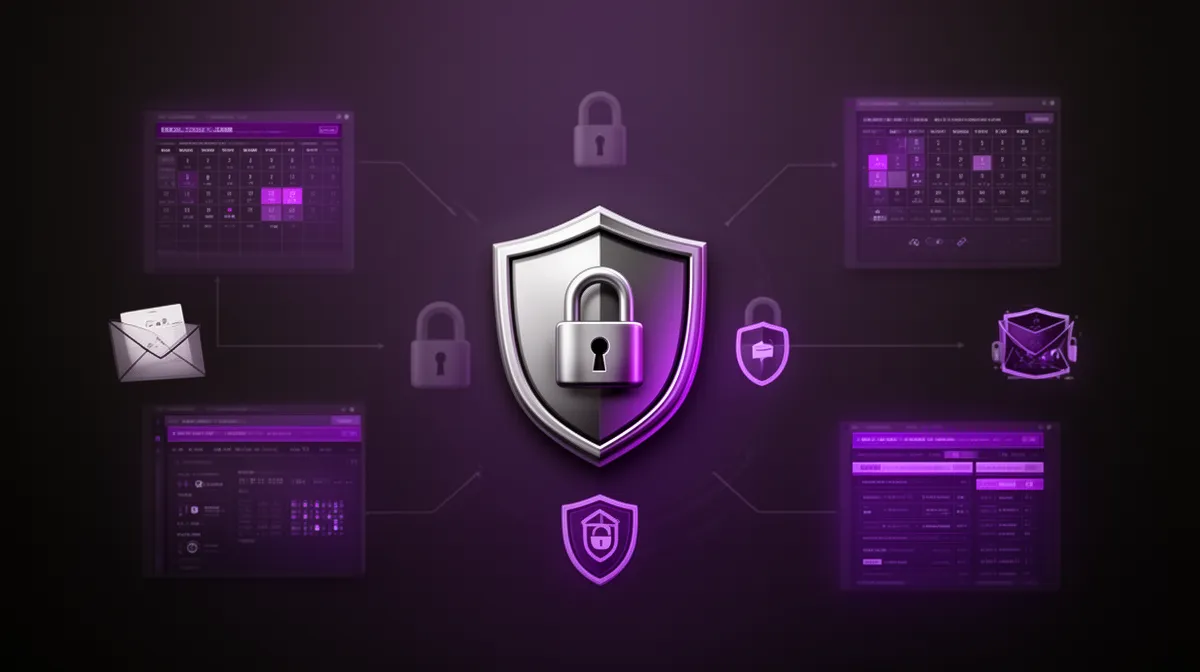
Most enterprises already use RBAC for human users; the trick is extending it cleanly to an assistant. The assistant should never be a generic “bot account” with broad access. Instead, every action it takes should be tied to a specific user identity, role, and context, so you can always answer “who did what, when, and why.” That’s the heart of governance and compliance for AI agents.
Start by mapping enterprise roles—finance analyst, manager, director—to allowed actions and data scopes. Analysts might be allowed to create draft POs up to a certain threshold, while managers can approve those drafts but not change vendor master data. Directors might have broader approval powers. These mappings define what permissions should an enterprise AI assistant have on behalf of each role.
Apply least-privilege by default, with time-bound or session-bound elevation for exceptional cases. For example, you might allow the assistant to temporarily request elevated access to run a one-off bulk update, but require explicit human approval and log the whole transaction. A vendor-neutral best-practice guide on RBAC principles from NIST or similar bodies is a useful reference here.[2]
Defining safe vs sensitive actions the assistant can perform
Not all actions are equal. To design safe capabilities, categorize actions into low-, medium-, and high-risk. Low-risk actions are read-only or draft-only: pulling data, generating summaries, drafting emails or POs that still require human confirmation.
Medium-risk actions involve live systems but reversible, bounded impact: scheduling meetings, creating tickets, creating draft purchase requests under a limit, logging CRM notes. High-risk actions are those that change financial positions, access control, or sensitive data: approving large POs, changing salaries, updating security groups in IdP. This is where your AI digital assistant integration with ERP and calendar systems needs particularly careful guardrails.
Early deployments should focus on low- and medium-risk actions. High-risk actions should use patterns like “draft, then confirm” or “auto-execute within thresholds.” For instance, the assistant might automatically create POs under $1,000 based on policy, but anything higher triggers a human approver. That design also sets up clean approval workflows and clear expectations for users.
Designing human-in-the-loop approvals and escalation
Human-in-the-loop isn’t just a safety net—it’s how you build trust. A well-designed approval workflow gives the assistant a clear pattern: propose an action, route it to the right approver, track status, then execute the action on approval. Each step is recorded, so you end up with an AI digital assistant with audit trails for approvals and scheduling.
Escalation logic is equally important. If an approver hasn’t responded after a set time, the assistant can send a reminder, then escalate to an alternate approver or respect delegation rules for vacation and leave. This not only keeps workflows moving but also makes the assistant feel like a reliable coordinator rather than a one-off script.
For example, an expense request could start in chat: “Submit a travel reimbursement for $540 for the Barcelona conference.” The assistant validates receipts, checks policy, drafts the ERP entry, and routes to the user’s manager. The manager gets a clear, explainable summary: amount, category, policy alignment, and a one-click approve/decline in email or chat. On approval, the assistant posts the transaction in ERP and logs every step for governance and compliance. A recent case study of large enterprises deploying assistants for approvals and scheduling shows that this pattern significantly improves throughput without compromising control.[3]
Integration Blueprint: Where Your Enterprise AI Assistant Must Plug In
Core systems: calendar, email, chat, and identity
If you strip everything else away, your assistant must show up where work starts: calendar, email, and collaboration tools like Teams or Slack. That’s where requests are made, status is shared, and decisions are communicated. Deep calendar integration and messaging access is non-negotiable for any serious enterprise AI digital assistant.
Identity is the other foundational layer. Integrating with your IdP/SSO lets the assistant personalize behavior and enforce RBAC based on who’s asking. It’s also what enables a credible single pane of glass experience: the same assistant follows the user across chat, email, and line-of-business apps, always aware of who they are and what they’re allowed to do.
Imagine a manager messaging the assistant in Slack: “Find 45 minutes next week with my direct reports to review Q3 pipeline.” The assistant checks everyone’s calendars, proposes a time, drafts the invite, and sends a summary email after the meeting with decisions and next steps. That’s action, not just answers—and it rests entirely on rock-solid core integrations.
Line-of-business systems: ERP, CRM, ticketing, HRIS
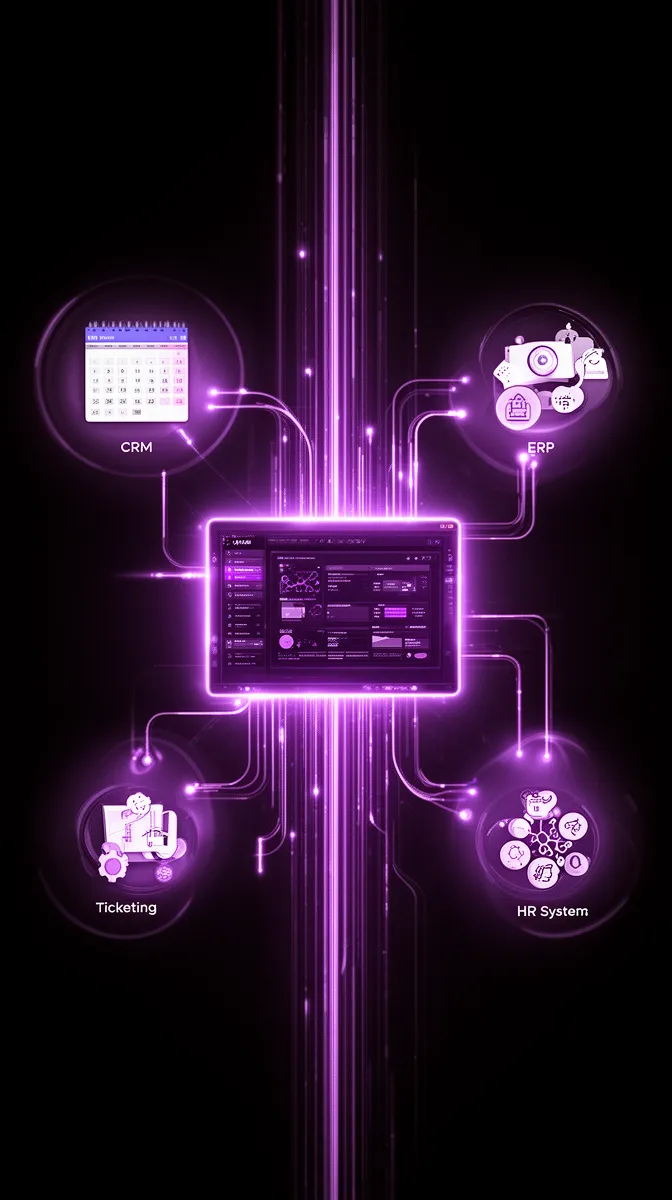
Once the core is stable, line-of-business systems are where the real leverage lives. For finance and operations, that means ERP integration. For sales and CS, CRM. For IT and support, ticketing platforms. For HR, HRIS. These systems are the backbone of multi-system integrations that make an assistant truly useful.
Resist the urge to connect “everything” superficially. Instead, start with a small, high-value action set in each system, tightly aligned to target personas. For example, enabling the assistant to create well-formed Zendesk tickets from a Slack conversation and then update status as it’s resolved is far more impactful than read-only access to ten different systems with no clear workflows.
Template-driven object creation is a powerful pattern here: “Create a priority-2 incident ticket for the billing outage affecting EU customers,” or “Open a new Salesforce opportunity for ACME Corp with expected value $150k and close date next quarter.” That’s how you turn a conversational ai digital assistant into an orchestrator of business process automation.
Designing a resilient integration architecture
Under the hood, you’ll need an integration architecture robust enough for enterprise scale. API-first is the obvious starting point, but beyond that, consider an event-driven model where possible. That allows your assistant to react to system changes—like a ticket moving stages—rather than constantly polling. An integration platform (iPaaS) can help standardize and secure these enterprise integrations.
Error handling and fallbacks matter. When a downstream system is slow or unavailable, the assistant should degrade gracefully: explain the issue, log a task for retry, and avoid leaving workflows in an ambiguous state. Every API call and action should be logged for audit and debugging, especially in regulated environments that care about governance and compliance.
Conceptually, you can think of a user’s request flowing through an orchestration layer: chat interface → intent and entity extraction via LLM → policy and permission checks → integration/automation engine → ERP/CRM/ticketing/HRIS → response back to user. That orchestration layer is where experienced ai integration services teams earn their keep.
Logging, Audit Trails, and Compliance for Action-Oriented Assistants
What to log when an AI assistant takes actions
Once your assistant can act, you need rigorous audit logs. At minimum, each action should capture: who requested it, which assistant or agent executed it, timestamp, target system, specific action, parameters, success/failure status, and resulting record IDs. For an AI digital assistant with audit trails for approvals and scheduling, this is your system of record for “what actually happened.”
You’ll also want to log prompts and model outputs, with redaction for sensitive data, to support forensic analysis and debugging. That way, if a questionable action occurs, security teams can reconstruct the exact chain of events. Retention policies for these logs should align with your existing governance and compliance frameworks.
For example, a calendar booking log entry might read: user A asked the assistant to schedule a meeting with users B and C; assistant proposed time X; all accepted; event created with ID Y in the calendar system. For a PO creation, you’d capture requester, vendor ID, amount, items, approver identity, and ERP document number. This structure makes audits straightforward.
Making auditability usable for security and risk teams
Logging isn’t just about raw data; it’s about making that data usable for security, risk, and compliance teams. That means dashboards or views where they can slice assistant activity by system, user, department, or risk level. Regular review cycles—monthly or quarterly—help detect anomalies early.
For example, a risk team might run a monthly review focused on unusual ERP actions: spikes in PO creation in a certain region, or repeated attempts to access restricted data. They can then sample specific log entries, review the AI’s prompts and outputs, and tighten policies where necessary. Clear auditability tends to lower resistance from risk and legal stakeholders because it makes the assistant’s behavior inspectable.
Regulators increasingly expect this level of control. Guidance from frameworks like GDPR and NIST’s AI and security documents emphasize traceability and accountability for automated decisions.[4] Designing your assistant with robust logging from day one puts you ahead of those expectations.
Data privacy and access boundaries
On the privacy front, the same principles you apply to human users apply to assistants—only more so. Practice data minimization: the assistant should access only what it needs for a given task, and only for as long as necessary. Context-limited access, strict environment separation (dev/test/prod), and careful scoping of training data are key.
Handling PII and sensitive fields requires particular care. Logs should mask salary values, health information, or other sensitive attributes, while still keeping actions auditable. Monitoring teams should see enough to understand what occurred but not be given blanket access to private data. That balance is central to modern ai security consulting best practices.
Finally, keep an eye on regional data residency and industry-specific regulations (finance, healthcare, government). Whether you adopt EU-specific data hosting for GDPR or follow sectoral rules, your assistant’s architecture and logging strategy should be flexible enough to comply.
Quantifying Impact: Time Savings, Decision Cycles, and ROI Model
Where an enterprise AI assistant actually saves time
To justify investment, you need more than a good story; you need numbers. The primary levers where an assistant moves knowledge worker productivity are: context-switching between apps, chasing approvals, scheduling and rescheduling, and manual data pulls/report prep. Each one is measurable with the right productivity metrics.
Realistic time savings vary by persona. For project managers, we often see 2–4 hours per week saved once the assistant handles meeting logistics, status collection, and basic reporting. For analysts, 1–3 hours per week from automated data pulls and report templates is common. When workflows touch many stakeholders, improved decision cycle time becomes as important as individual time savings.
Consider a department with 50 PMs, each saving 3 hours/week. That’s 150 hours per week, or ~7,500 hours per year. At a fully loaded cost of, say, $80/hour, that’s $600,000/year in capacity unlocked. An assistant doesn’t reduce headcount overnight, but it creates room for higher-value work instead of clerical overhead—exactly what a strong time savings model should highlight.

Building an enterprise AI assistant ROI calculator
A simple enterprise AI assistant ROI calculator and time savings model doesn’t need to be complicated. Start with: (time saved per user per week × fully loaded hourly cost × number of users) – (total cost of ownership of the assistant). TCO includes model/API costs, integration work, governance overhead, and ongoing operations—not just cloud spend.
Layer in adoption assumptions. Hardly any rollout hits 100% immediately. You might assume 20% active usage in Q1, 50% in Q2, and 80% steady state. Multiply your time savings by adoption percentages each quarter to get a realistic ramp curve. Include integration and ai development cost as upfront investments that amortize over time.
For example, with 500 knowledge workers and conservative savings of 1.5 hours/week at steady state, with 80% adoption: 500 × 0.8 × 1.5 × 52 ≈ 31,200 hours/year. At $70/hour fully loaded, that’s ~$2.18M in potential value. Subtract a $500k first-year investment (development, integrations, licenses), and you’re looking at a strong ai development ROI case. This is the kind of math executives expect when evaluating an enterprise AI digital assistant program.
Metrics to track adoption and sustained productivity impact
After launch, you need metrics to prove that the assistant keeps delivering. Leading indicators include: active users per week, actions executed per user, and time to complete common workflows with assistant support. These show whether the assistant is being used as an actual work surface, not a novelty.
Lagging indicators are where the business value crystallizes: reduction in approval cycle times, fewer recurring status meetings, lower manual ticket volume, higher satisfaction scores from target personas. Some organizations A/B test workflows—with and without assistant support—to isolate impact on workflow automation and enterprise ai assistant effectiveness.
Imagine a KPI dashboard with 5–7 core metrics: weekly active users, median actions per active user, average approval turnaround time, number of assistant-initiated tickets, hours of meetings reduced per team, and estimated hours saved based on action categories. This becomes the scoreboard for your assistant as a product, not a one-off project.
Avoiding Common Pitfalls and Choosing the Right Partner
Why many enterprise digital assistants fail to move the needle
Many enterprise digital assistants fail not because the models are bad, but because the product is mis-scoped. Teams fixate on chat UX and clever prompts but underinvest in integrations, RBAC, and logging. They launch a general-purpose Q&A assistant without clear workflows, then wonder why daily active usage flatlines.
This leads to low trust from security and compliance (no clear governance and compliance story) and low enthusiasm from workers (no tasks actually get completed). The result is predictable: a flashy “AI initiative” that becomes shelfware. In practice, “answer engines” without real action capabilities rarely justify their cost or meaningfully reduce task switching reduction across the org.
We’ve seen deployments where the assistant was technically impressive but couldn’t create tickets, schedule meetings, or touch the ERP. Users tried it for a week, then went back to their old habits because it didn’t materially change their workflows. That’s what happens when you don’t design an automation blueprint around real personas and systems.
How a partner like Buzzi.ai can accelerate a safe rollout
Designing and operating an action-capable assistant is as much an organizational challenge as a technical one. A partner with experience in ai agent development, deep integrations, and workflow process automation can shorten the path dramatically. That’s the role we play at Buzzi.ai.
We typically structure engagements in phases. First, discovery: mapping personas, day-in-the-life workflows, and high-leverage actions. Second, a prototype with one or two personas and a focused set of actions across calendar, email, and one line-of-business system. Third, expansion: adding capabilities, refining RBAC and granular permissions, and hardening logging and governance. Finally, we formalize metrics, dashboards, and a roadmap for continuous iteration.
If you’d like to treat your assistant as a product rather than a one-off experiment, consider working with a partner who can own the full stack—from workflow and process automation services to orchestration and UX. Our custom enterprise AI agent development offering is built around exactly this challenge: safe, action-oriented automation that actually moves work forward.
Conclusion: Treat Your Assistant Like a Real Team Member
An Enterprise AI digital assistant creates real value only when it behaves like a governed, action-capable digital team member—not just a smarter search box. That means it must be embedded into the systems where work happens and trusted to take bounded actions on behalf of your people.
Good design starts from personas and workflows, then layers in permissions, integrations, and auditability. With a clear time-savings and enterprise AI assistant ROI calculator and time savings model, you can secure executive sponsorship and sustain investment. Robust RBAC, audit logs, and privacy-aware governance patterns are what keep security, compliance, and regulators onside.
The next step is simple but non-trivial: re-evaluate your current chatbot or copilot initiatives. Where are they stuck at answers instead of actions? Pick a narrow set of personas and workflows, pilot an action-oriented assistant, and expand based on measured impact. If you want a structured discovery and blueprint tailored to your environment, we’d be happy to talk—reach out to Buzzi.ai to explore a fit.
FAQ
What is an enterprise AI digital assistant and how is it different from a chatbot?
An enterprise AI digital assistant is a context-aware, action-capable AI agent embedded into your core systems—calendar, email, ERP, CRM, ticketing—so it can actually move work forward. A typical chatbot or FAQ bot mostly answers questions or surfaces documents. A true assistant can schedule, submit, route approvals, and orchestrate workflows with clear governance and audit trails.
How can an enterprise AI assistant safely take actions in systems like ERP and calendar?
Safety comes from extending your existing role-based access control model to the assistant. Every action is tied to a specific user identity, with permissions scoped by role, context, and risk level. Low- and medium-risk actions can be automated, while high-risk actions (like large financial approvals) use human-in-the-loop patterns with clear logs and approvals before execution.
Which knowledge worker personas benefit most from an enterprise AI digital assistant?
High-leverage personas include project and program managers, finance and operations analysts, sales and customer success teams, HR business partners, and support leads. These roles spend a disproportionate amount of time on coordination, status tracking, and basic admin. An assistant that handles scheduling, updates, approvals, and simple data pulls can free several hours per week for each of these users.
What permissions and role-based access controls should an AI assistant have?
The assistant should only have the permissions that the requesting user has, and often less. Map enterprise roles (analyst, manager, director) to explicit allowed actions and data scopes in each system, and default to least privilege. For sensitive actions, require explicit approvals, thresholds, or temporary elevation, and always log who requested and approved each step for strong governance and compliance.
How do you design audit trails and logging for AI-driven approvals and scheduling?
For every assistant action, log who requested it, which assistant executed it, the time, target system, action type, parameters, and result (including record IDs). For approvals and scheduling, also store the chain of approvers, decisions, and any escalations. Many teams build dashboards so security and risk teams can regularly review these logs, which helps them trust the assistant and refine policies over time.
What integrations are essential for an effective enterprise AI digital assistant?
The critical integrations are your collaboration surface (Slack/Teams), email, and calendar, plus identity (SSO/IdP) to tie everything to user roles. From there, prioritize ERP, CRM, ticketing, and HRIS based on your key personas and workflows. A partner experienced in custom enterprise AI agent development can help you sequence these integrations for maximum impact.
How much time can a well-integrated AI digital assistant save per knowledge worker?
While results vary, it’s reasonable to expect 1–4 hours per week per user once the assistant is deeply integrated into daily workflows. Project managers and analysts tend to see the largest gains because their work is heavy on coordination, approvals, and reporting. At scale, those hours compound into significant capacity and faster decision cycles across the organization.
How do you build an ROI model for an enterprise AI assistant project?
Start with a time savings model: estimate hours saved per persona per week, multiply by fully loaded hourly cost and number of users, and adjust by expected adoption curve. Subtract the total cost of the assistant—development, integrations, licenses, and operations—to get a net value estimate. Over time, refine the model with real usage and productivity metrics from your deployment.
What are common reasons enterprise digital assistants fail to drive adoption?
Common failure modes include focusing on chat UX instead of integrations, skipping RBAC and logging design, launching without clear workflows or target personas, and overpromising autonomy early. When the assistant can’t actually complete tasks or feels unsafe to security teams, usage stalls. Designing it as a governed, action-oriented digital worker tied to specific workflows avoids these traps.
How can Buzzi.ai help design and implement an action-oriented enterprise AI digital assistant?
Buzzi.ai specializes in tailor-made AI agents that integrate deeply with your systems and workflows. We help you map personas, design safe permissions and governance, architect integrations, and iterate on capabilities based on real usage. From voice bots on WhatsApp to enterprise chat assistants, we focus on automation that measurably improves productivity and decision cycle times.


