Turn Your Employee-Facing Chatbot Into a Real Digital Assistant
Most employee-facing chatbots fail because they only answer FAQs. Learn how to integrate your chatbot with HR and IT systems so it can actually get work done.
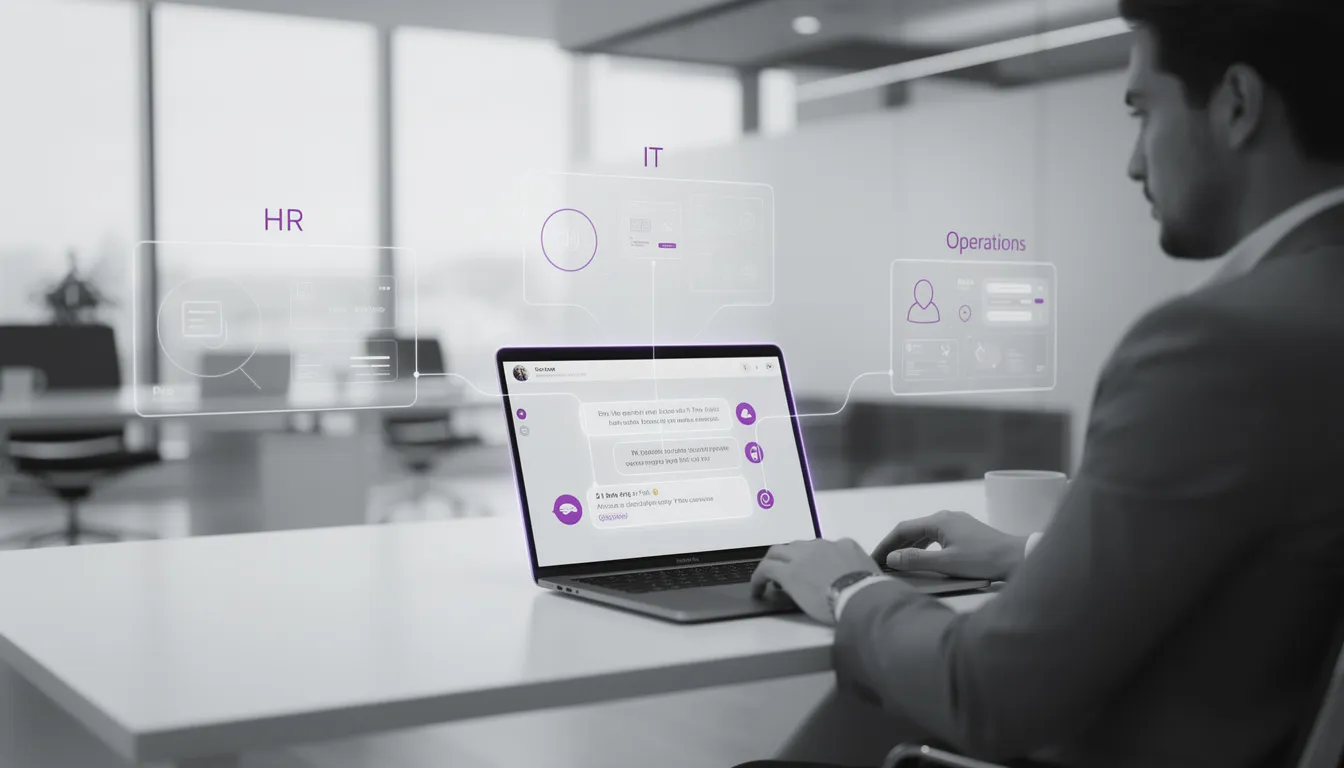
Most employee-facing chatbots sold into enterprises today are just prettier search boxes. They sit on top of an internal knowledge base, answer a few HR or IT FAQs, and then proudly ship with a launch email and a slide in the CIO’s QBR deck. Six months later, HR and IT queues look exactly the same.
The problem isn’t chat as an interface. It’s that the bot can’t actually do anything. Without enterprise system integration into HRIS, ITSM, and operations tools, your internal chatbot can’t create tickets, update records, trigger approvals, or truly support employee self-service. It just gives instructions and hopes employees follow them somewhere else.
In this guide, we’ll walk through what an employee-facing chatbot that can actually do tasks looks like, why FAQ bots fail, and how to design a digital workplace assistant that safely touches backend systems and completes work. We’ll map the systems to integrate first, the main integration patterns, the experience design needed for action-capable flows, and the security model that keeps risk under control. Along the way, we’ll show how we at Buzzi.ai approach building an internal chatbot that behaves like a real assistant, not another portal with a friendlier UI.
What an Employee-Facing Chatbot Is (And Why FAQ Bots Fail)
Employee-facing chatbot vs. customer chatbot
When most people hear “chatbot,” they think of a customer support bot on a website. An employee-facing chatbot is similar at a surface level—it’s still a conversational interface—but the audience, channels, data, and success metrics are all very different.
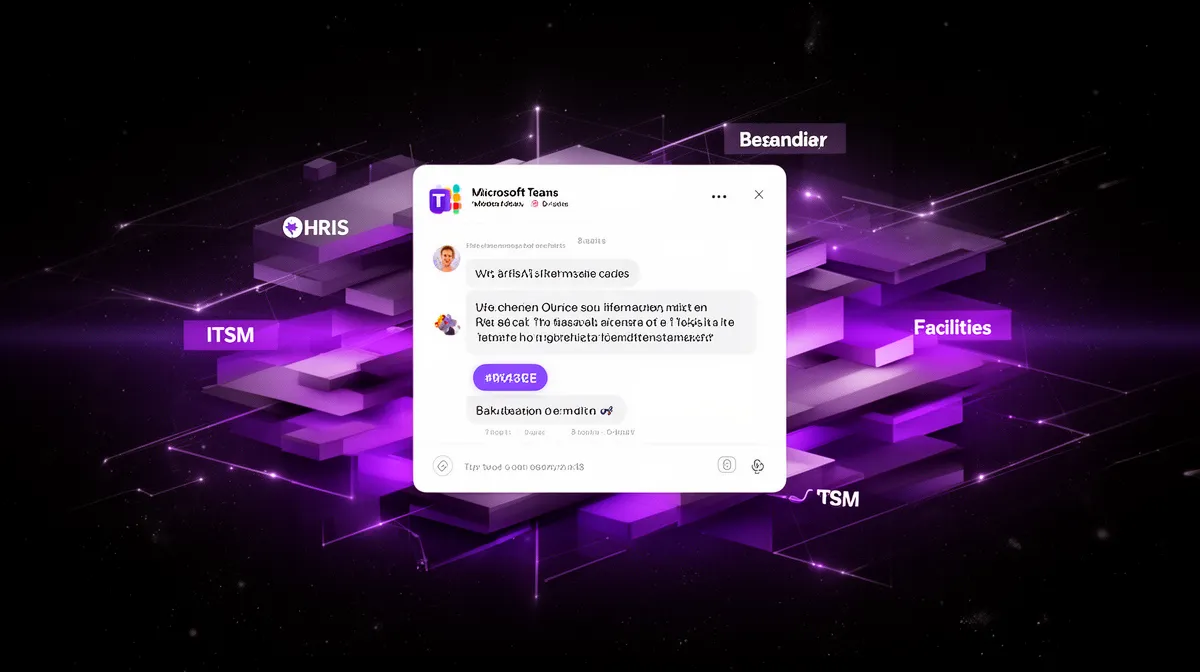
Customer chatbots live in public channels: your website, your product, maybe WhatsApp. They’re optimized for lead capture, deflection of basic support, and NPS. An internal chatbot lives inside Slack, Microsoft Teams, or an internal web portal and acts as a front door to HR, IT, finance, and operations services—a kind of digital workplace assistant or enterprise AI assistant.
Customer bots usually pull from public docs and product FAQs. Internal chatbots deal with sensitive, identity-tied data: your salary, your access rights, your laptop’s asset record. For customer bots, success is often “containment rate” or fewer inbound tickets. For internal bots, success is time saved for employees and back-office teams, fewer repetitive tickets, and smoother employee self-service journeys across multiple departments.
This is why the right mental model matters. If you think of your internal chatbot as “an FAQ widget,” you’ll build search. If you think of it as an internal enterprise AI assistant, you’ll build an orchestrator that talks to systems and gets work done.
Why information-only bots disappoint employees and leaders
The most common pattern we see is an internal chatbot deployed as a thin layer over an intranet or internal knowledge base. You connect it to Confluence or SharePoint, ingest a bunch of HR and IT FAQs, and let people ask questions in natural language. On launch day, engagement looks great—everyone tries it.
But then the cracks appear. The bot can answer “What is our parental leave policy?” but not “Request parental leave starting next month.” It can say “Here’s how to reset your password” but can’t actually reset it. Employees still end up creating tickets or emailing HR when self-service breaks down.
Leaders notice this gap quickly. Ticket volumes don’t drop. HR and IT agents keep answering the same questions manually when employees get stuck. Over time, people remember that the FAQ bot is good for quick lookups but useless for anything involving real change or action. Adoption falls, and ROI is hard to defend.
We’ve seen this movie: a company launches a slick FAQ bot, sees a burst of usage in month one, then watches it drift toward the long tail of internal tools that nobody quite kills but nobody truly depends on. The intent—better employee self-service—is right. The architecture—answer-only—is not.
The core shift: from answering questions to completing tasks
The way out is a fundamental shift in what you ask your chatbot to be. Instead of a glorified search bar, you design an actionable employee chatbot—an employee self-service chatbot that can initiate and complete workflows end to end.
Consider two versions of the same request:
- Answer-only: “How do I update my address?” The bot replies with a step-by-step article and a link to the HR portal.
- Action-capable: “Update my address.” The bot asks for your new address, confirms it, calls the HRIS API, updates your profile, and then sends a confirmation and a reference.
In the second case, chat is not just a help channel; it’s the single front door into HR, IT, and operations backend systems. The bot becomes an orchestrator over workflow automation, not just an index over documents. That’s what what is an employee-facing chatbot that can actually do tasks really boils down to: a conversational layer tightly coupled with system integrations and actions.
This is why integration and security design are not implementation details; they are the foundation. If you want a digital workplace assistant that employees rely on daily, it must safely touch your systems and complete work on their behalf.

Why Employee Chatbots Fail Without Enterprise System Integration
The illusion of value in FAQ-style deployments
FAQ-style employee chatbots often look successful for a while because the wrong metrics are in the spotlight. Chat volumes go up. Session satisfaction scores might be decent. People say it’s “cool” in internal surveys. But the core pain HR and IT leaders care about—ticket queues and manual effort—doesn’t move.
Imagine an internal bot that answers “How do I get a new laptop?” with a policy article and a link to a form. In demos, it looks helpful. In production, employees still have to jump into a portal, re-enter information, and create a ticket. There is no ticketing system integration, no real employee self-service, just slightly nicer navigation.
We’ve seen enterprises celebrate early “engagement” wins only to realize that HR and IT teams are still overwhelmed. The fragmentation is unchanged: employees bounce between the bot, the employee experience platform, the HR portal, the ITSM tool, and email. In Gartner’s coverage of digital workplace platforms, this fragmentation is a recurring theme—tools proliferate, but workflows stay broken.[1]

Where value really comes from: integrated actions
Real ROI shows up when the employee-facing chatbot is deeply wired into HR, IT, and operations systems. Instead of just answering, it performs actions: creates incidents, updates HR records, submits requests against the service catalog, and kicks off approval flows. This is where ticketing system integration and workflow automation start to matter.
Consider a simple password reset flow in an integrated world. The chatbot verifies the employee via SSO and security checks, then triggers an automated password reset workflow in your IT service desk tool. What used to generate hundreds of repetitive tickets per month now barely touches a human. Time-to-resolution plummets, and so does cost per request.
Quantitatively, even modest automation adds up. If your bot can deflect 1,000 low-complexity HR and IT tickets per month, and each ticket represents 10 minutes of agent time, that’s over 2,000 hours a year reallocated to higher-value work. Research on IT and HR self-service routinely shows 15–30% reductions in ticket volumes when automation is properly applied.[2]
Common symptoms of non-integrated internal chatbots
How do you know your internal chatbot lacks the necessary enterprise system integration? The symptoms are usually obvious:
- Employees still open tickets through email or the portal more than through chat.
- Usage spikes after launch, then falls as people realize the bot can’t do much.
- A large share of bot responses end with “Please contact support” or generic escalation messages.
- There’s no connection to your service catalog, ITSM, or HRIS—just links to static pages.
- Technically, there’s no API orchestration layer; the bot only searches the internal chatbot knowledge base.
Once you see these patterns, it becomes clear that integration isn’t a nice-to-have upgrade. It’s the missing architecture for an assistant that employees will actually trust to get things done.
The Systems Your Employee Chatbot Should Connect to First
High-leverage HR systems: HRIS, payroll, benefits
If you’re building an employee-facing chatbot with HR and IT system integration, the HR stack is usually the best starting point. HRIS systems (Workday, SAP SuccessFactors, BambooHR, etc.) are the source of truth for employee profiles, org structure, leave balances, and often policy links. A good HR chatbot integration gives your assistant context about who’s asking and what they’re allowed to do.
With robust HRIS integration, your bot can offer a set of safe, high-impact actions: view payslips, check leave balances, request time off, update personal details, and surface benefits information. These are all classic employee self-service journeys where chat can eliminate clicks and confusion.
Take a “request time off” example. In a well-integrated flow, the bot checks your balances and team calendar in the HRIS, asks you for dates and type of leave, validates against policy, creates the request, and pings your manager for approval. The employee never touches the HR portal. That’s what is an employee-facing chatbot that can actually do tasks in practice.
IT service management and asset systems
On the IT side, tie your chatbot into IT service management tools like ServiceNow or Jira Service Management via solid ITSM integration. This is where IT service desk automation becomes very tangible. Your bot should be able to create incidents, reset passwords via automated flows, process hardware and software requests, and check ticket status.
For example, an employee types “My laptop is broken.” The bot asks a couple of triage questions, then automatically creates an incident in the ITSM system with the correct category, priority, and device information pulled from the asset database. It can also share troubleshooting steps inline, and if those fail, keep the ticket open for IT to handle.
As you deepen ticketing system integration, you can support more advanced employee self-service chatbot for HR tickets and IT requests patterns: requesting access to systems, triggering account unlock flows, and routing complex issues to the right queue using intelligent triage.
Operations and facilities for quick wins
Beyond HR and IT, operations and facilities systems offer quick wins with low risk. Think room booking tools, maintenance systems, visitor management, even cafeteria or parking services. Integrating these operations systems into your assistant expands its usefulness across the workday.
Top examples include “Book a meeting room tomorrow at 3 PM,” “Report a broken chair on floor 4,” or “Arrange visitor access for Thursday.” Behind the scenes, the bot uses APIs or middleware to call the right system and confirm success. Each of these flows chips away at the friction that clogs up your digital workplace assistant ambitions.
Prioritize systems not only by technical ease but by impact: where do employees struggle most? Where are volumes high but risk low? That’s where the top use cases for system-integrated employee chatbots usually emerge.
Integration Patterns for System-Integrated Employee Chatbots
Direct API integration for simple, focused use cases
Once you know which systems to connect, the next question is how to integrate an employee-facing chatbot with enterprise systems in a robust way. The simplest pattern is direct API integration: your chatbot platform calls HRIS or ITSM REST APIs directly for a small number of workflows.
For a few tightly scoped use cases—say, checking leave balance or fetching ticket status—this works well. The chatbot handles API orchestration itself: it authenticates to the HRIS, calls the “getBalance” endpoint, formats the response, and presents it to the user. For smaller environments, this keeps architecture lean and understandable.
The downside is scale. As you add more systems and flows, the chatbot layer accumulates integration logic and becomes harder to govern. Changes to downstream APIs ripple directly into your bot code. For an actionable employee chatbot that can update HR and IT systems across dozens of services, you’ll quickly want a more centralized pattern.
Middleware and integration platforms as a hub
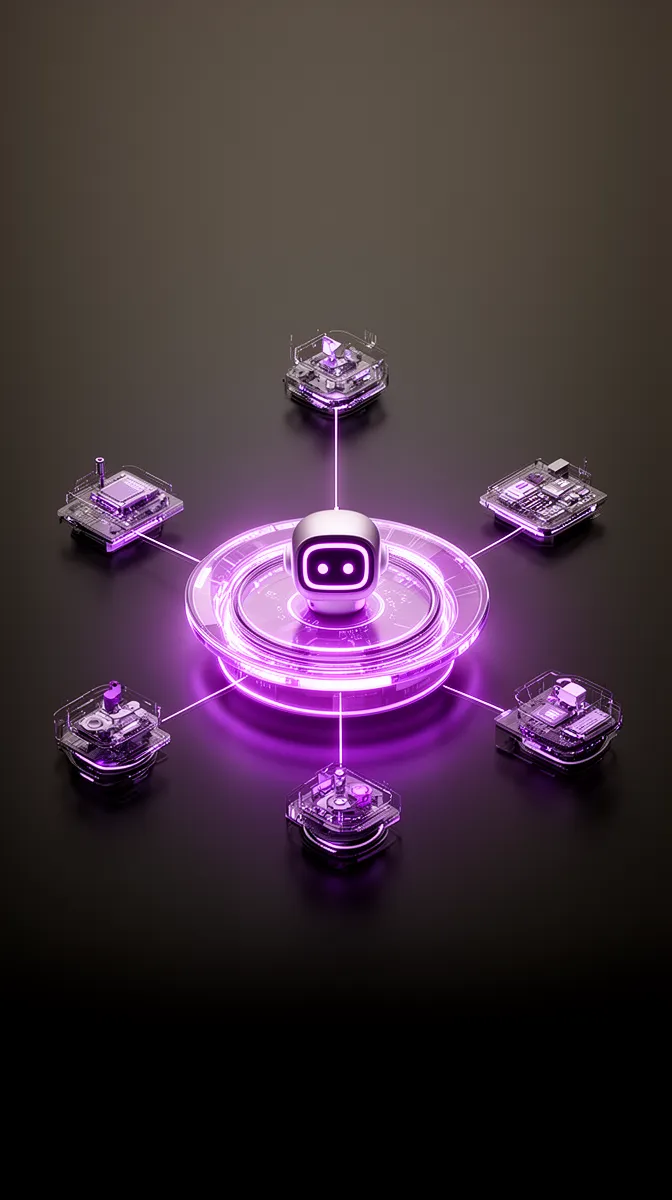
That’s where middleware and integration platforms (iPaaS) come in. Instead of wiring your chatbot to every backend directly, you connect it to a central integration or workflow engine—MuleSoft, Boomi, Azure Logic Apps, or a custom layer. This hub handles middleware-based integration with your systems.
In this architecture, the chatbot calls a small set of standard endpoints exposed by the hub: “createHRticket,” “submitLeaveRequest,” “resetPassword.” The hub then orchestrates the underlying business process automation, routing requests to the right HRIS, ITSM, or operations tools, handling retries, and enforcing data transformation rules.
This pattern supports better governance and reuse. Security teams can audit a confined set of APIs. Operations teams can evolve integrations without constantly touching chatbot logic. For enterprises with complex enterprise system integration needs, this is usually the sustainable path.
Event-driven and RPA-based patterns for legacy systems
Of course, not every system you care about exposes clean APIs. That’s where event-driven and RPA integration patterns step in. For some legacy HR or finance systems, the only realistic option is to automate the UI with robots or listen for events via file drops and message queues.
In an event-driven integration, the chatbot triggers a workflow by publishing an event—say, “address.changed”—to a queue. Downstream services subscribe and update various backend systems asynchronously. This is ideal for long-running tasks that don’t require an instant response in chat.
With RPA, your chatbot captures structured information, then hands it off to a bot that logs into the legacy system and performs the needed steps. For example, when an employee changes their address in chat, the system triggers an RPA bot to update an old HR database that has no modern APIs. The trade-offs are latency and observability, so you need strong error handling and clear feedback to the user.
Choosing the right integration pattern for your context
So which approach should you choose? It depends on your environment. A mid-market company with three core systems and agile IT can often start with direct APIs and a light workflow engine. A large enterprise with strict governance, dozens of systems, and deep AI governance requirements will usually need middleware as the integration hub from day one.
A pragmatic pattern is hybrid: use direct API integration for 1–2 critical systems where you need speed to value, then layer in middleware for reusable, cross-domain workflows. The key is designing from the outset for an employee-facing chatbot with HR and IT system integration, not a one-off FAQ tool.
At Buzzi.ai, we lean into flexible API orchestration so the same assistant can handle HR tickets, IT requests, and operations flows without becoming a tangled monolith. Our workflow automation and workflow and process automation services are built around this integration-first mindset.
Designing Action-Enabling Employee Chatbot Experiences
From Q&A to guided workflows
Even with flawless systems integration, a clumsy conversational design can still tank adoption. The interaction model has to shift from pure Q&A to guided workflows, where the bot leads employees step by step through a task.
Imagine an employee asking, “I need a new monitor.” A Q&A bot might just link to a hardware request form. An action-oriented assistant turns this into a guided flow: it asks which model you prefer, whether it’s for home or office, auto-fills your cost center, and then submits a request through the appropriate backend systems.
Good conversational interfaces balance free text with structure. You let employees phrase needs in natural language, but then shape the workflow with quick replies, checkboxes, and minimal input fields. This is how a digital workplace assistant feels intuitive while still gathering the exact data operations teams need.
One-click approvals and routed decisions
Another high-leverage pattern is approval handling. Managers swim in approval emails—for time off, expenses, access requests. Surfacing these as one-click tasks inside the chatbot can radically improve cycle times.
An actionable employee chatbot that can update HR and IT systems will ping a manager in Teams or Slack: “Approve time off for Alex, 3 days next week?” The message includes context (team calendar from HRIS, policy notes) and offers approve/decline buttons. A single click routes the decision back through the HRIS and notifies the employee.
This is where role-based access control becomes critical. Only authorized approvers should see these cards. The bot uses identity and org data to determine who can act. For back-office teams, you can even surface admin-only workflows—the same chat UI, different permissions.
Smart forms, pre-filled from backend systems
Smart forms are a third pattern that dramatically improves employee self-service. Instead of dumping a blank form in front of the user, the chatbot pre-fills everything it already knows from HRIS, ITSM, or identity systems and asks only for what’s missing.
For instance, an expense reimbursement workflow could automatically add your name, manager, department, default cost center, and recent trips. You just attach a receipt and confirm. The bot then submits the request via the appropriate system as part of broader workflow automation.
This requires tight HR chatbot integration and clear data ownership. But when done well, it reduces errors, shortens time to submission, and makes the assistant feel like it knows you—because it does.
Designing for failure, fallbacks, and handoffs
No system is perfect. APIs go down, edge cases appear, policies conflict. A trustworthy employee self-service chatbot for HR tickets and IT requests must handle failure gracefully. That means clear explanations, alternatives, and warm handoffs to humans.
Suppose the HRIS is temporarily unavailable when an employee tries to update their address. A well-designed bot doesn’t just error out. It explains the situation, captures the new address, and creates a ticket via ticketing system integration so HR can complete the update later—passing all context along.
Behind the scenes, this pattern uses intelligent routing (think smart support ticket routing and triage) to land the issue in the right queue with full conversation history. These fallbacks are not an afterthought; they’re essential for reliability and trust.
Security, SSO, and Governance for Internal Chatbots
Authentication and single sign-on (SSO) as non-negotiables
Once your chatbot can actually touch systems, security goes from “nice to talk about” to “non-negotiable.” Robust single sign-on (SSO) is the baseline. Your assistant must rely on corporate identity providers like Okta, Azure AD, or similar for SSO authentication—no shadow user stores, no ad-hoc “login” flows.
Practically, this means mapping chat identities in Slack or Microsoft Teams to enterprise identities. When an employee interacts with the internal chatbot, the bot uses SSO tokens to act on their behalf in downstream systems. Session management and revocation must be aligned with your IAM policies; when someone leaves the company, their chat access disappears along with everything else.
Vendors like Okta and Microsoft publish detailed guidance on identity and SSO best practices for applications and bots.[3] Your chatbot architecture should look indistinguishable from any other enterprise app from a security team’s perspective.
Role-based access control for safe actions
On top of authentication, you need fine-grained role-based access control. Not every employee should be able to see salary details, run administrative IT commands, or approve high-value expenses. Your bot’s permissions must be sourced from HRIS or IAM roles and kept in sync.
For example, only managers should see team leave calendars or approve certain requests. Only IT support staff should be able to unlock accounts or deprovision devices. Every sensitive action the employee-facing chatbot supports should check the caller’s role and log the outcome for audit purposes.
This is part of a broader data governance model. In regulated industries, you may need additional controls like IP allowlists, DLP policies, and extra checks for certain data categories. The important point: security and governance features must be built into the assistant, not bolted on later.
Compliance, logging, and data minimization
Compliance regimes like GDPR, HIPAA, and sector-specific regulations add another layer of requirements. Your chatbot must log all system-touching actions—who did what, when, and in which system—while minimizing what it stores about employees.
For example, you might store anonymized interaction metrics but avoid persisting full chat transcripts unless explicitly required and consented to. Sensitive data like health information or salary details should be handled carefully, with encryption and strict retention policies. NIST and similar bodies provide general guidance on secure application logging and security and compliance practices.[4]
As enterprises roll out broader AI governance frameworks, internal assistants become part of that picture. Clear policies around training data, model updates, and human oversight are just as important as technical controls.
Measuring ROI and Expanding Coverage Over Time
The right metrics for action-capable internal assistants
When you move from FAQ bot to action-enabling enterprise AI assistant, your measurement dashboard should change too. Volume metrics like number of chats are still useful, but they’re not the main story. The real questions are: how many tickets did we deflect, how much time did we save, and how did employee sentiment move?
At a minimum, you’ll want to track ticket deflection, time-to-resolution for automated vs. manual flows, average handling time per interaction, and CSAT or NPS for the assistant itself. Importantly, your analytics must distinguish between purely informational interactions and action-oriented ones.
A simple example: if your assistant automates 2,000 password reset requests per month, and each reset used to take 8 minutes of IT time, that’s 16,000 minutes—or roughly 267 hours—saved monthly. Multiply that across several workflows and you start to see why why employee chatbots fail without enterprise system integration isn’t just an architecture issue; it’s a missed ROI opportunity.
From pilot flows to a prioritized automation roadmap
Trying to automate everything at once is a recipe for slow progress. A better approach is to identify the top use cases for system-integrated employee chatbots: high-volume, high-friction, low-risk workflows across HR and IT. Then build a roadmap around them.
In the first 90 days, you might ship three flows: time-off requests, basic hardware issues, and simple policy questions with escalation to human agents. As real usage data comes in, you refine the backlog with HR and IT stakeholders, adding additional flows based on ticket data and employee feedback. This is where solid change management matters—communicating new capabilities and nudging employees from portals and email into chat.
This roadmap mindset aligns with broader business process automation efforts. The chatbot becomes one of the main channels through which automations are discovered, tested, and scaled.
Evolving from FAQ bot to action-enabling assistant
If you already have an FAQ-style internal bot, you don’t need to start over. You can evolve it into a true assistant. The path usually looks like this: add robust SSO, connect it to one system (often HRIS or ITSM), and ship your first end-to-end action flows. From there, iterate.
Over time, your assistant sheds its “search box” identity and becomes a trusted gateway to services—a step toward the best employee chatbot platform for internal HR and IT automation. This evolution is precisely the answer to “what is an employee-facing chatbot that can actually do tasks?” It’s not a different product; it’s a different depth of integration and experience design.
At Buzzi.ai, we help teams walk this journey with an AI discovery workshop that surfaces high-impact flows and integration priorities. We’ve seen organisations go from static FAQs to bots that handle approvals and complex requests within a few months.
How Buzzi.ai Builds System-Integrated Employee Chatbots
Integration-first architecture and workflows
Our philosophy at Buzzi.ai is simple: start with integration, then design the conversation. We build an employee-facing chatbot with HR and IT system integration at its core, not as an afterthought. That means wiring into HRIS, ITSM, operations tools, and identity systems from day one.
Whether you want a Slack chatbot, a Microsoft Teams chatbot, or a web-based internal chatbot, the experience sits on top of an orchestration layer that knows how to talk to your systems. We combine direct APIs, middleware, and workflow automation engines depending on your stack, so the assistant can support HR tickets, IT requests, and operations tasks in one place.
A typical deployment might connect to Workday for HR data and ServiceNow for IT tickets. Employees ask for help in chat; the bot uses identity, role, and org data to decide which actions are allowed and which systems to call. Over time, new workflows are added without rebuilding the core.
Security, governance, and enterprise readiness by design
Because we serve enterprises, we treat SSO authentication, role-based access control, logging, and compliance as table stakes. Our assistants plug into your existing identity providers, respect your security and enterprise system integration policies, and produce the telemetry that security and compliance teams expect.
We work with HR, IT, and security stakeholders together so that the assistant’s capabilities, data flows, and governance model are well understood. The result is an internal assistant that security teams are comfortable with and employees trust to handle sensitive tasks.
Think of it less as a bot experiment and more as a new channel in your internal services architecture—one that needs the same rigor as any other production system.
Engagement model: from discovery to rollout
Practically, we engage with clients in stages. We start with structured discovery to identify the highest-leverage employee journeys and systems to integrate. Then we design a focused pilot—usually a 6–12 week effort—that takes a handful of HR and IT flows from idea to live usage.
Once the pilot shows clear value—ticket deflection, time saved, better CSAT—we expand coverage across the service catalog and departments. Because the assistant is already wired into core systems, each new flow reuses that integration fabric. Along the way, our AI chatbot and virtual assistant development services and broader ai consulting services help you mature from experimentation into a strategic, action-focused channel for employee self-service chatbot for HR tickets and IT requests.
If you’re looking for the best employee chatbot platform for internal HR and IT automation, the key is this integration-first, outcome-focused approach—not just a shiny interface.
Conclusion: From Chatbot Experiment to Real Digital Assistant
Most internal chatbots fail not because employees dislike chat, but because the bots are disconnected from the systems where work actually happens. An employee-facing chatbot only creates real value when it’s tightly integrated with HR, IT, and operations tools and designed to complete tasks, not just answer questions.
Making that shift—from FAQ bot to digital workplace assistant—requires deliberate choices in integration patterns, conversational design, and a strong foundation of security, SSO, and role-based access control. When you measure ROI through ticket deflection, time saved, and employee satisfaction, you’ll know exactly where to invest next.
If you’re ready to turn your internal chatbot into a real assistant, start by auditing your current experience. Identify 3–5 high-volume, high-friction journeys that could become action-enabled flows, then map which systems they touch. We’d be happy to help you design an integration-first roadmap and pilot—reach out to Buzzi.ai to explore what a truly system-integrated, action-focused employee assistant could look like for your organization.
FAQ
What is an employee-facing chatbot and how is it different from a customer chatbot?
An employee-facing chatbot is an internal assistant that lives in tools like Slack, Microsoft Teams, or an intranet and helps employees access HR, IT, and operations services. Unlike customer chatbots, it deals with sensitive, identity-linked data and connects to internal systems like HRIS and ITSM. Its success is measured in time saved, ticket reduction, and better employee self-service, not just lead capture or external NPS.
Why do most employee chatbots fail to deliver value without enterprise system integration?
Without deep enterprise system integration, internal bots can only surface information, not complete tasks. Employees still have to visit portals, fill forms, and open tickets manually, so HR and IT workloads barely change. Over time, people stop using the bot for anything serious, and it becomes hard to justify ROI or continued investment.
Which HR and IT systems should an employee-facing chatbot integrate with first?
Start with your HRIS (for employee data, leave, and benefits) and your ITSM tool (for incidents, requests, and asset information). These systems drive a large share of repetitive HR and IT tickets and are ideal for employee self-service. From there, expand to operations systems like room booking, facilities requests, and visitor management for quick, visible wins.
How do you integrate an employee-facing chatbot with HRIS and ITSM tools using APIs or middleware?
The most direct approach is to call HRIS and ITSM REST APIs from the chatbot for specific workflows, handling authentication and data mapping in the bot layer. As you scale, it’s better to introduce middleware or an iPaaS platform that exposes a few standardized endpoints like “create ticket” or “submit leave request” and orchestrates the underlying systems. This hub-and-spoke pattern simplifies governance, monitoring, and reuse across many chatbot flows.
What are the best integration patterns for connecting an employee chatbot to multiple backend systems?
For small environments, direct API integration can work well for a handful of high-value use cases. For larger, more complex landscapes, a middleware-based integration hub (iPaaS or workflow engine) provides better abstraction, reuse, and control. Event-driven and RPA patterns fill the gaps for legacy systems without APIs, but they should be used selectively due to added complexity and latency.
How can an employee-facing chatbot securely perform actions like creating tickets or updating HR data?
Security starts with SSO authentication via your corporate identity provider and strong role-based access control for sensitive actions. The chatbot should act on behalf of the authenticated user, enforce permissions sourced from HRIS or IAM, and log all system changes for audit. Data minimization, encryption, and clear governance policies round out the security model for system-integrated internal assistants.
What are the top action-oriented use cases for a system-integrated employee chatbot?
High-impact use cases include time-off requests, payslip and benefits queries, password resets, simple hardware and software requests, ticket status checks, and facilities issues like room booking or maintenance. These flows are high volume and relatively low risk, making them ideal for automation. As maturity grows, you can add more complex approvals, onboarding tasks, and cross-department workflows.
How do you handle SSO, authentication, and role-based access control in an internal chatbot?
You integrate the chatbot with your existing SSO provider (Okta, Azure AD, etc.) so employees authenticate just like they do for other enterprise apps. The bot then uses identity and role data from IAM and HRIS to enforce which actions each user can perform and what data they can see. All privileged actions are logged, and access is revoked automatically when a user leaves or changes roles.
What data governance and security considerations apply to employee-facing chatbots with system access?
Key considerations include minimizing the data the bot stores, encrypting sensitive information in transit and at rest, and setting clear retention policies for chat logs. You’ll also want strong logging and monitoring to detect misuse, plus alignment with broader AI governance on training data and model updates. For many organizations, this means treating the chatbot like a first-class enterprise application, not an experiment.
How can we evolve an existing FAQ-style internal chatbot into an action-enabling digital workplace assistant?
Start by adding SSO and connecting the bot to one core system, such as HRIS or ITSM, for a handful of targeted workflows. Ship those flows end to end—so the bot not only answers questions but also creates tickets or updates records—and measure their impact. Then iteratively add more systems and use cases, gradually transforming your FAQ bot into a true digital workplace assistant.
How do you measure ROI for an employee-facing chatbot that automates HR and IT interactions?
Focus on metrics tied to outcomes: tickets deflected, time-to-resolution improvements, hours of agent time saved, and changes in employee satisfaction. You can quantify savings by multiplying the number of automated interactions by the average time each would have taken a human to handle. Over time, you should see clear reductions in repetitive HR and IT work and better employee experience scores.
How can Buzzi.ai help us build a system-integrated, action-focused employee chatbot?
Buzzi.ai specializes in integration-first, action-capable internal assistants that plug into HRIS, ITSM, and operations systems. We help you prioritize use cases, design secure workflows, and orchestrate backend systems so your chatbot can actually do work, not just answer FAQs. Explore our AI chatbot and virtual assistant development services to see how we can support your roadmap from discovery through rollout.


