Education AI Development Services for All Learners
Most EdTech AI still fails the students who need it most. That's the part vendors skip, even while 86% of educational organizations say they've already...

Most EdTech AI still fails the students who need it most. That's the part vendors skip, even while 86% of educational organizations say they've already embraced generative AI and students are using these tools at a pace most institutions can't control.
So yes, education AI development services are booming. But volume isn't the same as value, and shipping a chatbot into a learning platform doesn't make it inclusive, accessible, or even useful. This article gets into the part people keep glossing over: what it actually takes to build AI for all learners, with evidence on accessibility, Universal Design for Learning (UDL), bias, human review, and the technical standards that decide whether your product helps or excludes.
What Education AI Development Services Mean
Everybody says the same thing first. Education AI is a chatbot in the LMS. Maybe an AI tutor. Maybe an essay tool with a slick demo and a founder promising it'll "transform learning" in under five minutes.
That's the part people can see. It's also the least useful definition.
Look at what students are actually doing. According to Notie AI, 88% of students now use generative AI tools for assessments. A year earlier, that number was 53%. That's not a slow policy-friendly rollout. That's a jump big enough to make a Tuesday pilot look outdated by Friday.
I think this is where institutions get stuck in an old argument. They're still debating whether students will use AI while students have already folded it into normal schoolwork. Dan Fitzpatrick has cited survey data showing 51% of young people ages 14 to 22 in the U.S. have already used generative AI. So no, the real question isn't "should we add one AI feature?" It's what kind of product layer you're building around behavior that's already here.
That's the missing piece. Education AI development services aren't one feature sitting on top of a course page. They're the system behind the system: recommendation engines, writing and feedback assistants, speech-to-text, adaptive assessments, content tagging, analytics, moderation, teacher copilots, LMS integrations, and the rules that decide how those parts behave when a real class hits them all at once.
And this stuff doesn't live in isolation. It can't. It has to work inside the stack schools already have: the LMS, SIS, assessment platforms, content repositories, identity systems, communication tools. If it breaks on account provisioning, permission rules, assistive tech support, or ugly student data pulled from three old systems, it's dead before procurement season ends.
I've seen teams miss this because they were hypnotized by the prototype. Six clean demo minutes. Then week two arrives and one district pilot means 30 teachers and 900 students hammering every weird edge case they can find in five days. Suddenly nobody cares how charming the chatbot sounded.
The other bad habit? Treating accessibility like post-launch cleanup. Ship now. Patch later. I don't buy that at all.
The CIDDL report spells it out pretty plainly: yes, AI can improve personalization and efficiency, but only if universal accessibility is built into product decisions from day one and people with disabilities are included in research and testing. That's not a side quest for legal review. That's core product work.
So if you're talking about inclusive education AI development, you're talking about more than prompts and model tuning. You're talking about WCAG compliance, Section 508, ARIA labels, screen reader compatibility, and reliable keyboard navigation. Boring to some teams. Mission-critical to actual schools.
If the goal is universal design for learning AI, keep it practical. Students need more than one way to read instructions, hear content, respond to prompts, write answers, navigate tasks, and submit work. Text isn't enough for everybody. Audio isn't enough for everybody either. Voice input, captioning, keyboard-only flows, alternative response formats — that's what accessible learning technology looks like in classrooms that aren't staged for screenshots.
Which means the work starts earlier than most teams want it to. Define access requirements before features. Put screen reader testing in discovery instead of dumping it into QA week. Check LMS and SIS integrations early. Map who needs text support, audio options, voice input, captioning, keyboard navigation, and alternative response paths before anybody starts celebrating a prototype deck.
That's why a serious discovery phase matters so much. It's where good intentions either become product decisions or die as marketing copy. It's also where AI discovery services for education projects actually earn their keep. Because if your users are already ahead of policy and maybe ahead of procurement too, what exactly are you waiting for?
Why Accessibility Is a Non-Negotiable in Education AI
86%. That’s the share of educational organizations that have already adopted generative AI, according to Notie AI. That number should make you a little uneasy. It does for me. Once a tool spreads that fast, bad accessibility stops being a minor product flaw and turns into a daily classroom problem.
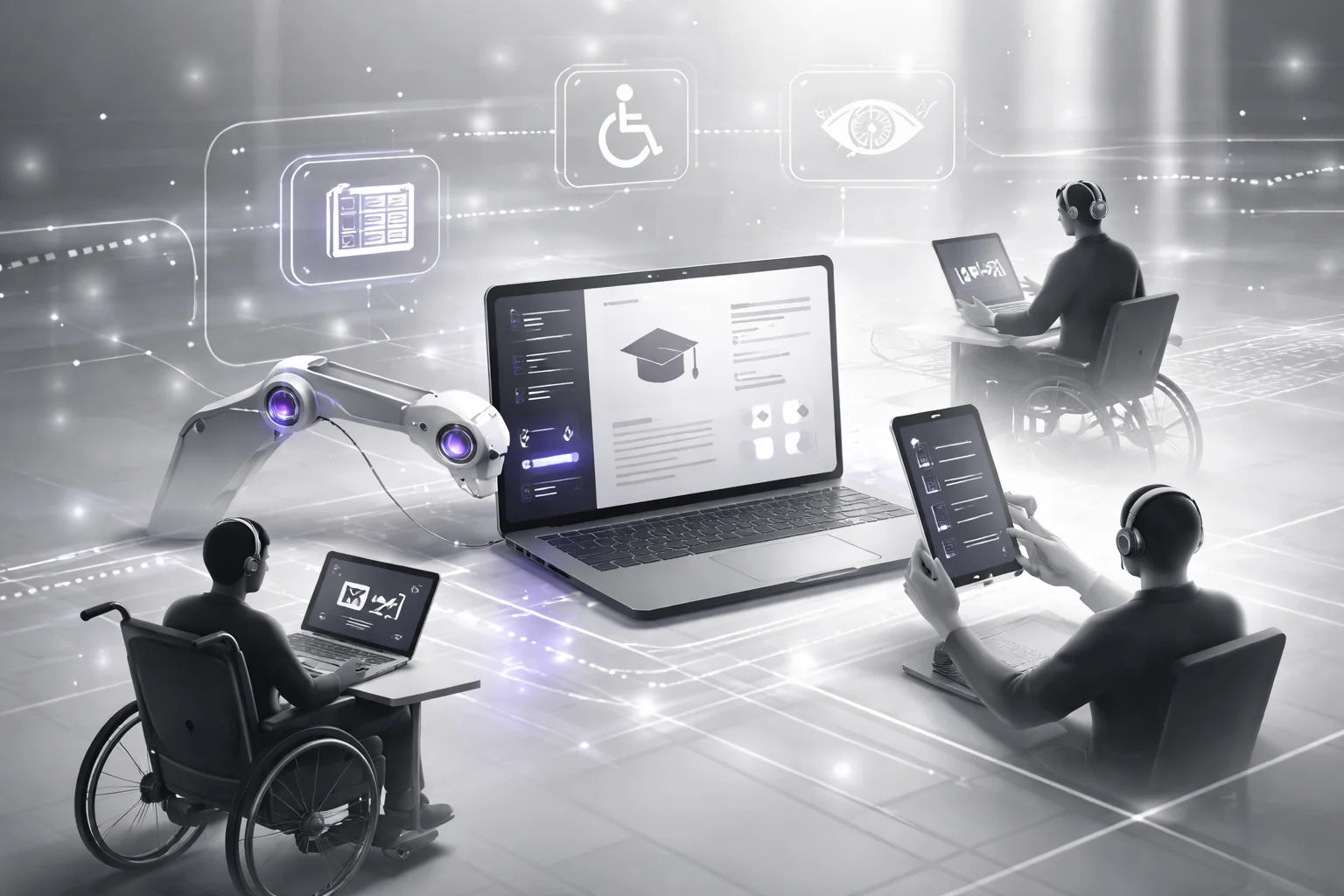
Dan Fitzpatrick points to survey data showing ChatGPT accounts for 66% of student AI use, with Grammarly at 25%. That’s not edge-case adoption. That’s normal use. Tuesday afternoon use. Assignment-due-at-11:59 p.m. use. If those systems lock out disabled learners, schools aren’t dealing with a rare exception. They’re building routine exclusion into ordinary schoolwork.
The worst lie in education AI is still “we’ll fix accessibility after launch.” I think that should end a school deployment right there. If disabled students can’t actually use the thing, it isn’t “still improving.” It’s unfit.
I’ve seen teams fool themselves with polished demos. One group had the whole performance down: quick prompts, neat summaries, slick interface, lots of nodding in the room. Then someone opened it with a screen reader. Done. The ARIA labels were mushy, the response area didn’t announce updates, and keyboard navigation broke halfway through the assignment flow. Somebody said they’d patch it later. Six weeks passed. No patch. They had to rebuild core interaction patterns because the problem was never cosmetic in the first place.
Text boxes lull people into false confidence. A product looks plain, so they assume it must be accessible. That’s nonsense. A simple-looking interface can still trap focus, wreck screen reader compatibility, and hide state changes from assistive tech completely. I’d argue that’s worse than a visibly messy product, because at least messy products set off alarms. Quietly broken ones get approved.
That’s how you end up shipping tools that ignore reading order, skip heading structure, and offer no input alternatives while everyone keeps calling them “clean.” Clean for who? Not for the student using JAWS or NVDA. Not for the learner navigating entirely by keyboard because a mouse isn’t an option.
The legal side isn’t subtle. Schools and vendors run straight into WCAG compliance expectations and Section 508 requirements. People know that part. The part they keep underestimating is memory. Institutions remember support disasters. Teachers remember the night your product forced them to invent manual workarounds at 10:30 p.m. because classroom reality exposed every shortcut your team took.
“AI must support, not replace, educators,” UNESCO says it plainly. That line lands harder when accessibility gets ignored. Teachers become the backup system. They rewrite directions, convert outputs into usable formats, explain broken flows, and create accommodations your software should’ve handled on day one.
You want to avoid that mess? Decide early what access actually means.
- Set access rules before feature specs: define assistive tech support, input methods, and failure states at the start.
- Test real use, not demo use: run screen readers, keyboard-only paths, error recovery checks, and dynamic content announcements.
- Build inclusion into product logic: inclusive education AI development and universal design for learning AI need to live inside workflows, not as forgotten QA tickets.
- Add accommodations from the beginning: real AI accommodations integration means alternative formats, adjustable outputs, and teacher override controls.
If you want how AI can transform the current educational system, start with accessible learning technology. Not after procurement. Not once complaints pile up. Day one.
The funny part? Accessibility work usually improves the product for everybody else too. Better structure. Better navigation. Fewer dead ends. Fewer panicked support tickets on a Monday morning when 200 students hit the same assignment flow at once. Teams still treat it like an optional add-on anyway. They shouldn’t.
Accessibility Requirements Education AI Must Meet
What actually counts as accessible when a student has 14 minutes left, an essay due before the bell, and three different AI tools open at once?
I wouldn't answer that with “WCAG” as fast as most buyers do. Or Section 508, tossed in like a legal safety blanket. I've been in those calls. Somebody says the right acronym, somebody else drops “accessibility reviewed” into a procurement sheet, and the room relaxes way too early.
The weird part is they aren't exactly wrong. Those standards matter. Of course they do. But I've never bought the idea that compliance language, by itself, tells you whether a real learner can get through real schoolwork without getting blocked by some tiny interaction nobody bothered to test.
Look at how students actually work now. Dan Fitzpatrick has pointed to survey data showing learners use an average of 2.1 AI tools per course. That's not one tidy platform. That's one prompt box in one tab, feedback in another panel, exports somewhere else, maybe a quiz helper jammed into the mix too. The break usually happens in the handoff, not on the prettiest screen in the demo.
And this isn't happening in some slow-moving market where teams have months to clean things up. Notie AI reported the global AI-in-education market hit $7.57 billion in 2025. That's a lot of money chasing launches. I think we all know what gets cut first when release pressure shows up on a Thursday night.
The answer, finally, is simpler and harder than people want: education AI development services have to meet accessibility requirements at the level of task completion, not just interface appearance.
But that's where it stops being neat.
A screen can look perfectly fine and still sabotage a student. I've seen this exact flavor of mess: a timed writing support tool with a working prompt field, a hint button that opens a modal, and then keyboard focus gets stuck there while the submission clock keeps ticking. One team I watched shipped something close to that late on a Friday because design review said it “looked accessible.” If a learner can't move through prompt fields, citation helpers, feedback states, hints, and final submission controls without ever touching a mouse, the feature doesn't pass. Doesn't matter how polished it looks.
Screen readers make these failures even harder to hide. AI output needs actual heading structure, clear button names, logical reading order, and ARIA labels that say something useful instead of vague junk like “click here.” If an essay coach posts dynamic feedback into the page but never announces that update to assistive tech, then part of the class never gets the help at all. That's not cosmetic. That's disappearance.
Same thing with generated media. People hear “captions” and immediately picture recorded lectures from 2019. Too narrow. If an AI tutor explains algebra through generated audio clips or short video walkthroughs, those need synchronized captions and downloadable transcripts too. I'd argue that's table stakes now. Not a premium feature you promise after launch when procurement starts asking awkward questions.
Basic visual cues still fail constantly, which drives me nuts because this isn't exotic work. Color contrast breaks all the time. Visible focus states vanish all the time. I've seen dashboards lean so hard into brand-heavy purple-and-blue themes that tab focus basically disappears against the interface chrome. Then warning messages rely on color alone, and in something like a quiz review flow the student is left guessing where they are instead of checking answers.
The underrated piece is structure inside the content itself. Stanford's SCALE review found AI support works better when guidance is given step by step instead of dumping full answers all at once. That's about learning quality, sure. It's also accessibility. Clear headings, ordered steps, chunked explanations, consistent labels — those help disabled learners track what's happening without getting lost halfway through a wall of machine-generated text. They help everybody else too.
So no, I wouldn't ask a vendor whether they “support accessibility.” That's mushy language and everybody knows it. Ask whether a learner using keyboard-only input, screen readers, captions, transcripts, and structured content can finish an assignment independently under actual classroom conditions while moving among multiple tools. That's the standard worth paying for. Anything lower usually comes back later as expensive rework with somebody from legal suddenly copied on the email thread.
If they can't walk you through that student journey step by step — under pressure, across tools, end to end — what are you really buying?
Universal Design Methodology for Inclusive Learning AI
Everybody says the same thing first: pass WCAG, satisfy Section 508, add decent ARIA labels, make keyboard navigation work, and you’re in good shape. That story sounds responsible. It’s also incomplete.
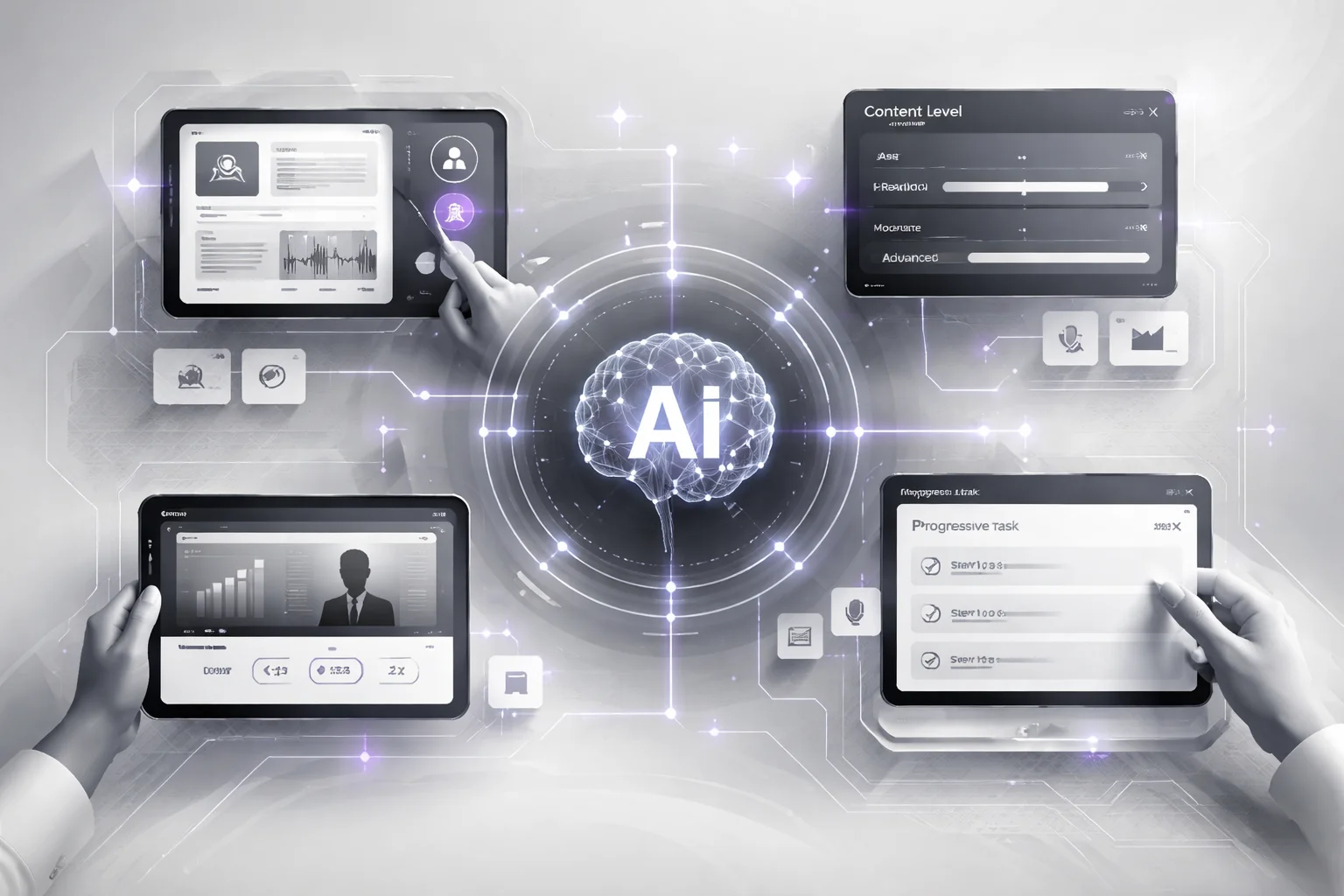
I’ve watched teams hit those checks, smile in the launch meeting, and still ship an AI study tool students dropped after a week. One product I worked near looked great in the audit doc. Then an actual student tried using it from a phone at 11:47 p.m., sent a blurry screenshot of algebra work, followed with a rushed voice question, and the whole experience got clunky fast. Clean compliance didn’t mean useful learning.
Students don’t arrive in tidy little flows. They show up with text, audio, images, partial questions, bad Wi-Fi, and low battery. Some want a confidence boost before they even try. Some need speed because the quiz opens in nine minutes. Some want one hint, not a five-paragraph sermon. I think that’s the part too many teams miss when they build for audits instead of how people actually learn.
The timing makes this worse. Dan Fitzpatrick, citing Digital Education Council survey results, pointed to university AI use rising from 66% in 2024 to 92% in 2025. That’s not gradual adoption. That’s everyone piling in at once while a lot of products are still acting like students interact with them in one polite format at a time.
The missing piece is simple: compliance is the floor, not the finish line. Education AI development services that hold up in real classrooms have to be built around choice. One path or several. One format or many. One pace decided by the system or pacing controlled by the learner. Force a single route through a task and somebody gets excluded almost immediately.
Representation: one explanation style breaks faster than teams expect
Universal design for learning AI should present ideas in more than one form. A history tutor can’t dump dense paragraphs on every student and call that teaching. It should switch into bullet summaries, audio playback with screen reader compatibility, labeled visual timelines, and reading levels learners can adjust without hunting through four settings menus.
This isn’t hypothetical anymore. Every Learner Everywhere found students using AI across text, image, and audio workflows in multiple disciplines. A product built around one mode isn’t just limited. It’s already behind current student behavior.
Engagement: fixed flow is where cognitive overload starts showing up
Inclusive education AI development should let learners control intensity. Put two tutors side by side. One spits out ten steps all at once. The other uses progressive disclosure: first a hint, then a worked example, then the full explanation if needed. The second one respects attention limits instead of steamrolling them.
I’d argue pacing failures are where teams quietly lose students forever. Not because the answer was wrong. Because the experience felt like too much, too soon. There’s a real difference between “here’s everything” and “here’s enough to keep moving.” I’ve seen drop-off happen by step three when the tool could’ve just asked, “Want a hint or the full solve?”
Action and expression: one response box shuts people out quicker than most teams admit
AI accommodations integration means giving learners options for how they respond. Let them type. Let them speak. Let them upload an image of handwritten work. Let them use scaffolded prompts or answer step by step instead of forcing every student into one polished text field.
Multimodal input isn’t extra polish anymore. It’s basic product sense now. The market won’t wait for copycat tools to figure that out slowly either. Yahoo Finance’s market summary projects AI in education growing from $7.52 billion in 2025 to $10.6 billion in 2026. More products are coming fast. Most will look suspiciously similar unless teams get serious about how learners actually interact with these systems.
The practical move is boring and important: build around three things from day one—multiple means of representation, flexible engagement controls, and multiple ways to act or respond. Then test every path, not just the happy path, for keyboard navigation, screen reader compatibility, and whether someone can actually finish the task in a meaningful way. If you’re trying to decide whether to build all this yourself or buy into an existing stack, this breakdown of Chatbot Development Services Vs Platforms is worth your time.
The funny part? More options usually make the experience feel less chaotic, not more. Give learners room to choose and the product stops fighting them.
How to Integrate Accommodations into AI Development
What breaks first when an AI tool hits a real classroom?
Not the model, usually. It's the assumptions around it. At 8:12 a.m. on a Tuesday, a teacher opens an AI writing tool before first period and suddenly the neat little product demo falls apart: one student needs simpler feedback, another can't use a mouse, a quiz is about to start so some supports need to be locked down, and by 8:14 an admin wants proof the thing meets Section 508. I've watched teams freeze right there.
Because a lot of them still build like accessibility lives in the corner. Captions here. Speech-to-text there. A quick WCAG compliance scan before launch. Ship it and hope nobody asks harder questions. I think that's not just lazy — it's how schools end up stuck with product debt that takes months to unwind.
AWS got this part right: AI in EdTech isn't some side feature anymore. It's becoming core infrastructure, and schools trust it more when ethics, privacy, and actual classroom behavior shape the product early. That's the answer. Accommodations can't be something you "add later." They're either part of how the system works from day one, or they aren't real.
But that's also where teams get uncomfortable, because once you admit that, you can't keep treating accommodation support like a launch checklist item. I've seen "we'll handle it in phase two" turn into six months of cleanup work, district complaints, and one ugly procurement review nobody enjoyed.
Start before the team feels ready
This gets decided in discovery. Not in QA. Not in procurement panic two weeks before rollout. Inclusive education AI development starts by mapping learner constraints to tasks, which sounds obvious until you see how many teams skip it.
User stories should sound like school, not software theater. "A student using keyboard-only input completes essay feedback without losing focus state." "A teacher exports alternate reading levels for three students without rewriting prompts during second-period English." That's where the work starts.
That's also why AI discovery services for education projects matter more than people want to admit. Sure, get your technical requirements straight: ARIA labels, screen reader compatibility, reliable keyboard navigation. Fine. But schools don't just buy features; they live inside workflows. Who can turn accommodations on? Who can save them? Who can audit changes later? Who gets override rights when policy allows it? Miss that stuff and you'll regret it.
The prototype shouldn't stop at the answer box
A lot of demos are too polished to be useful. Clean prompt field. Nice response panel. Everyone claps. Meanwhile the actual learner needs control over how help appears, not just what the model says.
Universal design for learning AI works better when users can choose reading level, response length, audio output, captioned explanations, and step-by-step hints. The U.S. Department of Education has pointed to practical uses like speech-to-text transcription and image descriptions. Good. Then put those controls inside the product itself instead of treating them like accessories bolted on after procurement.
A writing assistant makes this painfully clear. One student may need full feedback. Another needs bullet summaries. Another needs simplified guidance because it's 2:17 p.m., they're tired, and dense paragraphs aren't landing anymore. Let staff set defaults by course or through an IEP-related workflow where policy permits it. That's far better than pretending one beautifully formatted output works for everyone.
Deployment still needs humans in the loop
AI accommodations integration should always include a human override path. Always means always. Teachers need to edit generated supports when they're wrong or weird. Admins need logs showing changes and exceptions. Students need an obvious way to ask for another format when the first one misses.
The money pouring into this space makes the problem worse, not better. The market is projected to reach $42.48 billion by 2030, according to Yahoo Finance. Big markets attract copycats fast. I've seen vendors mimic surface-level accessibility features and call it done because they know buyers are under pressure and short on time.
Don't build that kind of product. Build accessible learning technology where accommodations are baked into product behavior from day one — across student use, teacher controls, and administrator oversight in the same workflow, not three disconnected demos shown by three different people on Zoom.
If your team had to prove tomorrow that all three groups could actually use those supports together, could it?
Inclusive AI Design Patterns That Improve Learning Outcomes
Everyone says the same thing about AI study tools: add speech input, make the interface clean, toss in summaries, call it accessible. Looks great in a demo. Then an actual student opens it at 10:47 p.m. before a quiz, says one biology term out loud, and the whole thing starts lying to them.

That story isn't hypothetical for me. We shipped an AI study assistant that checked every box people like to brag about in product reviews. Voice input. Neat layout. Fast answers. Real coursework hit it, and it cracked fast. Voice-to-text mangled subject vocabulary. Summaries compressed ideas until they lost shape. The tutor flagged answers as wrong with all the warmth of a DMV counter on a Friday afternoon and gave students no obvious way to recover.
One transcript still sticks with me. A biology term came back looking like a consumer brand name. One bad transcription turned into 30 seconds of confusion, then another two minutes of trying to repair it, then the student quit. That's how exclusion usually shows up. Not as one giant failure. As five little frictions stacked on top of each other.
So no, inclusion isn't a set of accessories you bolt on at the end. I'd argue that's the outdated part people keep repeating. Good education AI development services build around recovery, meaning, and task completion from the start. Teams say they agree with that. Then they still design for perfect input and tiny outputs because it's cleaner in testing.
People praise accurate input. Recoverable input matters more.
If a learner has to type well to succeed, you've already narrowed who gets through. Dyslexia makes that obvious. Motor impairments make it obvious too. So does any normal classroom where someone is rushed, carrying books, or working from a phone with one thumb free. The U.S. Department of Education points directly to speech-to-text transcription as a practical accessibility use case. That's not a nice extra. That's participation.
Most teams get seduced by purity. Perfect capture. Zero errors. Clean transcripts. That's the wrong target. Speech input only helps when the system assumes mistakes will happen and makes correction almost effortless. Let students inspect transcripts immediately, move through edits with keyboard navigation, and hear revised text through text-to-speech with real screen reader compatibility. If "photosynthesis" becomes "photo synthesis cyst" and fixing it takes six clicks, the feature wasn't accessible. It was theater.
Everybody loves "simple." Half of them mean "stripped down."
Accessible summaries help almost everyone when they keep the idea intact. That's the part people leave out. A decent system doesn't flatten content into mush. It gives layers: full explanation, simplified summary, bullet recap, worked example. That's what strong inclusive education AI development looks like in practice. It's also exactly what universal design for learning AI is supposed to support, because students don't need the same level of help at the same moment.
I think bad products "simplify" by deleting what matters most: sequence, terms, next steps. That's not clarity. That's vandalism with polite branding. Better systems keep headings, preserve key vocabulary, and format material so it holds up with proper ARIA labels, readable layouts, and support for WCAG compliance and Section 508. If your simplified version can't survive a screen reader or loses the core concept order, it didn't make learning easier. It made understanding thinner.
The strongest tutor doesn't blurt out answers
A lot of companies still think speed equals learning. Student asks question, tool spits out answer, everyone calls that efficient. It's incomplete at best and lazy at worst.
The pattern that actually holds up is progressive help: hint first, then step-by-step reasoning, then fuller explanation if needed. The evidence here isn't vague hand-waving either. According to Stanford SCALE, an RCT involving 900 tutors found AI support increased topic mastery by 4 percentage points overall—and by 7 to 9 points for students working with less experienced or lower-rated tutors. That last part matters a lot more than people admit. Guidance patterns pull harder when instruction quality is uneven.
A student who gets a nudge can try again. A student who gets reasoning can build footing after a mistake. A student who only gets the answer learns how to copy tone from a machine.
- Accept many inputs: typing, speech, guided prompts.
- Return many outputs: text-to-speech, simpler summaries, structured steps.
- Tolerate mistakes: easy correction paths, retry prompts, clear feedback states.
- Keep access visible: strong accessible learning technology depends on predictable controls and real accessibility in education AI, not hidden settings.
That's the missing piece people skip. Better outcomes don't come from piling on features that look inclusive in screenshots. They come from patterns that reduce friction, preserve meaning, and leave students a clear path back when something goes wrong. If your team wants stronger learning outcomes and cleaner AI accommodations integration, start there. These aren't fringe asks. They're better product choices. And if your tool still hides recovery paths or treats simplification like deletion, what exactly is it teaching?
How Buzzi.ai Delivers Accessibility-Complete Education AI
Question: when an institution says, “We need an AI tutor by August,” what actually breaks first?
It’s usually not the model. Not GPT-4, not Claude, not whatever shiny thing got name-dropped in the kickoff meeting. I think people love blaming the model because it’s dramatic and easy. Feels technical. Feels smart. Meanwhile the real failure shows up somewhere less glamorous, like a student trying to tab through a generated quiz and getting stuck on question two because nobody thought about keyboard navigation before the demo.
That’s the part a lot of teams miss while they’re busy buying into the fantasy that accessibility can wait until version two. It can’t. By the time you’re patching it in at the end, people are already using the thing, staff are already building habits around it, and someone’s already locked out. Every Learner Everywhere reported that students and faculty are already dealing with 70-plus generative AI tools. Seventy-plus. So this isn’t some future planning exercise anymore.
You can probably guess where this goes. Schools aren’t deciding whether AI enters learning. That decision’s over. The real choice is whether it arrives as one inclusive system with guardrails or as a pile of disconnected tools that create quiet exclusion and loud support tickets.
That’s why Buzzi.ai starts with discovery. That’s the answer. But here’s the annoying part: discovery sounds boring until you’ve lived through what happens without it.
A client will come in with a clean request. “We want an assistant.” “We need an AI content tool in our LMS.” “Can you build this before fall semester starts?” Sure. Then the actual project shows up. Identity systems that don’t talk to each other. LMS constraints nobody mentioned on the sales call. Permission rules tied to three different admin roles. Accommodation requirements buried in policy docs. Audit trails legal wants preserved for at least a year. Front-end details that suddenly matter a lot: WCAG compliance, Section 508, ARIA labels, screen reader compatibility, and keyboard navigation.
I’ve seen teams lose two full weeks on something dumb and preventable: nobody mapped how a student using only a keyboard would move through AI-generated quiz feedback inside Canvas. Not exotic. Not edge-case stuff. Basic classroom reality.
Buzzi.ai doesn’t do the “build the model, throw it over the fence, call it innovation” routine that a lot of vendors selling education AI development services still get away with. We build around how learning actually works. That means inclusive education AI development has to appear from day one—in discovery, architecture, testing, integration, and governance—not as some cleanup sprint after launch when everyone’s tired and funding’s already spoken for.
So discovery at Buzzi.ai isn’t vibes. It isn’t a flashy prototype meant to win over a committee in 20 minutes. It asks harder questions: who’s the learner, where does the model belong, what fails under pressure, who gets override authority, and how does staff stay in control when something goes sideways? If you’re still early and trying to sort that out, that’s exactly what our AI discovery services for education projects are for.
The build still matters, obviously. Carnegie Mellon University has said this pretty clearly: AI can translate, summarize, describe, caption, and reorganize information faster than older systems could. That’s real value. But human-centered accessible design still has to stay at the center. I’d argue this is where speed messes people up most. Teams get excited by how quickly an LLM can produce output and start acting like accessibility in education AI is just QA work at the end.
Buzzi.ai treats it as product behavior instead.
That changes what gets made. In practice, it means universal design for learning AI, actual AI accommodations integration, and governance rules that keep humans in the loop when it matters most. Teachers need override controls they’ll actually use. Admins need reporting that makes sense without three layers of interpretation. Students need more than one route through an assignment or workflow, because one path never fits everybody no matter how pretty the wireframes look.
If you’re spending money right now, spend it on accessible learning technology that can survive contact with a real classroom—messy rosters, deadline pressure, accommodation plans, old browsers in campus labs, all of it. Pick a partner that can connect strategy, engineering, integration, and oversight inside one service model. That’s how you stop exclusionary outcomes before they become institutional headaches.
The funny part is this: when accessibility’s handled from the start, the product usually gets better for everyone else too.
FAQ: Education AI Development Services for All Learners
What are education AI development services?
Education AI development services cover the strategy, design, engineering, testing, and deployment of AI tools built for learning environments. That can include tutoring systems, personalized learning pathways, content generation, speech-to-text features, analytics, and teacher support tools. The part too many vendors skip is this: good education AI development services also include accessibility, privacy, and human review from day one.
How do you make education AI accessible for all learners?
You build accessibility in at the product level, not as a cleanup job before launch. That means screen reader compatibility, keyboard navigation, alt text and captions, captions and transcripts, clear interaction patterns, and assistive technology support across core workflows. It also means testing with real users, including learners with disabilities, because automated scans won't catch half the problems that matter.
Why is accessibility non-negotiable in education AI?
Because if a learner can't access the interface, the model quality doesn't matter. Education systems serve mixed classrooms with different cognitive, sensory, language, and motor needs, so accessibility in education AI isn't a nice extra, it's basic product competence. According to the U.S. Department of Education, AI already supports accessibility use cases like image descriptions and speech-to-text transcription, which tells you this isn't theoretical anymore.
Does education AI need WCAG and Section 508 compliance?
Yes, if you're building for schools, universities, or public-sector buyers, WCAG compliance and Section 508 usually aren't optional. You should also support ARIA labels, semantic structure, focus states, color contrast, and keyboard-only use across every key task. Look, "mostly accessible" is how teams end up with procurement delays, legal risk, and a product teachers can't reliably use.
What accessibility requirements should an education AI platform meet before launch?
Before launch, your platform should pass checks for screen reader compatibility, keyboard navigation, captions and transcripts, alt text, form labeling, error messaging, focus management, and accessible document outputs. You also need assistive technology support for common setups like JAWS, NVDA, VoiceOver, and browser zoom. If the AI creates content, that output should meet learning accessibility requirements too, not just the shell around it.
How are accommodations integrated into AI development?
AI accommodations integration works best when accommodations are treated as product features, not support tickets. That means building options like reading level adjustment, multimodal learning experiences, speech input, text-to-speech, caption controls, transcript downloads, extended timing logic, and alternative response formats into the system architecture. The result is better inclusive education AI development because learners don't have to ask for basic access every single time.
How do you design inclusive learning AI using Universal Design for Learning principles?
You use Universal Design for Learning (UDL) to give learners multiple ways to access information, engage with material, and show what they know. In practice, universal design for learning AI might offer text, audio, visual, and interactive explanations, plus different assessment formats and pacing options. That's a much better model than building one "standard" experience and patching exceptions later.
Can AI improve outcomes for students with disabilities?
It can, but only if the tool is designed well and used with structure. According to Stanford SCALE, students whose tutors used AI support were 4 percentage points more likely to master lesson topics, with bigger gains for students working with less experienced tutors. That's promising, but honestly, outcomes depend on design choices like guided reasoning, human-in-the-loop review, and whether the system actually supports accessible learning technology.
How do you test education AI for screen readers and assistive technology?
You test with automated tools first, then manual audits, then real assistive technology workflows. Teams should verify reading order, ARIA labels, focus behavior, dynamic updates, keyboard traps, transcript access, and output readability using tools like NVDA, JAWS, VoiceOver, and switch or keyboard-only navigation. If your chatbot, tutor, or content generator changes the interface on the fly, that dynamic behavior needs testing too, because that's where accessibility bugs love to hide.
How do you address bias and fairness in education AI?
You don't fix bias with a policy page and a hopeful attitude. You need representative training data, fairness testing across learner groups, human-in-the-loop review for high-impact decisions, and clear escalation paths when outputs are wrong or harmful. Inclusive education AI development should measure whether recommendations, scoring, and personalized learning pathways work equitably across disability, language, and socioeconomic differences.
What does an accessibility-complete education AI delivery process include?
An accessibility-complete process covers discovery, requirements, prototyping, model behavior review, UX design, engineering, QA, and post-launch monitoring. It should include inclusive design methodology, WCAG checks, assistive technology testing, bias and fairness review, content accessibility standards, and documentation for procurement and compliance teams. That's how education AI development services stop being a flashy demo and become something schools can actually trust and buy.
How does Buzzi.ai handle accessibility in the education AI development lifecycle?
Buzzi.ai treats accessibility as a build requirement from the first planning session through launch and iteration. That includes accessible UX patterns, AI accommodations integration, compliance-aware engineering, human review, and testing for real classroom use cases across devices and assistive tech. If you're serious about shipping education AI development services for all learners, that's the only sane way to do it.


