TensorFlow Development That Ships: One Model, Many Platforms
Deployment-first tensorflow development: choose TF only when its cloud-to-edge portability matters. Learn architectures, TFLite/TF.js tradeoffs, and MLOps.
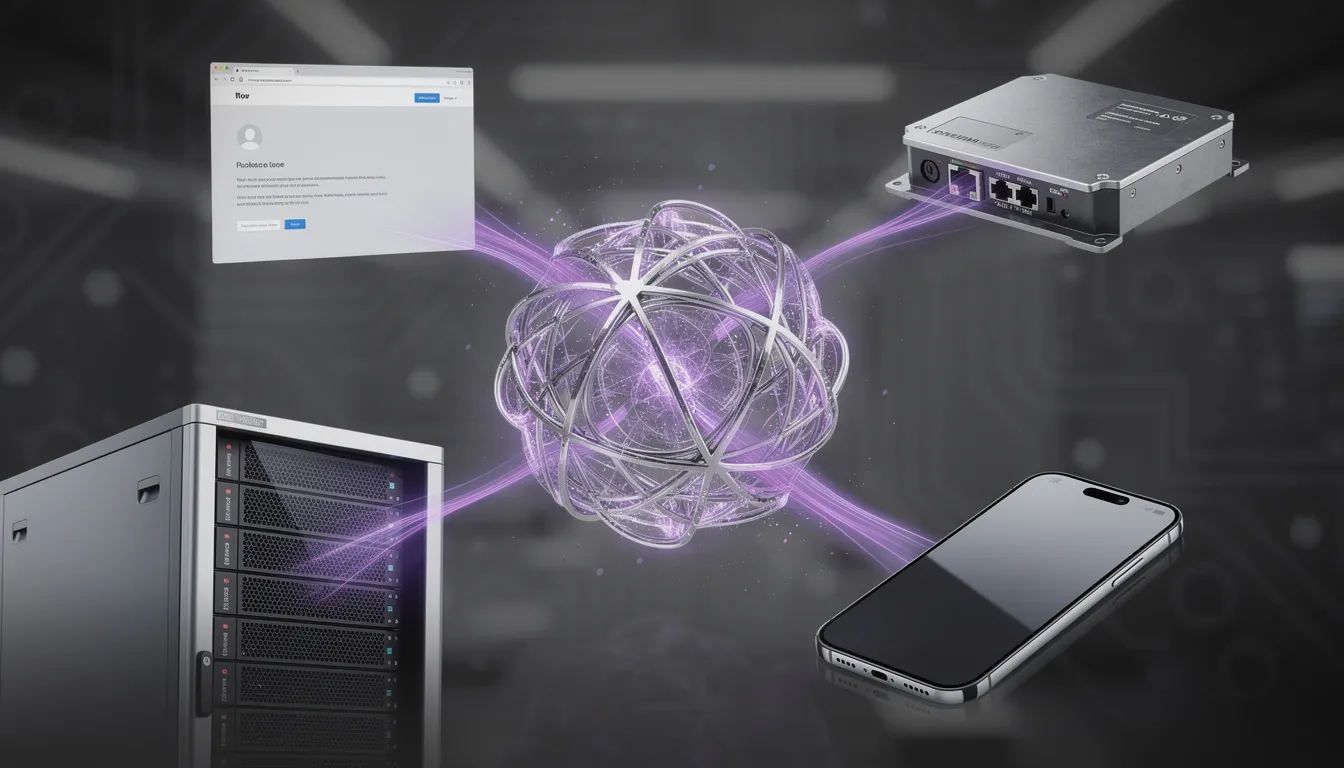
If your model has to run in the cloud today, on a phone tomorrow, and on an edge box in six months—are you building one product, or four separate deployments?
That question is why tensorflow development is worth taking seriously. Not because TensorFlow is “better” at training, but because it’s one of the few ecosystems that can plausibly take a single model from notebook to cloud, mobile, browser, and embedded without rewriting your entire product around the constraints of each runtime.
Most teams learn this the hard way. They prototype fast, ship a backend API, and only later discover that the “same model” can’t be converted to TensorFlow Lite, or is too large to download over mobile networks, or hits latency cliffs on CPU-only edge hardware. Then the rewrites begin: duplicated preprocessing, parallel model forks, and a backlog full of performance firefighting.
This guide is a deployment-first playbook for tensorflow model deployment. We’ll cover when TensorFlow is the right trade, how to design around real targets (not theoretical ones), how to choose between Serving vs TFLite vs TF.js vs embedded, and how to operate cross-platform deployment safely with measurable rollouts.
At Buzzi.ai, we build tailor-made AI agents and production systems that have to work where customers actually are—often across messaging channels, mobile devices, web surfaces, and constrained environments. The goal is never “use TensorFlow.” The goal is predictable outcomes: latency you can trust, costs you can forecast, and a deployment surface area that doesn’t force rewrites every quarter.
When TensorFlow Development Is the Right Trade (and when it isn’t)
TensorFlow asks you to pay a tax: stricter graph constraints, a conversion toolchain that can be unforgiving, and build tooling that feels like “real software engineering” (because it is). The only time that tax makes sense is when you actually collect the benefit: cross-platform deployment via standardized runtimes.
In other words, TensorFlow shines when you treat it less like a library and more like an AI deployment strategy that spans an entire model lifecycle.
The honest argument: TensorFlow is a deployment platform, not a training flex
There are two mindsets for production ML systems:
Research-first teams optimize for iteration speed in training. They pick the framework that makes experiments easiest, then figure out serving later. This often works for server-only inference where you control the environment.
Deployment-first teams optimize for where the model must run. They pick constraints first—latency SLOs, memory budgets, offline requirements—and then choose tools that minimize “translation loss” between training and reality.
TensorFlow’s advantage is that it offers multiple stable paths from one core artifact (a SavedModel) to multiple runtimes: TensorFlow Serving on servers, TensorFlow Lite on devices, TensorFlow.js in browsers, and TensorFlow Lite Micro for extreme embedded constraints. That’s not just convenience; it’s the difference between one product and four.
The tax is real. You will hit:
- Op compatibility constraints when converting to TFLite/TF.js
- Debug friction when something behaves differently across runtimes
- Model size and memory ceilings that aren’t visible in cloud training
Quick scenario comparison: if you’re using PyTorch Lightning to train a model that only ever runs behind a server API, the simplest path might be to stay in that stack. But if product is already committed to mobile offline or in-browser privacy, TensorFlow’s multi-platform AI runtime story can save you months of platform forks.
Decision checklist: choose TF only if you need at least one of these targets
Use this as a gating checklist. If you answer “yes” to any item, TensorFlow becomes a rational strategic choice rather than a default.
- On-device inference is required (offline UX, low latency, privacy) → you need tensorflow lite deployment.
- In-browser inference is required (no server round-trip, privacy-first UX) → you need tensorflow.js.
- High-throughput or standardized inference endpoints are required → you need tensorflow serving with versioning and gRPC/REST.
- Microcontroller or vendor-embedded path is required → you need TensorFlow Lite Micro or downstream compatible runtimes.
If you answered “no” to all of the above, you may still use TensorFlow, but you should be honest: you’re choosing it for team familiarity or legacy reasons, not because it’s the best deployment strategy.
Common anti-patterns: TF without the payoff
Here’s where TensorFlow becomes expensive without returning value:
- Using TF for a pure tabular model that only runs in a backend API and never leaves the server.
- Training in TensorFlow but deploying via a custom Python web server, ignoring TensorFlow Serving/TFRT performance and versioning primitives.
- Discovering conversion constraints late (ops unsupported, model too big, dynamic shapes everywhere) and having to redesign under deadline.
A typical postmortem looks like this: a team builds a great prototype, then product asks for a mobile offline mode. The team tries conversion, only to discover the model uses unsupported ops, depends on Python-side preprocessing, and can’t fit inside a reasonable app download. Now “add offline mode” becomes “rewrite model, rewrite pipeline, rewrite app integration.” That’s not a model problem; it’s an architecture sequencing problem.
A Deployment-First Methodology for TensorFlow Projects
Deployment-first tensorflow development flips the default order. We don’t start by asking “what’s the best architecture?” We start by asking “what must inference look like?” Then we train the smallest model that meets that contract.
Start from the runtime: define the “inference contract” before training
An inference contract is the set of constraints that turn ML from a research artifact into a product component. You define it before you write your first training loop.
At minimum, define:
- Target runtime(s): cloud API, Android/iOS, edge gateway, browser
- Latency SLOs: p50/p95 targets for real-time prediction
- Device budgets: RAM peak, storage/model size, CPU/GPU/NPU availability
- Offline requirement and connectivity assumptions
- Update cadence: weekly, monthly, “only with app releases”
- Accuracy-loss budget: how much drop is acceptable for portability/size
Example inference contract table (simplified):
- Cloud API: p95 latency 150ms, batch size 8, GPU allowed, model size flexible, updates daily
- Mobile: p95 latency 60ms, CPU/NPU only, model size < 25MB, offline required, updates monthly
- Edge box: p95 latency 40ms, CPU-only, RAM 1GB shared, intermittent connectivity, updates quarterly
Once you have this, “device-specific optimization” becomes a design input, not a late-stage panic. It also forces a good question: do we really need one model, or do we need one capability delivered via different tactics?
Architect the pipeline: one core model, multiple packaging paths
The mental model is simple: maintain a single source-of-truth model artifact, then produce target-specific packages.
In TensorFlow, that usually means:
- Train and export a clean SavedModel as the core artifact.
- Generate a Serving package (for TensorFlow Serving / container deployment).
- Convert to TFLite for mobile/edge.
- Convert to TF.js for browser.
The dangerous failure mode is “train in one codepath, preprocess in another.” Train/serve skew is not subtle; it will quietly destroy accuracy and make debugging feel like superstition. Prefer shared preprocessing layers inside the model, or a formal feature pipeline such as TF Transform when appropriate.
A concrete repo structure that supports a multi-platform AI lifecycle might look like:
- training/ (data loading, training loops, evaluation)
- export/ (SavedModel signatures, versioning)
- serving/ (TF Serving configs, warmup requests)
- tflite/ (conversion scripts, quantization calibration)
- tfjs/ (conversion scripts, web packaging)
- benchmarks/ (device + server performance tests)
You’ll notice what’s missing: ad-hoc glue scattered across notebooks. That glue is where portability goes to die.
Bake in measurability: latency, cost, size, and regressions
What makes deployment-first work is that conversion and benchmarking are treated as continuous tests, not end-stage chores.
For each target, define release gates such as:
- Model size ≤ X MB
- p95 latency ≤ Y ms on a reference device
- Peak RAM ≤ Z MB
- Accuracy ≥ baseline − allowed regression
Then automate them. If your pipeline can’t convert to TFLite on every release, you don’t “have” a mobile deployment path—you have a hope.
Conversion is not a build step you do at release time. It’s a compatibility test you run from day one.
If you want a structured start, we typically begin with AI Discovery to validate deployment targets and constraints so the model architecture is shaped by real budgets instead of vibes.

Pick Your TensorFlow Deployment Target (Serving vs TFLite vs TF.js vs Embedded)
“TensorFlow deployment” isn’t one thing. It’s a family of runtimes with different economics. Your job is to choose the one that matches where value is created: server scalability, device privacy, edge latency, or embedded constraints.
Cloud: TensorFlow Serving for stable, scalable inference APIs
TensorFlow Serving is what you pick when production needs start to look like production: high QPS, model versioning, standardized gRPC/REST APIs, and safe rollouts. It’s not flashy; it’s boring infrastructure. That’s a compliment.
Operationally, Serving gives you a well-lit path for:
- Model versioning (multiple versions served concurrently)
- Canarying/A-B at the routing layer (with your infra)
- Batching for throughput efficiency
- Warmup to avoid cold latency spikes
When does it not win? If your workload is tiny and spiky, a simpler container (or even serverless) might be cheaper and good enough. But once QPS and tail-latency matter, the cost of “simple” grows teeth.
Decision table (compressed):
- TF Serving: best for steady traffic, versioning, GPUs, strict latency SLOs
- Custom FastAPI container: best for low/medium QPS, custom logic, fastest iteration
- Serverless: best for bursty workloads, minimal ops, but watch cold starts and GPU limitations
References worth bookmarking: TensorFlow Serving guide and Google’s GKE best practices for how Kubernetes deployment choices affect latency and cost.
Mobile & edge: TensorFlow Lite for on-device inference
TensorFlow Lite deployment is about making the product feel instantaneous and trustworthy. Offline mode, privacy, low latency, and reduced cloud cost are the real business wins. The constraint is that the runtime is narrower: fewer ops, tighter memory, and less tolerance for dynamic behavior.
Concrete example: camera-based classification on a phone. The product requirement might be “respond in under 80ms, offline, with minimal battery impact.” That immediately pushes you toward:
- Smaller model family (MobileNet/EfficientNet-Lite style)
- Quantization as a default lever
- Stable input sizes (or tightly bounded shapes)
- On-device preprocessing that matches training
Packaging patterns that work in practice:
- On-device model + remote config (switch thresholds/labels without reshipping the app)
- Hybrid inference: device-first for fast response, cloud fallback for rare/ambiguous cases
Use the official references for reality checks: TensorFlow Lite guide covers conversion and supported ops, and it’s the document that will settle many “why does this fail?” arguments.
Browser: TensorFlow.js for privacy-first, zero-install inference
TensorFlow.js is strategic when the browser is the product surface and you want inference without shipping data to a server. Think privacy-sensitive form classification, interactive UX loops, and “show results as you type” experiences where round-trip latency breaks the feel.
The tradeoffs are predictable:
- Performance varies wildly by device and backend (WebGL vs WebGPU vs CPU).
- Model size becomes a download problem (especially on mobile networks).
- Debugging becomes “front-end + ML” combined, which is a real skill set.
Patterns that keep TF.js viable:
- Lazy loading models only when needed
- Sharding / splitting models or assets to reduce initial load
- Feature extraction in browser + server-side ranking (send embeddings, not raw PII)
A practical use case is in-browser OCR preview: do a fast local pass to highlight what will be extracted, then optionally send sanitized crops or embeddings to the server for heavier post-processing. The doc you’ll keep returning to is the TensorFlow.js documentation for conversion and supported backends.
Embedded: TensorFlow Lite Micro (when constraints are extreme)
Embedded inference is where you stop thinking in “MB” and start thinking in “KB.” TensorFlow Lite Micro fits microcontrollers with tiny RAM/flash, but your expectations must shrink accordingly: simpler models, fixed-point math, and usually mandatory quantization.
An example that actually fits: anomaly detection on vibration sensor data. You don’t need a giant network; you need a small model that can detect deviations in time-series patterns with deterministic compute, often with preprocessing done externally (or very efficiently on the chip).
Engineering implications:
- Very limited op set
- Static memory planning
- Quantized kernels as the norm
If your product roadmap includes mobile rollout work, our AI-enabled mobile app development for on-device inference rollouts is where model constraints meet real shipping code.
How to Design One TensorFlow Model for Cloud + On-Device Inference
The mistake most teams make is assuming “one model” means “one build artifact.” In practice, one model means one source of truth with multiple packaging paths. That’s how you keep a cloud to edge architecture coherent without freezing innovation.
Keep the model portable: avoid ‘conversion-hostile’ layers and ops
Portability is mostly about what you don’t do. The easiest optimization is avoiding choices that force custom ops or dynamic behavior that won’t survive conversion.
Rules of thumb that save pain:
- Prefer TFLite-friendly ops; be cautious with custom ops unless you’re committed to maintaining them.
- Constrain input shapes where possible; dynamic shapes are convenient in training and expensive in deployment.
- Avoid complex control flow inside the model when a simpler formulation exists.
- Use compatible activations/normalization layers that convert cleanly.
- Validate portability with an early “conversion spike” in week one, not week twelve.
Think of this like choosing materials in construction: if you design with glass everywhere, you can still build the house, but you’ve implicitly decided you’ll pay for special handling forever.
Separate concerns: training code vs inference packaging
Clean tensorflow development draws a hard line between training and inference packaging. Training can be messy; inference must be stable.
Practically, that means:
- Export a clean SavedModel with explicit signature definitions (stable inputs/outputs).
- Isolate tokenization/feature engineering (either inside the graph or in a versioned, shared library).
- Create packaging layers per target: Serving wrapper vs TFLite converter vs TF.js converter.
- Version everything: data schema, model, preprocessing, post-processing thresholds.
A CI flow that supports continuous training and safe releases looks like:
- Train → evaluate → export SavedModel
- Convert → generate TFLite/TF.js artifacts
- Benchmark → enforce gates per target
- Publish → push to registry + rollout via canary
Hybrid execution patterns: edge-first, cloud-verified
Hybrid patterns are underused because they feel like “more systems.” But done well, they reduce system risk while improving UX.
A common approach is edge-first, cloud-verified:
- Run the fast model on-device for immediate response.
- Send minimal features (often embeddings) to the cloud for heavier enrichment or audit-grade accuracy.
- Gracefully degrade when connectivity drops; the on-device path still works.
Example: support triage. An on-device classifier can label the request instantly and route it locally (or pre-fill forms). If connected, the cloud can run a larger model to refine the category, attach suggested actions, and feed analytics—without blocking the user’s first experience.
TensorFlow Model Optimization Patterns That Actually Matter
Optimization is where teams waste time, because it’s easy to chase paper gains. The deployment-first version of optimization is simple: we optimize for the bottleneck that actually exists on the target hardware.
Quantization: the default lever for edge and mobile
Model quantization is the workhorse of TFLite optimization. It reduces model size and can improve latency and battery use, especially on mobile NPUs that prefer int8 workloads.
Two core approaches:
- Post-training quantization (PTQ): you quantize after training, usually faster to implement and often “good enough.”
- Quantization-aware training (QAT): you simulate quantization during training; more work, often better accuracy when PTQ degrades quality.
The operational nuance: calibration data quality matters. If your calibration set doesn’t represent real inputs, you can accidentally quantize the model into a new failure mode.
Illustrative before/after narrative: teams often see the model become materially smaller and the device latency become more predictable. The real win is not a heroic benchmark number; it’s that the model now fits the app budget and hits p95 targets on mid-tier devices, not just flagship phones.
The canonical reference is the TensorFlow Model Optimization Toolkit documentation, which covers quantization paths and tradeoffs without pretending they’re free.
Pruning and sparsity: helpful, but only when the runtime benefits
Model pruning can reduce parameters, but inference speed only improves when the runtime and hardware exploit sparsity. Otherwise you’ve created a smaller model that runs the same kernels at the same speed.
This is the classic “paper gains vs deployment gains” trap. A case-style caution: a team prunes aggressively, celebrates a parameter reduction, then sees p95 latency unchanged on device because the underlying kernels remain dense. The model got smaller; the bottleneck didn’t move.
Pruning tends to pay off when:
- The model is large enough that memory bandwidth dominates
- The deployment target has sparsity-aware accelerators or kernels
- You validate end-to-end latency, not just FLOPs
Distillation: the most reliable way to fit tight constraints
If you need a big capability in a small box, distillation is usually the cleanest option. You train a large “teacher” model for accuracy, then train a smaller “student” model to mimic it. The result is often a better speed/accuracy trade than pruning alone.
Distillation is especially useful when you need on-device inference for UX but can’t afford the full model size or compute. For example: distill a large intent model into a lightweight on-device classifier that handles the most common intents offline, while the cloud model handles rare edge cases.
The evaluation plan should include task metrics and user-perceived latency. Users don’t feel “average latency.” They feel the tail.
Operating TensorFlow in Production: MLOps, Monitoring, and Rollback
The hard part of tensorflow model deployment isn’t getting the model to run once. It’s getting it to keep running as data changes, devices change, and teams ship updates.

CI/CD for ML artifacts: treat conversions as first-class builds
Your ML artifacts should move through environments like any other software artifact. The twist is that you may have multiple target builds (Serving, TFLite, TF.js) from one core model.
A practical pipeline stage list looks like:
- Build: train + export SavedModel
- Convert: generate TFLite and TF.js artifacts
- Test: compatibility + correctness + target-specific benchmarks
- Register: store artifacts + metadata in a registry/artifact store
- Promote: dev → staging → canary → prod
- Rollback: automatic trigger on accuracy/performance regression
You can implement this with GitHub Actions or Jenkins plus an artifact store; what matters is discipline: conversions and benchmarks must be automated, repeatable, and required for promotion.
Monitoring across platforms: server metrics aren’t enough
Monitoring is where “production ML systems” differ from backend services. If you only monitor the cloud API, you miss where users experience failure: phones, browsers, and edge gateways.
Monitoring checklist by platform:
- Cloud: latency (p50/p95), error rate, throughput, GPU utilization, drift indicators
- Mobile/edge: on-device latency, crash rate, battery impact, model download failures, fallback frequency
- Browser: model load time, backend availability (WebGL/WebGPU), fallback behavior, memory pressure
Privacy-safe telemetry is the key design constraint here. You often don’t need raw inputs; you need performance envelopes, failure modes, and aggregate drift signals.
Security basics: protect APIs and protect shipped models
Security is not just an API problem. When you ship models to devices and browsers, you ship assets that can be extracted, inspected, and abused.
Threat model bullets:
- Cloud: auth, rate limiting, input validation, abuse detection, model endpoint hardening
- On-device: model extraction risk; consider obfuscation/attestation where appropriate; keep secrets off-device
- Supply chain: sign model artifacts; verify signatures at load time; track provenance
For a broader operational-risk lens, NIST’s AI Risk Management Framework is a solid reference to align engineering controls with business risk.
How Buzzi.ai Delivers TensorFlow Development Services (Outcome-Driven)
“We can build a model” is table stakes. The real value in tensorflow consulting is avoiding the rewrite cycle: designing one system that ships across targets, then operating it safely as it evolves.
Engagement model: discovery → deployment plan → build → harden → scale
Our delivery model is shaped around outcomes, not artifacts.
- Discovery: validate the use case against platform constraints and ROI so TensorFlow isn’t overkill.
- Deployment plan: define the inference contract (targets, SLOs, budgets, update cadence).
- Build: implement the core model and packaging paths (Serving/TFLite/TF.js as needed).
- Harden: benchmarking, regression gates, monitoring, and rollback strategies.
- Scale: optimize for cost, throughput, and multi-team operations.
A typical 2–4 week deployment-first discovery produces: requirements, an inference contract, early conversion spikes (TFLite/TF.js if relevant), benchmark baselines, and a rollout plan with measurable gates.
What you get: fewer rewrites, faster launches, predictable performance
Good tensorflow development services should feel like removing uncertainty from the roadmap.
- A single core model with multiple deploy artifacts, not multiple model forks.
- Optimization targeted to device class and cost envelope (not generic “make it faster”).
- Monitoring + rollback so you can ship updates without fear.
In practice, that means reduced time-to-production and fewer platform-specific rewrites—because compatibility is treated as a continuous constraint, not a last-minute surprise.
Where we fit: teams that need cloud-to-edge reach
We’re a fit when your product surface area is inherently multi-runtime:
- AI products spanning mobile workflows, web experiences, messaging channels, and backend automation
- Enterprises that need governance and repeatable releases
- Startups that need speed, but with production discipline
And we’re opinionated: sometimes the best outcome is not TensorFlow. Deployment-first thinking means choosing the smallest system that ships.
Conclusion: Deployment-First TensorFlow Development Wins by Design
TensorFlow is worth the complexity when you intentionally need its multi-runtime deployment ecosystem—not because it’s popular. Deployment-first tensorflow development means choosing the runtime(s) upfront, shaping the model and pipeline around target constraints, and validating conversion and performance early with real benchmarks.
Pick the right target for the job: TensorFlow Serving for scalable APIs, TFLite for on-device inference, TF.js for browser UX, and embedded only for extreme constraints. And remember: optimization is not a late-stage tweak—quantization and distillation decisions should be validated early, then operationalized with monitoring and rollback across every platform.
If you’re considering TensorFlow because you need cloud-to-edge reach, let’s pressure-test your deployment targets first—then design the smallest system that ships. Start with a deployment-first AI Discovery engagement to lock constraints before you lock architecture.
FAQ
When does it make strategic sense to choose TensorFlow over PyTorch or scikit-learn?
It makes sense when the product needs TensorFlow’s runtime surface area: TensorFlow Serving in the cloud, TensorFlow Lite on mobile/edge, or TensorFlow.js in the browser. In those cases, TensorFlow isn’t just a training framework—it’s a portability strategy across platforms. If you’re strictly server-only and you don’t need those runtimes, the simpler stack is often the better business decision.
What does deployment-first TensorFlow development look like in practice?
It starts with an “inference contract”: targets, latency SLOs, model size budgets, offline requirements, and update cadence. Then you pick model families and preprocessing approaches that can survive conversion to the intended runtime(s). Finally, you treat conversion and benchmarking as automated tests in your CI pipeline, so portability is continuously validated.
Should I use TensorFlow Serving or a custom Docker API for production inference?
Use TensorFlow Serving when you need stable model versioning, high throughput, standardized gRPC/REST interfaces, and predictable operations at scale. A custom Docker API (e.g., FastAPI) can be a great fit for smaller workloads or when you need complex custom logic around inference. The important part is matching the serving choice to your traffic shape, latency requirements, and rollout/rollback expectations.
How do I optimize TensorFlow models for mobile with TensorFlow Lite?
Start by converting early and often, because conversion constraints will shape your architecture choices. Then apply TFLite optimization levers like post-training quantization, and move to quantization-aware training if accuracy drops too much. Validate on real reference devices, because emulator benchmarks rarely reflect real thermal throttling, memory pressure, or NPU behavior.
What performance trade-offs should I expect when converting to TensorFlow Lite or TensorFlow.js?
With TensorFlow Lite, you’ll usually trade flexibility (fewer supported ops, tighter shape constraints) for better latency, offline capability, and lower cloud cost. With TensorFlow.js, you trade raw performance consistency for privacy and zero-install deployment, and you must manage model download size and browser backend variability. In both cases, the winning approach is to benchmark per target and treat the conversion path as a first-class part of the model lifecycle.
How can one TensorFlow model support both cloud APIs and on-device inference?
Keep a single SavedModel as the source of truth, then generate separate artifacts for Serving and TFLite from that same export. Ensure preprocessing is consistent—either embedded in the model or delivered via a shared, versioned component—to avoid train/serve skew. If you want help designing this pipeline, start with Buzzi.ai’s AI Discovery so the contract and conversion plan are defined before training begins.
What are the best techniques for model compression: quantization, pruning, or distillation?
Quantization is the default for mobile/edge because it directly reduces size and often improves latency on int8-friendly hardware. Pruning can help, but only when your runtime/hardware can exploit sparsity; otherwise the speedup may be negligible. Distillation is often the most reliable way to fit tight constraints while keeping accuracy, because you’re training a small model to inherit the behavior of a larger one.
How should I monitor and roll back TensorFlow models across cloud and devices?
In the cloud, monitor latency, error rates, throughput, and drift signals, and use canaries with automatic rollback triggers. On devices, you also need telemetry for model download failures, on-device latency, crash rates, and battery impact—ideally in a privacy-safe, aggregate form. Rollback on-device usually means versioned model assets and remote configuration so you can revert without waiting for an app store release.


