AI Web Services Development Built for Cost-Controlled Scale
Design AI web services development with cost-aware architecture so inference and hosting costs scale slower than revenue. Learn patterns Buzzi.ai applies.

Most AI web services don’t fail because they can’t scale technically. They fail because every new request quietly destroys margin. In AI web services development, the real disaster isn’t downtime—it’s a cloud bill that grows faster than revenue.
That happens when teams design for capability, not cost. Models are picked for demo quality, not unit economics. By the time finance notices that inference cost per request is eating your gross margin, your cost-aware architecture options are constrained by legacy choices, SLOs, and customer expectations.
This guide lays out a practical playbook for cost-aware architecture in AI web services: how to reason about inference cost, which backend patterns keep you out of trouble, and what to monitor so cost doesn’t surprise you after “success.” We’ll use simple numbers and concrete scenarios, not hand-wavy buzzwords. Along the way, we’ll show how we at Buzzi.ai approach production AI web services so that usage scales, but costs don’t explode.
What Cost-Aware AI Web Services Development Really Means
From "Can It Work?" to "Can It Pay for Itself?"
Most teams start AI service development with one question: can we get this to work reliably? That’s appropriate for a prototype, but it’s a terrible lens for production. A cost-aware architecture adds a second question before you ship: can this feature pay for itself at scale?
In this context, cost-aware architecture means that every architectural choice—model, prompt length, deployment pattern, cache, SLO—has an explicit unit-economics consequence. You don’t just celebrate that the model gives great answers; you ask whether those answers are profitable at your pricing. This is where AI productization diverges from research demos.
Consider a document summarization API inside a SaaS product. The team wires it up to a large general-purpose model and charges customers $0.01 per summary. It’s a hit. Customers run thousands of summaries per day. Only later does the team realize each call costs $0.015 in raw model fees plus orchestration overhead. The feature is beloved—and loses money on every click.
That’s the default path if you treat cost as an afterthought. Cost-aware AI web services development inverts the order: you start by mapping how the feature creates value, then design the architecture so the total cost of ownership (TCO) fits inside that value with healthy margin. TCO reduction is a design requirement, not a clean-up project.
The Three Lenses: User Value, Latency, and Cost per Call
Practically, you can think of every AI endpoint through three lenses:
- User value: How much business value does this call create for the user or customer?
- Latency: How quickly does the user need the answer?
- Cost per request: How much does it cost you to serve one call, including inference cost and overhead?
Cost-aware architecture is about optimizing across these three, not minimizing one at the expense of the others. For example, a chat completion endpoint that users interact with in real time usually needs low latency—say under 1–2 seconds—to feel responsive. That often justifies slightly higher per-call cost and more aggressive autoscaling to hit your latency SLOs.
By contrast, a batch analytics endpoint that runs predictions on thousands of records overnight has very different constraints. Users care about correctness and completion by morning, not millisecond response. You can batch aggressively, use cheaper hardware, and accept higher latency per call in exchange for much lower cost per unit of work. In a mature AI backend development process, you explicitly set SLOs and even informal SLAs for both latency and cost ceilings per endpoint.
Why Cost Becomes Visible Only After “Success”
The painful part is that AI costs are often invisible until your AI web services “work” and become popular. Inference cost tends to scale almost linearly with usage if you don’t optimize your architecture or model choices. So the better your product-market fit, the faster your cloud AI infrastructure bill grows.
The pattern is familiar: a team builds an AI assistant inside a SaaS tool. During the PoC, it runs on a single GPU-backed instance and costs $5k/month, comfortably inside budget. Marketing launches a campaign, usage grows 10–20x, and autoscaling faithfully spins up more capacity. A few months later, finance sees an $80k/month bill and asks, “What happened?”
At that point, you’re in the sunk-cost trap. Customers have learned a certain behavior and latency profile. Your SLO and SLA management is now a contract, implicit or explicit. Refactoring core parts of the AI web services development stack—models, prompts, traffic patterns—risks both outages and user experience regressions. This is why why your AI web service needs cost aware architecture is a question you want to answer early, not after the spike.

Where AI Web Service Costs Actually Come From
Breaking Down the Cost Stack
To control cost, you first need a clear mental model of where the money goes. For most modern AI web services, especially those using LLMs or computer vision, the dominant driver is model inference: GPU or CPU time executing the model for each request. On top of that sit memory footprint, networking, storage, and orchestration overhead.
Think of the stack in layers:
- Model and inference cost: per-token or per-image pricing from providers, or GPU-seconds if you self-host.
- Infrastructure: VM or container costs, including GPU utilization, storage volumes, and networking egress.
- Platform and orchestration: Kubernetes, serverless platforms, API gateways, and background workers.
- Observability and tooling: logs, traces, metrics, and security tooling.
Imagine a single LLM request that uses 1,000 input tokens and 300 output tokens. If your provider charges $0.0015 per 1,000 input tokens and $0.002 per 1,000 output tokens, that’s roughly $0.0015 + $0.0006 = $0.0021 in pure model fees. Add maybe 50–100% overhead for infrastructure and orchestration and you’re at $0.003–0.004 per call. That’s why inference cost is usually the first lever, and GPU utilization is a crucial metric in any cloud AI infrastructure.
Cloud providers are transparent about this: just look at AWS, Azure, or Google Cloud’s AI/ML pricing pages to see how tokens or compute seconds translate into dollars per 1,000 requests. Those tiny per-unit numbers add up quickly when your AI web services start seeing millions of calls per day.
Latency, Concurrency, and Peak vs Average Load
Cost is also shaped by how you handle latency and concurrency. Tight latency SLOs push you toward overprovisioning so that you always have capacity available for bursts. That “idle” headroom is an indirect cost of your user experience requirements.
Concurrency amplifies this. Serving 1,000 requests per second at 200ms each typically requires far more capacity than processing 1,000 batched requests every 5 seconds. In the latter case, you can batch 1,000 items into a single call, keep the GPUs saturated, and amortize overhead over many units of work. That’s why request batching is a foundational pattern in scalable architecture design.
Peak vs average load matters for autoscaling and capacity planning. Your billing is driven by the capacity you provision or the peak utilization your autoscaler responds to, not just the daily average. If your AI web services see sharp peaks—say during business hours—naive autoscaling can repeatedly spin up expensive GPU instances for short spikes, only to leave them underutilized the rest of the time.
Hidden Costs in Multi-Tenant AI Platforms
Costs become more subtle when you run a multi-tenant AI platform. You’re not just serving one app; you’re serving many customers, each with their own configuration, data, and usage patterns. That brings overhead: isolation, noisy-neighbor management, token logging and storage, and per-tenant configuration.
The biggest trap is naive per-tenant customization. Promising “your own fine-tuned model” for every enterprise logo looks great in sales decks but can be ruinous in practice. If you spin up dozens of dedicated GPU instances for tenants with sporadic load, you’re paying for a lot of idle capacity.
A smarter multi-tenant AI platform design uses a shared base model with tenant-level prompts, retrieval configuration, and lightweight adapters. That way, you retain per-tenant behavior without cloning everything. This is the essence of cost governance: designing AI web services so that the marginal cost of one more tenant is predictable and manageable.
The trend is visible in industry research on AI infrastructure spending: most of the growth is in inference, not training, and a significant component of that is multi-tenant SaaS workloads. Getting the multi-tenant layer wrong can turn growth into a liability instead of an asset.

Designing the Backend: Architecture Patterns for Cost Control
Tiered Models: Right-Sizing Intelligence per Request
One of the most effective patterns in cost-aware AI backend development is tiered models. Instead of wiring your endpoint directly to the biggest, most capable model, you route traffic through a model gateway that can choose between small, medium, and large models based on context.
For example, a support chatbot might use a 7B parameter model for routine Q&A and escalate to a 70B model only when the smaller model’s confidence is low or the user is on a premium plan. If the 7B model costs $0.001 per request and the 70B costs $0.01, and you can keep 80–90% of traffic on the small model, you’ve just implemented one of the strongest design patterns for low cost AI inference in production.
This pattern also aligns nicely with pricing and plan design. Free or basic users get the small model; business and enterprise tiers unlock higher-accuracy, higher-cost paths. Your AI API development with usage based cost control becomes easier because the cost per call is mapped to explicit plan entitlements instead of an undifferentiated global feature.
Hybrid Sync/Async Flows to Relax Latency Requirements
Another powerful lever is hybrid sync/async flows. Not every AI interaction needs to be fully synchronous. A cost-effective AI web service development approach identifies where you can give users instant feedback with a cheap, fast path while doing heavy lifting asynchronously.
Take document processing or long-form summarization. You can return a rough, high-level summary within one second using a smaller model and constrained output. Behind the scenes, an async worker kicks off a more expensive, high-quality summarization job. The user gets a notification or in-app update when the refined summary is ready.
This pattern has two advantages. First, it relaxes your synchronous latency SLOs, giving you more room for batching and efficient scheduling. Second, it lets you reserve the most expensive operations for users and cases where the value justifies it. In AI web services built this way, latency requirements serve the user experience, not the other way around.
Microservices vs Centralized Model Gateways
Many teams start with a microservice-per-feature approach: each team builds its own service, wires to a model endpoint, and manages its own deployment. That’s attractive for autonomy, but expensive for inference. You end up with duplicate logic, fragmented caching, and underutilized GPUs.
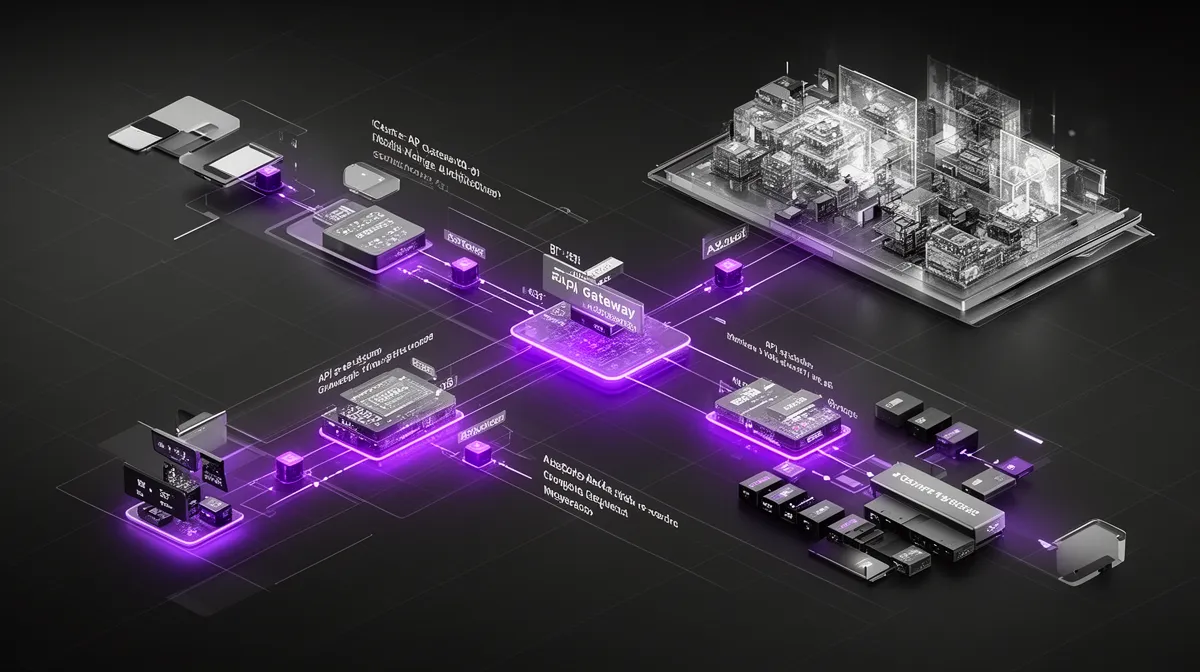
A more cost-aware architecture uses a centralized model gateway for inference, surrounded by business-logic microservices. The gateway handles model selection, request batching, caching, and observability. It becomes the “traffic cop” for all model serving, making GPU utilization a first-class optimization target across the company.
This is what people mean when they talk about an AI microservice architecture for cost managed inference. You still get decoupled services for product features, but model serving is a shared, optimized layer instead of a scatter of bespoke integrations.
Serverless vs Dedicated Instances for Model Serving
Deployment patterns also matter. Serverless inference is fantastic for experiments, low-volume features, or spiky workloads. You pay only for what you use, and you don’t manage the underlying infrastructure. For early-stage AI web services development, this reduces upfront commitment.
But as traffic grows and stabilizes, serverless pricing can become more expensive than running your own dedicated GPU instances or managed clusters. Once you’re consistently using a certain level of capacity, reserved instances or a well-tuned Kubernetes cluster can deliver the same performance at a lower effective cost per request.
A pragmatic strategy is to start on serverless inference, instrument thoroughly, then migrate hot paths to dedicated capacity once usage patterns are clear. One client we worked with launched a new AI feature this way, then moved to a managed GPU cluster once daily usage stabilized. The result: roughly 30–40% lower monthly spend with the same SLOs.
Tactics to Reduce Inference Cost Per Request
Batching, Caching, and Request Shaping
Once your architecture is in place, tactical optimizations can significantly cut inference cost. Three of the most effective are batching, caching, and request shaping. They sound simple, but in production AI web services they often separate profitable features from nice-but-unsustainable ones.
Request batching combines multiple user or tenant requests into a single model call. Suppose you have 10 chat messages arriving within a 200ms window. Sending them as 10 separate requests incurs overhead 10 times. Batching them into one call can reduce total compute time and overhead, cutting effective cost per message by 20–50% depending on the model and infrastructure.
Caching strategies also matter. If you serve a lot of idempotent queries—FAQs, standard prompts, or common retrieval queries—you can cache responses and reuse them instead of paying for fresh inference. For retrieval-augmented systems, caching embeddings for repeated documents or queries avoids recomputation. Combined with smart prompt templates, caching can meaningfully reduce inference cost without touching your models.
Finally, request shaping is about sending only what’s necessary to the model. Trimming context windows, setting sensible max tokens, and using system prompts to constrain output all reduce compute. In our experience, thoughtful request shaping can yield double-digit percentage savings in resource optimization with no visible change in user value.

Model Compression: Quantization, Distillation, and Pruning
Model compression techniques—quantization, distillation, pruning—are another major lever. At a high level, quantization reduces precision (e.g., from 16-bit to 8-bit), distillation trains a smaller model to mimic a larger one, and pruning removes redundant weights. All three aim to shrink the model’s compute and memory footprint.
The tradeoff is slightly lower accuracy or capacity vs big gains in throughput and latency. For many workloads, especially classification, routing, or routine Q&A, a compressed model delivers 95% of the quality at a fraction of the cost. This is core to model compression as a practical, not just academic, tool.
Industry benchmarks show that quantized and distilled models can cut inference cost by 40–60% for some tasks while staying within acceptable quality bounds. In production deep learning development, that’s the difference between a feature that’s kept and one that finance pressures you to shut down.
Smart Resource Allocation and Autoscaling Policies
Autoscaling is another area where naive settings burn money. If your system scales up aggressively at slight traffic increases and is slow to scale down, you pay for idle capacity. If it scales too conservatively, you miss latency SLOs and risk timeouts.
A smarter approach ties autoscaling thresholds to business metrics and utilization targets. For example, aim for GPU utilization in the 50–70% range under steady load, with warm pools or minimum instances to avoid cold-start penalties. This is where capacity planning meets resource optimization: you design policies that balance performance and cost.
We’ve seen AI web services where naive autoscaling kept 10 GPU nodes idling overnight “just in case.” Tightening policies and adding off-peak rules allowed those nodes to scale down to 2 while still meeting SLOs, cutting thousands of dollars per month without any user-visible impact.
Multi-Tenancy with Guardrails, Not Clones
In multi-tenant settings, cost-effective AI web service development depends on guardrails. Instead of cloning models or dedicated GPUs per small tenant, you share models and infrastructure and control access through prompts, configuration, and quotas. This keeps your multi-tenant AI platform economical at scale.
Practically, that means per-tenant quotas and budgets, soft and hard limits, and different entitlements for different pricing tiers. Enterprise AI web service development with cost governance often maps each plan to specific model tiers, max concurrency, and latency guarantees. If a tenant exceeds their budget or cost SLO, you throttle or degrade gracefully instead of silently absorbing the overage.
One enterprise SaaS we advised adopted this approach with three pricing tiers. Basic users hit only the small model with modest quotas; Pro users gained access to a medium model and higher limits; Enterprise users could access the large model with custom SLOs and pricing. The result was a clear link between cost envelopes and revenue per tenant.
Aligning Architecture with Pricing, SLAs, and Governance
Design Pricing Around Real Unit Economics
Even the best architecture can’t save you if pricing ignores unit economics. You need a clear view of cost per request—tokens, GPU seconds, orchestration overhead—before you finalize pricing and free tiers. That’s how you ensure AI development ROI stays positive as usage scales.
Imagine an endpoint where the average call costs $0.004 all-in. It’s tempting to price it at $0.005 and call it a 20% margin. But once you factor in discounts, support, sales costs, and the fact that some users will cost more than average, that margin can disappear. For sustainable AI API rate limiting and pricing strategy for profitability, you typically want much healthier gross margin at the feature level.
Cost-effective AI web service development therefore includes pricing design. You align feature packaging—plans, tiers, async vs sync options—with the underlying cost structure: model tiers, compression, batching. Free tiers are tightly scoped, not open-ended invitations to burn GPU.
Rate Limiting, Quotas, and Cost SLOs
Rate limiting and quotas are the mechanical tools that enforce profitability. They keep your AI API stable during peaks and prevent a few heavy users from overwhelming your budget. Good AI API development with usage based cost control doesn’t just log cost; it actively shapes usage through limits.
You can think of cost SLOs as internal guardrails: maximum allowed average cost per request, per feature, or per tenant. If an endpoint or customer consistently exceeds that, you either optimize the architecture, adjust pricing, or constrain usage. This is similar to how companies like Stripe or Twilio design and document their rate limiting and quota strategies.
A common scenario: you discover that a free tier feature is generating huge traffic but poor conversion to paid plans. Rather than shut it off entirely, you introduce stricter rate limits and quotas for that tier while leaving enterprise customers unaffected. The net result is reduced cost pressure and more predictable economics.
Cost Governance as Part of AI Service Design
Cost governance is often treated as a finance function, but in AI web services development it has to be part of design. The question is not just “Does this model work?” but “Who owns the decision to make this model global, and what is the cost implication?”
In practice, effective governance involves product, engineering, and finance working together. They set cost targets, approve or reject model changes, and run regular reviews of the most expensive endpoints. Crucially, they also build kill-switches and feature flags so you can quickly roll back or route traffic if a change causes runaway cost.
We’ve seen teams add a governance checkpoint before switching to a more expensive model globally. With a one-hour review, they spotted that the new model would double cost per request with only marginal quality gains. Instead, they deployed it only to a high-value segment where the economics worked. That’s cost governance doing its job.
Observability and Cost Attribution for AI Web Services
Instrumenting for Cost, Not Just Uptime
Traditional observability and monitoring focuses on uptime and latency. For AI web services, you also need to observe cost. That means logging inputs (at least their size), outputs, model version, latency, and cost metadata per request.
With proper tracing and metrics, you can correlate cost with specific features, models, or tenants. That’s what enables anomaly detection on cost spikes: if one client suddenly starts sending 10x longer prompts, you’ll see a sharp jump in average cost per request for that tenant or endpoint and can intervene.
One customer we worked with discovered exactly this: a misconfigured integration was sending full document history instead of the latest diff on every call. Observability made the issue obvious within hours. Fixing the integration brought cost back in line, illustrating why ai productization requires cost-aware instrumentation from day one.
Per-Feature and Per-Tenant Cost Dashboards
Once you have the data, dashboards turn it into decisions. Useful views include cost per endpoint, cost per feature, cost per tenant, and margin by segment. Layer in predictive analytics development to forecast where costs will go if current trends continue.
These dashboards often reveal surprises: a niche feature that users love but that runs at 60% lower margin than the rest of the product; a tenant whose usage pattern makes them structurally unprofitable at current pricing. This is where TCO reduction moves from theory to roadmap: you decide whether to optimize, reprice, or retire specific capabilities.
For teams building internal AI platforms, per-team budgets and cost alerts help keep shared resources sustainable. Some clients pair this with predictive analytics and cost monitoring capabilities so they can anticipate when new features or tenants will cross certain spend thresholds and act proactively.
When to Partner with an AI Web Services Development Company
Signs Your AI Web Service Is Quietly Bleeding Cash
How do you know it’s time to bring in a specialized AI web services development company for cost optimization? The signs are usually hiding in plain sight. GPU bills growing faster than revenue. Unexplained cost spikes after marketing pushes. Engineers quietly avoiding the AI pipeline because it’s fragile and mysterious.
You might also struggle to explain unit economics to leadership: questions like “What does one AI interaction cost us?” get vague answers. Or finance wants to kill a beloved AI feature because margins are unclear or negative. All of these point to architectural gaps rather than a fundamental flaw in the product idea.
In other words, the demand is there, but the cost-effective AI web service development hasn’t caught up. That’s a solvable problem—but usually not with ad-hoc tweaks alone.
What a Specialized Partner Like Buzzi.ai Brings
A specialized partner like Buzzi.ai brings both technical depth and economic discipline. We design and implement cost-aware architectures, select and tune models, optimize inference pipelines, and align them with your pricing, SLAs, and governance. We look at your AI service development holistically, not as isolated endpoints.
Because we build AI agents, voice bots, and web services for cost-sensitive markets, we’re used to working under tight constraints. That experience transfers well to companies in any region that need cost-controlled scale. Anonymized example: for one client, reworking model routing, batching, and caching cut inference cost per request by ~40% while actually improving reliability and latency tails.
The goal isn’t just to reduce today’s bill; it’s to make sure tomorrow’s growth doesn’t create a new crisis. That’s the difference between “cheap” and “scalable” when you talk about an AI web services development company for cost optimization.
How to Engage: From Discovery to Cost-Safe Scale
Engagements typically start with discovery and a cost baseline. We review your current architecture, cloud bills, and usage data to understand where the money is going and which constraints you’re operating under. This informs a concrete, prioritized plan rather than generic advice.
From there, we co-design an architecture suited to your scale and roadmap, implement a pilot for a subset of traffic, then run an optimization loop. In 4–6 weeks you can go from “we think this is expensive” to “we know our unit economics and have a path to cost-safe scale.” If you’re early in your journey, an AI discovery and architecture assessment plus AI-enabled web application development support can bake these patterns in from day one.
We usually ask new clients to bring two things: their current or projected AI cloud bill, and a sketch of their existing or planned architecture. That’s enough to have a grounded discussion and decide whether to tweak, redesign, or rebuild specific parts of the stack.
Conclusion: Make Cost a First-Class Requirement
AI is ultimately a business tool, not a magic trick. The difference between an impressive demo and a durable product is whether cost-aware architecture is part of your AI web services development from the start. If it isn’t, success in adoption can paradoxically make your economics worse.
We’ve seen that why your AI web service needs cost aware architecture has a simple answer: to keep inference and infrastructure costs scaling slower than revenue. Patterns like tiered models, batching and caching, hybrid sync/async flows, and centralized model gateways are not academic—they’re what separate profitable AI web services from expensive experiments.
The deeper lesson is that architecture, pricing, and governance are a single system. When they’re aligned, usage growth compounds your advantage instead of your cloud bill. If you’re unsure whether your current or planned AI web service passes that test, now is the time to audit your unit economics and design, not after the next traffic spike.
If you’d like a second set of eyes on your approach, we’re here to help. Reach out to Buzzi.ai for a focused cost and architecture review, or explore our AI-enabled web application development services to bake cost-aware patterns into your next build.
FAQ
What is cost-aware architecture in AI web services development?
Cost-aware architecture means designing AI web services so that every choice—model, deployment pattern, latency target—has an explicit cost and margin implication. Instead of optimizing only for accuracy or UX, you optimize for unit economics across user value, latency, and cost per request. The goal is to ensure that as usage scales, your gross margin stays healthy rather than silently eroding.
How do inference costs spiral out of control as AI usage grows?
Inference costs grow almost linearly with usage if you don’t optimize your architecture. As your AI features become popular, each additional request adds GPU or model fees plus infrastructure overhead. Without strategies like batching, caching, tiered models, and autoscaling tuned to real demand, your cloud bill can grow 10–20x in a few months, outpacing revenue growth.
What are the main cost drivers of production AI web services?
The biggest cost driver is usually model inference—per-token or per-call fees or the GPU seconds used to serve each request. On top of that sit infrastructure (VMs, GPUs, networking), orchestration layers (Kubernetes, serverless platforms, API gateways), and observability tooling. Multi-tenant overhead, such as per-tenant configuration and logging, adds further cost if not carefully managed.
What is the best architecture for scalable, cost-managed AI web services?
There’s no single “best” architecture, but some patterns reliably help: a centralized model gateway for shared model serving, tiered models with smart routing, and hybrid sync/async flows for heavy workloads. Combined with thoughtful autoscaling and multi-tenant design, this creates a scalable architecture that balances latency, reliability, and cost. The details depend on your use case, traffic patterns, and required SLAs.
How can batching and caching reduce AI inference costs in production?
Batching combines multiple requests into a single model call, amortizing overhead and improving GPU utilization, which lowers cost per unit of work. Caching avoids repeated inference for common queries or documents, especially in FAQ-style or retrieval-augmented systems. Together, they can reduce effective inference cost by double-digit percentages while preserving or even improving user experience.
When should I use serverless inference vs dedicated GPU instances?
Serverless inference is ideal for experimentation, low-volume features, and highly spiky workloads where you don’t want to manage infrastructure. Once traffic is high and relatively predictable, dedicated GPUs or managed clusters often deliver lower cost per request. A common pattern is to start serverless, collect usage data, then migrate hot paths to reserved or dedicated capacity for better economics.
How do I choose between different model sizes to balance quality and cost?
Start by defining the user value and acceptable error rate for your use case, then benchmark small, medium, and large models on real workloads. In many cases, a smaller or compressed model handles 80–90% of traffic with adequate quality, while a larger model is reserved for complex or high-value cases. Routing logic in a model gateway can then right-size each request, keeping average cost low without sacrificing critical quality.
What pricing and rate limiting strategies keep an AI API profitable?
Profitable AI APIs align pricing with true unit economics, including inference, infrastructure, and overhead costs. Usage-based pricing with well-defined free tiers, differentiated plans tied to model tiers, and clearly documented rate limits helps keep margins positive. Many teams also adopt internal cost SLOs and quotas per tenant or feature to ensure no single use case silently becomes unprofitable.
How can I monitor and attribute AI service costs per feature or customer?
You’ll need detailed logging and metrics that capture cost, latency, inputs, and model versions per request, tagged by feature and tenant. From there, dashboards can show cost per endpoint, per feature, and per customer segment, as well as margin trends over time. Some teams complement this with AI discovery and architecture assessment work to ensure monitoring is aligned with strategic business questions.
Why should I work with an AI web services development company like Buzzi.ai for cost optimization?
Specialized partners bring hard-won experience from multiple deployments, including patterns that have already been battle-tested for cost control, scalability, and reliability. Buzzi.ai combines technical depth in AI backend development with a focus on unit economics, helping you redesign or build services so that growth improves your business instead of just your cloud provider’s. For many teams, that external perspective accelerates the shift from impressive demos to economically sound, production-grade AI web services.


