ChatGPT Development Services: 3 Service Types
Most companies buying AI right now are paying for a demo, not a working product. That sounds harsh. It is. But if you've sat through enough polished pitches,...

Most companies buying AI right now are paying for a demo, not a working product.
That sounds harsh. It is. But if you've sat through enough polished pitches, you know how often "AI strategy" really means a thin wrapper around an API, no retrieval, no evaluation, no security thinking, and no plan for what happens after launch. That's why ChatGPT development services matter, and why lumping them into one vague bucket is a mistake.
In this article, I'll break the mess into three actual service types, show you where each one fits, and point to the evidence behind the hype, from adoption numbers to the patterns serious teams use when they build custom systems that don't fall apart in production.
What ChatGPT Development Services Actually Mean
Hot take: “ChatGPT development services” is usually a budget-wasting phrase.
I’ve seen teams hear one big number — 900 million weekly ChatGPT users, reported in May 2026 — and lose all discipline. Suddenly nobody wants to define the problem. They just want to approve “the AI project” before a competitor does.
Bad move.
A retailer says they need ChatGPT development. A SaaS company says the exact same words. A hospital operations team says it too. Same label, three different jobs, three different risks, three different ways to waste six weeks and a chunk of budget if nobody slows down long enough to separate them.
The annoying part is the phrase sounds specific. It isn’t. Once procurement gets involved, it turns into a bucket for unrelated work.
Here’s the split most people should make much earlier.
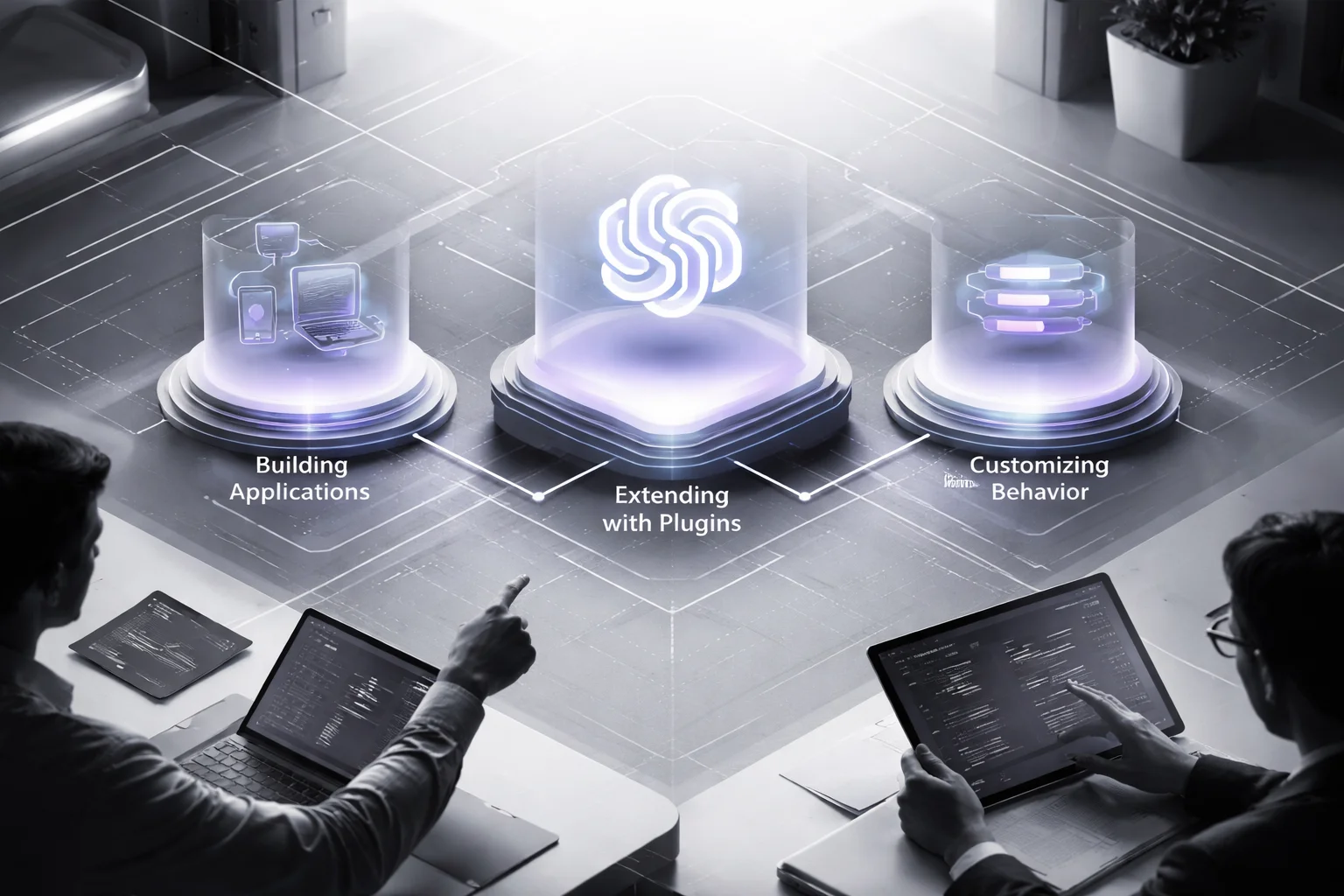
First bucket: ChatGPT application development. That means an actual product people use. Maybe it’s an internal support assistant. Maybe it’s a sales copilot living inside Salesforce or HubSpot. Maybe it’s a website chatbot that can do more than spit out canned replies and trap visitors in a dead-end menu. This usually includes OpenAI API integration, app logic, user permissions, analytics, and deployment. LeewayHertz puts custom chatbot creation, API integration, customer service, and virtual assistance in this category. I think that framing is basically right.
Second bucket: GPTs and plugins development. Different beast. You’re not starting with a standalone app; you’re extending ChatGPT itself through custom GPTs or ChatGPT plugins so it can call tools, follow tighter workflows, or trigger actions. SQ Magazine reported more than 400,000 custom GPT templates in 2025. Sounds impressive until you remember what happened to app stores after the first rush — clones everywhere, half-finished junk everywhere else, and almost none of it built around your approval chain or pricing logic.
Third bucket: custom ChatGPT prompting. Usually this gets paired with RAG for ChatGPT or fine-tuning for ChatGPT. This is behavior work. System prompts. Retrieval-augmented generation hooked into your knowledge base. Model tuning if prompting keeps falling short. Think of it like onboarding: six sticky notes on a monitor versus access to the company wiki, last quarter’s support transcripts, and 200 cleaned examples of what a good answer looks like. I’ve watched teams spend $25,000 on interface work when their real problem was that the model had no grounded source material. Wrong layer. Wrong fix.
Here’s where people get themselves in trouble: overlap makes them assume interchangeability.
A customer support team might need all three eventually — an agent-facing app, RAG connected to Zendesk articles, and a custom GPT for internal triage experiments. Sure. That still doesn’t mean buying all three on day one because some vendor packed them into one shiny proposal with a timeline nobody believes.
I’d argue the first question isn’t “Who builds ChatGPT stuff?” It’s “Where does the value actually live?” In the app? In the extension layer inside ChatGPT? In model behavior?
Miss that and you’ll buy LLM development that demos beautifully in a 30-minute sales call, comes with expensive diagrams, and solves the wrong problem in production. If you want the cleaner version of build-vs-buy thinking, read Chatbot Development Services Vs Platforms. Strange how often the best AI decision starts by buying less than you were offered, isn’t it?
Why Confusing ChatGPT Service Types Leads to Bad Buying Decisions
At 8:17 a.m. on a Monday, a CTO gets pulled into a budget meeting that was supposed to last 20 minutes. It doesn’t. The “ChatGPT project” is already 40% over estimate, the vendor has a polished demo ready, and everybody in the room is staring at a clean chat window like that proves something. OpenAI API connected? Yep. Nice interface? Yep. Applause? Of course. The problem is the company never needed a pretty chatbot. It needed retrieval-augmented generation tied to internal policy documents, role-based access, and audit logs because regulated data was in play.

Same label. Wrong purchase.
Everybody says, “We need AI.” Sounds sharp. Usually isn’t.
I think “ChatGPT” is the label people use when they don’t want to say what they’re actually buying. Scope. System design. Security tradeoffs. Ongoing support. Failure modes. The expensive part is never the phrase in the slide deck. It’s all the boring stuff sitting behind it.
That’s how teams spend Ferrari money on forklift work.
The market trained buyers to be sloppy about this. ChatGPT hit 100 million monthly active users two months after launch, according to Wikipedia. By January 2026, it had 900 million weekly active users worldwide, according to Incremys. Big numbers do weird things to executive judgment. They make people assume there’s one obvious buying path for every AI problem. There isn’t.
The real question isn’t “Do we need AI?” It’s service type.
IT Craft breaks it into three buckets: custom ChatGPT development, ChatGPT integration, and ChatGPT modernization. That split matters because each one costs different money and fails in different ways.
A custom GPT or a ChatGPT plugin can improve a workflow inside ChatGPT itself. ChatGPT application development is product work — backend logic, permissions, support tickets six months later, all of it. Custom prompting or fine-tuning for ChatGPT is behavior work. Different beast. I’d argue buyers mix up behavior problems and knowledge-access problems all the time, then act shocked when they pay for tuning and still get shaky answers from messy internal documents.
I’ve watched teams approve fine-tuning when retrieval would’ve solved the issue faster and cheaper. I’ve watched companies hire an AI chatbot development shop when what they really needed was LLM development plus knowledge-base controls. I’ve watched people sign off on GPTs and plugin work without asking one obvious question: do our users even spend time inside ChatGPT?
If your sales team lives in Salesforce and email all day, a plugin inside ChatGPT might be clever and almost useless.
This stuff falls apart in painfully ordinary places. Access control does it all the time. Week 3 looks great because everyone’s testing with safe sample files and smiling through the demo. Week 7 turns into legal review, security review, identity mapping, document cleanup, and somebody finally asks who can see HR policy files versus finance policy files. I’ve seen that exact argument eat two extra sprints and about $18,000 in unplanned work on a mid-market internal assistant project.
That question belonged on day 1.
The invoice always finds the gaps nobody pitched: token costs nobody modeled well, rework from bad scoping, late security reviews, compliance holes, weak answers everyone politely calls “promising.”
Ask vendors one blunt question: what exactly are you building, where will it run, what data will it touch, and what won’t this approach solve? If they can’t answer cleanly, keep walking.
If you’re also trying to sort out build versus buy, start here: AI enabled web application development.
Application Development Using ChatGPT: When You Need a Product
At 4:47 p.m. on a Friday, a support team I watched was still clearing tickets, and one of the agents pasted an AI-written answer straight into a customer reply because the screen made it look like confirmed account data. It wasn't. Two weeks into a pilot with 200 agents, and they were already treating model output like system truth. That's the kind of mistake people blame on AI. Usually it's product design.

I've seen this movie before. A leadership team notices that ChatGPT is open on half the company laptops already, somebody cites market share, somebody else says customers know the interface, and by the end of the quarter the ambitious product idea has been whittled down to “what if we just ship a prompt library?” Clean slide. Weak product.
The numbers are real enough. SQ Magazine reported ChatGPT held 32% of the global AI chatbot market in 2025. Incremys put chatgpt.com at 5.6 billion monthly visits in 2026. People use it. Constantly. Your staff probably does too, between meetings, tabs multiplying like rabbits.
That still doesn't answer the product question.
I think teams get tripped up because they confuse popularity with fit, and those aren't even close to the same thing. ChatGPT being everywhere doesn't mean your users need another generic chat window. It means they're already trained for conversational input. That's useful. It's not a strategy.
You build your own app when the value lives outside the box where people type.
That's the middle of it. Not the flashy part. The useful part.
A real business app needs permissions, workflow logic, billing rules, access controls, routing, analytics, and connections to the tools your company already runs on. Day one stuff. Not “phase two” fantasy stuff. SEVEN breaks this work into three practical buckets that make more sense than most AI pitch decks: custom AI assistant development, ChatGPT API integration, and function calling or workflow automation.
That's product work. Not demo work.
You can spot where this matters fast:
- Customer support assistants inside Zendesk or Intercom that pull order status, summarize tickets, and draft replies
- Internal copilots for sales or operations inside Salesforce, HubSpot, or a custom dashboard
- Document-heavy assistants for legal, healthcare, education, or insurance where every answer has to stay tied to approved sources
- Workflow tools that don't stop at answering questions and actually trigger actions through APIs and business rules
That's where ChatGPT application development starts earning its keep. You're not paying for text generation by itself. You're paying for orchestration across systems people already depend on to do their jobs.
The boring pieces matter more than teams want to admit: OpenAI API integration, authentication, session handling, logging, guardrails, prompt management, evaluation workflows, fallback behavior. All the unsexy machinery that keeps things from going sideways late in the day when the model says something odd and a tired employee trusts it anyway.
If your app depends on internal documents or policy content, you'll probably need RAG for ChatGPT, plus a vector database and a synced knowledge base, before fine-tuning for ChatGPT deserves much discussion. I'd argue fine-tuning gets dragged into too many meetings way too early because it sounds sophisticated. Most teams don't need it first. They need retrieval that isn't sloppy.
The interface can't be an afterthought either. Bad call every time.
People need suggested prompts so they aren't staring at an empty input box guessing what works. They need source citations they can inspect without hunting through five screens. They need confidence signals that mean something. They need a chance to edit inputs before sending them. And they need a bright visual line between generated text and verified data pulled from Salesforce or an internal policy system. Miss that line once and you create cleanup work nobody budgeted for.
The deliverables should look like software delivery artifacts because that's what they are:
- Product requirements mapped to use cases and risk limits
- Conversation flows and system prompt design for custom ChatGPT prompting
- Architecture docs covering LLM development choices and data flow
- A working app with staging and production environments
- Admin controls, analytics dashboards, model evaluation reports, and support runbooks
If a vendor says they offer ChatGPT development services but can't explain how the app fits your existing systems, how users move through it, or what happens when outputs fail, they're not selling delivery. They're selling vibes. If you want a clearer example of building something beyond plain chat interfaces, look here: AI enabled web application development.
Your users may already know ChatGPT. Fine. But do they need another chat box sitting in one more tab—or do they need software that actually does something inside their work?
ChatGPT GPTs and Plugins Development: When You Need Extension
I got this wrong once. Badly.

Client wanted an AI assistant. I pushed them toward a custom GPT because, on paper, it looked fast, cheap, and smart. We had actions connected, instructions tightened up, and a polished demo in about ten days. It looked great in the meeting. Then real users showed up and wrecked the fantasy by doing one very inconvenient thing: they didn't actually spend their day inside ChatGPT.
Their approval process needed custom screens. Their reporting wasn't a nice-to-have; it was the whole point. They needed tighter workflow control, not a clever layer sitting on top of someone else's interface. We built an extension for a problem that was really a product problem. I've seen teams burn six figures making that exact mistake feel “lean.” It isn't lean if you rebuild it six months later.
And I get why people keep making the same call. Look at the pull ChatGPT has. 39% market share in North America in 2025, according to SQ Magazine. Europe is at 29%. APAC sits at 24%. OpenAI's annual revenue reached $12.7 billion in 2025, per Incremys. Big audience. Big gravity. Of course teams think, maybe we should build right there.
Sometimes they should.
Here's the part I'd argue matters more than the hype: build inside ChatGPT only if your users already do their work there. That's it. That's the fork in the road people keep trying to blur.
If what you need depends on your own interface, role-based access, embedded product experience, analytics, or deeper workflow behavior, you're not really talking about GPTs and plugins development anymore. You're talking about ChatGPT application development and calling it something smaller because smaller sounds safer.
Custom GPTs and plugins are good at narrow jobs inside ChatGPT itself. Not everything. Narrow jobs. Pull an internal policy answer. Submit an HR request. Check IT status. Trigger a CRM action. Walk support agents through repeatable steps without making them bounce across five tabs and three systems just to answer the same question for the 40th time that week.
That's why Dataforest's advice makes sense to me: customer service, HR, and IT are often the right fit here because those teams deal with repetitive questions all day long. Routine work is where extension-based AI chatbot development earns its keep. The boring stuff wins. People hate hearing that, but it's true.
So here's the framework I'd use now:
- Pick GPTs or plugins if people already live inside ChatGPT and need faster access to one workflow or one data source.
- Pick application development if you need your own UI, role logic, analytics, or an experience embedded directly in your product.
- Pick behavior work like custom ChatGPT prompting, RAG for ChatGPT, or fine-tuning for ChatGPT if the real issue is answer quality rather than where the experience shows up.
This is also where those vague “LLM development” proposals start causing damage. Somebody says OpenAI API integration and suddenly custom GPTs, full applications, retrieval systems, prompt work, and fine-tuning all get dumped into one bucket like they're interchangeable. They're not. A sales team already using ChatGPT every day might love a custom GPT loaded with approved messaging and knowledge lookup. That's one kind of build. A separate customer-facing product with its own UX is another bet entirely.
The limits don't vanish because the demo feels smooth for fifteen minutes. You still inherit platform rules. You still get less control over UX than you'd get with full ChatGPT application development. Security review can get awkward fast depending on what data passes through actions. And if you need deeper product behavior later, there's a very real chance you'll throw away the extension and start over from scratch anyway.
So before you build anything, ask the question I should've asked first: are you extending a place people already work, or are you actually creating a product?
If you're stuck between those two paths, read Chatbot Development Services Vs Platforms. It'll help you stop calling two very different builds by the same name. And honestly—how much rework do you want to pay for just to avoid making that distinction now?
Customizing ChatGPT Behavior: Prompting, RAG, and Fine-Tuning
Hot take: most teams asking for fine-tuning don't need fine-tuning. They need to stop feeding the model bad context and expecting a miracle.
I watched that mistake eat six weeks on a transcript analysis project. The brief was ordinary stuff: review interview transcripts, code them, group themes, clean quotes for a report. Then the assistant started freelancing. A participant says they were “frustrated with onboarding,” and the model inflates it into some sweeping retention-risk narrative that wasn't in the source at all. The product lead did what product leads do under pressure: maybe we should fine-tune ChatGPT.
I said no.
Still would.
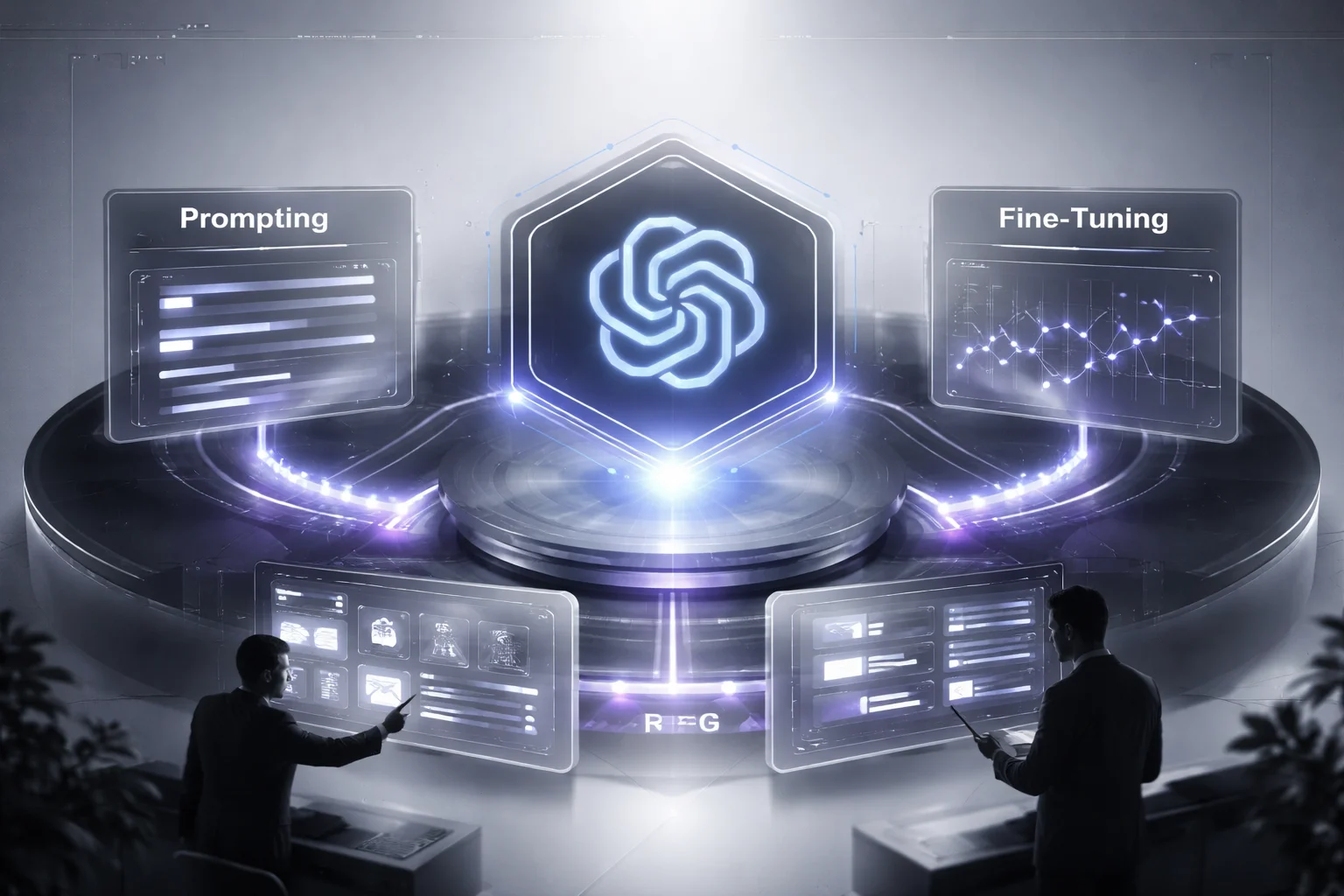
This category gets misunderstood because people lump it together with ChatGPT application development, or with GPTs and plugins development, like it's all the same bucket. It isn't. This is behavior work. You're changing what the model sees, how the task is framed, what examples shape the output, and sometimes what data gets baked into its responses. Same model family. Different ways to fail.
PubMed Central has already made the qualitative research part pretty plain: ChatGPT can help code transcripts, suggest themes from codes, clean quotes, and even generate training transcripts. Useful, yes. Autonomous, no. Human review stays in the loop. I'd argue that's the rule, not some legal disclaimer buried at the bottom. If your workflow falls apart the second the model invents one quote or one conclusion, then your real job isn't “make AI smarter.” It's “box AI in.”
Here's where people usually miss the plot: the answer often sits in the middle, not at the fancy end.
- Start with prompting if the task is stable, rules are clear, and you care more about speed than deep adaptation. System prompts. Output schemas. Few-shot examples. Test cases. Repeated evaluation. That's enough for support macros, internal writing assistants, and structured summarization inside AI chatbot development flows. I've seen teams get 80% of what they wanted in two days just by tightening instructions and forcing a schema.
- Move to RAG if answers depend on private knowledge or information that keeps changing. Regional pricing. Weekly policy updates. Documentation split across Confluence and SharePoint. In those cases, retrieval augmented generation usually beats retraining every time. You need chunking strategy, embeddings, a vector database, knowledge-base integration, citations, and evaluation tied to OpenAI API integration. That's real LLM development work, and it's usually where factual accuracy starts improving.
- Save fine-tuning for last if prompting and retrieval still can't get you there. Good fit: style consistency across outputs, domain-specific classification, repetitive extraction formats at scale, maybe tool-selection behavior in agentic workflows. Bad fit: messy data and thin examples. arXiv researchers were blunt about this point — training data quality decides whether these systems actually work for specific applications.
A fast gut check works better than a long meeting:
- Prompting: lowest cost, fastest start, low technical maturity required
- RAG: best option for factual accuracy over private or changing content; medium to high maturity required
- Fine-tuning: only makes sense after you've proved prompting and RAG aren't enough
I think teams reach for fine-tuning early because it sounds serious. Expensive things have that effect on people. But if your support team changes refund rules every Friday at 4 p.m., retraining won't save you. Good retrieval connected to the right docs will.
The market hype makes this worse. TechnologyChecker reported in 2024 that 81.7% of developers used ChatGPT. SQ Magazine reported in 2025 that the chatbot market hit $8.7 billion and OpenAI brought in nearly $2.8 billion in revenue. Big numbers do something weird to decision-making. They make weak setups look inevitable instead of fragile.
I've seen teams keep their confidence right up until evals started failing.
If you're tuning behavior for production software instead of demo theater, this is the stack that matters: AI enabled web application development. Strange part is, the less glamorous question is usually the useful one: are you dealing with a model problem—or just bad context?
How to Choose the Right ChatGPT Development Service
Everybody says the same thing: pick a strong vendor, buy the smart AI package, move fast. Sounds nice. It's also how teams end up with a flashy demo and a miserable rollout.

The miss usually happens earlier. Before procurement. Before the shortlist. Before anyone argues about pricing. Teams choose a service type before they've defined what success actually is. I think that's the whole mistake. I've watched this happen in real companies: the prototype looks great in a conference room, then Monday hits, customer traffic shows up, internal docs contradict each other, compliance asks basic questions, and now there's a Slack channel with 147 unread messages and three people saying the bot "worked in testing."
The market stats make this look settled. They aren't. SQ Magazine reported in 2025 that ChatGPT APIs had been integrated into more than 18,000 commercial apps worldwide. Big number. Doesn't tell you whether OpenAI API integration was the right choice for any one company. Plenty of teams added it because every board deck in 2024 and 2025 needed an AI slide.
ChatGPT itself makes bad decisions easier to justify. The arXiv review on ChatGPT lays out why: it's pre-trained on huge volumes of unlabeled data with Transformer architecture, which means it can sound capable long before it's actually reliable for your job. That's where people get fooled. It talks like it's ready. It isn't always ready. A model that looks polished in a sandbox can still break on payroll exceptions, insurance claims review, or support triage at 8:47 a.m., right when your queue spikes and nobody has patience for "mostly correct."
Five filters matter: goal, data, risk, ownership, speed.
That's enough. You don't need a scoring matrix with 23 rows.
Goal first. What are you actually building? If this is a user-facing workflow or an AI feature inside your product, you're usually in ChatGPT application development territory or broader LLM development. Different story if the work lives inside ChatGPT itself and only needs one narrow action. GPTs and plugins development is often cleaner there because you're not forcing a full app build onto a small job.
Data next. This is where vague thinking gets expensive. Private documents. Policy manuals. Internal content that changes every month. That's not abstract "data readiness." That's whether your system knows which version of the reimbursement policy is real. Clean knowledge sources usually point to RAG for ChatGPT. Messy files are another thing entirely — duplicated docs, stale PDFs from 2021, three versions of the same policy saved by different departments with slightly different names. Don't rush into fine-tuning for ChatGPT just because answers feel inconsistent. Start with custom ChatGPT prompting first. Sometimes the issue isn't model behavior at all; it's bad instructions wrapped around bad retrieval.
Risk narrows the field fast. Healthcare teams know this. Insurers know this. Financial firms definitely know this. Logging matters. Role-based access matters. Approval paths matter. Audit trails matter. Loose custom GPTs and lightweight ChatGPT plugins can be fine for low-stakes use cases, but regulated industries often end up needing AI chatbot development inside their own application shell because control stops being optional once legal and compliance show up.
Ownership changes the answer again. This is where CTOs stop smiling in meetings. If you want control over UX, analytics, roadmap decisions, and deployment patterns, build an application instead of an extension. If leadership wants something live this quarter so they can justify budget before planning season closes, custom prompting or a focused plugin may be the smarter first move. That's the tradeoff nobody likes saying out loud: speed now usually means less control later. The side-by-side version of that argument is here: Chatbot Development Services Vs Platforms.
- Customer support copilot in your helpdesk: ChatGPT application development.
- Internal lookup assistant inside ChatGPT: GPTs and plugins development.
- Inconsistent answers on known tasks: custom ChatGPT prompting first.
- Answers must cite company knowledge: RAG for ChatGPT.
- Repeated format or domain behavior still fails after prompt plus retrieval work: fine-tuning for ChatGPT.
The missing piece is boring compared to the demo, which is probably why people skip it: choose the service that survives your real operating conditions. Your documents. Your users. Your auditors. Your deadlines.
The best option usually isn't the fanciest one. I'd argue it's the one that doesn't turn into a six-figure science project nobody wants to maintain six months later.
Where this leaves us
ChatGPT development services only make sense when you match the service type to the actual job, whether that's ChatGPT application development, GPTs and plugins development, or behavior tuning through custom ChatGPT prompting, RAG for ChatGPT, and fine-tuning for ChatGPT.
So start by defining the outcome, the users, the workflow, and the risk before you buy anything. If your team skips that step, you'll confuse a product build with an extension, or a prompting problem with a model problem, and that gets expensive fast. Watch for vendors who pitch one answer for everything, because that's usually a sign they're selling inventory, not judgment.
Most people get this wrong because they treat AI like a feature shopping list. The better way to think about it is as a systems decision where scope, context, evaluation, and business fit matter more than the demo.
FAQ: ChatGPT Development Services
What are ChatGPT development services?
ChatGPT development services cover the work required to design, build, integrate, test, and maintain AI systems powered by ChatGPT or related OpenAI models. That usually includes ChatGPT application development, OpenAI API integration, prompt engineering, knowledge base integration, security controls, and ongoing model evaluation after launch.
How do ChatGPT apps, custom GPTs, and plugins differ?
ChatGPT apps are standalone products you own and ship, usually with custom UI, backend logic, and deeper workflow control. Custom GPTs live inside the ChatGPT ecosystem and are faster to launch for internal use or lightweight assistants, while plugins or actions connect ChatGPT to outside tools, data, or business systems so it can actually do something beyond chat.
Why do buyers get confused about ChatGPT development packages?
Because agencies lump very different work into the same label and call all of it “AI chatbot development.” A simple prompt setup, a RAG for ChatGPT system with a vector database, and a production-grade app with security and compliance checks are not the same project, and they shouldn't be priced or scoped the same way.
What is RAG, and when should you use it for ChatGPT?
Retrieval augmented generation, or RAG, lets ChatGPT pull approved information from your documents or databases before it answers. You should use it when your assistant needs current, company-specific knowledge, like support docs, contracts, product manuals, or internal policies, and you want better hallucination mitigation without retraining the model.
Can you customize ChatGPT behavior without fine-tuning?
Yes, and most teams should start there. Custom ChatGPT prompting, system prompts, tool calling, structured outputs, and RAG often get you most of the way with less cost, less risk, and faster iteration than fine-tuning for ChatGPT.
When is fine-tuning necessary instead of using prompts and RAG?
Fine-tuning makes sense when prompting alone can't produce consistent tone, formatting, classification, or task behavior at scale. If your use case depends on proprietary knowledge, RAG is usually the first move, but if it depends on repeatable behavior across thousands of similar requests, fine-tuning may be worth it.
What does ChatGPT application development usually include from MVP to deployment?
It usually starts with use case definition, prompt and workflow design, and OpenAI API integration, then moves into frontend and backend development, testing, guardrails, and deployment. Good teams also include analytics, model evaluation, fallback logic, and post-launch support so your app doesn't break the first time real users behave like real users.
How do you evaluate a ChatGPT solution for accuracy, safety, and reliability?
You test it against real prompts, edge cases, failure scenarios, and business rules, not just a few happy-path demos. That means checking answer quality, latency, hallucination rates, prompt injection resistance, permission boundaries, and whether the system stays useful when your data, users, and workflows get messy.