Chatbot with Live Agent Handoff: Context First
Most chatbot failures aren't AI failures. They're handoff failures. You've seen it. A bot collects the issue, asks the right questions, maybe even does a...

Most chatbot failures aren't AI failures. They're handoff failures.
You've seen it. A bot collects the issue, asks the right questions, maybe even does a decent knowledge base lookup, then the moment a human steps in, everything resets and the customer starts over. That's not automation. It's a more efficient way to annoy people.
This is why chatbot live agent handoff matters more than flashy demos or higher containment rates. The evidence is getting hard to ignore: teams that preserve conversation history, customer profile data, and session continuity during agent transfer see far better satisfaction than teams that treat bots and agents like separate systems. In the six sections ahead, I'll show you what context-first handoff chatbot design actually looks like, where it breaks, and how to fix it without making your support stack worse.
What Is a Chatbot with Live Agent Handoff?
We shipped this wrong once. Early 2024, on a retail support queue, a customer entered an order number, explained a delayed shipment, verified identity with the bot, waited to reach a person, and got hit with: “How can I help you today?” I remember staring at that screen thinking, great, we just made someone do support twice.
Three minutes doesn't sound like much until you're the customer. Then it feels like the system forgot you on purpose.
That's the part teams miss. People usually don't expect the bot to fix everything. They expect it not to waste their time. Same shipment issue. Same verified account. Same order number. Then the human jumps in cold and starts from zero.
I think calling that a handoff is generous. It's a transfer with amnesia.
A chatbot live agent handoff is supposed to do something very simple: move the customer to a human without resetting the conversation. The bot passes over the person, the chat, and the facts already collected so the agent can keep going instead of reopening the case from scratch. No “can you give me your order number again?” No fake restart dressed up as service.
And no, attaching a transcript by itself doesn't fix it.
I've seen teams act like dumping raw chat into a sidebar counts as continuity. It doesn't. If an agent has to hunt through 27 messages to figure out whether identity was already confirmed or whether the bot already checked refund eligibility, you've still built friction. You just hid it better.
Microsoft Learn says successful live agent transfer depends on preserving full conversation history so agents can continue without making customers repeat themselves. KODIF goes further: a good handoff should pass full chat history, order or subscription status, ticket metadata, and every action the AI already attempted before escalation.
That's the usable framework, and I'd keep it brutally practical.
1. Memory. The agent needs to see what was actually said. Not a vague recap. The real exchange, including what the customer already explained and what intent detection picked up.
2. State. The system has to carry over account profile, reason for contact, authentication status if identity was verified, order or subscription details, and ticket metadata. If Shopify already shows order #48173 is delayed by two days, asking for that again is just bad design.
3. Action trail. The human should know what the bot tried, what failed, and what happens next. If AI already checked shipping status or refund eligibility, that should be visible before the agent types a single word.
That's what context preservation looks like in real support operations. Session continuity. Not pasted text. Not vibes.
A context-first chatbot treats agent transfer without repeating as basic functionality. Not some nice extra you'll get around to in phase two after launch.
The performance numbers only hold up if this part works. Comm100 reported overall CSAT at 4.1 out of 5 in 2025, about 82%. ChatMaxima says service teams using generative AI save more than 2 hours per day by automating quick responses. Sure. But those gains disappear fast if your live chat escalation flow hands agents messy conversations with no context and makes them reconstruct everything manually.
This is where a lot of teams fool themselves. They obsess over containment rates and barely look at how ugly the exit is. A bot can't just answer well. It has to leave well too.
If you're building this now, set continuity as the baseline requirement from day one. We broke that standard down further here: context continuity in AI agent customer support. If your handoff still makes people repeat themselves, is it really a handoff at all?
Why Repeating Information Breaks Customer Experience
45% fewer escalations. That's the stat ChatMaxima gives companies using AI agents instead of rule-based bots [ChatMaxima]. Sounds great. I still wince at numbers like that, because a lower escalation count can hide a really dumb failure: the cases that do get handed off often arrive with none of the context that matters.

You've probably lived this already. You spend four minutes with a bot. You type the order number. You confirm your email. You explain that the refund failed because of a duplicate charge. The bot says, “Let me connect you to an agent.” The agent shows up and asks, “Can you describe the issue?”
That's not efficiency. It's making someone do the same work twice.
I think support teams talk themselves into tolerating this because dashboards make it look cleaner than it feels. “Escalated.” “Resolved.” Nice labels. The customer sees something rougher: your systems didn't keep up, your team didn't keep the thread, and the AI layer they were sold mostly changed the wrapper.
Microsoft's guidance on handoff isn't dreamy or experimental. It's basic. Pass the full conversation history and relevant variables so the human doesn't start from zero [Microsoft Learn]. That's baseline stuff. If your transfer drops context, you're under the baseline.
The ugly part is which cases survive automation in the first place. Not easy password resets. The messy ones. Billing disputes. Failed refunds. Duplicate charges. Locked accounts. A bot can reduce total escalations by 45%, sure, but the remaining 55 out of every 100 tough contacts are exactly the ones where transcript, profile data, and prior steps matter most. Hand those to a human with a blank screen and you've just shoved a harder ticket toward a more expensive queue.
Agents know it too. ChatMaxima says 84% of service reps using AI think it makes responding to tickets easier [ChatMaxima]. Of course they do. Give someone a summary, identity verification status, what troubleshooting already happened, and the reason for escalation, and they'll move. Drop them into a Monday afternoon spike at 2:17 p.m. with nothing but “customer transferred from bot” and watch handle time bloat by six or seven minutes.
KODIF has the timing right: escalate before the bot is obviously lost, not after three dead-end loops and a customer typing “HUMAN” like they're trying to break glass [KODIF]. I've seen that pattern in holiday retail support. Third loop? The customer's irritated, the agent inherits that irritation, and now even a fix feels slower than it needed to be.
You don't need perfection from automation. You need memory. Full conversation history should travel with the handoff. Structured fields should travel too, not just a giant transcript nobody wants to scan while queues are backing up. Identity status. Steps already taken. Exact reason the bot bailed out.
If you're building or reworking this flow now, that's where AI chatbot virtual assistant development either earns its keep or quietly creates more work than it removes.
Do something simple about it: audit one live handoff this week. Watch what transfers to the agent screen and what doesn't. If order number, verification state, prior actions, and escalation reason aren't there automatically, fix that before you celebrate another containment-rate slide.
Common Chatbot Handoff Mistakes That Lose Context
Why does a chatbot handoff still feel awful even after the bot gets most of the easy stuff right?
I’ve watched this happen at 4:47 p.m. on a Friday. Double charge. Refund request. Order number entered twice already. Then the handoff lands, a human joins, and somehow opens with, “Hi, can you tell me what seems to be the issue today?” You can almost hear the customer deciding whether to stay polite.
That’s what makes it so annoying. The bot didn’t crash. It wasn’t a total disaster. Earlier that same day, it probably handled ten boring questions without breaking a sweat — shipping times, password resets, store hours, the usual low-drama stuff.
People love to blame the obvious parts. Bad AI. Weak intent recognition. Ugly interface. Sure, sometimes that’s true. I think that explanation gets too much credit.
ChatMaxima says chatbots now handle up to 80% of standard customer inquiries without escalation in 2026. Fine. Great, even. But that stat hides the part support teams actually bleed on: the other 20%. The messy tickets. The emotional ones. The account-specific ones. The weird edge cases that don’t fit neatly into a dropdown or a canned reply.
The answer is simpler than people want it to be, but there’s a catch: the conversation gets transferred, but the working context doesn’t. And “context” isn’t one tidy field in a database. It usually breaks in four different places at once.
Missing conversation history
If the agent can’t see what happened two minutes ago, the handoff is already cooked.
Exotel describes the classic version of this pretty clearly: the bot sends the customer to a human, but there’s no clear acknowledgment of what just happened in the chat, so the whole thing restarts from zero [Exotel]. That’s not continuity. That’s a reset button pretending to be service.
A full transcript helps, sure. A usable summary matters more. An agent juggling six open chats isn’t going to excavate a giant text dump and rebuild the problem from scratch because your system couldn’t pass over three clean sentences.
Poor intent capture
Wrong tag, wrong queue, wrong start.
A refund dispute labeled as “billing question” sounds close enough until it sits with the wrong team and nobody touches it for eight minutes. Doesn’t sound like much? In live support, eight minutes feels long enough for someone to start typing in all caps.
TechTarget recommends that agents summarize the customer’s need from transferred chat data and confirm it during handoff [TechTarget]. Smart move. It catches bad labeling early, before another five minutes disappear for no good reason.
No identity sync
If authentication doesn’t carry across, neither does the customer profile.
This is where a context-first chatbot can still feel flimsy fast. The bot verifies an email address or order number. Then the human asks for it again because the CRM record and handoff state were never properly tied together. I’ve seen teams spend months polishing bot copy while this basic plumbing stayed broken.
It’s like checking into a hotel, handing over your ID at the front desk, then getting asked for it again thirty seconds later by someone standing three feet away. Not identical, obviously. Close enough to sting.
Weak escalation triggers
If your bot waits too long to admit it needs help, everything after that gets worse.
This failure has a pattern: three missed knowledge-base attempts, one vague apology, then a transfer only after frustration is obvious. By then trust is already gone, and you burned it yourself.
Better handoff design watches for repeated fallback intents, sentiment drop, high-value account status, and failed task completion before things spiral. If someone has tried the same task three times in under five minutes and their tone shifts from neutral to irritated, why is the bot still acting confident?
If you’re auditing your own setup, start here: missing history, bad intent capture, identity gaps, weak escalation logic. That’s where handoffs usually fail first. We break down that broader system view here: AI chatbot virtual assistant development.
How to Preserve Context During Agent Transfer
Why do so many handoffs still feel broken even when the full chat made it over?

You'd think having the transcript would solve it. Every message is there. Every timestamp. Every little “let me check that for you” sitting in a neat stack like proof that the system did its job.
Then an agent opens the case and gets hit with 30 cramped messages in a side panel, the customer is already irritated, and now someone's got to hunt for the one detail that matters. I've seen support teams burn two or three minutes on that alone. Doesn't sound like much until minute two turns “annoyed” into “fine, cancel it.”
People act like the failure happens at the moment of transfer. I don't buy that. It usually starts way earlier, back when the bot and the human team were set up in separate systems with separate data and everyone pretended that was fine. Exotel said basically that: handoffs break when bots and agents aren't working from the same shared view [Exotel].
That's your answer. A transcript isn't context. It's evidence.
Useful evidence, sure. You still want the raw history for audits and strange edge cases. But if all you send is one giant blob of chat, you're making the agent play detective at exactly the moment speed matters most. I'd argue “just pass the transcript” is lazy advice, and it's why so many chatbot live agent handoff setups feel clumsy even though the data technically arrived.
What works for agent transfer without repeating? Three layers sent together, not one.
- Raw conversation history: the full transcript for reference, compliance, and oddball situations.
- Structured memory: intent, entities, sentiment, authentication state, channel, and the last step that actually worked.
- Agent brief: a short 3-5 line summary built for action.
The brief is where this either sings or falls flat. Keep it sharp: “Intent: refund after duplicate charge. Entities captured: order #54192, email verified, payment date March 3. Sentiment: frustrated after failed self-service attempt. Prior actions: checked order status, attempted refund workflow, created draft ticket. Next best action: confirm refund eligibility and process manually.” That's not documentation theater. That's handoff chatbot design doing what it's supposed to do.
Most teams send too much and think too little. Your context first chatbot doesn't need to dump the entire CRM into the handoff window like it's emptying a garage onto the floor. The agent needs what matters in the next minute: customer tier, open tickets, recent orders, consent status, failed knowledge base lookup attempts. That's enough to keep momentum. The rest can stay put until someone actually needs it.
The customer needs narration too. Silence makes a transfer feel suspicious. TechTarget recommends saying that the handoff has started, giving an expected wait time, and naming the human agent if possible [TechTarget]. Small thing. Big effect. A live chat agent escalation feels organized when somebody says what's happening out loud.
The cost angle is ugly in a very boring way. ChatMaxima puts chatbot interactions at about $0.50 and human interactions around $6.00 [ChatMaxima]. That's why sloppy live agent transfer hurts twice: you pay more for the human conversation, then waste that more expensive time reconstructing what your bot already knew.
If you're building this now, don't start with prompts. Don't start with UI either. Map the memory objects first — what gets stored, what gets summarized, what shows up immediately, what stays tucked away until needed. That's where teams get stuck. That's also why this guide on context continuity in AI agent customer support is worth your time.
The best handoff is usually invisible because nobody had to repeat themselves. So why are so many teams still shipping transcript dumps and calling it context?
Seamless Transition Design for Handoff Chatbots
Hot take: bot-to-agent handoffs don't have to feel awkward. Most of the pain comes from lazy transfer design, not some law of nature. Comm100 reported 92.6% satisfaction for bot-to-agent handoffs in 2025. That number alone wrecks the old excuse that handoffs are always clunky.
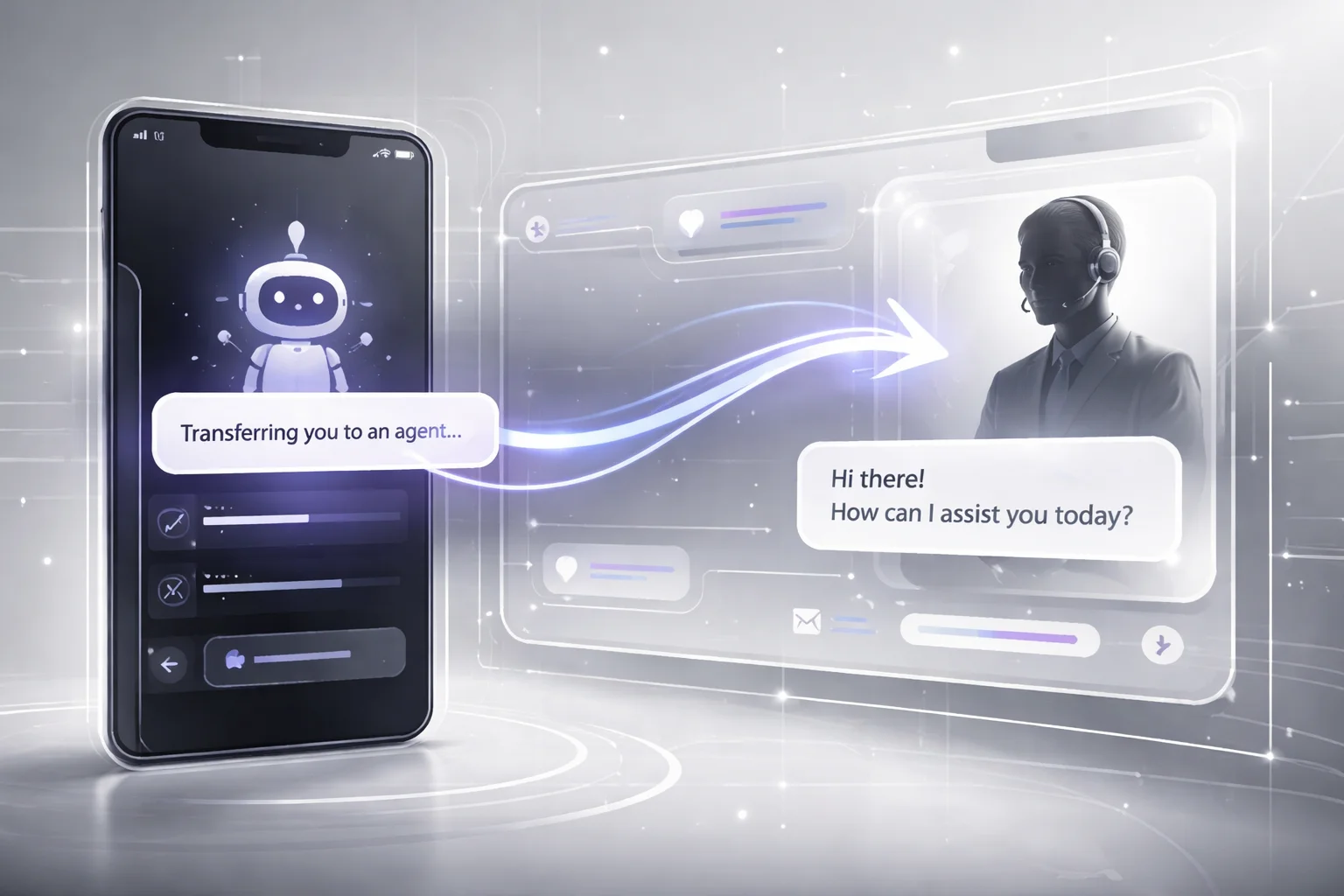
You see the failure in the smallest moment. A customer explains the problem, pulls up the order, mentions the refund failed twice since Tuesday, and the bot replies: “Transferring you now.” Then nothing. No sign the session is alive. No clue whether the agent got any of it. I've watched support flows leave people sitting there for 40 or 50 seconds, staring at a blank wait state and assuming the whole thing broke.
That's the real issue. Not transfer itself. The silence after it.
The good version is boring in exactly the right way. “I’ve shared your conversation history, order details, and customer profile with a billing specialist. Estimated wait time is about 2 minutes.” Same handoff. Totally different feeling. The customer knows it worked, knows their issue moved over, knows they aren't being dumped back at zero.
I’d argue most teams say they want continuity and then sabotage it in five seconds. They build a chatbot live agent handoff that acts like a reset button. Customers notice immediately.
What should happen instead is pretty plain. Show an acknowledgment message that says what was passed along. Make it explicit that the live agent transfer includes prior steps, not just the last message in the thread. If the system can show status, use an actual progress cue like “reviewing your case” or “finding the right agent.” Don't hide behind a spinner. A spinner tells people nothing except “good luck.”
Comm100 makes the business case too: bot-assisted chats let agents skip the usual opener and go straight to solving because they already have the conversation history and issue details collected by the bot [Comm100]. That should change how agents enter.
Bad: “Hi, how can I help?”
Better: “Hi Sarah, I’m Nina from billing. I can see the duplicate charge on order #54192 and the refund attempt that failed. I’m picking up from there.” That's what session continuity looks like when it's real. Not promised. Shown.
Klarna is a good reality check here. ChatMaxima reported that Klarna’s AI assistant handled two-thirds of all customer service conversations within one month [ChatMaxima]. At that volume, weak live chat agent escalation design doesn't stay a small UX flaw. It spreads everywhere, fast.
If I were auditing this tomorrow morning, I'd check four things on every escalation screen: acknowledgment, wait-state clarity, progress cues, and an agent intro that proves context survived the transfer. If you want the deeper model behind that, read this on context continuity in AI agent customer support. Funny thing is, "seamless" isn't some fancy standard. It just means nobody has to say the same thing twice.
Building a Context-Preserving Handoff Chatbot
Everybody says the recipe is simple: let the bot gather the basics, escalate nicely, pass the transcript, done. On a slide deck, sure. In a real support queue at 9:07 a.m. on a Monday, that advice falls apart fast.
I watched it happen. The launch looked clean in staging. Then live traffic hit, an agent opened the transfer, and all they had was a giant transcript blob. No account tier. No failed authentication history. No record of which help articles the bot had already shown. So they asked the question customers hate most: “Can you tell me what happened?” That’s where trust dies.
I think people blame the bot too quickly. Most of the time, the bot isn't the mess. The mess is everything around it.
The outdated idea is that a polite escalation equals a good handoff. It doesn’t. A chatbot, CRM, ticketing system, and agent console can all be technically connected and still act like four different businesses renting offices on the same floor.
The numbers give this away if you actually look at them. Comm100 reported 92.6% satisfaction for bot-to-agent handoff in 2025. Tiny teams with just 1–5 agents hit 99.4%. I’d argue that’s not because small teams are writing magical prompts late at night. It’s because fewer people, fewer queues, and fewer tools usually means less context gets dropped on the floor.
Klarna is another good example. ChatMaxima said its AI assistant cut average resolution time from 11 minutes to 2 minutes. That nine-minute gap didn’t vanish because the chatbot learned better manners. It vanished because conversation history stayed usable, the session stayed intact, and the case got to the right human quickly.
That’s the piece most teams miss right in the middle of all their “AI transformation” talk: don’t hand off scraps. Hand off one object.
What to build
Your chatbot should send a single context package, not disconnected bits scattered across tools.
- Identity layer: authentication state, customer profile, account tier, and order or subscription IDs.
- Conversation layer: full conversation history plus a short summary for the agent.
- Action layer: detected intent, failed steps, knowledge base articles already shown, ticket status, and next-best action.
- Routing layer: queue assignment based on intent, urgency, account value, language, and channel.
A raw transcript isn't context. It's homework. I've seen teams swear their live agent transfer was fine because “everything is in the chat log.” Great. Now your agent has to read 43 lines of back-and-forth and reconstruct the case by hand like a detective with bad coffee and no time.
The version worth remembering under pressure is pretty plain: identify who this is, summarize what happened, record what already failed or succeeded, then route based on intent. Miss one piece and things get weird fast. A refund dispute can't go down the same path as a VIP billing issue. Failed auth can't get treated like generic support. English web chat at 2:14 p.m. isn't the same thing as a Spanish social DM hitting your queue at midnight.
What to test before launch
- No-repeat test: can the agent begin with a summary instead of making the customer repeat everything?
- Routing test: do refund disputes, VIP accounts, and failed authentication cases actually land in different paths?
- Failure-state test: if the CRM lookup breaks, does the handoff still preserve core context?
- Timing test: how long does it take from escalation trigger to human acceptance?
At Buzzi.ai, we treat customer service handoff as an orchestration problem first. The bot captures signal. The system packages it cleanly. The agent gets context they can use immediately. That's the difference between automation that looks great in a Thursday demo and automation that survives Monday morning traffic.
If you're mapping this out now, I'd start here: AI chatbot virtual assistant development.
The funny part? Customers rarely notice great handoff design at all. They don't compliment your routing tree or ask who built your context object schema. They just stop feeling the transfer. Isn't that what you're really after?
FAQ: Chatbot with Live Agent Handoff
What is a chatbot live agent handoff?
A chatbot live agent handoff is the moment your bot passes a customer conversation to a human agent without dropping the thread. The good version keeps conversation history, customer profile details, and the reason for escalation intact, so the agent can continue instead of starting over. That’s the difference between a context first chatbot and a frustrating reset.
How does live agent handoff work in a chatbot?
The bot detects a trigger, like low confidence, repeated failure, high-value intent, or a direct request for a person, then routes the session to the right queue. A strong customer service handoff sends the transcript, intent, authentication status, and relevant CRM or ticket data to the agent desktop. Microsoft notes that full conversation history and variables should transfer with the handoff so the agent can resume with context.
Why is repeating information during handoff so bad for customer experience?
Because it tells the customer your systems aren’t connected and your team isn’t listening. It’s kind of like being transferred on a phone call and hearing, “Can you explain that again?” Not a perfect analogy, but close enough. Repetition adds effort, increases abandonment risk, and breaks CX continuity right when the issue is already tense.
How do you preserve context when transferring to a live agent?
You pass the full conversation history, detected intent, customer profile, prior bot actions, and any ticket metadata into the agent workspace before the human joins. According to Microsoft Learn, a handoff should share the full history of the conversation and relevant variables. KODIF also recommends including order status, subscription data, and actions the AI already attempted.
Can a chatbot automatically escalate to a live agent?
Yes, and it should when the bot is clearly out of its depth. Good live chat agent escalation uses rules tied to sentiment, failed knowledge base lookup, authentication issues, compliance triggers, or repeated fallback responses. KODIF argues that proactive escalation works better than waiting for the customer to beg for a human.
Does CRM integration improve agent transfer without repeating?
Yes. CRM integration gives the agent account history, previous cases, order details, and customer value signals alongside the chat transcript, which makes agent transfer without repeating much more realistic. If your bot and agent tools sit in separate systems, context preservation usually falls apart, and Exotel calls that one of the main causes of failed handoffs.
What data should be included in a chatbot-to-agent handoff?
At minimum, include messages, conversation history, detected intent, customer identity status, account or order details, ticket ID, routing reason, and anything the bot already tried. The agent should also see channel source, session timestamps, and urgency markers. If the handoff chatbot design leaves those out, the human has to dig, and that’s where delays and repeated questions start.
What are the most common chatbot handoff mistakes?
The big ones are dropping context, routing to the wrong team, failing to tell the customer a transfer is happening, and making the agent ask basic opener questions. TechTarget recommends telling customers when handoff begins, how long the wait may be, and who they’ll speak with. Another common miss is treating bot and agent workflows as separate tracks instead of one continuous session.
How should routing rules be set up for live agent escalation?
Start with clear handoff routing rules based on intent, customer tier, language, authentication state, sentiment, and business hours. Then add fail-safe triggers for repeated fallback loops, payment issues, cancellations, and regulated requests. If every hard case lands in a general queue, your customer service handoff will feel random, and agents will waste time re-triaging work the bot should’ve classified.
How do you test and measure handoff quality and context retention?
Track transfer rate, first response after handoff, repeat-question rate, resolution time, CSAT, and whether agents actually use the transferred context. According to Comm100, bot-to-agent handoff satisfaction reached 92.6% in 2025, which tells you handoff quality is measurable and worth watching closely. Review transcripts by hand too, because bad session continuity often hides inside metrics that look fine on a dashboard.


