Business AI Solutions That Fix the Process, Not Just the Task
Business AI solutions work best when they redesign workflows end-to-end. Learn a practical method to find bottlenecks, apply AI, and measure ROI.

Most business AI projects don’t fail because the model is weak—they fail because they automate a workflow that shouldn’t exist in the first place. That’s the trap: task automation is easy to buy and easy to demo, but it’s hard to compound into real outcomes when the underlying process is broken.
Improvement-focused business AI solutions behave differently. They target bottlenecks, handoffs, exceptions, and decision latency—the spots where value concentrates because they determine the pace of the whole system. If you can reduce the queue before approvals, standardize triage decisions, or prevent rework loops, you don’t just “save time”; you move throughput, quality, and customer experience together.
In this guide, we’ll lay out a practical method you can use to drive business process improvement with AI: analyze → redesign → automate → govern → scale. You’ll get concrete patterns (STP, exception-first, human-in-the-loop, agent + orchestration), a KPI stack that proves impact, and a 0–90 day roadmap designed for mid-sized teams that need measurable wins—not AI theater.
At Buzzi.ai, we build AI agents and automation systems with an analysis-first mindset: the goal is not “deploy AI,” it’s kpi driven automation that measurably improves an end to end workflow. Let’s start by defining what that really means.
What “Improvement‑Focused” Business AI Solutions Actually Mean
When people say they want “AI automation,” they usually mean one of two things. They either want a local speedup (a task becomes faster), or they want a system improvement (the workflow finishes sooner, with fewer errors, and with less cost). Both can be valuable, but only the second one compounds.
What are improvement focused business AI solutions? They’re solutions designed around the workflow as the unit of value, not the task. They treat AI as a mechanism for changing flow—especially around decisions, routing, and exceptions—rather than as a fancy macro for typing.
Task automation vs process improvement (and why they get confused)
Task automation is a local optimization: “This step took 10 minutes; now it takes 1.” Process improvement is a system-level change: “This case used to take 12 days end-to-end; now it takes 6, and fewer cases bounce back.” The confusion happens because local speedups are visible, while system improvements require measurement across handoffs.
The danger is the “local optimum” problem. If you speed up one step, you can actually make the overall workflow worse by pushing more volume into a downstream bottleneck. That shows up as longer queues, more escalations, and frustrated teams who feel like automation “created more work.”
Consider invoice handling. Suppose OCR + extraction gets you from 200 invoices/day to 350 invoices/day, and the data entry error rate drops from 6% to 2%. Sounds great—until the exception review team (still two people) can only clear 40 exceptions/day. If extraction increases captured fields, you might generate more exceptions, not fewer, and cycle time can increase even while “automation success metrics” look excellent.
Improvement-focused business AI solutions put AI where it changes system behavior: decision-making, routing, summarization, and structured exception handling. That’s where workflow optimization lives.
The unit of value is the end‑to‑end workflow
The right abstraction isn’t “the invoice” or “the ticket.” It’s the value stream: the end-to-end workflow that turns input into an outcome the business and the customer both recognize as “done.” That’s why business AI solutions for process improvement start with value stream mapping, not a shopping list of AI features.
Three common value streams most mid-sized companies can name immediately:
- Order-to-cash: quote → order → fulfill → invoice → collect. “Done” means cash is received and reconciled.
- Procure-to-pay: request → approve → purchase → receive → match → pay. “Done” means supplier is paid accurately and on time.
- Lead-to-renewal: capture lead → qualify → demo → close → onboard → support → renew. “Done” means the customer renews with high satisfaction.
Handoffs are where cost and delay hide. Every time work crosses a team boundary—sales to finance, support to engineering, operations to compliance—you pay a tax: context is lost, queues form, and accountability blurs. Improvement-focused AI targets those handoffs because they dominate cycle time.
One simple mental model helps: throughput is how many cases you finish per unit time; utilization is how busy individuals are. Businesses often optimize utilization (“everyone is slammed”) while throughput stays flat. AI that improves throughput is the kind that reduces waiting, not just typing.
A simple test: would you still want this process if it were instant?
Here’s a diagnostic that cuts through ambiguity: if AI made this step instant, would you still want it to exist?
If the answer is no, redesign first. Example: duplicate approvals that exist “because we’ve always done it” often don’t reduce risk; they distribute responsibility until nobody owns the decision. AI making that approval instant doesn’t solve the underlying waste.
If the answer is yes, automate it—and add controls. Example: triage and routing in support. You want categorization, priority, and assignment to exist even if it were instant, because it ensures the right work lands with the right team under the right SLA.
This test naturally pulls you toward governance: removing steps changes risk and accountability. That’s good—but it should be a conscious redesign, not an accidental side effect of automation.
Why Task‑Level AI Automation Fails (and How to Avoid It)
Task-level AI can feel like progress because it produces visible output quickly: drafted emails, extracted fields, summarized calls. But operations is a game of constraints. If you don’t move the constraint, you don’t move the business.
That’s why task level AI automation fails without process improvement: it speeds up the wrong things, amplifies defects, and creates an exception backlog you didn’t plan for.
Automating inefficiency creates faster failure
AI is an amplifier. If your workflow has ambiguous inputs, inconsistent decision rules, or dirty data, AI increases the rate at which those issues propagate. You can get “faster failure”: more cases processed per day, but also more rework, more customer dissatisfaction, and more time spent figuring out what went wrong.
Every automated system pays an exception tax. The more volume you push through the happy path, the more pressure you place on the exception path. If that exception path isn’t designed—categorized, routed, time-boxed, and owned—your improvement project becomes an escalation project.
A common scenario: customer support introduces AI summarization to close tickets faster. Ticket close rate rises by 25%, but reopen rate rises from 8% to 14% because summaries miss key constraints and agents “close to meet targets.” Net effect: customers wait longer, and engineers get dragged into escalations. That’s not a model problem; it’s a workflow problem.
Three root causes: unclear outcomes, fragmented tooling, weak ownership
In practice, most failed automation efforts map to three root causes. Think of this as a prose version of a table—root cause, symptom, fix:
Unclear outcomes: Teams measure activity (“tickets closed,” “invoices processed”) instead of outcomes (“first-contact resolution,” “invoice cycle time,” “DSO”). Symptom: you celebrate output while customers and finance feel no change. Fix: define a KPI hierarchy that links activity → process KPI → business KPI.
Fragmented tooling: Point solutions don’t share state. Symptom: people re-enter data, chase approvals in email, and maintain parallel trackers “just in case.” Fix: add workflow orchestration (even lightweight) so there’s one source of truth for case state, SLAs, and handoffs.
Weak ownership: No one owns the end-to-end workflow across departments. Symptom: the “bot” belongs to IT, the pain belongs to ops, and decisions belong to nobody. Fix: assign a process owner with authority over the value stream, then define product/model owners around it.
The ROI mirage: ‘time saved’ that never returns to the business
“We saved each agent 30 minutes a day” is often a mirage. Time saved at an individual level rarely converts into measurable business impact unless you remove work, reshape demand, or relieve the bottleneck. Otherwise, you get the same throughput with slightly less stress—nice, but not the ROI story most teams are asked to deliver.
Bottleneck economics explains why. If approvals are the constraint, making data entry 20% faster yields 0% cycle-time improvement. The queue just moves faster into the approval inbox. Improvement-focused business AI solutions start by identifying the constraint and designing automation to change it.
One helpful framing: activity metrics are leading indicators of effort; process KPIs are leading indicators of flow; business KPIs are the lagging indicators that matter. If your dashboard stops at “time saved,” you’re measuring the wrong thing.
For an overview of where operational value tends to concentrate (and why end-to-end redesign matters), McKinsey’s automation research is a useful reference: McKinsey Operations insights on automation and productivity.
Analyze Before You Automate: Process Mining + On-the-Ground Reality
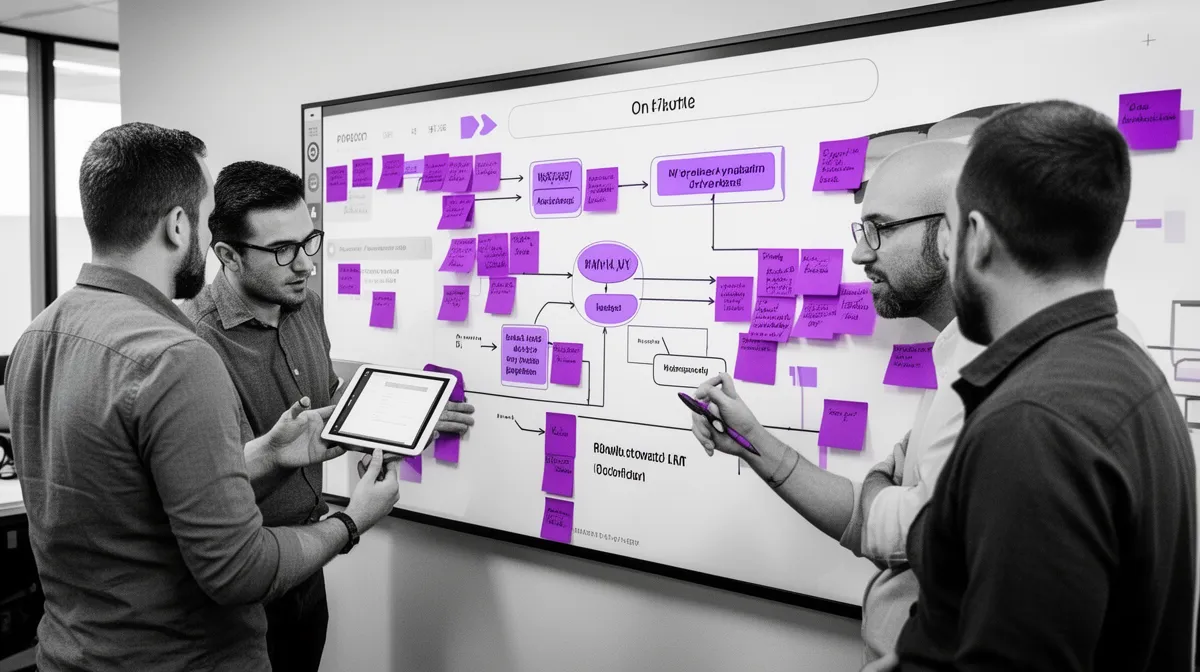
If task automation is the easy part, analysis is the compounding part. You don’t need a PhD in operations to do good process analysis, but you do need to look at reality: what actually happens, where it waits, and why it breaks.
That’s where process mining and frontline discovery work well together. One gives you event-log truth at scale; the other explains the “why” behind the data.

Start with data exhaust: event logs, tickets, emails, ERP/CRM trails
Every workflow leaves footprints. You can usually reconstruct the actual end to end workflow from systems you already use, even if the official process doc is outdated.
Common sources of process mining event logs and trace data include:
- Support: ticket systems (status changes, assignments, tags), chat transcripts, call notes, SLA timers.
- Finance: ERP transactions, invoice timestamps, purchase orders, approvals, payment runs, reconciliation events.
- Sales: CRM stage changes, email sequences, meeting bookings, handoff notes.
- Ops: WMS/OMS events, shipment scans, returns, quality checks.
The key is distinguishing the “happy path” (what the process doc says) from the real path (what logs show). Real processes include loops, escalations, and workaround channels. Those are often the actual product you need to improve.
At a high level, treat privacy and security as part of the design: role-based access, least privilege, and sensible retention. Process improvement isn’t a license to centralize sensitive data without controls.
If you want a simple definition of process mining and how event logs map to real workflows, Celonis provides a clear overview: Celonis: What is process mining?
Map the value stream with constraints, not opinions
Data tells you what happened; value stream mapping helps you understand why flow slows. The trick is to map constraints (wait states, rework loops, and handoffs), not debate “how it should work.”
Two terms make this concrete:
- Touch time: time someone is actively working the case.
- Cycle time: total time from start to finish, including waiting.
In most workflows, touch time is the minority. Waiting dominates, especially around approvals, missing information, and cross-team handoffs. That’s why workflow optimization usually lives outside the step you were originally trying to automate.
A value stream map in words for order-to-cash might look like: quote sent → customer confirms → order entered → inventory allocated → fulfillment shipped → invoice generated → invoice sent → payment received → payment applied. The bottleneck is often not entry; it’s exceptions: missing PO numbers, disputed quantities, or unclear payment terms.
Simple heuristics identify constraints quickly: long queues, aging work items, high rework rate, and frequent escalations. You don’t need perfect math; you need a directionally correct target for redesign.
Quantify the opportunity: where AI changes decisions and exceptions
AI is disproportionately useful where humans spend time deciding what to do next, or handling exceptions that require context. Two sweet spots:
- Decision latency: cases wait because someone has to classify, prioritize, approve, or route.
- Exception volume: cases deviate from the happy path and require interpretation or communication.
That’s why common building blocks show up repeatedly in business process automation:
- Classification and routing (tickets, invoices, leads)
- Extraction (documents, emails, forms)
- Summarization (calls, tickets, cases)
- Recommendation (next-best action, suggested response, risk flags)
When is RPA enough, and when do you need LLMs or agents? A quick decision rule:
- RPA-only if inputs are structured, rules are stable, and exceptions are rare.
- AI + human if inputs are messy (emails, PDFs), decisions require judgment, or risk is moderate.
- AI agent + orchestration if the work is multi-step across tools and requires state, memory, and handoffs.
This is how ai business process automation solutions for mid sized companies stay sane: pick the simplest mechanism that moves the bottleneck, then add sophistication only where it buys reliability and throughput.
Readiness checklist: is the workflow stable enough to improve?
Before you automate, confirm the workflow is “stable enough” to redesign and instrument. Use this checklist as a quick gating tool:
- Inputs exist and are accessible: event logs, documents, or messages can be captured reliably.
- Outcomes are measurable: you can define “done” and track cycle time, rework, and SLA adherence.
- An owner exists: a process owner can make cross-team decisions and remove steps.
- Exception path is defined: what happens when confidence is low or policy checks fail?
- Compliance constraints are identified early: data sensitivity, approvals, audit requirements.
- Change surface area is known: which teams, tools, policies, and customers are affected?
If you can’t answer these, the right next step is usually not “build a bot.” It’s a short discovery phase to map reality, agree on metrics, and choose the right pattern.
Frameworks That Pair Well With AI: Lean, Six Sigma, and BPM
AI didn’t replace operational excellence frameworks; it gave them new levers. Lean, Six Sigma, and BPM each answer a different question: what should exist, how consistent should it be, and how do we run it at scale. Improvement-focused business AI solutions tend to borrow from all three.
Lean: remove waste before you speed it up
Lean’s core insight is almost annoyingly simple: removing waste beats optimizing it. That maps perfectly to AI because AI makes it tempting to speed up every step—even the pointless ones.
Lean “wastes” show up as AI anti-patterns:
- Waiting: approvals and handoffs create queues; AI routing can reduce waiting, but redesign often removes it.
- Rework: inconsistent triage causes bounce-backs; AI can standardize, but you must define what “good” looks like.
- Overprocessing: duplicate checks and redundant data entry; instant automation doesn’t justify their existence.
A practical example: eliminate a redundant approval step for low-risk purchases (policy redesign), then automate what remains with a clear threshold and audit trail (AI + workflow). That’s process redesign first, automation second.
Six Sigma: use AI to reduce variation, not just labor
Six Sigma is about variation: inconsistent decisions, inconsistent data, inconsistent outputs. In workflows, variation becomes defects: wrong categorization, wrong priority, wrong routing, and inconsistent customer communication.
AI can reduce variation by standardizing classification and recommending next-best actions. For instance, if triage accuracy improves from 72% to 90%, you often see second-order gains: fewer escalations, fewer reassignments, and higher first-pass yield. That’s a quality story, not just a labor story.
One caution: AI introduces probabilistic behavior. That’s not inherently bad, but it requires monitoring and control limits. The process needs to detect drift, rising override rates, and increasing exception volume before customers feel it.
For a grounded explanation of flow metrics like cycle time and throughput (and why waiting dominates), ASQ’s quality resources are a solid reference point: ASQ: Quality resources and fundamentals.
BPM: orchestrate the workflow so AI is a step, not the whole show
BPM (business process management) and workflow orchestration are the “control plane.” They manage state, SLAs, escalations, audit trails, and human tasks. If you want business AI solutions for process improvement that don’t turn into a patchwork of scripts, you need some form of orchestration.
The key idea: AI is a worker inside the workflow. It extracts, drafts, routes, and recommends. The orchestration layer tracks what case we’re on, what step we’re in, what policy applies, and what happens if something fails.
A concrete BPM scenario for support might be: ticket created → AI triage suggests category/priority → workflow assigns to queue → if confidence low, send to human triage → if SLA at risk, escalate → when resolved, AI drafts summary and tags root cause → close with audit log. AI does work, but BPM owns the lifecycle.
If you want a practical sense of what workflow engines mean by “human tasks” and orchestration, Camunda’s overview is helpful: Camunda: BPMN and human workflows.
Automation Patterns for End‑to‑End Process Optimization
The best business AI solutions for workflow automation and improvement reuse a small set of patterns. The pattern matters because it encodes how you handle risk, uncertainty, and change. This is where “hyperautomation” stops being a buzzword and becomes a design discipline.
Below are four patterns we see consistently when teams succeed with end-to-end process optimization.
Straight‑through processing (STP) with guardrails
Straight-through processing (STP) means you automate the majority path and send uncertainty to humans. The objective is not maximum autonomy; it’s safe throughput. You want more cases to finish without manual touches, while keeping risk contained.
Guardrails make STP work:
- Confidence thresholds: if the model isn’t sure, it routes to review.
- Policy checks: deterministic validations (totals match, vendor exists, PO is valid).
- Limits: thresholds by amount, customer tier, or risk score.
Example in invoice processing: auto-approve invoices under a certain amount when three-way match passes; flag anomalies (new vendor, unusual quantity, price variance) for review. You get speed where it’s safe and scrutiny where it’s needed.
Exception‑first design: treat edge cases as the product
Most teams design the happy path and bolt on exceptions later. In real operations, exceptions are where time, cost, and customer trust go to die. Exception-first design flips the priority: you treat edge cases as the product.
Do three things early:
- Create a small set of exception categories (missing info, policy violation, ambiguous intent, system outage).
- Write playbooks for each category (what data to request, what to do, who owns it, what SLA applies).
- Use AI to draft the next action (message, task list, escalation) and let humans confirm when risk is high.
In logistics, for example, AI can detect delay risk, draft customer communications, and trigger a reschedule workflow. The “automation” isn’t the email; it’s the structured resolution path that prevents silent aging.

Human‑in‑the‑loop (HITL) as a scaling strategy, not a compromise
Human-in-the-loop isn’t a concession to weak AI; it’s how you scale responsibly while data and policies are still evolving. HITL improves accuracy, compliance, and trust, and it keeps accountability clear—critical for change management.
Well-designed HITL also improves the system over time. You route borderline cases to humans for structured feedback (active learning), then use that feedback to refine prompts, rules, and models. Over time, the “human review fraction” drops as confidence and consistency rise.
A practical example in HR screening: AI extracts structured signals from resumes and applications, proposes a shortlist with reasons tied to job requirements, and routes edge cases (non-standard backgrounds, missing data, high-sensitivity roles) to recruiters. Recruiters don’t become rubber stamps; they become quality control and policy owners.
Agent + orchestration: when workflows require tools, state, and memory
Agentic workflows are useful when work is multi-step across systems and requires state and tool use. The agent plans, calls tools (APIs), and handles handoffs. But agents need orchestration: idempotency, monitoring, and a clear definition of “done,” otherwise they become creative but unreliable interns.
When should you use an agent? Usually when the workflow crosses systems like CRM, email, calendar, ticketing, and internal knowledge bases—especially when the next step depends on context.
Example walkthrough for lead-to-meeting: the lead comes in → AI qualifies based on firmographics and intent signals → drafts a personalized email → books a slot on the calendar (tool call) → updates CRM stage → creates follow-up tasks if no response → escalates to a rep when high intent is detected. The end-to-end workflow improves because decision latency drops and handoffs become structured.
If you’re exploring this approach, our workflow and process automation services page outlines how we think about orchestration, integrations, and guardrails so agents operate inside real operational constraints.
Metrics and KPIs: Prove the AI Improved the Business (Not Just Output)
If you want operational buy-in, you need to prove the AI improved the business—not just produced output. That means connecting model behavior to process performance to business results. This is where many business AI solutions quietly fail: they don’t instrument the workflow, so they can’t tell whether they helped.
Choose KPIs at three levels: business, process, and model
Use a three-level KPI stack to avoid vanity metrics:
- Business KPIs: margin, revenue leakage, DSO, churn, CSAT/NPS.
- Process KPIs: cycle time, first-pass yield, rework rate, SLA attainment, queue aging.
- Model KPIs: accuracy, precision/recall, calibration, and for LLMs, a practical “hallucination/unsupported claim” rate.
A KPI mapping example for invoice processing:
- Business: reduce DPO penalties and avoid late fees.
- Process: reduce invoice cycle time from 12 days to 7; improve first-pass match rate from 68% to 80%.
- Model: extraction accuracy ≥ 95% on key fields; anomaly detection recall ≥ 90% on known exception types.
This structure forces a good question: if model accuracy improves but cycle time doesn’t, where is the bottleneck now? That’s the point—business process improvement is iterative.
Instrumentation: you can’t improve what you can’t observe
Instrumentation is a product feature, not a reporting add-on. Every automated decision and handoff should generate event logs so you can audit outcomes, diagnose errors, and improve continuously.
At minimum, capture these log fields:
- Timestamp
- Case ID (ticket/invoice/order)
- Workflow step
- Decision made (route/approve/flag)
- Confidence score (or rule match)
- Owner (human or automated)
- Input references (document IDs, message IDs)
- Outcome (approved, rejected, reopened, escalated)
- Model/prompt version for auditability
Dashboards should emphasize throughput and exceptions. If your dashboard mainly celebrates “messages generated” or “minutes saved,” you’re building a vanity mirror.
A/B tests and phased rollouts for operational systems
Classic A/B testing is hard in operations because workloads differ by customer, season, and channel. A more realistic approach is phased rollout: deploy by team, region, queue, or channel, and compare pre/post with controls.
Use leading indicators (queue aging, SLA breaches, rework) and lagging indicators (DSO, CSAT) together. Define kill-switches and rollback plans so the organization trusts the rollout.
Example rollout: pilot on two support teams for 2–3 weeks, then expand to adjacent queues once SLA attainment improves and override rate stabilizes. That’s change management as engineering, not as a slide deck.

Implementation Roadmap for Mid‑Sized Companies (0–90 Days to First Win)
If you’re wondering how to implement AI solutions for business process optimization without turning it into a year-long platform program, the answer is focus: pick one value stream, redesign it, instrument it, then scale by pattern.
This roadmap assumes you want a first operational win in 90 days—a pilot that changes the constraint, not a demo that generates text.

Weeks 0–2: pick one value stream and define ‘done’
Start with a workflow where pain is measurable and ownership is clear. Good candidates include ticket triage, invoice processing, lead qualification, or customer onboarding steps with heavy handoffs.
Create a one-page charter (seriously—one page) that defines success:
- Scope: which queues/regions/products are included
- Users: who touches the workflow
- Definition of “done” for the end-to-end workflow
- Baseline metrics (cycle time, SLA, rework, volume)
- Constraints (compliance, uptime, integration limits)
- Exception policy (what routes to humans, what is auto-approved)
This is also where you align on which KPIs matter. Without that, you’ll end up optimizing for output.
Weeks 2–6: redesign the process, then automate the bottleneck
Run process analysis workshops with the people who do the work. Use event logs where possible, but don’t skip the on-the-ground reality: shadowing, interviews, and “show me how you actually handle this exception.”
Then redesign: remove steps, clarify decision rules, define exception categories, and decide where automation should sit. Build a minimal orchestration layer—a simple state machine with human handoffs can be enough—to ensure the workflow has one source of truth.
Deliver a pilot that changes the constraint. For support, that usually means AI triage + routing + SLA escalation—not just an auto-reply chatbot. For finance, that often means exception reduction and structured approval thresholds—not just extraction.
Weeks 6–12: harden, govern, and scale to adjacent workflows
Once the pilot works, you harden it. Add monitoring, audit logs, access control, and fallback paths. Define an operating cadence: weekly exception review, monthly KPI review, and a clear process for updating prompts, rules, and thresholds.
Then you scale by pattern. Reuse integrations, playbooks, and metric definitions. The goal is not to build ten bespoke bots; it’s to build a repeatable operating model for business AI solutions for process improvement.
A simple scaling checklist before expanding:
- Stable logs and dashboards exist for the workflow
- Exception categories and owners are defined
- Override/assist behavior is tracked
- Rollback/killswitch tested
- Security and access controls reviewed
If you want a structured, process-first assessment before committing to a build, our AI Discovery engagement for process-first AI is designed to map one value stream, quantify the opportunity, and define a 90-day pilot that actually moves the bottleneck.
Governance and Change Management When AI Touches Core Processes
When AI changes a core workflow, you’re not just shipping software—you’re changing how decisions get made. That means governance and change management aren’t overhead. They’re part of the product.
The fastest path to failure is ambiguity: ambiguity about ownership, risk thresholds, and what happens when the AI is wrong. The fastest path to adoption is “trustworthy helpfulness”: the AI is useful, uncertainty is visible, and accountability remains human.
Define ownership: process owner, product owner, and model owner
Operational systems need owners with clear decision rights. A simple structure that works well:
- Process owner: accountable for end-to-end outcomes and KPIs (cycle time, SLA, quality).
- Product owner: accountable for the user workflow, UX, and adoption (assist rate, override rate).
- Model owner: accountable for model behavior, drift monitoring, and evaluation.
In RACI terms: the process owner approves policy changes; the product owner is responsible for release readiness and training; the model owner monitors performance and triages model incidents. This avoids “bot ownership” living in a team that can’t change the workflow.
Policy and risk controls: auditability, privacy, and approval thresholds
Responsible AI in operations is mostly about boring controls: logs, thresholds, and access. You need auditability for decisions and tool actions, plus retention policies that match your regulatory environment.
Think in risk tiers:
- Low risk: drafting internal notes, summarizing tickets → log decisions, allow easy edits.
- Medium risk: routing, prioritization, recommending actions → require confidence thresholds and monitoring.
- High risk: payments, cancellations, legal commitments → require human approval, explicit policy checks, and strict permissions.
For a well-structured governance framework that translates to operational controls, the NIST AI Risk Management Framework is a strong baseline.
Adoption: design for ‘trustworthy helpfulness’
Adoption is not a launch event. It’s a feedback loop. Train users on what the AI does and doesn’t do, and make uncertainty visible so people understand when to trust it.
In UX terms, the AI should behave like: “Suggested next step” + confidence + rationale + a one-click correction. That makes it teachable and reduces fear. Track adoption with assist rate and override rate alongside business KPIs; you want both trust and outcomes.
Governance also means cadence: review exceptions weekly, review KPIs monthly, and treat model/prompt updates like releases with rollback plans. That’s how enterprise ai solutions for end to end business process transformation stay stable in production.
Conclusion: Make the Workflow the Product
Business AI solutions create compounding value when they optimize the end-to-end workflow—not isolated tasks. When you start with process mining and value stream mapping, you find the true constraint, quantify the opportunity, and avoid the ROI mirage of “time saved” that never returns to the business.
The patterns that work—STP with guardrails, exception-first design, HITL, and agent + orchestration—share the same philosophy: improve throughput safely, with accountability and measurement built in. And the KPI stack (business, process, model) ensures you can prove the improvement, not just demonstrate activity.
If you want business AI solutions that deliver measurable cycle-time, cost, and quality improvements, book a discovery call to map one value stream and identify a 90-day pilot that moves the bottleneck. Start here: https://buzzi.ai/services/ai-discovery.
FAQ
What are business AI solutions that improve processes rather than just automate tasks?
They’re solutions designed around the end-to-end workflow, where the KPI is cycle time, quality, and throughput—not “minutes saved” in one step. Instead of only automating data entry, they improve routing, decision-making, and exception handling across handoffs. The result is business process improvement you can see in SLA attainment, rework rate, and customer outcomes.
Why does task-level AI automation often fail to produce measurable ROI?
Because local speedups rarely move the bottleneck. If approvals, missing information, or cross-team handoffs are the constraint, faster typing doesn’t change end-to-end cycle time. In many cases, task automation also increases the exception backlog, creating rework and hidden operational costs.
How do I analyze our workflows before choosing AI tools or vendors?
Start by defining the value stream and what “done” means, then gather event data from systems like CRM, ERP, and ticketing. Combine that with frontline interviews to understand why exceptions happen and where work waits. The goal is to identify the constraint, quantify the opportunity, and choose an automation pattern that changes flow, not just output.
What is process mining, and when is it worth doing?
Process mining reconstructs real workflows from event logs (timestamps, status changes, assignments) to show the paths cases actually take. It’s worth doing when you have enough digital exhaust and the workflow has lots of variants, rework loops, or handoffs that aren’t well understood. Even lightweight process mining can quickly reveal where queue time and exceptions dominate.
How do Lean and Six Sigma apply to AI-driven process improvement?
Lean helps you remove waste before you speed it up—especially waiting, rework, and overprocessing that AI might otherwise amplify. Six Sigma focuses on reducing variation, which maps well to AI classification, standardization, and next-best-action recommendations. Together they push you toward measurable outcomes: fewer defects, less rework, and faster cycle time.
Which automation patterns work best for end-to-end workflows (STP, HITL, exception-first)?
STP works best when you can define guardrails and safely automate the majority path, routing uncertainty to humans. HITL is ideal when decisions are high-context or data is still evolving, because it builds trust and feedback loops. Exception-first design is often the highest ROI because it targets the edge cases where time, cost, and customer friction concentrate.
How can AI integrate with BPM/workflow orchestration tools without breaking governance?
Make BPM the control plane and AI a worker inside it: BPM tracks state, SLAs, approvals, and audit trails, while AI handles extraction, drafting, routing, and recommendations. Log every AI action with case IDs, model versions, and confidence levels so audits and incident response are straightforward. If you need a process-first assessment before integration decisions, we typically start with an AI Discovery engagement to map the workflow and governance requirements.
What KPIs should we track to prove AI improved cycle time, cost, and quality?
Track KPIs at three levels: business (DSO, CSAT, churn, margin), process (cycle time, SLA attainment, rework rate, queue aging), and model (accuracy, precision/recall, calibration). This prevents “time saved” vanity metrics from dominating. If process KPIs don’t move while model KPIs improve, you’ve likely optimized the wrong step or uncovered a new bottleneck.
What does a realistic 90-day AI implementation roadmap look like for a mid-sized company?
Weeks 0–2: pick one value stream, assign an owner, define “done,” and baseline metrics. Weeks 2–6: redesign the process, remove waste, then automate the bottleneck with an orchestration layer and a clear exception policy. Weeks 6–12: add monitoring, governance, and scale to adjacent workflows by reusing integrations, playbooks, and KPI definitions.
How do we manage change and accountability when AI alters a core business process?
Start by defining ownership: a process owner for outcomes, a product owner for user workflow, and a model owner for behavior and drift. Design for trustworthy helpfulness by showing confidence, offering easy corrections, and measuring assist/override rates alongside outcomes. Finally, make governance operational with weekly exception reviews, clear escalation paths, and audited logs for high-risk actions.