AI Voice Bot for WhatsApp Strategy
Most WhatsApp automation advice is already out of date. It still treats voice like a nice extra, even though your customers moved there first. According to...
Most WhatsApp automation advice is already out of date. It still treats voice like a nice extra, even though your customers moved there first. According to YCloud, WhatsApp users send more than 7 billion voice messages every day, and JestyCRM reports WhatsApp chatbot usage has jumped 92% since 2019. That’s why an AI voice bot for WhatsApp isn’t some flashy add-on. It’s quickly becoming the practical way to handle support, qualify leads, and stay available without burning out your team.
In this guide, I’ll break down the 7 parts that actually matter, from WhatsApp Business Platform architecture and webhooks to speech-to-text, dialog management, handoff rules, and the compliance mistakes that trip up otherwise smart teams.
What Is an AI Voice Bot for WhatsApp?
I watched a support team botch this exact thing last month. Customer sends three WhatsApp voice notes between meetings: “My order arrived damaged.” Then a 14-second explanation of what was actually broken. Then: “Can you tell me if replacement stock is available this week?” The bot heard audio and basically shrugged. It was built for typed keywords, menu trees, canned prompts — the usual safe, boring chatbot setup — so the second the customer spoke like a normal person, the whole thing cracked.
That team’s first instinct was predictable: push the conversation to the call center. Bad move. The customer had already made the preference obvious. They didn’t want a live call. They wanted to explain the problem fast, on their own time, without getting trapped in a back-and-forth at 2:17 p.m. between meetings. I think companies get this wrong all the time. They treat voice notes like a weaker phone call instead of what they really are: asynchronous communication with less friction.
That’s where an AI voice bot for WhatsApp actually earns its keep.
Not some regular chatbot with audio stapled on top. A real one lives inside the WhatsApp Business Platform, takes incoming voice messages, runs them through speech-to-text (STT), figures out intent using conversational AI, and answers through the right WhatsApp chatbot workflow in text, voice, or both.
The interesting part sits in the middle. Phone bots are synchronous by design — you speak, you wait, you stay there until it’s done. Text bots are asynchronous, which is great until somebody has to thumb out a messy returns issue on a six-inch screen while standing in line at Zara. A WhatsApp voice chatbot covers that gap. Customer sends a voice note whenever they want. Your system processes it through the WhatsApp Cloud API, triggers webhooks, classifies the request, and responds without forcing a live conversation.
The habit is already massive. YCloud says WhatsApp users send more than 7 billion voice messages every day. That number matters because it kills off one bad argument right away: you’re not trying to teach customers some shiny new behavior. They’re already doing it at absurd scale.
The use cases aren’t hypothetical either. Sinch points to e-commerce support, appointment scheduling, reminders, feedback collection, and scalable service as common fits for WhatsApp automation. Add voice to those flows and you remove one of the dumbest bits of friction in customer service: making someone type what they could say in 12 seconds.
People love waving around market forecasts here, so fine — let’s use one. NextLevel.AI projects the global voice assistant market will jump from $7.35 billion in 2024 to $33.74 billion by 2030. Big number. Real momentum. I’d still argue that behavior matters more than forecasts do. Customers have already decided async voice is normal; the charts are just catching up.
Here’s the framework I’d use instead of starting with vendor demos and architecture diagrams.
First: pull 30 days of support conversations.Second: tag every intent that already shows up as a voice note — damaged orders, booking changes, stock checks, delivery problems, whatever keeps repeating.Third: decide which of those your AI customer service voice bot should handle asynchronously and which ones should route to a human agent.Fourth: build for message-based conversations, not phone logic pretending to be modern software.
If you want the deeper technical breakdown after that, our WhatsApp voice AI integration architecture guide gets into how these systems work under the hood — but before you go there, ask yourself something simpler: are your customers asking for another chatbot, or are they just asking you to listen the way they already talk?
Why WhatsApp Voice Matters for Customer Experience
2 billion minutes a day. That’s the amount of time people spend on WhatsApp voice and video calls, according to JestyCRM. I’ll be honest: that number should make any support leader a little uncomfortable. Not because voice is new. Because it isn’t.
Plenty of teams still treat WhatsApp like it’s 2019: tighten the chat flow, patch the bot, clean up the FAQ tree, call it modern support. That used to be decent advice. I’d argue it’s stale now. People already use WhatsApp to talk, not just type, and support design that ignores that is built around behavior customers left behind.
JestyCRM also reports that WhatsApp chatbot usage has grown by 92% since 2019. So yes, text is still huge. Nobody’s disputing that. The mistake is assuming scale means text should handle everything.
It won’t.
Text works fine for clean little tasks: “Where’s my order?” “Can I change my address?” “What time do you close?” Then the ugly stuff hits. A customer has one hand on a ripped package, one eye on the clock, and maybe 40 minutes before they need to leave for work. The courier dropped it at the wrong building. The shipping label is half gone. They want a refund before 5 p.m. Six bot prompts later, they’re annoyed and you’ve learned almost nothing useful.
That’s where an AI voice bot for WhatsApp starts making real sense. Customers don’t separate “messaging” and “voice” the way org charts do. They switch modes based on friction. A refund request can begin in text and turn into a voice note the second the details get messy, emotional, or urgent.
I think companies get lazy here. They hear “text scales” and stop thinking. Someone’s driving. Someone’s dragging luggage through Terminal B at O’Hare. Someone just had a bad service interaction and doesn’t have the patience to decode a rigid menu tree. Forcing that person to type isn’t efficiency. It’s labor you handed back to them.
The market’s already trained people to speak to software anyway. 157.1 million people in the U.S. are expected to use voice assistants by 2026, according to NextLevel.AI. Siri did that training. Alexa did too. Google Assistant helped. So did years of sending voice notes inside WhatsApp threads with friends and family. Customer acceptance isn’t the blocker anymore. Business readiness is.
The technical side isn’t glamorous, but it decides whether this works or turns into a support fire drill. Audio needs to come through the WhatsApp Business Platform via the WhatsApp Cloud API. Webhooks have to fire every time, not most of the time. Speech-to-text (STT) has to make sense of rushed speech, background noise, accents, missing context. Your conversational AI layer has to choose correctly: answer now, ask one smart follow-up, or route to a human before the interaction gets worse.
Most owners don’t care about any of that plumbing until something breaks at 4:47 p.m. on a Friday and agents are manually replaying audio clips trying to figure out what happened. Fair enough. The business case is cleaner than the architecture: faster resolution, less customer effort, better alignment with how people already communicate, and an experience most competitors still haven’t bothered to build.
A weak WhatsApp chatbot workflow makes customers type what they could explain in 18 seconds of speech. A strong WhatsApp conversational AI setup flips that around: fewer pointless back-and-forth messages, clearer context before agent handoff, less frustration all around.
Do something with this. Stop treating voice like an optional add-on you’ll get to after chat is “done.” Make voice AI automation for WhatsApp part of your CX foundation now. If you want to map it from the customer side first, start with this AI voice bot for WhatsApp CX blueprint.
Common Mistakes in WhatsApp Chatbot Strategy
1.4 billion. That’s how many people are open to chatting with AI on messaging apps, according to JestyCRM. I think that number tricks teams into feeling safer than they should. People being willing to use AI isn’t the same as them forgiving a bad experience.
I’ve watched that gap eat projects alive. One team rolled out a WhatsApp voice flow that looked polished in the demo, then immediately broke in the wild: a customer sent a 22-second voice note about a damaged order, and the bot basically replied with “Press 1 for support.” Not literally, but close enough. You could feel the failure in one exchange.
That’s the mistake hiding under a lot of AI voice bots for WhatsApp. Teams treat voice like text with audio stapled on. Or they cram phone-tree logic into a messaging app and act surprised when customers hate it. The tech can work perfectly and still miss the point.
The timing matters because the channel itself got more capable. Tech Thrilled reported that WhatsApp Business now supports voice calls and voice messages through the WhatsApp Business API for larger enterprises. Good. Useful. Also dangerous, because new capability makes mediocre design look acceptable for about five minutes.
Start with a basic question most teams skip: should this even be voice? A WhatsApp voice chatbot makes sense for messy explanations, claims intake, service updates, or appointment changes — moments where talking is faster than typing. It’s terrible for long disclosures, form-heavy verification, or anything someone needs to scan with their eyes before they answer. I’d argue this is where adoption quietly dies. Not because users dislike AI, but because the interaction feels off.
Then there’s routing. Boring topic. Expensive mistake. A real WhatsApp chatbot workflow has to run speech-to-text (STT), classify intent, and send the next step through webhooks inside the WhatsApp Business Platform. A delivery ETA question shouldn’t touch the same path as a billing dispute. Sounds obvious until you see support cleaning up after it on a Tuesday afternoon with three Slack channels on fire.
I’ve seen one ops lead pull 300 transcripts by hand just to figure out why refund requests were getting treated like shipping questions. The culprit wasn’t only speech recognition. It was architecture built on a lazy assumption: every audio message is roughly the same thing if you transcribe it fast enough. It isn’t.
The worst bots bluff. Good WhatsApp conversational AI asks follow-up questions when confidence is low. Bad ones mishear names, mangle order numbers, and answer with total confidence anyway, like an intern who missed half the meeting and decided to wing it. Infobip put it plainly: “AI-powered chatbots understand context, learn from conversations, and handle complex multi-step interactions.” That’s the bar now. Rigid scripts won’t carry this.
Then compliance walks in and ruins everyone’s mood. Voice data changes your risk profile fast. Consent matters more. Retention rules matter more. Transcription handling matters more. Access controls matter more once audio starts moving through your WhatsApp Cloud API stack. I’ve seen teams obsess over intent models while leaving transcript access way too loose for comfort.
So what should you do before this gets expensive? Audit which interactions should never be voice in the first place. Then make sure audio goes through STT, intent classification, and webhook-based routing that actually respects what the customer said. Build fallbacks before launch, not after support starts tagging tickets manually.
If you want a cleaner way to pressure-test all of this, this WhatsApp voice AI integration architecture breakdown is useful — but honestly, before you add another flow, have you mapped the messages your bot should refuse to handle by voice at all?
Where AI Voice Bots Beat Text Chatbots on WhatsApp
Hot take: most teams don't have a chatbot problem on WhatsApp. They have a typing problem.

I learned that the expensive way on a support rollout. We built a tidy, text-first WhatsApp chatbot workflow, every branch mapped, every reply shaved down, every edge case feeling nicely under control. Then customers ignored our beautiful little flow and started sending voice notes like it was 2019 all over again.
A lot of them did it. Not a quirky minority. People with damaged package complaints, order issues, locked accounts — the kinds of problems that get ugly fast because they involve sequence, missing details, and just enough frustration to make typing feel like punishment.
We'd built something that looked efficient in a diagram. In real life, it made people stop, type, retype, and squash an actual situation into tiny bubbles on a phone screen. Bad trade.
I'd argue this is where an AI voice bot for WhatsApp earns its keep: not everywhere, not by default, but in the exact moments where text starts dropping context. If someone wants a receipt, a confirmation, a link, or anything visual, keep it in text. That's still the right move. But if they're trying to explain what happened, why it matters, and what went wrong without spending 90 seconds thumbing out six separate messages, voice usually wins.
The machinery behind it isn't glamorous, but it works. Speech-to-text (STT) turns the audio into something usable. Intent classification sorts out what the person actually needs. Conversational AI asks follow-ups that don't feel like canned interrogation. Then the system can pull entities from the transcript, trigger webhooks, and route the case inside the WhatsApp Business Platform. That's the trick. Nothing mystical about it.
Clean forms lose to messy reality
This is the part people get wrong most often. They think structured text beats spoken explanation because structure feels safer to design.
Try that logic on insurance claims intake, damaged deliveries, technical troubleshooting, or account access failures. Those aren't neat form-fill tasks. They're stories with gaps.
A customer can lay out a five-step issue in 20 seconds of audio. The typed version usually turns into six messages, one missing detail, and one follow-up from support asking for the exact thing they forgot because nobody enjoys typing an incident report with their thumbs.
I saw this constantly with delivery complaints: wrong building, torn box, missing item, neighbor accepted it, photo doesn't match. In voice, that all comes out naturally in one shot. In text, you get half of it first, then another fragment three minutes later, then support has to drag the rest out one prompt at a time.
Emotion changes the job whether teams admit it or not
Voice carries signals text hides. Frustration. Confusion. Urgency.
You don't need some giant sentiment system on day one to make use of that. Even simple distressed-language detection can help an AI customer service voice bot escalate sooner instead of trapping somebody inside perfectly polite automation while they're getting angrier with every reply.
I think this is where text bots fail in the most embarrassing way: they stay calm when the customer clearly isn't. A person can say "I've tried this three times" in text and look neutral; say the same sentence in audio and you instantly know whether this is mild annoyance or full-on escalation territory.
The customer usually isn't sitting at a desk
Voice works better when typing is awkward. That's not edge-case behavior anymore.
Field service crews use WhatsApp between jobs. Delivery drivers do it between stops. Healthcare staff do it while moving between tasks. Busy parents do it while juggling a return and two other problems at once. I once timed a warehouse supervisor sending updates by text versus audio during intake triage — voice was faster by roughly 25 seconds per issue, which sounds tiny until you repeat it 200 times in a week.
A few years ago teams treated this as niche behavior. It isn't. According to JestyCRM, WhatsApp chatbots are projected to save 7 billion business hours annually by 2026. That kind of number doesn't come only from flashy breakthroughs. A big chunk comes from stripping out ten seconds here and thirty seconds there at massive scale.
Accessibility isn't some nice extra
Voice helps customers who can speak more easily than they can type.
That includes people dealing with literacy barriers, motor limitations, visual strain, or just very low patience for long text flows after a long day. Good voice AI automation for WhatsApp doesn't replace text; it gives people another path that matches how they actually communicate on their device.
The framework I'd use now
- Use voice if the task needs explanation: multiple facts, sequence of events, or an open-ended description.
- Use voice if the task happens on the move: customers are working, multitasking, or driving between stops.
- Use voice if emotion is part of the interaction: complaints, urgent support issues, failed deliveries.
- Use voice if clarification matters: back-and-forth questions work better than rigid buttons.
If someone needs scanning, approval review, document links, or precise side-by-side comparison, stick with text. Don't get cute about that part.
This split matters because WhatsApp isn't just another generic channel bolted onto your stack. As covered in our WhatsApp voice AI integration architecture, Meta policies, media handling rules, and device-centric identity make it very different from web chat or telephony.
So no — don't put voice everywhere. Put it where typing obviously loses. If your customer is already pressing and holding the microphone button before your flow even begins, what exactly are you trying to prove?
How to Design a WhatsApp Voice Bot Workflow
Why do people quit a conversation after they already told you exactly what’s wrong?
I keep thinking about one voice note. Eighteen seconds. A retail support lead played it for me a few months ago. You could hear traffic behind the customer, so she was clearly out somewhere, trying to deal with a messed-up order while doing real life at the same time.
She wasn’t ranting. Not yet. Two items were missing from her delivery, one item had been charged twice, and she said all of it plainly. The bot came back with a text menu asking her to “select issue type.” She never answered. She left.
That little failure tells you more than most product decks do.
WhatsApp Business now supports voice calls and voice messages through the WhatsApp Business API for larger enterprises, according to Tech Thrilled. So yes, the channel can handle voice. That’s not the hard part. The hard part is what your system does after a human speaks.
I’d argue too many teams still build an AI voice bot for WhatsApp like an IVR in nicer clothes. Same old menu logic. Same obsession with routing. Same habit of ignoring the fact that the customer already gave you the answer in plain language.
Here’s the answer to that first question: people leave because the workflow makes them repeat themselves. But.
Even that’s too simple, because repetition isn’t just annoying — it signals that your WhatsApp voice chatbot wasn’t listening in the first place. Once people feel that, trust drops fast.
Start with the moment, not the system diagram. A missing order. A reschedule request sent at 7:42 a.m. A billing complaint recorded while someone’s walking into a train station with one earbud in and maybe 4% battery left. Build for that job. Only add automation that gets that job finished faster.
- Acknowledge immediately: take in the audio through the WhatsApp Business Platform, trigger the webhooks, and send a quick confirmation right away. “Got your voice note, checking this now” is enough. Three seconds of reassurance can save a conversation from dying on the spot.
- Transcribe first: use reliable speech-to-text (STT), then score intent confidence from the transcript. Don’t make calls straight from raw audio unless you absolutely have to.
- Pull out intent and entities: identify what happened, who it affects, and what details are still missing. Order number. Appointment time. Delivery address. This part should feel boring. Boring means clear.
- Answer in the format that helps most: text is usually better for confirmations, links, case IDs, and summaries. Voice works when it actually cuts effort or feels more natural for that moment.
- Ask one follow-up: if confidence is low, ask one clarifying question. One. Not five stacked together because the bot got nervous.
- Escalate using rules: hand off if sentiment spikes, policy risk appears, identity checks fail, or the bot loops twice. Not because it vaguely seems hard. Because you set the threshold ahead of time.
A good WhatsApp chatbot workflow feels calm. Almost boring, honestly, in the best possible way. Short turns. Clear confirmations. Human handoff with the transcript attached so nobody has to say everything again.
If you want the plumbing behind that experience, our WhatsApp voice AI integration architecture guide breaks down what sits inside the WhatsApp Cloud API stack.
This stuff changes trust fast. Bad automation burns it in one exchange. Good voice AI automation for WhatsApp cuts handle time without making customers work just to be understood. According to JestyCRM, WhatsApp-driven automation could unlock $11 billion in annual savings across industries by 2026. You won’t get there with flashy demos. You’ll get there with workflows that actually listen.
Your bot heard them. Did it understand them?
Technical Implementation Considerations for WhatsApp Voice
Everybody says the hard part is choosing the model. GPT this, STT vendor that, benchmark charts everywhere. I think that’s old advice, or at least incomplete, because most AI voice bot for WhatsApp failures don’t start with a weird answer from the LLM. They start earlier and lower down: ugly audio, missing state, duplicate events, slow processing, and webhook timing that turns “technically functional” into “why is this thing just sitting there?”

I’ve watched teams spend 10 business days arguing over model quality, then get wrecked by one customer sending a 43-second voice note from a bus stop with engine noise, wind, and a kid yelling in the background. That’s not a corner case. That’s Tuesday.
YCloud puts the volume at more than 7 billion voice messages sent on WhatsApp every day. That number matters for one reason: voice isn’t some novelty feature users poke once and forget. It’s normal behavior now. Your architecture should treat voice traffic as ordinary traffic, not as a special demo path you bolt on later.
People also talk about the WhatsApp Business Platform like it’s just another chat window. It isn’t. It behaves like an event system. A user sends audio. The WhatsApp Cloud API doesn’t magically hand you a clean transcript and a tidy intent label. Webhooks tell you the message exists. Then your stack has to do the annoying grown-up work: fetch the media, verify it, store it briefly if your policy allows that, and send it through speech-to-text (STT) before your conversation layer can do anything useful at all.
The missing piece sits in the middle, and vendors usually skip past it because it’s less glamorous in a demo. STT straight into an LLM looks slick for 90 seconds onstage. It falls apart in production. You need a control layer that scores intent confidence, applies business rules, preserves session memory, and decides whether the next step is retrieval, transaction logic, or a human handoff. Bury that layer and you don’t have a product. You have a clip for LinkedIn. Build it well and your WhatsApp voice chatbot might still be standing six months later after support, sales, and operations each add “just one more workflow.”
Latency is where users judge you. Not architecture diagrams. Not your vendor deck. Silence. A brief pause after a voice note is fine; dead air is where trust dies. Send an immediate acknowledgment. Process asynchronously wherever possible. Keep true real-time behavior for the moments that actually need it. I’d argue a lot of good voice AI automation for WhatsApp is really queue design pretending to be customer experience.
The data mess shows up fast too. Audio files are heavier than text payloads, and transcripts pick up more than people realize: payment details, health information, full names, half-mumbled account numbers, maybe enough to create a compliance headache by Friday afternoon. So be strict inside your WhatsApp chatbot workflow: short retention windows, aggressive redaction, transcript storage separated from model logs, explicit consent instead of vague assumptions. If you don’t make those decisions early, sensitive data ends up scattered across systems nobody meant to keep forever.
This isn’t hypothetical anymore. WideBot’s 2025 launch of an AI voice agent for WhatsApp Business calls made the direction pretty obvious: enterprise buyers are moving past polished proofs of concept and asking for systems that can operate at scale without falling over. If you want the deeper architecture view, read our WhatsApp voice AI integration architecture.
The part nobody likes admitting? The best technical choice often isn’t the smartest model on paper. It’s the stack your team can still debug at 2 a.m., half-awake, staring at logs that actually make sense after message 184 arrives before message 183. If your setup can’t survive that kind of night, what exactly are you calling production-ready?
Pilot Roadmap for AI Voice Bot Adoption
What actually kills an AI voice bot for WhatsApp pilot?
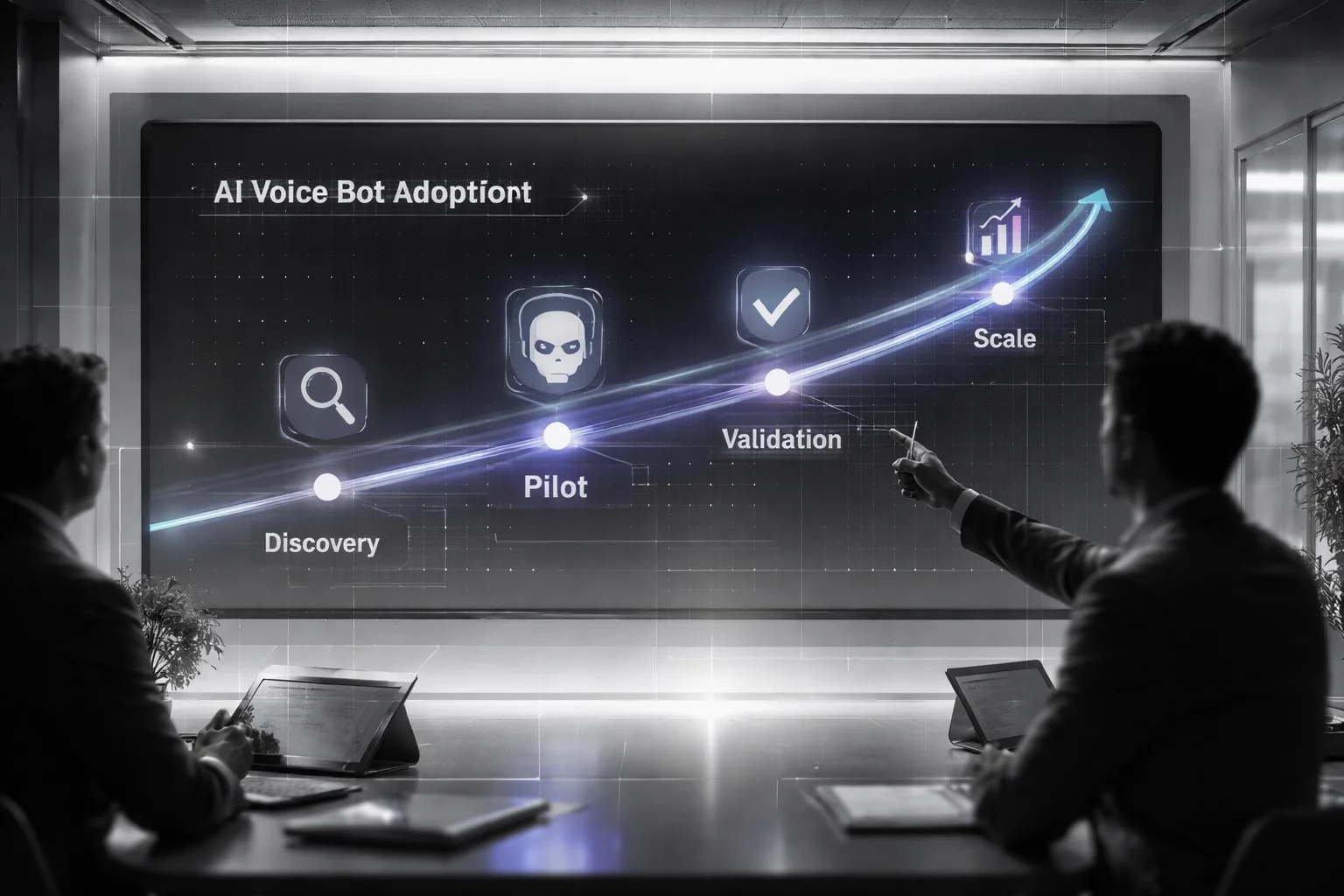
Not the accent model. Not the transcript quality dashboard everyone stares at in week one. Not even the fact that customers are messy and send 47-second voice notes about three different problems in one breath.
I learned that the expensive way. We rolled out one bot across sales, support, and booking at the same time because the demo was slick, leadership wanted movement, and nobody wanted to be the adult in the room saying, “Pick one lane.” Three teams touched it. One system took delivery complaints, refund requests, and appointment changes. It looked busy. It wasn't working.
Then all the usual bad interpretations showed up. Product saw rising volume and called it adoption. Ops saw escalations spike and called it failure. Agents got transcripts that were just useful enough to be dangerous. We hadn't set baseline metrics before launch, so we couldn't answer the only question that mattered: was the WhatsApp voice chatbot reducing work or just moving it around?
I think most failed pilots die from greedy scope.
That's the answer. But here's the annoying part: even after you know that, teams still try to pilot a whole channel instead of one workflow with obvious economic value.
The market noise doesn't help. Infobip put the global chatbot market at $15.6 billion in 2026. Fine. Big number. I've seen companies wave numbers like that around in budget meetings as if market spend proves operational fit. It doesn't. Money is easy to approve in a slide deck. Discipline is harder at 9:14 a.m. when a webhook stalls and everyone blames speech recognition.
Pick the one workflow where voice has an unfair advantage
If typing works fine, don't force audio into it just because voice sounds futuristic. Use voice where people already struggle to explain things cleanly in text, or where they naturally send audio without being asked.
- Missed appointment rescheduling
- Claim intake
- Delivery issue reporting
- Lead qualification for customers who ramble, backtrack, or explain edge cases badly
I use a simple filter, and I'd argue it's stricter than what most teams want:
- Volume test: at least 100 to 200 similar interactions a month
- Pain test: customers already leave voice notes or giant walls of text because typing is annoying
- Value test: faster handling either saves agent time or protects revenue
No pass on all three? Don't pilot it yet.
Map the real workflow, not the pretty version from the demo
This is where teams get sloppy fast. They say they're testing a bot. They're not. They're testing a chain of systems that all need to hold together under pressure.
Your current WhatsApp chatbot workflow needs to be mapped end to end: intake on the WhatsApp Business Platform, audio receipt through the WhatsApp Cloud API, webhooks, speech-to-text (STT), intent classification, reply logic, then escalation if needed.
If one part of that chain is weak, your pilot data gets contaminated almost immediately. I once watched a 12-second webhook delay convince half a team that STT was failing. It wasn't. The plumbing upstream was slow, people were impatient, and suddenly the wrong component got blamed for a week.
The first version should be boring on purpose
Good. Boring is healthy here.
The first pilot should be narrow, constrained, and honestly kind of dull. Define exactly which intents are in bounds. Set hard handoff rules for low-confidence transcripts, compliance triggers, or repeated misunderstandings. Don't reward cleverness yet. Reward containment.
That's why the thinking in this AI voice bot for WhatsApp CX blueprint still holds up: contain first, impress later.
Respond.io makes the business case clearly too: voice agents are useful when they absorb repetitive or early-stage conversations before human handoff starts chewing through team time. That's what an AI customer service voice bot pilot should prove. Not that it sounds clever. That it removes interruptions without creating fresh cleanup work downstream.
Measure it before you expand anything
If you can't measure it cleanly, don't scale it. That's not caution talking. That's survival.
- Containment rate: percentage resolved without agent help
- Qualified handoff rate: percentage of escalations with usable transcript and intent data
- First-response time: time from inbound audio to acknowledgment and answer
- Error rate: low-confidence misroutes, failed STT, wrong intent detection
- CX signals: CSAT, drop-off rate, repeat contact within 24 hours
You need those numbers before expansion because otherwise every argument becomes vibes versus vibes.
The framework I'd use now
One workflow. Clear baseline. Measurable lift. Safe fallbacks.
If your voice AI automation for WhatsApp cuts handle time, improves handoff quality, and gets customers to use it again voluntarily, then move into the next adjacent flow. If it doesn't, stay there and fix that lane first.
That's how I'd test WhatsApp conversational AI: like an operator, not like someone shopping trends at a conference booth in Las Vegas after two bad coffees and a flashy product demo. If your team can't explain why this workflow deserves voice before launch day, why are you piloting it at all?
FAQ: AI Voice Bot for WhatsApp Strategy
What is an AI voice bot for WhatsApp?
An AI voice bot for WhatsApp is a conversational system that can receive, understand, and respond to voice interactions inside WhatsApp. It usually combines speech-to-text (STT), natural language processing (NLP), dialog management, and text-to-speech (TTS) to handle support, sales, booking, and routing tasks without forcing users to type everything.
How does a WhatsApp voice chatbot actually work?
A WhatsApp voice chatbot starts by receiving a voice message or call event through the WhatsApp Business Platform or WhatsApp Cloud API, often using webhooks to trigger the workflow. The bot transcribes audio with STT, detects user intent, decides the next step in the WhatsApp chatbot workflow, and replies with text, voice, or a handoff to a human agent if needed.
Why does voice matter for customer experience on WhatsApp?
Because your customers already use voice there. According to YCloud, WhatsApp users send over 7 billion voice messages every day, which tells you this isn't some edge behavior. Voice is often faster for urgent issues, easier for multilingual users, and better for people who are driving, working, or just don't want to type a long explanation.
Where do AI voice bots perform better than text chatbots on WhatsApp?
They tend to do better in high-friction moments, like appointment changes, delivery problems, lead qualification, claims intake, and after-hours support. In those cases, people usually want to explain context quickly, and an AI customer service voice bot can capture details, detect sentiment, and move the conversation forward faster than a rigid text flow.
What are the most common mistakes in a WhatsApp chatbot strategy?
The big one is treating voice like text with audio attached. Teams also over-automate, ignore low-confidence voice intent detection, skip compliance and consent checks, and forget to design a clean handoff to human agent flow. If your bot can't recover from ambiguity, your WhatsApp conversational AI will feel smart in demos and annoying in production.
How do you design a WhatsApp voice bot workflow?
Start with a narrow set of intents, then map the full path: greeting, consent, identity check if needed, intent detection, clarification, resolution, and escalation. A good voice AI automation for WhatsApp workflow also includes fallback prompts, retry logic for unclear audio, CRM updates, and rules for when the bot should stop talking and send the conversation to a person.
Can WhatsApp support voice bots through the Cloud API?
Yes, but you need to be precise about what "support" means. WhatsApp Business supports voice messages, and reports in 2025 showed broader support for voice calls and voice messages through the Business API for larger enterprises, while implementation details still depend on Meta policies, media handling, and your architecture. That's why a WhatsApp voice chatbot build is usually more involved than a standard text bot.
How do I integrate an AI voice bot with WhatsApp Business using the Cloud API?
You connect the WhatsApp Cloud API to your backend, use webhooks to capture inbound events, fetch media files securely, and pass audio to your STT provider for transcription. From there, your orchestration layer handles NLP, dialog management, TTS if you want voice replies, and business system actions like ticket creation, call routing, or handoff to human agent.
How do I handle low-confidence speech-to-text results in a WhatsApp voice bot?
Don't guess. If STT confidence drops below your threshold, ask a short clarification question, offer quick-reply text options, or route the conversation to a human before the bot creates a bad outcome. This is one of those small design choices that separates a usable AI voice bot for WhatsApp from one that quietly burns trust.
What KPIs should I track during an AI voice bot for WhatsApp pilot?
Track containment rate, deflection rate, first response time, resolution rate, latency, fallback rate, transfer-to-agent rate, and CSAT. You should also watch speech recognition accuracy, drop-off after first bot reply, and intent-level performance, because a pilot can look fine overall while one broken workflow drags the whole thing down.
How do I implement escalation to a human agent in a WhatsApp voice conversation?
Set clear handoff rules before launch, not after customers start complaining. Escalate on repeated fallback, negative sentiment, compliance-sensitive requests, account-specific issues, or any case where the bot lacks permission or confidence to continue. Then pass the transcript, detected intent, customer metadata, and conversation history to the agent so the user doesn't have to repeat everything.
What is a practical roadmap for rolling out an AI voice bot for WhatsApp from pilot to production?
Start with one use case, one language, and one team, usually support or inbound lead qualification. Run a pilot, review transcripts weekly, tighten prompts and thresholds, improve rate limiting and deliverability controls, and only then expand to more intents, channels, and regions. That's the boring answer, but it's the one that usually works.


