AI Prototype Development That Maximizes Learning (Not a Mini-MVP)
Build AI prototype development around learning outcomes—not feasibility demos. Use patterns, hypotheses, and user tests to de-risk investment fast. Talk to Buzzi.ai.

What if your AI prototype development project’s real job isn’t to prove the tech works—or to look impressive in a stakeholder demo—but to force a single hard product decision with real user evidence?
Most teams say they’re “prototyping” and then quietly build something else. Sometimes it’s a POC (a technical feasibility spike). Sometimes it’s an accidental mini-MVP (a half-product with auth, integrations, and “just enough” polish to become politically hard to kill). In both cases, the feedback is ambiguous: “Cool!” “Promising!” “Let’s revisit next quarter.”
We treat ai prototyping as its own discipline. The goal is learning: how users understand the agent, where they trust it, when they doubt it, what they do next, and whether the experience changes behavior in a workflow that matters. That’s not just UX research, and it’s not just ML engineering. It’s product discovery with a model in the loop.
In this guide, we’ll make the ai prototype vs poc vs mvp distinction crisp, then lay out a learning-first framework you can run in 1–3 weeks. We’ll cover prototype patterns (Wizard-of-Oz, concierge, scripted mocks, shadow mode), decision-grade success criteria, and practical ways to run user testing sessions without overbuilding.
At Buzzi.ai, we build tailor-made AI agents and run discovery-to-prototype sprints that connect UX research with AI engineering—especially for chat and voice workflows in emerging markets, where attention is scarce, mobile is default, and a single confusing interaction can kill adoption.
AI prototype vs POC vs MVP: the purpose decides the build
The fastest way to waste money in AI is to build the right thing for the wrong question. The artifacts look similar—some UI, some prompts, maybe a model call—but the purpose (and therefore the design) is fundamentally different.
Definitions that don’t collapse under pressure
An AI POC answers one question: can we make the system work at all? It’s about technical feasibility—data availability, model capability, latency, cost, reliability under load, and integration constraints. A POC succeeds when engineers stop arguing about what’s possible.
An AI prototype answers a different question: will humans actually use this in a real workflow? It’s about interaction and perceived value—comprehension, trust calibration, handoffs, failure tolerance, and whether the output changes a decision or a next action. Prototype success criteria are behavioral, not aesthetic.
An AI MVP asks: will the market adopt and pay at scale? That pulls in distribution, onboarding, operations, monitoring, support, security, and the boring-but-fatal edge cases. MVP work is where the org pays the “real product” tax.
Why do teams confuse them? Because demos are seductive, sprint rituals reward shipping, and engineering culture defaults to “make it real.” The problem is that “real” too early often means “expensive” too early.
Consider the same idea: an AI support copilot that helps agents resolve tickets faster.
As a POC deliverable: a notebook or small service that ingests 1,000 historical tickets and generates draft replies with acceptable latency and cost. You report model quality, failure modes, and infra requirements. Users never touch it.
As a prototype deliverable: a lightweight interface that shows the draft reply, highlights uncertainty, and gives the agent control toggles (tone, length, cite sources). You run task-based usability testing to learn if agents rely on it, how often they edit, and where they escalate.
As an MVP deliverable: a production tool integrated into Zendesk/Freshdesk, with auth/roles, analytics, monitoring, fallbacks, knowledge-base sync, compliance logging, and training. Now you’re measuring adoption and product-market fit signals, not just task fit.
The hidden cost of mislabeling your work
If you build an MVP when you needed a prototype, you overpay for reliability, integrations, and polish before you even know the interaction is valuable. You create a sunk-cost narrative: “We’ve already built so much, we can’t stop now.” That’s how roadmap zombies are born.
If you build a POC when you needed a prototype, you prove feasibility and learn almost nothing about reality: trust, expectations, handoffs, verification, and ownership. You end up with a “promising demo” that can’t survive contact with actual users.
We’ve seen the pattern repeatedly: the demo dazzles, the pilot stalls. What was missing wasn’t model quality—it was learning about workflow and accountability. Who owns the decision when the AI is wrong? What happens when it refuses? What happens when it’s confident and wrong?
A prototype’s job is to turn “interesting” into “decided.” If it can’t force a decision, it’s entertainment.
When to choose AI prototype development (and when not to)
AI prototype development is most valuable when the biggest unknown is human behavior, not machine capability. In practice, many AI failures are social failures: mismatched expectations, broken trust, unclear agency, and workflows that don’t accommodate probabilistic outputs.
Use a prototype when the risk is human, not technical
You should prototype when you don’t yet understand the user’s mental model, their trust threshold, or the “value moment” that makes the AI feel worth it. These are product discovery problems, not engineering problems.
Common AI interaction risks show up in predictable ways:
- Users don’t know what to ask, so the AI feels dumb.
- Users over-trust and stop verifying, so errors become incidents.
- Users under-trust, so they ignore correct outputs and nothing changes.
- Users can’t verify or trace reasoning, so they don’t act on results.
- Users don’t know what happens next (handoff), so the tool becomes a dead end.
Three quick scenarios where the risk is human:
- Sales agent assistant: The AI can draft follow-ups, but will reps use it without sounding robotic? The real risk is tone, control, and adoption under time pressure.
- Internal knowledge search: Retrieval works, but will employees trust citations enough to act? The risk is verification and “source of truth” politics.
- Invoice extraction reviewer: Extraction accuracy can be decent, but will reviewers accept the workflow? The risk is exception handling and confidence calibration.
That’s user-centered AI design in the most practical sense: if humans won’t change behavior, the model doesn’t matter.
Don’t prototype when you actually need a POC or data work
Sometimes you should not prototype first. If your biggest unknown is data access, data quality, model constraints, or inference cost, do a POC. If compliance and security constraints dominate, do an architecture and governance spike before you put anything in front of users.
Use this checklist to decide where to start:
- Do we have the data we need (and the right to use it)?
- Can we meet latency and cost targets at expected volume?
- Is the output variance acceptable for this decision?
- Do users understand what the AI can and cannot do?
- Is there a clear verification path (citations, sources, evidence)?
- Is there a defined escalation and ownership model for failures?
- Is the interaction conventional (forms, filters) or new (agent delegation)?
- Are compliance constraints likely to block user exposure?
If the first two are “no,” start with a POC. If the middle four are “no,” start with AI prototype development. If the interaction is conventional and value is obvious, you may be able to go MVP faster.
A learning-focused AI prototyping framework: design the questions first
Most failed prototypes fail upstream: the team never decided what it was trying to learn. So the build becomes a grab bag of features, and the test becomes a discussion. The fix is simple but uncomfortable: write the questions first, then build only what answers them.
Start with learning objectives (not features)
Stakeholders ask for features: “Build a copilot.” Learning-first teams translate that into outcomes: “Can users delegate step X with confidence, in context, without breaking the workflow?” That translation is the heart of product discovery.
We like to classify learning into four buckets:
- Desirability: do they want it enough to change behavior?
- Usability: can they use it correctly under real constraints?
- Viability: will someone pay, or will it reduce cost materially?
- Responsibility: is it safe, compliant, and acceptable?
Pick 1–2 primary learning objectives per sprint. “Learn everything” is how you learn nothing—because you build too much and test too little.
Worked example: an AI meeting note writer.
- Learning objective 1 (usability): Can a PM use the tool to produce shareable notes in under 5 minutes?
- Learning objective 2 (desirability): Will recipients trust and act on the notes without asking for the recording?
Three hypotheses might be:
- If we provide action items with owners, recipients will follow up faster because accountability is explicit.
- If we include verbatim quotes + timestamps, trust increases because verification is easy.
- If we offer a “tone/format” control, PMs will adopt it more because it fits their existing habits.
This is a learning focused AI prototyping framework in practice: less building, more proving.
Write hypotheses that are testable in a week
A hypothesis should survive contact with a calendar. If you can’t test it in a week, it’s usually not a hypothesis—it’s a strategy.
Use a template that forces specificity:
For [persona], in [context], providing [AI capability] will cause [behavior change] because [reason]. We’ll know by [metric/observation].
Define the “value moment” as a behavior, not an opinion. “They say they like it” is weak. “They used it unprompted on task #2” is strong.
Also run a pre-mortem. List predictable failure modes: hallucination, refusal, latency, wrong tone, overconfidence, and missing context. Your test plan should intentionally poke those.
Three fast hypotheses with matching validation experiments:
- Task-based test: “Support agents will resolve a ticket faster with AI drafts because they spend less time composing.” Measure time-to-output and edits per draft.
- A/B prompt test: “Adding citations increases reliance because it reduces verification cost.” Compare acceptance rate with and without sources.
- Concierge test: “Executives will pay for weekly competitor briefs because it reduces meeting time.” Deliver manually, then track whether the brief changes a decision.
Define decision-grade success criteria
Decision-grade criteria are the difference between insight and argument. Replace “users liked it” with thresholds tied to the next decision.
Common prototype success criteria include:
- Task completion with acceptable corrections
- Willingness to rely (observed, not stated)
- Time-to-output vs baseline
- Error recovery (can they fix it quickly?)
- Verification rate (did they check sources?)
Set kill criteria and iterate criteria before you build. That reduces politics, because you’re not negotiating after you’ve fallen in love with the demo.
A sample scorecard for an AI support triage prototype:
- Correct routing in ≥ 80% of cases in a test set of 30 tasks
- Agent agreement (would follow recommendation) in ≥ 70% without extra coaching
- Verification behavior: agents open linked evidence in ≥ 50% of high-risk cases
- Time saved: median triage time reduced by ≥ 25%
- Kill criterion: more than 2 “silent failures” (wrong route with high confidence and no explanation)
For responsibility and risk language, it’s worth grounding your criteria in the NIST AI Risk Management Framework, which gives a practical vocabulary for trust and evaluation without turning everything into policy theater.

Prototype patterns that work for AI interactions (without overbuilding)
The best way to prototype AI user interactions is to stop thinking in terms of “building the AI” and start thinking in terms of “building the experiment.” Patterns exist because they let you test trust, control, and workflow fit without paying the full production cost.
Wizard of Oz: test behavior before automation
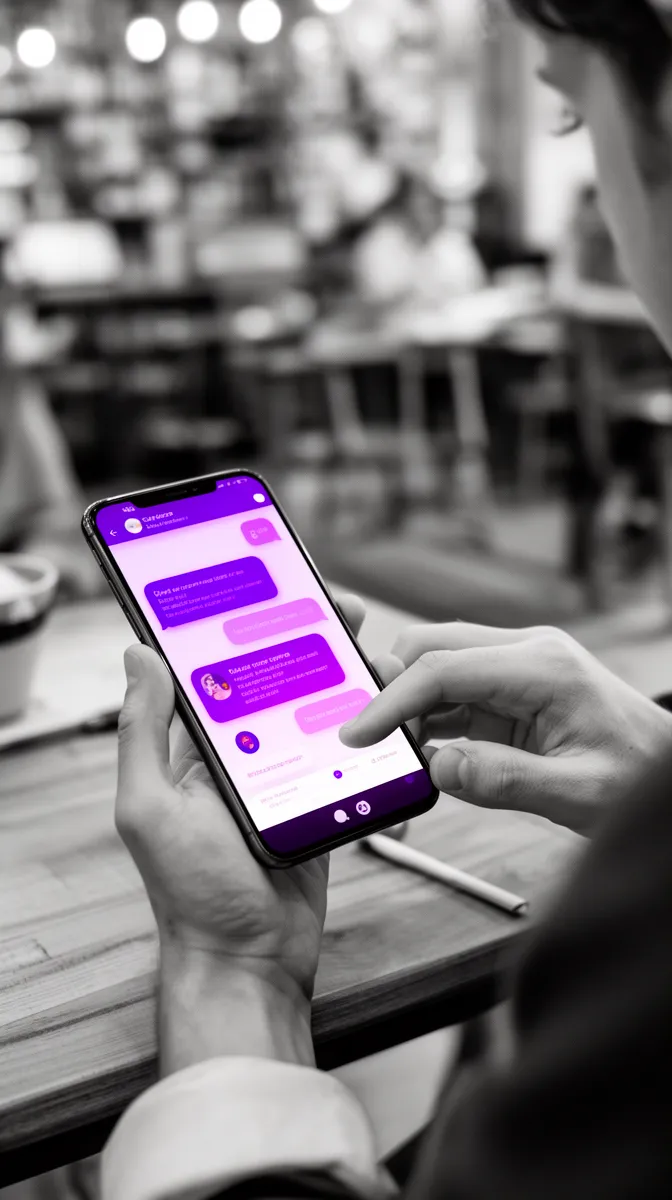
A wizard of oz prototype puts a human behind the curtain to simulate the agent. Users see an interface that looks real enough, but the “AI” is a human following a rubric. This lets you measure prompts, trust, handoffs, and workflow fit before you commit to automation.
It’s best for uncertain workflows, sensitive domains, and new agent roles where you don’t yet know what “good” looks like. The risk is inconsistency; you mitigate that with scripts, canned responses, and even simulated latency (because instant answers can create unrealistic expectations).
Example: an AI customer support case-closer. The UI captures user context, drafts, and edits. A human writes the drafts using a style guide and knowledge base, while your team observes what agents accept, what they rewrite, and what they refuse to send.
If you want background on the methodology in HCI terms, the ACM has an accessible entry point via the Digital Library search results for “Wizard-of-Oz prototyping” (starting with classic work like Dahlbäck, Jönsson & Ahrenberg). One stable reference page is: ACM Digital Library: Wizard-of-Oz prototyping search.
Concierge prototype: high-touch service to find the ‘minimum lovable’ workflow
A concierge prototype delivers outcomes manually, end-to-end. Unlike Wizard-of-Oz (which simulates the AI), concierge simulates the service: what the user really wants is not “an answer” but a result they can act on.
This is ideal for executive-facing insights, sales enablement, and AI market research assistants. You learn what users actually pay attention to, what they ignore, and what format changes decisions.
Example: a market research assistant. For a week, you manually deliver competitor updates and customer sentiment summaries, then observe which sections get forwarded, which trigger meetings, and which lead to action. The output is a workflow map and a list of automation candidates that are worth engineering.
Mock interface + scripted model: control the variance
Early in AI prototyping, variance is your enemy. If outputs swing wildly, users can’t form a mental model. A mock interface with scripted outputs lets you control the experience, test comprehension, and tune guardrails without full orchestration.
This can be low-fidelity (Figma) or high-fidelity (a lightweight web app), but the key is that the model behavior is curated. You’re testing affordances: what users click, what they expect, and what they do next.
Example: a “generate email reply” UI with five scripted scenarios. You track edits and acceptance rate, and you ask a simple behavioral question at the end: “Would you send this right now?” That’s often more informative than any opinion survey.
Shadow mode: run alongside the workflow before users see it
Shadow mode is the quietest, most underused pattern. The AI runs in parallel: it generates recommendations, but humans work as usual and never see them. Later you compare what the AI would have suggested to what humans actually did.
This is powerful for routing/triage, anomaly detection, and classification. It avoids premature trust and automation bias, and it generates ground truth you can use later when you move toward an MVP.
Example: a ticket triage agent scores urgency and category while agents ignore it. After a week, you compare AI recommendations to actual resolutions, and you learn where the AI would have changed outcomes—and where it would have created risk.
How to design an AI prototype for user testing (step-by-step)
If your goal is decision-grade evidence, you need to treat how to design an AI prototype for user testing as an operational process, not an ad hoc set of interviews. The small details—who you recruit, which tasks you pick, what you log—determine whether results generalize.
Recruit the right users and tasks (not the friendliest users)
Recruit by workflow ownership. You want people who are accountable for outcomes, not people who are “interested in AI.” Accountability creates realism: time pressure, risk awareness, and habits.
A minimal recruitment screener might include:
- Role and seniority (do they actually do the work?)
- How often they perform the target workflow (daily/weekly)
- What tools they use today (and what they hate about them)
- What they’re measured on (speed, accuracy, customer satisfaction)
- Past exposure to automation (helps interpret trust behavior)
Then design tasks that reflect real constraints and counterfactuals (what they do today without AI). Three task prompts for a support scenario:
- “Respond to this angry customer about a delayed refund; keep policy accurate and tone calm.”
- “Decide whether to escalate this ticket; you have 90 seconds.”
- “Summarize the issue and next steps for a handoff to Tier 2.”
Instrument learning: what you measure changes what you learn
Even for Wizard-of-Oz or concierge, you can log enough to make insights portable. You don’t need a full analytics pipeline; a spreadsheet with timestamps can get you 80% of the value.
Capture:
- Prompts and follow-up prompts (what people try to do)
- Edits (what people won’t delegate)
- Retries and reformulations (where the interface fails)
- Time-to-output and time-to-send (friction vs baseline)
- Verification actions (clicked a source, asked for evidence)
- Escalation frequency (where AI should not act alone)
Also capture qualitative insights: confusion points, trust statements, and mental model corrections (“Oh, I thought it would remember…”). Those are often the earliest signals of adoption risk.
If you want pragmatic guidance on task-based studies, Nielsen Norman Group’s usability testing resources are consistently good: NN/g: Usability Testing 101.
Debrief into decisions, not a backlog
After tests, the temptation is to turn findings into a backlog. That feels productive but often dodges the real question: what decision changes now?
Instead, write decision memos with three buckets: keep / change / kill. Tie each to evidence: clips, quotes, observed behaviors, and metrics. Then map to the next investment: run a POC, proceed to MVP, or do another prototype pattern.
Example: an “AI email drafter” prototype debrief might conclude:
- Keep: drafting with tone controls (users adopted quickly)
- Change: add citations to source emails/CRM fields (verification was the bottleneck)
- Kill: auto-send mode (created immediate discomfort and risk)
One slide for stakeholders should be enough: what we learned, what we’ll do, what we won’t do. If you need ten slides, you probably didn’t decide.
Scoping AI prototype development to keep costs low and insights high
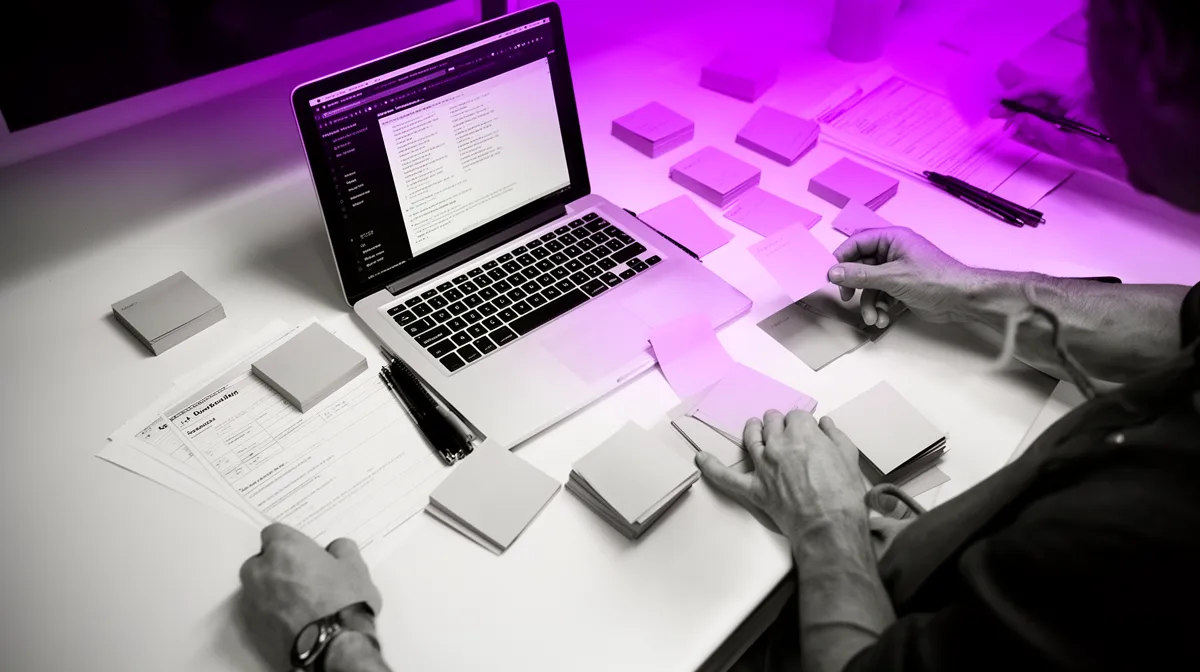
The point of AI prototype development is not to build cheaply; it’s to learn cheaply. The way you scope determines whether you buy learning or buy software.
Scope by learning constraints: timebox, surfaces, and ‘one workflow’
Timebox to 1–3 weeks. Define one persona and one workflow. The constraint is not arbitrary; it forces clarity on what you’re testing.
Limit surfaces. Pick one channel—web, Slack, or WhatsApp—and avoid UI sprawl. Every extra surface multiplies design and testing complexity, without increasing learning proportionally.
Defer integrations aggressively. Stub data, use uploads, or replay logs. Integrations are where prototypes turn into MVPs by accident.
Good scope vs bad scope:
- Good: “One support agent workflow: draft response + citations, tested in 8 sessions.”
- Bad: “Full omnichannel copilot with Zendesk integration and multi-team permissions.”
- Good: “Shadow mode for routing recommendations on last week’s tickets.”
- Bad: “Automate routing in production with an approval queue.”
Avoid the three classic overbuild traps
Overbuild usually hides inside “just in case.” The “just in case” items are exactly what you should postpone.
Three traps show up constantly:
- Trap 1: building auth/roles/permissions too early.
- Trap 2: optimizing model quality before you know the UX is right.
- Trap 3: polishing UI instead of increasing test throughput (more sessions, more tasks).
What to postpone (engineering + product):
- SSO, role management, audit trails (unless required for access)
- Deep CRM/ERP integrations (use exports/imports first)
- Perfect prompt libraries (you’ll rewrite them after tests)
- Production monitoring (log just enough for learning)
- Edge-case UX polish (fix the top 3 confusions instead)

What a learning-optimized AI prototyping engagement looks like with Buzzi.ai
If you want to hire experts for AI prototype development, the main question is not “can they code?” It’s “can they produce evidence that changes a roadmap?” That requires product discovery discipline, rapid engineering, and the ability to translate messy qualitative signals into a clear decision.
The deliverables: learning artifacts you can reuse
A strong ai prototype development services engagement produces reusable learning, not disposable demos. At Buzzi.ai, we typically structure work so you can reuse what you learn when you move to MVP.
Deliverables usually include:
- Learning brief: objectives, hypotheses, interaction risks, and test plan
- Prototype: the chosen pattern (Wizard-of-Oz/concierge/mock/shadow) with minimal instrumentation
- Readout: decision memo, evidence clips/quotes, roadmap implications, and “next bet” recommendation
A sample 3-week timing might look like:
- Week 1: discovery interviews, define learning objectives, select pattern, design tasks
- Week 2: build prototype, run initial user testing sessions, iterate quickly
- Week 3: run confirmatory sessions, synthesize, deliver decision-grade readout
If that’s what you need, start with our AI discovery and prototyping sprint, which is designed to connect research, design, and engineering in a single loop.
Why Buzzi is built for agent interactions (chat + voice)
Agent interactions are where AI value becomes real—or collapses. It’s not enough for a model to be “accurate.” Users need to understand what to say, what the system is doing, and how to recover when it fails.
We focus on interaction realities that decide adoption:
- Phrasing: what users naturally ask vs what the model needs
- Context carryover: what should persist and what should reset
- Escalation: when humans should take over (and how that handoff feels)
- Failure recovery: what happens after a refusal, a wrong answer, or low confidence
This matters even more in emerging markets: mobile-first usage, multilingual environments, variable connectivity, and lower patience for ambiguous UI. Chat and voice are powerful precisely because they remove friction—but they punish vagueness.
Mini vignette: a WhatsApp lead qualification flow. In prototype tests, the “best” model response wasn’t the most detailed one—it was the one that asked one clarifying question, then offered two next-step options. Users didn’t want a lecture; they wanted momentum. That’s the kind of learning you only get from real interaction, not model benchmarks.
For more human-centered AI design guidance (and a vocabulary for interaction risks), Google’s People + AI Research materials are a solid reference: Google PAIR.
Conclusion: prototype for learning, not for applause
AI prototype development is a learning discipline. Its output isn’t software; it’s evidence that changes product decisions. That framing sounds subtle, but it changes what you build, how you test, and how you decide.
Prototypes answer interaction-and-value questions. POCs answer feasibility. MVPs answer adoption at scale. The fastest way to reduce AI risk is to write learning objectives and hypotheses before you write code, then choose the cheapest prototype pattern that can validate them.
When you define success criteria upfront, results become decision-grade instead of “interesting feedback.” And when the results are decision-grade, you move faster—with less regret.
If you’re planning an AI feature and want decision-grade user learning in weeks—not months—talk to Buzzi.ai about a learning-optimized AI prototype sprint. When you’re ready to turn validated interactions into production, our AI agent development services can carry the work across the finish line.
FAQ
What is the difference between an AI prototype, a POC, and an MVP?
A POC proves technical feasibility: can the model and system work with your data, latency, and cost constraints. An AI prototype proves interaction and value: do real users understand it, trust it appropriately, and change behavior in a workflow. An MVP proves adoption at scale: can you ship reliably, support it operationally, and see real product-market fit signals like retention or willingness to pay.
When should I build an AI prototype instead of a POC or MVP?
Build an AI prototype when the biggest unknown is human: mental models, trust thresholds, verification habits, and workflow fit. If you don’t know whether users will delegate a step, you need user evidence more than model benchmarks. If the biggest unknown is data access, model constraints, or inference cost, do a POC first; if value and interaction are obvious, go MVP faster.
How do I design an AI prototype for user testing without building the full product?
Pick a prototype pattern that matches your question: Wizard-of-Oz, concierge, scripted mock, or shadow mode. Limit scope to one persona, one workflow, and one surface (like web or WhatsApp), and defer integrations by using uploads or stub data. Instrument lightly—log prompts, edits, retries, and verification actions—so your test produces reusable evidence, not just opinions.
What learning objectives should an AI prototype be designed to answer?
Good learning objectives focus on desirability (do they want it), usability (can they use it under constraints), viability (does it create measurable value), and responsibility (is it safe/acceptable). The best objectives are behavioral: “Can agents resolve tickets 25% faster with acceptable corrections?” rather than “Do agents like it?” Keep it to 1–2 objectives per sprint so your prototype can force a real decision.
Which AI prototype patterns work best (Wizard of Oz vs concierge vs scripted mock)?
Wizard-of-Oz is best when you need to learn workflow, handoffs, and trust before automation—especially for agent-like behavior. Concierge is best when the user wants outcomes (insights, briefs) and you need to discover the “minimum lovable” service before building any AI. Scripted mocks are best when you need to control output variance to test UI affordances, tone, and expectation-setting early.
How much model accuracy do I need for an AI prototype to be useful?
Less than you think—if your prototype is designed as an experiment. For interaction learning, it’s often enough to simulate “good enough” behavior (Wizard-of-Oz) or use curated outputs (scripted mock) so users can react to the workflow and controls. The goal is to learn where accuracy matters, what errors are tolerated, and what verification mechanisms users will actually use.
What metrics make AI prototype results decision-grade for go/no-go?
Decision-grade metrics are tied to behavior: task completion with acceptable corrections, time-to-output versus baseline, edit rate, verification actions, and escalation frequency. Add thresholds before testing—plus explicit kill criteria—so you’re not negotiating after the fact. If you can map results to a next step (proceed to MVP, run a POC, redesign workflow, or drop it), your metrics are doing their job.
How do I run user testing sessions for AI features without causing automation bias?
Use task-based studies with realistic constraints and a clear “today” baseline so users don’t default to trusting the AI for novelty reasons. Consider shadow mode when you need unbiased comparison: run the AI in parallel and compare recommendations later. Also design explicit verification steps (citations, evidence links) and observe whether users actually use them, which is often more revealing than what they claim.
How do I scope AI prototype development to keep cost low but insights high?
Timebox to 1–3 weeks and choose one persona, one workflow, and one channel. Defer integrations by stubbing data or replaying logs, and postpone production concerns like roles/permissions unless strictly required. Invest the saved time into more user testing sessions and more tasks—prototype throughput is usually the fastest path to reliable learning.
What does an AI prototype development services engagement with Buzzi.ai include?
We typically deliver a learning brief (objectives, hypotheses, risks, test plan), a prototype built with the right pattern (Wizard-of-Oz, concierge, scripted mock, or shadow), and a readout that turns evidence into a decision memo. If you want an entry point that connects discovery, design, and engineering, start with our AI discovery and prototyping sprint. From there, we can extend into production when the interaction is validated.


