Design AI-Native Applications Where UX and AI Actually Align
Most “AI-native” apps just bolt models onto old UX. Learn how to design ai-native applications where interaction, workflows, and AI capabilities truly align.

Most products marketed as ai-native applications are nothing of the sort. They’re traditional systems with a large language model quietly bolted onto the side—usually as a chat widget or “magic” button that demos well and then gathers dust.
The problem isn’t the models. It’s the UX. The interface still assumes a deterministic system that’s always right, while the AI underneath is probabilistic, fallible, and capable of improving with the right feedback. That mismatch is where trust dies and support tickets are born.
To build truly AI-native applications, you need ai-first ux: workflows, interaction patterns, and feedback loops designed around how generative and probabilistic systems actually behave. In this guide, we’ll walk through concrete UX patterns, uncertainty communication, and human-in-the-loop designs for llm-powered applications and copilots—grounded in real enterprise constraints, not lab demos.
At Buzzi.ai, we design and build these systems for production: AI agents, voice bots, and workflow automation that sit inside real organizations, with real SLAs. This article distills what we’ve learned into patterns you can apply immediately.
What Makes an Application Truly AI-Native, Not Just AI-Enabled
From Backend Buzzword to Frontend Reality
When most teams say they’re building ai-native applications, what they usually mean is: “we’re using LLMs, vector databases, and maybe an agent framework in the backend.” The frontend, though, still looks like 2012: forms, dropdowns, rigid steps, and a tiny AI widget off to the side.
That’s an ai-enabled app, not an AI-native one. The core workflows don’t change; AI is an optional accelerator at best, a confusing distraction at worst. From an ai product strategy perspective, that’s like installing a jet engine on a car but refusing to redesign the chassis—you’ll never see the upside.
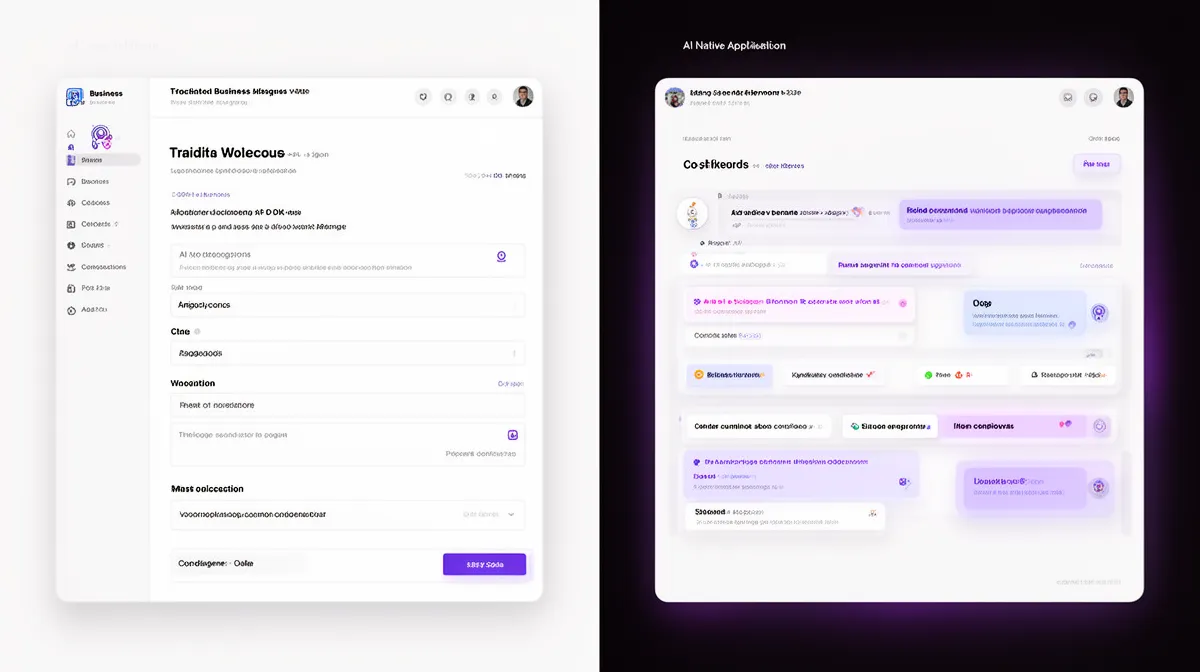
We define ai-native applications as products where the central flows assume AI is present, imperfect, and improvable. The UI is built around suggestions, revisions, and oversight, not around pretending the system is a traditional rules engine. AI isn’t a sidebar—it’s the main collaborator.
Take a simple example: ticket triage in a support tool. In the AI-enabled version, agents get a standard queue plus a “Suggest category” button that they might or might not click. In the AI-native version, every ticket arrives pre-routed with an AI-assigned category, priority, and draft reply; the agent’s primary job is to review, correct, and escalate outliers. The workflow itself is now co-piloted.
Three Tests for AI-Nativeness
So, what is an ai-native application vs ai-enabled app in practice? You can use three simple tests.
- Test 1: Remove the AI. Does the product collapse or just slow down? In an AI-enabled app, killing the model means a slightly worse experience. In an AI-native product, major workflows break or revert to an obviously inferior mode.
- Test 2: Are prompts, suggestions, and revisions first-class? An AI-native UX centers on AI suggestions, inline edits, and multi-step refinement. If the main control surface is still a long, rigid form, you’re not there yet.
- Test 3: Is uncertainty visible in the UI? True ai-first ux makes confidence, provenance, and review status explicit. If the interface hides all of that behind a green checkmark, it’s still thinking in deterministic terms.
Imagine a document review system. The bolt-on version runs a classifier in the background and slaps a “Compliant/Not Compliant” label on each contract. The ai-native ux version highlights sections with different confidence levels, shows why they’re risky, lets reviewers accept or override tags, and learns from those decisions. In the second case, the workflow, not just the output, is ai product design centered.
Why Traditional UX Patterns Break in AI-Native Applications
Deterministic Interfaces Meet Probabilistic Systems
Classic UX assumes deterministic behavior: the same input always yields the same output. Probabilistic systems like LLMs and modern ML models don’t work that way. They output distributions, guesses, and tradeoffs—sometimes brilliant, sometimes wrong.
Most interfaces ignore this. They present AI outputs as if they were facts, with no hint of underlying uncertainty communication or confidence scores. That creates a brutal dynamic in human-ai interaction: either users overtrust (“the system said it, so it must be right”) or they undertrust (“this thing made one mistake, I’m never using it again”).
Consider a fraud detection console that simply flags “Fraud / Not Fraud” with no explanation. If analysts treat those flags as ground truth, false positives waste resources; if they ignore them due to past errors, the model adds no value. Research on calibrated trust in probabilistic systems shows that visibility into confidence and rationale is critical to stable, long-term adoption (example study).
Form-Centric Workflows vs Suggestion-Centric Workflows
Most teams “add AI” by sprinkling extra buttons on existing forms: “Generate reply,” “Auto-fill,” “Summarize.” The underlying workflow remains: user fills form; AI occasionally helps. That’s not ai ux best practices, it’s accessory design.
In an ai-native ux, the default flips. AI produces the first draft; the human edits and approves. Instead of forcing users to build everything from scratch, the system starts with a proposal—text, structure, routing—and asks, “Is this close?”
Think about invoice processing. In the legacy flow, a user manually types vendor, amount, date, and codes into a form. In a better but still AI-enabled flow, there’s an “Extract from PDF” button somewhere on that form. In a truly AI-native flow, the AI pre-populates everything, highlights low-confidence fields, and presents a clean review surface. The user’s job becomes correction and confirmation, not dual entry. You reduce cognitive load, context switching, and duplicate work—key drivers of real ai feature adoption.
Static UI in a Dynamic, Learning System
Traditional UI patterns assume the system is stable: same logic tomorrow as today. But ai-native applications evolve constantly. Models get updated, prompts get tuned, routing rules change, and guardrails tighten.
When the UI is static, users never see this evolution. They correct the same AI summary five times and get no signal that the system noticed. That’s a failure of adaptive interfaces and context-aware ui, not just of modeling.
Now compare that to a dynamic interface. After repeated corrections, the app surfaces a banner: “We’ve updated how we summarize escalation reasons based on your edits. Here’s what changed.” It might offer a quick toggle to revert or refine. This simple pattern turns annoying repetition into visible learning, which is the foundation of long-term trust in ai-native applications.

Core Principles of AI-First UX for AI-Native Applications
Make AI the First Draft, Not the Last Resort
The first principle of ai-first ux is simple: let AI go first. Wherever it’s safe, the system should generate an initial version—of content, routing, classification, or structure—and ask the user to refine.
This is where ai copilots shine. Sales teams using copilots to draft outreach, support teams generating first-pass replies, analysts getting auto-generated briefings—all of these reduce blank-page anxiety and time-to-value. For many ai-native applications, this single shift in workflow yields disproportionate gains.
Of course, you need boundaries. For low-risk tasks (summaries, internal emails, draft notes), AI can be more autonomous. For higher-stakes decisions—financial approvals, medical decisions, compliance judgments—AI should draft, suggest, and flag, but never finalize without human approval. Designing agentic workflows means tuning that autonomy per context, not applying a one-size-fits-all copilot.
Design for Controllability and Reversibility
The second principle: every AI action should be easy to inspect, tweak, and undo. If a user can’t see what changed or roll it back, you’ve created a trust liability—especially in enterprise ai solutions.
Strong human-in-the-loop design uses patterns like “edit-before-apply” (preview AI changes before committing), one-click rollback, and version history for AI-generated content. The goal is not just usability; it’s auditability. Compliance teams need to know who changed what, when, and whether AI was involved.
Picture a CRM where an AI suggests updating company size, industry, and key contacts. An AI-native interface shows a diff view: old vs new per field, with toggles to accept or reject each suggestion. A revision history logs “AI suggested X, user Y accepted on date Z.” This kind of revision history is how you make model explainability tangible, not theoretical.

Expose Uncertainty, Don’t Hide It
Third principle: don’t pretend the AI is more certain than it really is. Users should be able to tell, at a glance, where the system is confident and where it’s effectively guessing.
Good uncertainty communication is subtle but clear. You might use soft color bands, “needs review” tags, or icons that expand into detailed confidence scores and rationale. The point is to align the user’s mental model with the system’s internal probabilities.
Imagine a contract analysis tool that color-codes clauses: green for high-confidence standard terms, yellow for medium-risk, red for unusual or missing clauses. Hovering over a red highlight reveals why the AI is worried and which past cases it’s referencing. This is ai-native ux that turns model explainability into a visual, actionable pattern.
Optimize for Conversations, Not Clicks
The last core principle: design for conversations, not just clicks. But “conversation” doesn’t have to mean yet another chat window wedged into your app.
For many llm-powered applications, the right interface is a blend of conversational interfaces and structure. Think of a command palette where users type “Show high-risk deals this quarter with low engagement” and the app applies filters accordingly. Or an analytics surface where natural language queries sit alongside charts, filters, and saved views.
These prompt-driven interfaces let users express intent in plain language while still benefiting from the precision of structured controls. Done well, they feel like a power tool, not a toy chatbot—an essential ingredient in serious ai-native applications and ai product design.
Interaction Patterns That Work for LLM-Powered Apps and Copilots
Suggestion Panels and Inline Recommendations
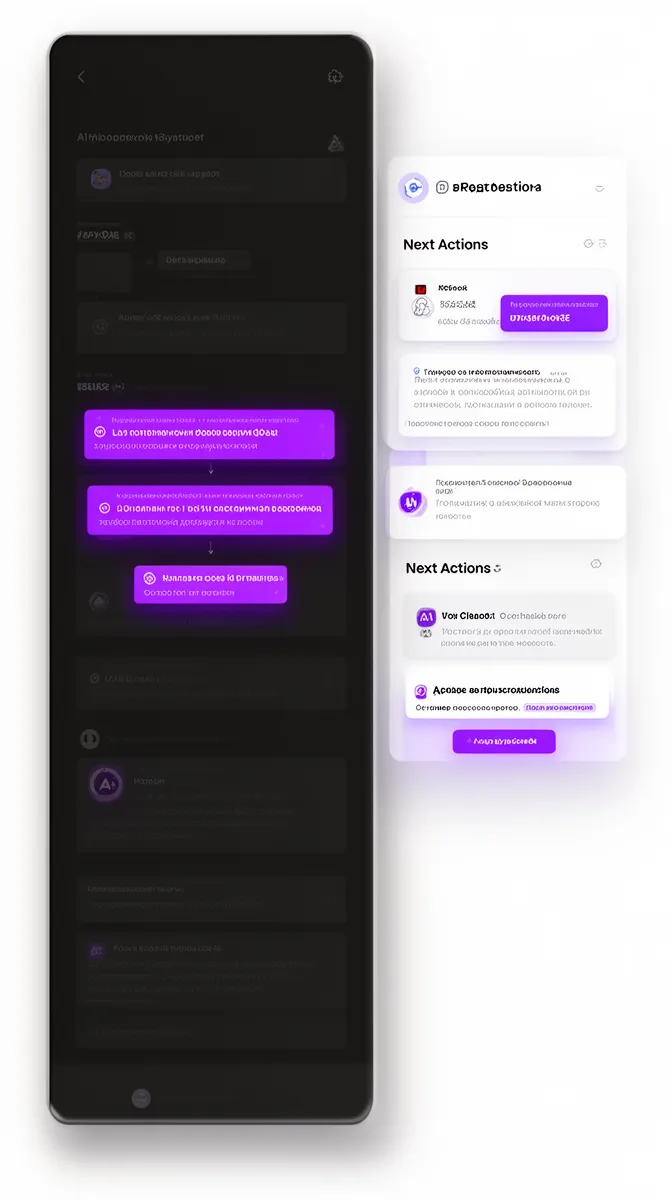
Once the principles are in place, you need concrete interaction patterns. One of the most effective is the suggestion panel: a dedicated space where the AI proposes next actions, responses, or changes.
In sales or support copilots, the panel might show “next best actions”: follow-up email drafts, recommended knowledge-base articles, or escalation suggestions. Each item can be applied with one click, partially inserted into an email, or explored via “Why this suggestion?” to reveal underlying logic. This is where ai ux best practices intersect with transparency.
For customer-facing experiences, suggestion panels can power personalized, context-aware AI experiences—surfacing relevant content or products with a clear indication of why they were chosen. In all cases, the AI is proactive but not opaque, driving ai feature adoption without creeping users out.
Inline Edits, Chips, and Structured Controls
Another powerful pattern is blending free text with structure using inline edits, tokens, and chips. This allows AI to manipulate structured data while keeping user control obvious.
In an invoice processing UI, for example, the AI might extract amount, vendor, and date into editable chips. Users can click each chip to correct it, and the system updates its extraction logic over time. You get clean structured data without forcing users into clunky forms.
These ui components are especially effective when combined with text classification. The AI might propose tags ("Urgent,” “VIP,” “Billing Issue”) as removable chips. Users keep or remove them, turning everyday work into a subtle training loop that powers better workflow automation behind the scenes.
Approval Flows and Human-in-the-Loop Review
For higher-risk domains, human-in-the-loop design is the backbone of safe enterprise ai solutions. The standard pattern is simple: AI drafts or classifies; humans approve, escalate, or override.
In a legal context, AI might generate a first-pass contract summary and risk assessment. Junior lawyers review and edit; senior lawyers approve, with the system tracking who approved what. Each step is visible in the UI, and every AI suggestion sits inside an explicit approval flow instead of being quietly auto-applied.
Similarly, in finance, an AI might pre-classify transactions or suggest journal entries. But it should never post them without human sign-off. The interface should clearly separate “AI suggested” from “human approved,” with audit trails that satisfy regulators and internal governance. That’s what mature ai process automation looks like.
Summaries, Overviews, and Drill-Down Journeys
LLMs are especially good at summarization and curation. In agentic workflows, this often becomes the entry point: an AI-generated overview at the top, with guided paths to drill into details.
Think of an operations dashboard that opens with “Today’s incidents: 3 high risk, 7 medium, 24 low.” Each item expands into explanations, linked logs, and recommended actions. Users start from a synthesized view and only dive into raw data when needed. That’s effective human-ai interaction for complex systems.
This pattern works across llm-powered applications: support queues, compliance monitoring, risk dashboards, even HR pipelines. It lets AI do what it’s good at—digestion and prioritization—while keeping humans in charge of interpretation and exception handling.
Designing Uncertainty, Errors, and Edge Cases into the UI
Visual Patterns for Confidence and Risk
If you treat uncertainty communication as an afterthought, users will invent their own, usually wrong, mental models of how the system works. Instead, bake it into the core UI.
Use clear but minimal labels like “Confident,” “Unsure,” and “Needs review.” Under the hood, map model confidence scores into these buckets—e.g., >0.8 = Confident, 0.5–0.8 = Unsure, <0.5 = Needs review. Visual accents (subtle colors, icons, segmented bars) convey status without overwhelming the screen.
In a customer service triage tool, for instance, AI might auto-route tickets, but low-confidence ones go into a dedicated “Needs review” queue. This both protects customers and focuses human attention where it’s most valuable, turning probabilistic systems into reliable ai for customer service.
Graceful Handling of Hallucinations and Unknowns
LLMs hallucinate. The question is not whether this happens, but how your product behaves when it does. An AI-native app treats “I don’t know” as a valid, even desirable, outcome.
Instead of fabricating answers, the system should ask for more context, show its sources, or explicitly state that it’s uncertain. Patterns like clarification prompts (“Are you asking about policy A or B?”), “Show sources” buttons, and quick feedback controls (“Helpful / Not helpful”) are essential in enterprise ai solutions.
Imagine a knowledge-base search interface where the AI returns an answer plus three source documents, with a subtle warning: “Some policies changed after 2023; verify before applying.” That blend of hallucinations management, model explainability, and human-in-the-loop design is what separates toy demos from production systems.
Error Recovery and Learning Loops
Errors are inevitable; what matters is recovery. AI-native applications make it easy to correct mistakes and feed those corrections back into feedback loops for improvement.
Micro-feedback is the workhorse here: thumbs up/down, star ratings, “This is wrong because…” dropdowns attached to outputs. When combined with logging and retraining pipelines, this becomes real ux research for ai—directly connecting user behavior to model and prompt updates.
Consider an AI receptionist bot misrouting calls. A simple “Wrong department” button with a quick correction flow (“This should go to: Sales/Support/Billing”) lets the user recover quickly. Behind the scenes, routing models or rules update. Over time, misroutes drop, trust rises, and you unlock more ambitious agentic workflows.
Retrofitting Legacy Workflows into AI-Native Experiences
Map Decisions, Not Screens
Most digital transformations start from the wrong place: existing screens. To retrofit into ai-native applications, you should start from decisions instead.
List the key decisions, handoffs, and failure modes in a workflow: “Is this claim valid?”, “Who should handle this ticket?”, “What’s the right next step for this lead?” Then ask where AI can propose, rank, or filter options rather than replace human judgment. This is the heart of pragmatic ai product strategy and ai transformation.
In claims processing, for example, mapping decisions first might reveal three leverage points: auto-triage simple claims, suggest missing documents, and recommend next actions for ambiguous cases. You can then design ai process automation for each point, without trying to “AI” the entire flow at once.
Design Guardrails First for Enterprise Contexts
In regulated domains, guardrails are not optional. Before sketching UIs, define what AI is allowed to do: what it may suggest, auto-approve, or must escalate.
This is where enterprise ai solutions, ai governance, and responsible ai intersect. Guardrails translate into concrete UI elements: locked fields the AI can’t touch, review queues for high-risk outputs, explicit policy messages explaining why certain actions require human approval.
Industry frameworks like the NIST AI Risk Management Framework or OECD and big-tech trustworthy AI guidelines offer solid starting points. The key is to encode those principles into interface behavior, not just policy PDFs.
Metrics That Prove UX–AI Harmony
If you only track clicks on the “Use AI” button, you’ll miss the real story. AI-native experiences demand better instrumentation.
Strong metrics include suggestion usage rate, override rate, time-to-decision, error reduction, and user-level adoption curves. For trust, track the proportion of AI suggestions accepted without major edits over time. If that rises while override rates fall, your UX and models are converging.
In a support copilot rollout, for example, a simple metrics view might show: average handle time down 25%, suggestion acceptance up 40%, escalations unchanged (so quality holds). That’s how you prove ai development roi and sustainable ai feature adoption, not just novelty use.
How Buzzi.ai Designs and Builds AI-Native Applications
Integrated AI Engineering and UX Design
Most vendors treat AI and UX as separate tracks: data scientists build models; designers skin the output. We do the opposite. At Buzzi.ai, we assume that ai-native application development services require AI architecture, prompts, and UX to be designed together.
Our teams work across ai agent development, voice bots, and llm-powered applications for real enterprise workflows. We focus obsessively on domain-specific constraints, compliance, and human-in-the-loop design patterns. That’s how we ship enterprise ai solutions that keep working after the launch blog post.
In practice, that might look like turning a fragmented document workflow into a single AI-native surface: the system ingests documents, proposes classifications and summaries, routes exceptions, and surfaces learning back to users. The UX and AI are co-designed so that each correction makes the system feel smarter, not more annoying.
From Discovery to Production-Grade AI-Native UX
We typically start with AI discovery and workflow mapping: understanding where decisions happen, where data lives, and where existing tools are failing. From there, we select proven UX patterns—suggestion panels, approval flows, uncertainty indicators—that fit your context.
Rapid prototyping follows: we build a working slice of the experience, often as an ai-native application development services engagement. We test with real users, instrument the flows, and iterate on both prompts and UI. Only then do we harden for production, integrating with your stack and security model.
Along the way, we bring in automation where it makes sense: workflow orchestration, RPA-like integrations, and agent handoffs. Whether it’s web, mobile, or embedded agents, we treat UX as the front door to the entire system—not an afterthought added at the end of a modeling project.
Choosing a Partner for AI-Native UX
If you’re evaluating an ai-native product design agency for enterprise apps, there are a few questions worth asking.
- Can they describe ai ux best practices and uncertainty patterns they’ve shipped, not just model benchmarks?
- Do they run ux research for ai, including workflow shadowing and pilot instrumentation?
- How do they handle human-in-the-loop design, guardrails, and compliance in ai-native applications?
Red flags include vendors who only talk about parameter counts and leaderboards or who treat UX as “making it look nice” after the AI is done. A real partner will push you to rethink workflows, not just add a chatbot. That’s the bar we hold ourselves to at Buzzi.ai.
Conclusion: From Bolt-On AI to AI-Native Workflows
AI-native applications aren’t defined by which models they use. They’re defined by whether their UX and workflows assume AI is present, probabilistic, and improvable. When you design around that reality, AI stops being a bolt-on feature and becomes the backbone of the experience.
Traditional, deterministic UX patterns create avoidable friction with probabilistic AI systems. By applying concrete interaction patterns—suggestion panels, inline chips, approval flows, summary-first journeys—and by treating uncertainty communication as a first-class concern, you get AI that users actually trust and adopt. Retrofitting legacy workflows then becomes a matter of mapping decisions, adding guardrails, and instrumenting the right metrics.
If you’re looking at your current product and noticing where AI feels bolted on, that’s the right instinct. Start by auditing one key workflow: where could ai-first ux fundamentally change the experience? When you’re ready to turn that into a real, production-ready system, we’d be happy to help you run a focused AI-native UX discovery and prototyping sprint—learn more about our ai-native application development services.
FAQ: AI-Native Applications and AI-First UX
What is an AI-native application, and how is it different from an AI-enabled app?
An AI-native application is built around AI from the ground up: core workflows assume AI will generate, suggest, and learn, with UX patterns for review and correction. An AI-enabled app simply adds AI features—like a chat widget or auto-complete—on top of existing flows. The difference shows up in user behavior: in AI-native apps, removing the AI breaks the experience; in AI-enabled apps, it just makes things slightly slower.
Why do traditional UX patterns often fail when applied to AI-native applications?
Traditional UX patterns assume deterministic systems that are either right or wrong, with fixed behavior. AI systems are probabilistic: they output distributions and sometimes make confident mistakes, which deterministic UIs tend to hide. Without patterns for uncertainty, explanation, and recovery, users either overtrust (and get burned) or undertrust (and ignore) AI features.
What are the most effective UX patterns for LLM-powered applications and AI copilots?
Effective patterns include suggestion panels for “next best actions,” inline chips and tokens that make AI-proposed changes easy to accept or tweak, and approval flows for higher-risk outputs. Summary-first dashboards with drill-down paths let AI handle curation while humans manage exceptions. Together, these patterns make LLM capabilities feel like a helpful colleague rather than a mysterious black box.
How should AI-native applications communicate uncertainty and confidence to users?
AI-native apps should expose uncertainty using human-readable buckets (e.g., Confident, Unsure, Needs review) mapped from underlying model scores. Visual cues like subtle colors, icons, and segmented bars help, as do tooltips explaining why the system is unsure. Research on uncertainty communication in AI recommends this approach as a way to calibrate trust and avoid blind reliance on model outputs (example paper).
What UI components support safe review, approval, and override of AI suggestions?
Key components include diff views that show before/after values for AI changes, per-field accept/reject toggles, and clear “Apply,” “Edit,” and “Revert” controls. Review queues collect higher-risk items, letting users process uncertain outputs in batches. These UI elements make it obvious where AI intervened and how to correct it, which is essential in enterprise and regulated contexts.
How can we design human-in-the-loop workflows for generative AI outputs in enterprise settings?
Start by defining which steps AI can draft, which require human approval, and which must remain fully manual. Then design flows where AI produces first drafts, humans review and annotate, and the system logs every decision. Tools like Buzzi.ai’s AI discovery and workflow mapping can help you identify the right boundaries and UX patterns for your specific domain.
What metrics should we track to know if our AI features are truly being adopted and trusted?
Look beyond raw usage and track suggestion acceptance rates, override rates, time-to-decision, and error reduction in target workflows. Over time, accepted-without-major-edits is a strong indicator of calibrated trust and model quality. Combining these with qualitative feedback gives a realistic view of whether your AI is actually helping or just adding noise.
How can legacy enterprise workflows be retrofitted into AI-native experiences without breaking compliance?
Begin by mapping decisions and constraints, not just screens, and define where AI can safely suggest or prefill versus where human approval is mandatory. Implement explicit guardrails in the UI—locked fields, review queues, and policy explanations—to respect regulations. Align these patterns with frameworks like NIST or internal governance so compliance is built into the experience, not patched on top.
What should we look for in an AI-native product design agency for enterprise apps?
Look for a partner who can articulate specific UX patterns for AI—uncertainty handling, feedback loops, approval flows—not just talk about model benchmarks. They should have experience with workflow redesign, user research in AI contexts, and enterprise integration. Ask for examples of where they improved trust and adoption, not just where they shipped a model.
How does Buzzi.ai approach AI-native application development differently from typical AI vendors?
We combine AI engineering, UX design, and workflow automation into a single process, rather than treating them as separate silos. Our focus is on building production-grade, AI-native applications where suggestions, controls, and learning loops are baked into the interface from day one. That means better adoption, clearer governance, and AI that actually moves business metrics instead of just appearing in a press release.


