Design AI for Legal Document Review That Lives in Your Workflow
Learn how to deploy AI for legal document review that embeds into Relativity, TAR, and privilege workflows instead of creating risky parallel tools.

Most AI for legal document review fails for a boring, avoidable reason: it lives in a separate tool instead of inside Relativity and your established TAR workflows. Reviewers are told to stop using the workspace they know, log into a shiny new platform, and trust a black box that doesn’t match their coding panels or QC rules. Adoption collapses, partners get nervous about defensibility, and the pilot quietly dies.
If you’ve tried legal document review AI before, you’ve probably felt this: reviewers resisting yet another UI, litigation support worrying about exports, and clients asking how they’re supposed to explain this in a 26(f) conference. The instinct is right. When AI creates a parallel workflow instead of living where the work already happens, you trade efficiency for legal risk.
The sustainable model is different. You need workflow‑integrated AI for legal document review that behaves like a smart co‑reviewer inside your existing eDiscovery review tools: same document view, same coding panel, same TAR and predictive coding flows, same audit trail. Think of it less as a new platform and more as an extra reviewer that never leaves Relativity.
In this guide, we’ll cover why standalone legal document review AI fails, what “workflow‑integrated” actually means in practice, where to plug AI into Relativity, TAR, and privilege review, the technical patterns that make this safe, and a rollout playbook that partners and legal ops can sign off on. Along the way, we’ll keep grounding everything in concrete eDiscovery examples—not generic AI buzzwords.
At Buzzi.ai, we build AI agents and review automation that connect to your existing legal tech stack instead of trying to replace it. Our focus is simple: AI that sits in your current review workflow, respects your protocols, and improves outcomes without compromising defensibility in eDiscovery.
Why Legal Document Review AI Fails When It Lives Outside the Workflow
When people complain that AI for legal document review “didn’t work,” they rarely mean the models were completely wrong. More often, the workflow failed. The AI lived in a different place than the review, so adoption and defensibility both broke down.
Parallel Tools Break Reviewer Habits and Protocols
Standalone legal AI platforms usually demand a separate login, new interface, and their own coding schema. That’s a huge ask for reviewers who already live inside Relativity or another core eDiscovery review tool. You’re not just changing technology; you’re asking them to abandon the muscle memory of familiar layouts, saved searches, and coding panels.
This extra cognitive load matters. Every time a reviewer context switches between Relativity and a separate ai‑assisted document review tool, they lose focus and speed. It’s harder to apply consistent document review protocols when the fields, layouts, and workflows don’t line up one‑to‑one. Reviewer productivity drops, not because of model quality, but because the work is fragmented.
We’ve seen this play out in pilots where a firm licensed a standalone legal AI review tool that required exports from Relativity. Reviewers tried it for a day, then quietly went back to coding inside Relativity because the new tool didn’t match their usual coding panel or folder structure. To the partner, it looked like “AI doesn’t work.” In reality, the problem was law firm technology adoption in the face of a parallel workflow.
Even when reviewers do use the external platform, maintaining alignment with existing playbooks is hard. You end up duplicating protocol changes in two places, or worse, letting the external tool drift from the authoritative review manual. The net result is a messy combination of partial use, inconsistent workflows, and QC headaches.
Fragmented Workflows Undermine Defensibility in eDiscovery
There’s a deeper issue, beyond reviewer productivity: defensibility in eDiscovery. Standard technology assisted review and predictive coding protocols assume that work happens inside a unified system that logs decisions, sampling, and quality control. When you push part of that work into an opaque AI tool, your tar workflows stop being fully auditable.
Court expectations have evolved alongside TAR. Sedona Conference guidance and market reports on ediscovery review now emphasize transparency and clear documentation of training sets, coding criteria, and validation steps. If part of your responsiveness decisions were made in a separate AI product with incomplete logs, explaining your methodology gets harder, not easier.
Imagine trying to defend a TAR protocol where the seed set was coded partly in Relativity and partly in a separate AI review platform that can’t provide field‑level audit trails. You now have incomplete visibility into decision provenance: which tool coded what, which reviewer overrode which decision, and how often. That ambiguity is exactly what opposing counsel will press on when arguing about defensibility in eDiscovery.
Regulators and courts don’t demand that you avoid AI. They demand that your process be transparent and traceable. That’s nearly impossible when key steps in your technology assisted review workflow happen outside your primary review software.
Shadow Integrations Create Security and Access Control Gaps
When the main review platform doesn’t have integrated AI, teams improvise. They export CSVs, PSTs, or text dumps to upload into a third‑party AI system. These ad‑hoc pipelines are where data security and confidentiality risks multiply.
Those exports often bypass the carefully crafted permissions and ethical walls inside your review workspace or case management systems. A bulk export pulled at the matter level might accidentally include documents outside a specific security group—say, HR records that shouldn’t be visible to the wider litigation team. Once the data is in a generic AI tool, your normal permissions model is gone.
Consider a scenario where a team exports a full document set for AI analysis, intending to analyze only the reviewable population. They mistakenly include documents tagged “Outside Counsel Eyes Only.” The external tool doesn’t know about your ethical walls or matter‑level security rules, and suddenly data is sitting outside your controlled environment. This is the kind of incident that keeps in‑house counsel awake.
As corporate legal and IT tighten on security, the days of one‑off uploads are numbered. Any legal AI software that can’t live inside your existing security perimeter and inherit permissions is going to hit a hard wall with infosec and compliance.

Define What “Workflow‑Integrated” AI for Legal Document Review Really Means
If parallel tools are the problem, what’s the alternative? Workflow‑integrated AI for legal document review is less about a product category and more about where the AI “lives” in your stack. The key question is simple: does the reviewer experience change, or does the AI arrive inside the experience they already trust?
AI as a Co‑Reviewer Inside Your Existing Review Platform
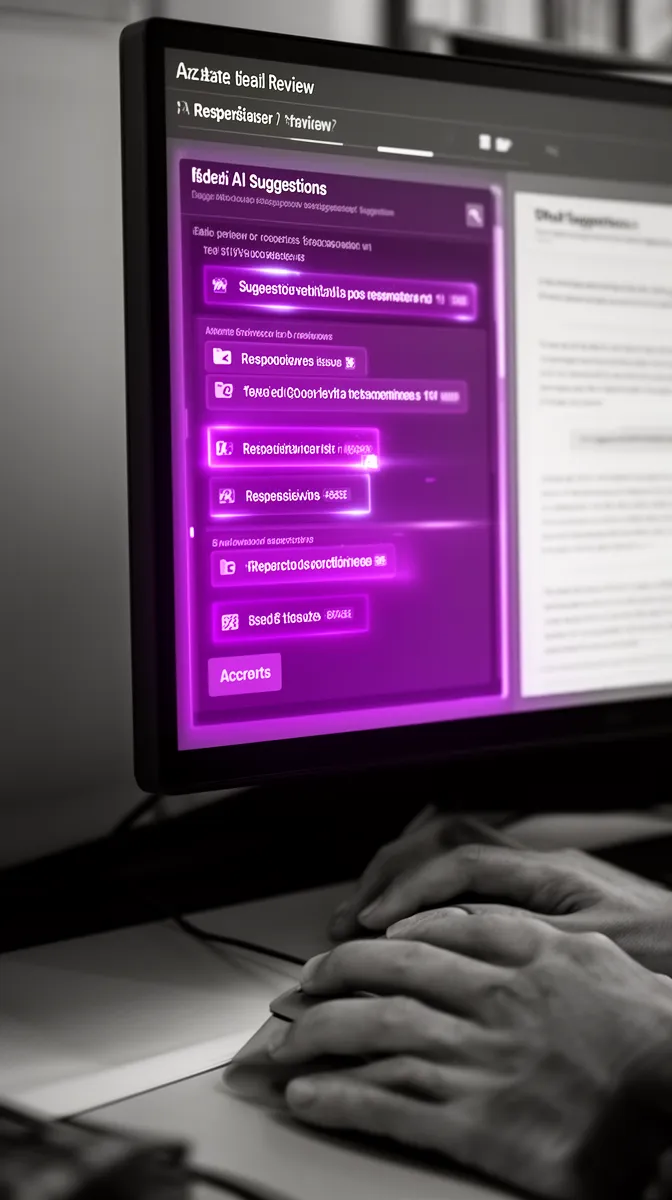
The cleanest mental model is this: AI shows up as a co‑reviewer inside Relativity (or your chosen review platform). Same document viewer, same coding panel, same audit trail—just with an extra, clearly labeled set of ai‑assisted document review suggestions.
In practice, that looks like an extra panel or field group: suggested responsiveness, issue tags, and privilege indicators with confidence scores. Reviewers can accept, modify, or reject these suggestions within the tool, and their choices are logged like any other coding action. You get review workflow automation without changing how people navigate the workspace.
Compare this to a black‑box system that autocodes documents outside the platform and then pushes back final tags. You lose the granular history of how a suggestion emerged, what reviewers saw, and which corrections they made. An integrated legal AI platform keeps that history in the same place as all other review activity.
Tight Connectivity to TAR, Predictive Coding, and QC Workflows
Workflow‑integrated AI should play nicely with your existing technology assisted review and predictive coding tools. It’s not a replacement; it’s an accelerator. Think of AI as generating smarter pre‑coding or prioritization that your TAR engine can then ingest.
For example, early in a matter you might have AI pre‑code a seed set for likely responsiveness and key issues. Human reviewers validate a sample, correct errors, and those validated decisions feed into your standard tar workflows. The TAR model then takes over, prioritizing similar documents, while AI continues to help downstream with quality control workflows like inconsistency checks.
The rule is: don’t break your documented TAR protocol. You update it to describe how AI contributed to seed set creation or QC, but you don’t swap out the backbone of your ediscovery software. AI is an upstream helper and a downstream validator, not a mysterious replacement for established predictive models.
Respect for Permissions, Ethical Walls, and Matter Security
A true workflow‑integrated system doesn’t bolt on security after the fact; it inherits it from the platform. If a reviewer can’t see a document in Relativity, the AI shouldn’t see it either. If ethical walls limit access to a subset of privileged content, the AI respects that scope automatically.
This matters for data security and confidentiality, but also for trust with compliance and in‑house legal. When AI is wired into the same permission model as the rest of your legal workflow automation, you avoid the brittle configuration of separate systems. Legal ops can sign off knowing that AI outputs will only appear where they’re allowed to appear.
Consider a scenario where only a specialized privilege team can view a subset of documents tagged as potentially privileged. A properly integrated AI can analyze just that subset and surface suggestions, and only members of that team see those AI outputs. No extra security mapping, no parallel user directory—just native review platform connectivity driven by your existing case management systems.
Key Integration Points: Relativity, TAR Tools, and Privilege Workflows
Once you define what ai for legal document review should look like inside your workflow, the next step is figuring out where to plug it in. Relativity and similar platforms already expose the hooks you need. The trick is designing the integration so AI enhances, rather than competes with, those capabilities.
Relativity and Core eDiscovery Platforms: Where AI Should Plug In
For relativity integration, you’re typically working with APIs, event handlers, custom objects, and coding panels. The AI needs to read document text, metadata, and existing tags securely, run analysis, and then write back suggestions in fields that reviewers can act on.
A simple integration flow looks like this: when a document is loaded, an event handler or on‑demand action calls an API that sends the text to the AI. The AI returns proposed responsiveness, issues, and privilege indicators. These land in “Suggested” fields or an AI insights panel, so they never bypass human decision‑making. The same pattern can extend to other review platform connectivity scenarios beyond Relativity.
This pattern aligns with Relativity’s own guidance and API capabilities, as laid out in their official documentation for integrations and automation (for example, in their public developer docs at Relativity Developer Portal). You’re not hacking the system; you’re using first‑class api integration with Relativity hooks the way they were designed.
Supporting Existing TAR and Predictive Coding Workflows
AI can also play directly into your technology assisted review configuration. Instead of building a separate document classification model that competes with predictive coding, you use AI to help select and code better training examples.
Imagine a TAR diagram: custodian collection feeds into culling, which produces a reviewable set. AI then reviews that set to identify high‑value candidates for seed sets and early case assessment. Human reviewers confirm or correct those suggestions, and the validated decisions train your predictive coding system. Later, AI monitors for inconsistent human coding and helps with defensibility in eDiscovery by flagging anomalies.
The TAR protocol you exchange with opposing counsel or include in a declaration just adds a section explaining how AI was used to assist seed selection and QC. You keep all the key TAR steps—training, stabilization, validation sampling—the same. AI is simply another analytical input, not a replacement for your agreed‑upon tar workflows and sampling strategies.
Integrating AI into Privilege Review and Privilege Logging
Privilege is where risk sensitivity is highest—and where integrated AI can add the most value if done carefully. A good ai legal document review software for privilege logging and QC doesn’t make privilege calls for you. It flags likely privileged documents and suggests structured data to speed your work.
Patterns like email domains, sender/recipient roles, and recurring phrases (“request for legal advice,” “prepared at counsel’s direction”) form a rich signal. AI can analyze these across the corpus, tag documents for potential privilege review, and propose reasons, participants, and descriptions for the log. Reviewers still make the final call but spend their time confirming instead of drafting from scratch.
Because the AI is integrated, those suggestions populate fields in your existing privilege logging tools and case management systems. A reviewer might see “Attorney‑client communication; In‑house counsel advising HR on termination risk” pre‑filled, along with named participants. They edit if needed, and the final entry remains fully compatible with your standard quality control workflows and privilege log templates, including for downstream exports.

Designing AI‑Assisted Review Workflows That Lawyers Actually Use
Integration points are necessary but not sufficient. You also need to design ai‑assisted document review workflows that fit the way your teams already work. That starts with mapping reality before introducing any AI.
Map Existing Review Protocols Before You Touch Any AI
Before wiring in automation, document how your teams actually review. For responsiveness, how do reviewers move through documents? How do they escalate close calls? What does the QC sampling plan look like? The same for issue coding, privilege review, and secondary workflows like redactions.
That mapping should cover document review protocols, coding manuals, escalation paths, and sign‑off requirements. You’re looking for friction points—bottlenecks where reviewers slow down, or repetitive steps that add little value. AI should target these specific steps, not attempt a wholesale rewrite of your legal workflow automation overnight.
We’ve seen litigation support teams sketch a responsiveness review swimlane on a whiteboard: intake, batching, first‑level review, second‑level review, QC, then production. Only after everyone agreed on the current flow did they mark where review workflow automation and AI might help: pre‑coding to aid first‑level review, inconsistency checks at QC, and suggested issue tags for second‑level reviewers.
Identify High‑Impact Use Cases: Pre‑Coding, Issue Coding, and QC
Once you understand current workflows, you can be deliberate about where AI fits. Three patterns usually deliver the fastest value without scary levels of risk:
- AI pre‑coding for likely responsiveness or non‑responsiveness
- AI‑assisted issue tagging for complex, multi‑issue matters
- AI‑driven QC and inconsistency detection
Pre‑coding doesn’t mean auto‑producing documents. It means populating “Suggested” fields that reviewers see first. For document tagging, AI can highlight key passages in long emails or memos, drawing reviewers’ attention to terms linked to specific issues. And for QC, AI can scan for documents coded responsive that look statistically similar to a large set of non‑responsive docs, prompting a second look to improve reviewer productivity.
Early wins tend to come from QC, not from fully automated coding. When reviewers see AI catching their own inconsistencies and helping them maintain quality, their trust goes up. That trust is what lets you later experiment with more aggressive automation thresholds—still with humans in control.
Design for Reviewer Control, Transparency, and Training
Even the best model will fail if reviewers don’t trust it. That’s why UI and feedback design are as important as model performance. Reviewers should be able to see why the AI suggested a code: salient terms, similar documents, or short rationales.
For example, an AI suggestion might surface: “Similar to 43 prior documents coded Responsive on Issue A; highlighted phrases: ‘pricing strategy,’ ‘market entry plan.’” That’s not about explaining the whole model; it’s about giving a plausible, reviewable basis for the suggestion. Reviewers can correct it, and those corrections flow back into ai model training on case documents over time.
Training matters as much as UX. Short, matter‑specific demos, pilot groups of respected reviewers, and clear escalation paths for AI concerns all help. Change management best practices from legal tech adoption guides—such as this analysis on firm‑wide tech rollouts from ILTA and similar industry blogs—are directly relevant here (for example, resources catalogued via ILTA’s technology adoption guides at ILTANet). In other words, don’t treat legal document review AI as a science experiment; treat it like introducing any other critical review tool.
When reviewers feel they’re in control, they shift from resisting AI to demanding better AI. That’s when your investment in training and human‑centric design starts paying compound interest.

Technical Patterns for Workflow‑Integrated Legal Document Review AI
Under the hood, the architecture for ai for legal document review is familiar to anyone who’s integrated other enterprise tools. You have a review system, an AI engine, and something in the middle to orchestrate secure, permission‑aware data flows. The design details matter because they determine security, latency, and maintainability.
APIs, Connectors, and Middleware: How Data Flows Safely
At a high level, your review platform exposes APIs or event hooks. Middleware—an integration service you control—calls those APIs to fetch documents, sends text to AI models, and writes back results. Every step must respect permissions, logging, and data minimization.
A typical api integration with Relativity might use a service account with scoped permissions to access only specific workspaces or document sets. The middleware interprets review events (“document viewed by user,” “batch created”), requests analysis from the AI, and then writes back suggested codes to designated fields. You end up with ai for legal document review that integrates with Relativity without exposing your entire environment.
Relativity’s official integration documentation, available via their developer portal, describes these patterns in depth and is the reference point we follow when designing review platform connectivity. The same pattern applies if your core system is another legal AI platform or review tool with robust APIs: the AI never bypasses the system of record, it simply augments it through well‑defined interfaces.
Model Strategy: Pre‑Trained, Case‑Specific, and Human‑in‑the‑Loop
On the AI side, you’re usually combining pre‑trained language models with case‑specific tuning. Out‑of‑the‑box models understand generic language patterns, but they don’t know your matter’s issues, custodians, or coding standards. That’s where ai model training on case documents comes in.
A common approach is to start with a base model and adapt it using a few thousand already coded documents from the current matter. You treat reviewer decisions as labeled data, training a document classification model to recognize responsiveness, key issues, and likely privilege. As reviewers override AI suggestions, those corrections feed back into the training loop—classic human‑in‑the‑loop machine learning development.
The trade‑off is responsiveness vs. overfitting. If you tune too aggressively on a small set, the model might mirror early reviewer mistakes. If you’re too conservative, you leave performance on the table. That’s why legal teams should own, or at least clearly understand, the tuning parameters: thresholds for suggestions, auto‑coding limits, and when to refresh the model as more data arrives.
At Buzzi.ai, our own agents follow this pattern and can be tailored through our AI agent development for workflow‑integrated review services, always anchored in your existing procedures and risk appetite.
Security, Confidentiality, and Compliance by Design
For legal work, “move fast and break things” is a non‑starter. Your architecture must enforce data security and confidentiality from day one. That means encryption in transit and at rest, strict tenant isolation, well‑audited access patterns, and clear data residency options for sensitive or regulated matters.
Identity and access control should integrate with your existing identity provider where possible. Every AI call should be attributable and logged: who triggered it, what document set was involved, what outputs were produced. That’s as much about internal governance as it is about building confidence with clients and regulators.
Security and privacy guidelines from organizations like the ABA and ISO (e.g., ISO/IEC 27001 for information security management) are increasingly used as benchmarks for legal tech and cloud services. Vendors offering ai security consulting or broader enterprise AI solutions should be able to map their controls directly to those frameworks and your outside counsel guidelines. If they can’t, that’s a red flag—no matter how good the demo looks.
Cross‑border data transfers add another layer. We routinely see corporate clients insist that all AI processing for their matters stay within a specific region or private cloud. Your architecture should make that a configuration choice, not a bespoke project each time.
Rollout Playbook: From Pilot to Standard Part of Review
Even with the right architecture and workflow design, law firm technology adoption doesn’t happen automatically. You need a staged rollout that reduces risk, builds trust, and creates a repeatable pattern. Think of this as your operating manual for AI in legal review.
Phase 1: Targeted Pilot in a Live but Low‑Risk Matter
Start with a constrained, live matter—big enough to be realistic, but low enough risk that partners don’t feel like you’re gambling with a bet‑the‑company case. Limit scope to lower‑risk use cases like QC assistance or suggestion‑only responsiveness flags. The goal is to validate workflow fit, not to prove that AI can do everything.
Before the pilot, define success criteria clearly: percentage of reviewers using the AI panel, time saved per 1,000 documents, reduction in inconsistency rates, and zero disruption to established workflows. Involve litigation support, in‑house legal operations, and key reviewers from the start; this isn’t an IT‑only project.
Many in‑house teams begin by using ai for legal document review on internal investigation documents, focusing purely on QC and prioritization. That’s effectively an AI proof of concept development exercise: does the integrated AI behave, can we log it, and do reviewers accept it?
Phase 2: Expand to Privilege, Issue Coding, and TAR Support
Once you have trust, expand scope. Add privilege review flags and privilege logging suggestions for low‑risk categories. Introduce AI‑assisted issue coding for complex matters where reviewers struggle to remember dozens of issue definitions. Use AI to help seed and validate your technology assisted review workflows.
At this stage, documentation becomes important. Update your SOPs, coding manuals, and training decks to reference AI‑assisted workflows explicitly. That way, your methods don’t depend on institutional memory or a single champion; they become part of the firm’s standard legal workflow automation playbook.
One firm we worked with reached the point where AI‑assisted issue coding in Relativity was simply “how we do complex reviews now.” After several successful pilots, matter teams began requesting the AI setup as part of launch checklists. That’s the signal that the tool has escaped the innovation sandbox and become part of normal operations.
Phase 3: Cross‑Platform and Cross‑Matter AI Review Architecture
The final phase is architectural. Instead of one‑off pilots and matter‑specific integrations, you standardize a cross‑platform AI layer that can support eDiscovery, internal investigations, and contract workflows. The same patterns you used for Relativity can extend to an ai contract and ediscovery review platform that connects to existing tools.
At this point, metrics and reporting matter more. Integration with case management systems lets you tie AI usage and performance to matter‑level KPIs: hours saved, QC error rates, budget adherence. Legal ops or litigation support becomes the steward of a central AI operating model, choosing where and how to deploy AI across matters.
The payoff is leverage. You aren’t just getting incremental gains on one review; you’re building a reusable AI review architecture that compounds across the portfolio of matters. That’s the difference between dabbling in AI and having an enterprise AI implementation strategy.
Conclusion: Make AI Live Where Your Legal Work Already Happens
If there’s one lesson from the last wave of ai for legal document review, it’s this: tools that live outside core workflows fail, no matter how impressive the demo. Parallel platforms break reviewer habits, undermine defensibility, and open security gaps. The technology isn’t the main problem; the workflow is.
The alternative is workflow‑integrated AI for legal document review that lives inside Relativity and your existing TAR flows, inherits permissions and ethical walls, and behaves like a transparent, controllable co‑reviewer. You get faster review, stronger QC, and better documentation of your process, without asking lawyers to change how they work overnight.
The path there is practical: map your current protocols, pick high‑impact but low‑risk use cases, design integrations around standard APIs and secure middleware, and roll out in phases. When you treat AI as an extension of your review workflow—not a new platform—you get adoption, defensibility in eDiscovery, and measurable value.
If you’re evaluating standalone review AI tools today, it’s worth pausing to ask whether they truly live in your workflow or create another silo. If you’d rather design an integration‑first strategy that plugs into your Relativity or eDiscovery stack, we’re here to help. Learn how Buzzi.ai’s AI agent development for workflow‑integrated review can help you build AI that fits your ecosystem instead of fighting it.
FAQ
Why does AI for legal document review often fail in law firms?
Most AI initiatives fail not because the models are useless, but because they live outside existing review workflows. Reviewers are asked to leave Relativity or their primary tool, learn a new interface, and trust a black box. That combination kills adoption, creates defensibility concerns, and often triggers security pushback from clients and IT.
What does it mean for AI to be ‘workflow‑integrated’ in legal document review?
Workflow‑integrated AI lives inside your current review environment rather than replacing it. Reviewers see AI suggestions in the same document view and coding panels they already use, with full audit trails and permission controls. It behaves like a smart co‑reviewer embedded into the workflow, not a separate platform that runs in parallel.
How can AI for legal document review integrate with Relativity?
Integration with Relativity typically uses its APIs and event handlers to read document text, metadata, and existing tags, send that data securely to an AI engine, and write back suggested codes or analytics. The suggestions appear in designated “AI” fields or panels inside Relativity, where reviewers can accept or override them. This preserves your existing workflows and keeps all activity logged in one defensible system of record.
Can AI plug into existing TAR and predictive coding workflows without changing our protocols?
Yes, AI can support your TAR workflows as an upstream helper and downstream validator without altering the core protocol. It can assist with smarter seed set selection, early case assessment, and inconsistency detection while your predictive coding engine still does the main prioritization. You simply update your TAR documentation to describe where and how AI assisted, maintaining transparency and defensibility.
How should we use AI in privilege review and privilege logging without increasing risk?
The safest pattern is to use AI for suggestions, not final privilege determinations. AI can flag likely privileged documents based on participants, domains, and language patterns, and pre‑populate privilege log fields like reasons and descriptions. Reviewers retain final control, validating and editing entries inside existing tools, which keeps risk manageable and workflows defensible.
What technical architecture is required to connect AI to our existing review platforms?
You need a secure integration layer that talks to your review platform via APIs, orchestrates calls to AI models, and writes back results in a permission‑aware way. Encryption, tenant isolation, robust logging, and data residency options are essential, especially for sensitive or cross‑border matters. Many teams partner with providers like Buzzi.ai, who offer AI agent development for workflow‑integrated review built on these principles.
How do we maintain defensibility in eDiscovery when using AI‑assisted review?
Defensibility comes from transparent, well‑documented workflows, not from avoiding AI. Keep your core TAR or review protocol intact, and clearly document where AI assists (e.g., seed selection, QC checks, privilege flagging). Ensure all AI‑related actions are logged in the same system of record as other review decisions so you can explain and reproduce your process if challenged.
What are practical first use cases for AI in legal document review workflows?
Good starting points include QC‑focused use cases like inconsistency detection, suggestion‑only responsiveness flags, and basic privilege indicators. These deliver value without changing production decisions or increasing risk. As trust grows, you can expand to AI‑assisted issue coding, more advanced privilege logging, and TAR support.
What metrics should we track to measure AI’s impact on document review?
Useful metrics include reviewer adoption rates, time saved per 1,000 documents, error and inconsistency rates before and after AI, and the proportion of AI suggestions accepted vs. overridden. You can also track downstream impacts like reduced re‑review, fewer QC escalations, and tighter adherence to budgets. Over time, these metrics help refine thresholds and prioritize future AI investments.
How does Buzzi.ai approach building AI that fits into our current legal review ecosystem?
We start by mapping your existing workflows and security requirements, then design AI agents that plug into your current tools via APIs and secure middleware. Our focus is workflow‑integrated AI for legal document review that respects your permissions, TAR protocols, and audit trails. From there, we iterate with your teams on models, UI, and adoption, so the AI becomes a trusted part of your review process, not another system reviewers try to avoid.


