AI Chatbot Integration With WhatsApp Business: A Launch Playbook
Launch AI chatbot integration with WhatsApp Business using a cross-functional checklist: API setup, templates, opt-in, 24-hour sessions, compliance, and KPIs.
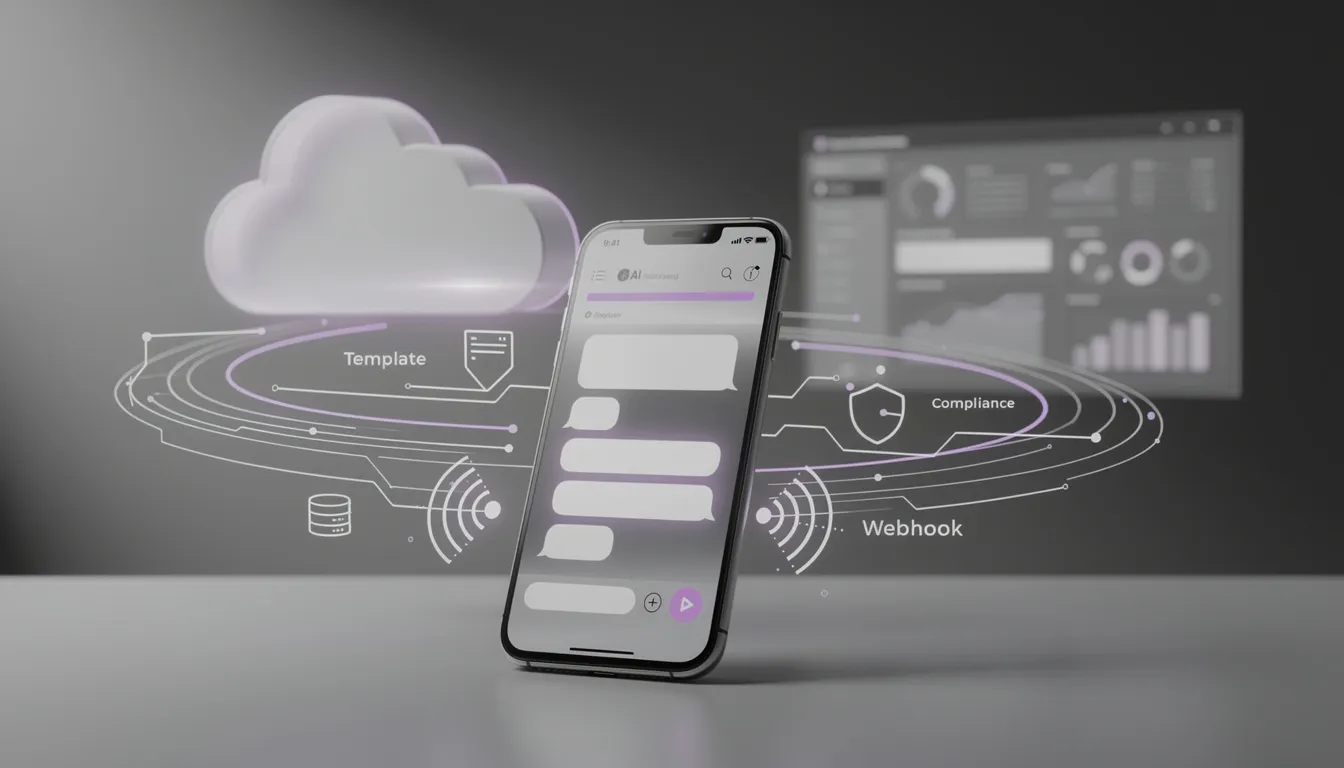
Most WhatsApp chatbots fail for a non-technical reason: nobody owns the seams between product decisions, legal constraints, and engineering reality.
That’s why AI chatbot integration with WhatsApp Business is less like “plugging in an API” and more like shipping a policy-shaped product. WhatsApp looks like chat, but it behaves like a governed channel: message templates, a strict 24-hour session window, opt-in and opt-out requirements, and quality signals that quietly affect cost and deliverability.
If you’ve lived through template rejections, unclear ownership, risky data handling, or fragile webhook integration, you already know the pain: the bot “works” in a demo, then breaks in production—operationally, legally, or both.
In this playbook, we’ll walk end-to-end: setup → templates → compliance → lifecycle → handoff → testing → optimization. You’ll get plain-English definitions for WhatsApp’s rules, plus “who owns this” notes that let product, legal, engineering, and CX ship together. At Buzzi.ai, we build WhatsApp AI agents for emerging markets, and we’ve learned the hard way that a safe rollout is mostly about planning the seams.
What “WhatsApp Business AI chatbot integration” really includes
When people say they want a WhatsApp chatbot, they often mean: “We want customers to message us and get answers.” In reality, AI chatbot integration with WhatsApp Business is a stack. You’re integrating a channel, an AI layer, multiple internal systems, and an operating model—then aligning all of that with policy and privacy constraints.
If you treat it as “just a bot,” you’ll optimize for the wrong thing (prompt quality) and underinvest in the things that determine reliability (templates, sessions, webhooks, and handoff).
The four layers: Channel, Brain, Systems, Operations
Layer 1: Channel is WhatsApp itself—typically via the WhatsApp Business API (often the WhatsApp Cloud API), a verified phone number, message routing, and webhooks for inbound/outbound events. This layer also includes message types: session messages vs templates, plus interactive messages like buttons and lists.
Layer 2: Brain is what “makes it AI”: the LLM, prompts, tool calling, retrieval (if you use RAG), and guardrails. It’s also where you decide what the bot shouldn’t do: refuse unsafe requests, avoid speculation, and route to humans when uncertain.
Layer 3: Systems are the places the bot must act: CRM/helpdesk, order management, identity verification, catalog, billing, and sometimes payments. Most successful bots are less “chatty” and more “tool-driven”: they look up the answer, confirm it, and take the next action.
Layer 4: Operations is the part teams forget. Who monitors failures? Who owns template changes? Who handles escalations? How do you do QA without storing sensitive chat transcripts? This layer includes agent handoff, training, analytics, incident response, and compliance audits.
Example: imagine a support bot that handles “Where is my order?” The channel layer receives the user’s message, the brain layer detects the intent, the systems layer calls an order lookup tool, and operations handles the edge cases: failed lookup, angry user, or a policy constraint when the user replies two days later. If the issue becomes complex, you need a bot handoff to agent—say, routing to Zendesk—plus policy-safe re-engagement templates to reopen the conversation later.
Key constraints that shape product design (not just engineering)
WhatsApp’s rules shape UX. They are product constraints wearing an engineering costume.
The 24-hour window means follow-ups are not “free.” If a user last messaged you 26 hours ago, you can’t just send them a helpful update in free-form text; you need an approved template. So the bot’s UX must drive toward closure while the session is open—and plan how to continue ethically when it isn’t.
Template approval means you can’t ship copy the way you do in email, push, or website banners. You need versioning, review, and a minimum viable library before launch. If your product team writes ad hoc messages, you’ll hit a hard wall.
Conversation categories and quality signals affect both cost and deliverability. The practical implication: “spray and pray” messaging hurts you twice—users complain, quality drops, and your ability to reach users gets worse.
End-to-end encryption is great for user trust, but it changes debugging and data retention. You can’t assume you’ll have perfect visibility into everything at all times, and you shouldn’t store raw transcripts by default if you don’t have to.
Concrete scenario: a shipping update is delayed. If the user asked about it an hour ago, you can respond conversationally within the session. If the update comes the next day after the window closes, you need a template: predictable, approved language that looks more like a permissioned notification than a chatty follow-up.
A RACI snapshot: who owns what across product, legal, engineering, CX
Here’s an ownership list you can paste into a kickoff doc. The point isn’t bureaucracy; it’s preventing “we thought you owned that” failures.
- Product: intent map, conversation flows, escalation policy, template library (copy + variables), tone/voice, and stop conditions (what the bot must never do).
- Legal/Privacy: opt-in disclosures, consent scope, retention policy, DPIA/DPAs (as needed), vendor review, and compliance review of templates and data handling.
- Engineering: WhatsApp Cloud API/WABA setup, webhook integration reliability, idempotency, rate limits, secrets management, observability, and integrations to CRM/helpdesk and internal systems.
- CX/Ops: agent workflows, macros, handoff SLAs, QA sampling, training, escalation queue design, and ongoing content iteration based on real conversations.
When these are fuzzy, you get slow template approvals, fragile deployments, and risky data handling. When they’re explicit, you get speed.
Phase 0 — Pre-launch alignment: the checklist before you touch the API
Most teams start with API keys and end up with policy debt. Phase 0 flips that: decide what you’re building, what you’re refusing, and what you’re measuring—before you ship anything.
Define the job-to-be-done and the stop conditions
Start with 1–2 primary intents. Resist “general Q&A” until you’ve earned it. WhatsApp users are often in a hurry; the fastest bot wins.
Pick intents that map cleanly to backend actions and measurable outcomes: order status, appointment reschedule, payment confirmation, return initiation. These typically drive ticket deflection and reduce customer support costs without putting you in a policy gray zone.
Then define stop conditions: what the bot must never do, and when it must hand off.
- Never do: provide medical or legal advice, collect passwords/OTPs, offer guarantees it can’t verify, or discuss sensitive account actions without secure verification.
- Escalate when: sentiment is negative, the user repeats the same question twice, a high-value customer is detected, or the bot’s confidence drops below a threshold.
Example stop-conditions for a fintech support bot:
- Any request involving password reset, OTP, PIN, or card details → immediate handoff + secure link.
- Any mention of fraud, account takeover, or unauthorized transactions → priority queue + human confirmation.
- KYC/identity document submission in chat → only via secure upload flow; never request full IDs in plain chat.
Data & privacy: decide what you will store, for how long, and why
Privacy isn’t a feature; it’s a system constraint. If you don’t decide upfront what you store, you’ll accidentally store everything—because logs are convenient.
A pragmatic baseline: minimize storage of raw message content. Store event logs and outcomes instead: timestamps, message IDs, intent classification, tool calls performed, errors, and whether the conversation ended in containment or handoff.
One simple pattern that works well in practice is: store “intent + outcome + handoff reason” by default, and store transcripts only for sampled QA with redaction. This supports learning and iteration without turning your database into a liability.
If you use retrieval (RAG), make sure source documents are permissioned and current. The easiest way to ship misinformation is to connect the bot to a wiki that hasn’t been updated since last quarter.
For risk framing, legal teams often respond better to external benchmarks than vibes. IBM’s annual report on breach costs is a useful reference point for why “we’ll clean it up later” is an expensive strategy: IBM Cost of a Data Breach Report.
Rollout plan that matches template approval reality
Template approval is often the critical path, even when engineering is fast. So you run parallel tracks.
Plan these workstreams in parallel:
- Integration: API, webhooks, environments, monitoring
- Templates: drafting, naming, variable rules, localization
- Legal review: opt-in language, privacy posture, policy checks
- Ops training: handoff flows, macros, QA, incident playbooks
Set a realistic buffer. Don’t schedule “go live” for the same week you submit your first templates.
A suggested timeline (example, not gospel):
- Week 1: intents + stop conditions, opt-in plan, data minimization policy
- Weeks 1–2: draft minimum viable template set; legal review starts immediately
- Weeks 2–3: Cloud API/BSP setup, webhook plumbing, sandbox testing
- Weeks 3–4: integrations to helpdesk/order system; agent handoff; QA sampling plan
- Weeks 4–6: phased rollout + metrics review + template iteration
Minimum viable template set means: the smallest library that still covers your lifecycle (welcome/consent, core updates, re-engagement, and opt-out confirmations). More on that in Phase 2.
Phase 1 — Setup: WhatsApp Business API integration that won’t break
Phase 1 is about engineering decisions that either disappear into the background—or haunt you for months. The goal is boring reliability: messages in, decisions made once, actions taken safely, and errors observed early.
Choose your approach: WhatsApp Cloud API vs BSP vs embedded vendor
There are three common paths for how to integrate AI chatbot with WhatsApp Business API. All can work; the right choice depends on whether you’re optimizing for control, speed, or risk reduction.
- WhatsApp Cloud API: more control and potentially lower platform/tooling fees, but you own more engineering and compliance plumbing. Great when you have a strong platform team.
- BSP (Business Solution Provider): often faster onboarding and ready-made tooling, but may come with fees, constraints, and varying levels of lock-in.
- Vendor-managed orchestration (e.g., Buzzi.ai): fastest time-to-value when you need channel setup + AI agent + integrations + ops discipline. This is typically the “ship in 4–6 weeks” option for smaller teams or high-stakes rollouts.
Decision example: a SaaS company with a lean team wants WhatsApp support for emerging markets. They choose a vendor-managed approach to avoid becoming experts in template operations, policy nuance, and on-call reliability—all at once.
If you want a deeper walkthrough of the reliability pieces (webhooks, retries, session logic) from a product lens, see our guide: AI chatbot integration with WhatsApp Business that never breaks.
Webhook integration basics: reliability, idempotency, retries
A WhatsApp bot is an event-driven system. Treat inbound messages as events, not as “requests.” That mindset forces you to plan for retries, duplicates, and out-of-order delivery.
Bad pattern (common in prototypes): receive a webhook, process everything synchronously, call the LLM, call your backend, then respond. If anything times out, WhatsApp retries, and you process the same message twice—creating duplicate tickets, duplicate refunds, or contradictory answers.
Good pattern: acknowledge quickly, store the message ID, enqueue for async processing, and make processing idempotent. If the same message arrives twice, your system recognizes it and does nothing the second time.
On security: verify webhook signatures/tokens, store secrets in a vault, and rotate them. If you’re integrating additional systems (CRM, payments), use least privilege and short-lived tokens where possible. OWASP’s checklist is a solid baseline: OWASP API Security Top 10.
Message types you should support on day one (and why)
Day one shouldn’t be “the bot can talk.” It should be “the bot can guide.” In constrained channels, interactive messages (buttons/lists) reduce ambiguity, reduce hallucinations, and improve conversion.
- Text: necessary for open-ended questions, but don’t over-rely on it.
- Interactive buttons/lists: best for top intents and confirmations (“Track order”, “Reschedule”, “Talk to agent”).
- Quick replies: ideal for consent and structured choices, especially when you need explicit user confirmation.
- Media messages (PDF/image/audio): only when your workflow truly needs documents (claims, invoices), and when you have safe handling pipelines.
Example: an insurance claim status flow works well with list-based selection (“Claim status”, “Upload documents”, “Speak to agent”) plus a PDF upload option for policy documents. You’ll reduce back-and-forth and improve containment.

Phase 2 — Templates: build a library that gets approved and performs
Templates are where WhatsApp bots go from “cool demo” to “operational product.” If you treat templates as an afterthought, you’ll ship a bot that can’t follow up, can’t recover after the 24-hour window, and can’t communicate reliably at scale.
The practical goal: a template library that is policy-safe, approved, versioned, and tied to lifecycle events—not departments.

Template strategy: group by lifecycle, not by department
Grouping templates by department leads to duplication and inconsistent voice. Group by lifecycle because users experience your business as a journey, not an org chart.
- Acquisition: opt-in confirmation, welcome, onboarding nudges
- Support: proactive updates (shipping, appointment), ticket creation confirmations, outage notices
- Re-engagement: session reopen prompts that are value-first and policy-safe
A minimum viable template library (10–15 templates) might look like this:
- Opt-in confirmation + scope (“You’ll receive order updates here…”)
- Welcome + main menu
- Opt-out confirmation
- Order shipped update
- Order delayed update
- Delivery completed + feedback prompt
- Appointment reminder
- Appointment rescheduled confirmation
- Ticket created confirmation + case ID
- Ticket status update (in progress / needs info)
- Payment received confirmation
- Refund approved confirmation
- Outage/maintenance notice
- Session reopen: “Reply 1 to continue / 2 to talk to an agent”
- Re-verification request via secure link (for sensitive actions)
Meta’s official overview is worth skimming so your team shares vocabulary: WhatsApp message templates guidelines.
How to get template approval faster
Template approval gets faster when your templates are clearly user-expected. WhatsApp is hostile to vague promotional messaging—because users are hostile to it too.
Three practical rules:
- Be explicit about value: “Your delivery is scheduled for tomorrow” beats “Exciting update!”
- Keep variables simple: fewer parameters, less punctuation complexity, easier localization.
- Use naming and versioning: treat templates like an API. Version changes; don’t overwrite.
Example rewrite (marketingy → user-expected):
Before: “Hi {{1}}! We have great news for you—check out your latest update now!”
After: “Hi {{1}}, your order {{2}} is delayed. New ETA: {{3}}. Reply 1 to get support or 2 to talk to an agent.”
The second is clearer, less “pushy,” and more aligned with a transactional/support expectation.
Operational use: when templates should be sent by bot vs by humans
Templates aren’t just content; they’re operational triggers. Decide which triggers are deterministic and safe for automation, and which require human judgment.
- Bot-triggered templates: payment received, ticket created, shipping update, appointment reminder.
- Agent-triggered templates: refund approvals, sensitive escalations, exceptions that could create liability.
One simple governance rule: refunds over $X require an agent-triggered template. That gives you auditability: who initiated, what variables were used, and what outcome occurred.
This is also where your customer support automation strategy becomes real: the bot does the predictable parts, humans do the sensitive parts, and both share a consistent voice.
Phase 3 — Compliance & policy: design the bot around the rules
Compliance is not paperwork after launch. It is product design. If you build flows that require behavior WhatsApp doesn’t allow, you’ll either break the UX or accumulate “workarounds” that get your account flagged later.
A practical WhatsApp Business AI chatbot compliance and policy guide isn’t about memorizing rules. It’s about designing defaults: opt-in clarity, safe data handling, and conservative re-engagement.
Opt-in, opt-out, and consent logging that legal teams can defend
The best opt-in flows do two things: they’re honest, and they’re provable.
Log the opt-in source (web/app/offline), timestamp, and scope. Scope matters: “order updates” is not the same as “marketing offers.” The more precise you are, the easier your compliance review becomes.
Make opt-out easy. Support common stop words (“STOP”), confirm the opt-out, and honor it immediately. Don’t “dark pattern” users into consent; align the flow with your privacy notice and brand trust.
Three opt-in flow examples that tend to survive scrutiny:
- Website checkbox: “Send order updates on WhatsApp” with link to privacy notice.
- In-app toggle: a settings switch for WhatsApp updates with scope explained.
- In-store QR code: user scans and sends a message first, then receives an opt-in confirmation template.
Sensitive data handling: what the bot should never ask for in chat
As a default posture: don’t collect secrets in chat. No passwords. No OTPs. No full card numbers. Government IDs only if your compliance posture explicitly allows it and you have secured workflows end-to-end.
When high-risk actions are needed, move users to a secure link or in-app flow. Then return to WhatsApp with a confirmation. This protects users and reduces the chance your support channel becomes an attack surface.
Also: plan redaction and retention. If you must store transcripts for QA, redact PII and restrict access with role-based controls and an audit trail.
Policy failure modes that get accounts flagged
Most account flags come from operational behavior, not malicious intent. The bot “works,” but the system behaves in ways that trigger complaints or policy enforcement.
Top 5 mistakes we see:
- Unsolicited messaging: sending templates without clear opt-in scope or user expectation.
- Misleading templates: promotional tone disguised as support, or unclear business intent.
- Aggressive re-engagement: “just checking in” messages that create spam signals.
- Poor handoff: users stuck in bot loops, leading to complaints and quality degradation.
- Inconsistent identity: unclear business name/branding, confusing users and reducing trust.
Meta’s policies evolve, so align your ongoing process with the sources of truth: WhatsApp Business Policy and Meta Business Messaging-related policies (review what applies to your use case).

Phase 4 — Session lifecycle: win the 24-hour window (and recover after)
The 24-hour window is the most misunderstood constraint in WhatsApp bots. It’s not just a billing detail; it shapes your entire interaction design.
If you want to know how to handle 24 hour WhatsApp session messages with AI chatbot, think of the session as a “live support window.” Outside that window, you can only message with templates—so your bot needs an ethical, user-friendly recovery path.
Session vs template messages: a simple mental model
Within 24 hours: act like support. Ask structured questions, use interactive messages, and drive to resolution. Keep the conversation focused; meandering costs both time and trust.
Outside 24 hours: act like notifications. Use templates that deliver explicit value and offer a clear next step. Treat templates as permissioned messages, not as an excuse to re-open chat.
Ethical “keepalive” flows are value-first: “Reply with 1 to confirm delivery time” is fine when the user is expecting delivery. “Hey are you there?” is not.
Example troubleshooting flow inside the window: the bot asks 3 structured questions (device, error code, last successful usage), offers 2 menu options, then either resolves or hands off—without turning into an essay generator.
Reopen strategies that are policy-safe and user-friendly
Reopen only when you have a deterministic trigger. That’s the difference between a useful update and spam.
- Delivery updates, appointment reminders, and ticket status changes are legitimate triggers.
- “Just checking in” is a complaint generator.
Use interactive messages to make the next step frictionless, and cap frequency. The fastest way to reduce lifetime deliverability is to ignore opt-out signals or annoy users.
Example reopen template logic: “Your appointment is tomorrow at 3 PM. Choose an option: Reschedule / Talk to agent.” Simple, user-expected, and actionable.
Handoff timing: when the bot should stop and an agent should start
The best bots don’t “win” by never handing off. They win by handing off at the right time with the right context.
Trigger handoff when:
- The user repeats themselves (two failures in a row).
- Sentiment spikes negative (“this is useless”, “angry”).
- A high-risk domain appears (security, refunds, compliance).
When handing off, send a packet: intent, entities, last 5 turns, tools called, and what you already tried. Example handoff packet: order ID, customer tier, issue summary (“delayed delivery, new ETA missing”), and last system lookup timestamp.
Post-handoff, the bot should stay silent unless the agent requests assistance. Otherwise you create a three-way conversation that feels like noise.
Phase 5 — Media and rich interactions: make WhatsApp feel like a product
WhatsApp is a messaging app, but your bot should feel like a compact product interface. The best bots use media and interactivity to reduce cognitive load, not to show off capabilities.
Documents, images, and audio: the workflow-first approach
Start with the workflow: what does the user need to submit, and what decision happens next?
- Define allowed media types, file size limits, and retention rules.
- For PDFs (invoices, statements), run extraction/verification pipelines and add human review gates where needed.
- For audio, use speech-to-text carefully and confirm back with structured choices. Never assume transcription is perfect.
Example flow: invoice upload → extraction → bot confirms key fields (“Amount: X, Date: Y”) → user confirms via quick reply → ticket created. That’s how you combine media messages with controlled outcomes.
If your workflow includes document extraction, this often overlaps with intelligent document processing and automation patterns (the same techniques used for invoices and forms).
Interactive lists/buttons to reduce cost and confusion
Interactive messages are underused because teams think “AI should understand anything.” In practice, structured choices reduce errors, reduce LLM costs, and improve speed.
Use interactive lists for top intents and map each choice to a backend action. Example telecom support menu:
- Billing & payments
- Data pack / plan change
- Network issue
- Talk to an agent
Plan a fallback for clients where interactivity isn’t available: numbered options (“Reply 1 for Billing…”). Not glamorous, but reliable.
Guardrails for LLM responses in a constrained channel
WhatsApp is not the place for long, speculative answers. Prefer tool-based answers for account-specific data and keep generative text for explanations and empathy.
Two short examples:
Safe refusal: “I can’t access your full account details in chat. I can help you reset access using a secure link, or connect you to an agent.”
Unsafe hallucination: “Your refund will arrive in 2 hours” (when you didn’t check the system). That’s how you create broken promises and escalations.
Strong guardrails are boring by design: strict system prompts, explicit uncertainty, and policy rules that prevent the bot from guessing.
Phase 6 — Testing, monitoring, and launch: treat it like production software
Too many teams “launch a bot” the way they launch a landing page. But a WhatsApp bot is production software: it has state, retries, costs, and user trust at stake.
Staging strategy and test matrix (before real customers)
Use separate environments and test numbers. Add feature flags by intent so you can roll out gradually and isolate failures.
A practical test matrix includes the happy path plus edge cases like these:
- User messages outside the 24-hour window (template required).
- Template variable missing/invalid (should fail gracefully).
- Duplicate webhook delivery (idempotency check).
- Out-of-order messages (ensure correct state).
- Rate limit responses (backoff + retry).
- User sends media when not requested (policy-safe handling).
- User asks for OTP/password (refusal + secure flow).
- Language mismatch (fallback + language detection).
- Agent handoff mid-flow (context transfer + bot silence).
- Backend tool timeout (communicate delay, don’t guess).
- Opt-out command at any point (must be honored immediately).
Security testing matters too: secrets rotation, access logs, and least-privilege permissions across systems.
Observability you need from day one
Without observability, you’ll debug via screenshots and vibes. You want to trace each conversation: entry source → intent → actions → outcome → handoff.
Alert on:
- Webhook error rates and latency spikes
- Template send failures
- Cost spikes (LLM or messaging)
- Handoff queue backlog
For QA and compliance audits, do sampling. Review a small percentage of conversations, verify opt-out honoring, and track failure modes by intent.
Example KPI dashboard bullets that are actually actionable:
- Deflection/containment rate (paired with complaint rate)
- Time-to-first-response and time-to-resolution
- AHT reduction for agents on handed-off tickets
- Template approval rate and time-to-approval
Launch plan: phased rollout and incident playbook
Roll out like a feature, not like a campaign.
- Internal dogfooding
- 5% traffic
- 25% traffic
- Full rollout
Have a kill switch and a clear fallback to a human queue. Define on-call ownership across engineering and CX.
Incident scenario example: WhatsApp webhook outage. Your system should detect inbound event failures, alert on-call, pause outbound automation, and route users to an alternative channel or a human queue once service resumes—without duplicating actions when messages replay.

What success looks like: metrics, iteration loops, and a cost case
A WhatsApp bot that “answers questions” is nice. A bot that changes unit economics is a product.
Define success as a combination of efficiency and quality. If you maximize deflection by trapping users, you’ll pay for it later in complaints, churn, and account health.

North-star and supporting metrics for WhatsApp bots
Start with a north-star metric, then add supporting metrics that prevent gaming.
- Containment / ticket deflection: % of conversations resolved without human involvement. Good when paired with stable CSAT and low complaints; bad if users are stuck in loops.
- Time-to-first-response: should be near-instant for the bot. If it isn’t, your webhook/queue is broken.
- Time-to-resolution: the metric users actually feel. If it doesn’t improve, your bot is just moving work around.
- Agent handle time reduction: for handed-off cases, does the context packet shorten time?
- Opt-in rate: if it’s low, your value proposition is unclear or your flows are too pushy.
- Template approval rate: a proxy for operational maturity and policy alignment.
Over time, this turns into a cost case: fewer repetitive tickets, faster resolution, and better customer engagement in a channel users already prefer.
Iteration loop: from transcripts to product changes
The best iteration loop is not “prompt tuning.” It’s product work driven by failure clusters.
Run a weekly review:
- Top failed intents and why
- Missing integrations (what the bot needed but couldn’t do)
- Templates underperforming (low response, high confusion)
- Handoff reasons (what pushes users to agents)
Then make structural changes: add interactive choices where ambiguity is high, tighten guardrails, and improve tool reliability.
Example: “refund status” fails repeatedly. You can spend weeks adjusting prompts, or you can ship the missing backend endpoint and let the bot check real refund state. One is AI theater; the other is product engineering.
When to bring in an implementation partner (and what to demand)
It makes sense to hire vendor for WhatsApp Business AI chatbot integration when policy risk is high, integrations are many, or time-to-market matters more than owning every piece from day one. It also makes sense when your team doesn’t want to become experts in template operations and compliance nuance.
Demand outcomes, not demos. A vendor evaluation mini-checklist (10 questions):
- What’s your RACI—who owns templates, approvals, and iteration?
- How do you handle opt-in scope and consent logging?
- What’s your webhook reliability approach (idempotency, retries, async)?
- What’s your stance on transcript storage and redaction?
- How do you structure handoff and context transfer?
- Do you support interactive messages and media safely?
- What monitoring/alerts ship on day one?
- How do you run staged rollouts and rollbacks?
- What metrics do you report weekly?
- What does “done” mean—containment targets, CSAT goals, cost reduction?
At Buzzi.ai, our approach is straightforward: discovery → build → launch → optimize, with policy-safe template discipline and production monitoring. For SaaS teams specifically, this reduces rollout risk while preserving the ability to evolve the bot as your product changes.
Conclusion: ship the bot that survives contact with reality
WhatsApp bot success is cross-functional. Templates, policy, ops, and engineering must ship together, or the seams will tear in production.
Design for the 24-hour window early, treat template approval as a product surface, and use interactive messages and tight handoffs to reduce errors and frustration. Most importantly, treat your WhatsApp integration like production software: retries, observability, staged rollout, and a kill switch.
If you want a realistic plan to go live safely—intents, template library, opt-in flow, compliance posture, and rollout timeline—we can help. Explore our AI chatbot and virtual assistant development services and book a short discovery call to map your launch path.
FAQ
What are the exact steps for AI chatbot integration with WhatsApp Business?
Start with Phase 0 alignment: pick 1–2 intents, define stop conditions, and agree on what data you will store. Then set up the WhatsApp Business API (Cloud API or BSP), build reliable webhook integration with idempotency, and connect core systems like helpdesk and order lookup.
In parallel, draft and submit a minimum viable message templates library, run a compliance review for opt-in/opt-out flows, and train CX on handoff. Finally, launch with staged rollout, monitoring, and weekly iteration based on failures and outcomes.
Should we use WhatsApp Cloud API or a BSP for our WhatsApp Business API integration?
WhatsApp Cloud API gives you more control and direct ownership of reliability, but it requires stronger engineering and ops maturity. A BSP can speed onboarding and provide tooling, though you may trade off flexibility and cost transparency.
If your priority is shipping fast with lower policy and operational risk, a vendor-managed approach can be the best middle ground—especially when templates, compliance, and agent handoff are part of the scope, not afterthoughts.
How long does WhatsApp message template approval take, and how do we avoid rejections?
Approval time varies, so you should plan buffer into your rollout rather than betting the launch on optimistic timelines. The main way to avoid rejections is to write templates that are clearly user-expected and value-first, not vague or overly promotional.
Keep variables simple, use consistent naming/versioning, and run templates through legal and CX review before submission. Treat templates like a product surface: stable, audited, and intentionally evolved.
What is the 24-hour session window, and how should an AI chatbot handle follow-ups?
The 24-hour window is the period after a user messages you during which you can reply conversationally (session messages). Outside that window, you generally need approved message templates to contact the user again.
Design your bot to drive toward resolution while the session is open, and use deterministic, policy-safe triggers (delivery update, appointment reminder, ticket change) to reopen with templates when needed. Pair reopen templates with interactive messages so users can take the next step quickly.
What does a compliant WhatsApp Business opt-in flow look like across web and app?
A compliant opt-in flow is explicit about scope and easy to prove later. On web, that usually means a checkbox that clearly states what messages the user will receive, plus a privacy notice link. In-app, it often looks like a settings toggle with the same scope clarity.
For offline, a QR code flow works well: the user initiates contact first, then you confirm opt-in with a template and log timestamp + source. Always make opt-out simple (e.g., STOP) and honor it immediately.
Which WhatsApp Business policies most commonly cause chatbot account flags?
The most common triggers are operational: unsolicited messaging, aggressive re-engagement, or templates that feel misleading relative to what the user opted into. Another major cause is poor handoff—users trapped in loops often complain, and complaints degrade account health.
Prevent this by aligning messaging to explicit user expectations, capping frequency, and adding clear “talk to an agent” exits. If you want a production-ready process for policy-safe rollout, Buzzi.ai’s AI chatbot development team can help build the compliance and operations layer alongside the bot.
How do we design bot-to-agent handoff so customers don’t need to repeat themselves?
Handoff should transfer context, not just the conversation. Send a structured packet: detected intent, extracted entities (order ID, account email), last few turns, and any backend checks already performed. Then route to the right queue with the right priority.
Equally important: after handoff, the bot should stop talking unless the agent requests help. Otherwise, customers experience confusing overlap, and agents lose trust in the automation.
Which metrics prove ROI for a WhatsApp AI chatbot (deflection, CSAT, cost)?
Start with containment/deflection, but always pair it with quality signals like CSAT, complaint rate, and escalation rate. If deflection rises while complaints rise too, you’re not saving money—you’re borrowing it from churn and brand damage.
Add operational metrics: time-to-first-response, time-to-resolution, agent handle time reduction on handed-off cases, and template approval time/rate. Those metrics tell you whether the bot is making support faster, cheaper, and more consistent.


