AI Agent Integration Services: Ship Reliable Agents in Your Stack
AI agent integration services succeed when agents plug into ERP/CRM, SSO, and monitoring. Get blueprints, patterns, and checklists to ship reliably.
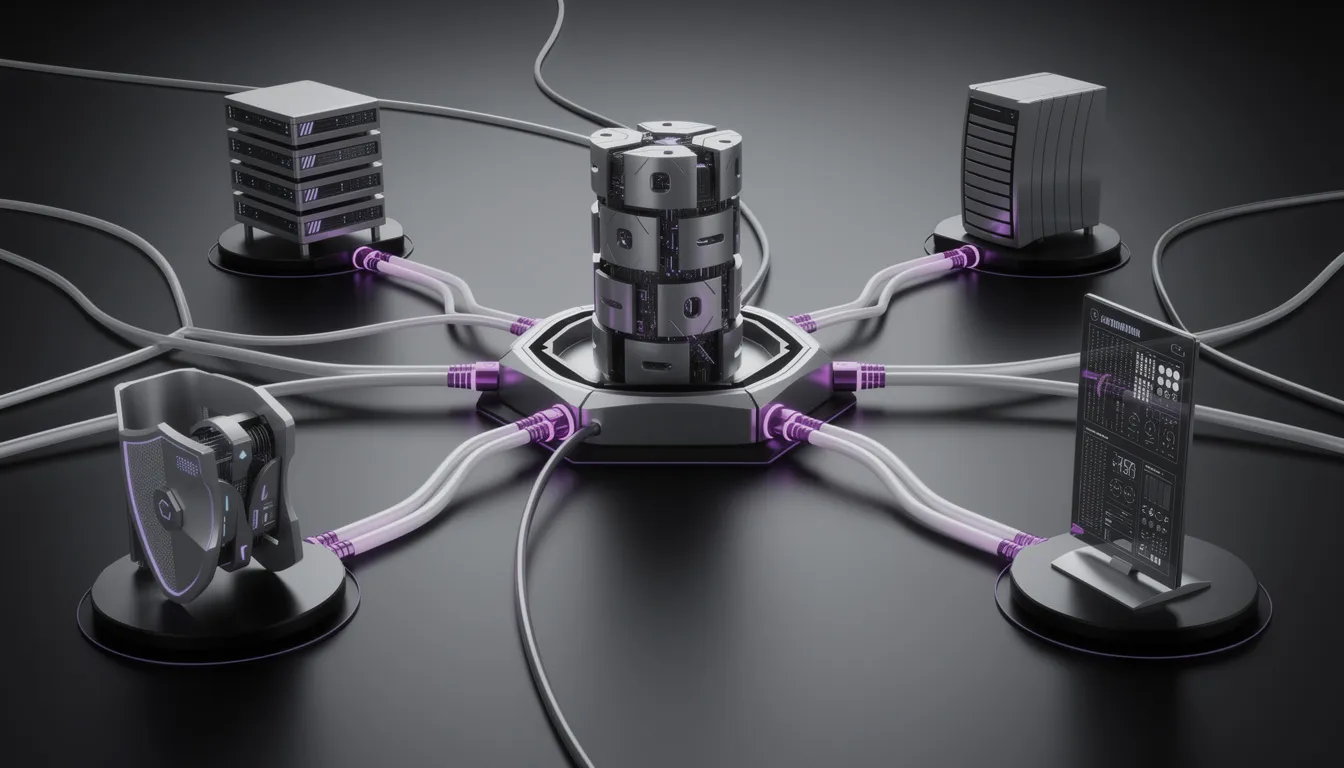
Most AI agents don’t fail because the model is dumb—they fail because the integration is brittle. The moment an agent touches ERP permissions, CRM workflows, or monitoring, the demo collapses into tickets. That’s why AI agent integration services are becoming the real unlock: they turn an impressive chat into a dependable capability that fits your enterprise constraints.
If you’ve lived through the common failure mode—works in chat, breaks in systems—you already understand the stakes. It’s not one bug; it’s the compounding effect of messy data, ambiguous identity, unreliable retries, and “nobody owns it” operations. In other words: what looked like a product is actually a prototype attached to production systems with duct tape.
In this guide, we’ll treat agents the way enterprises actually have to: as integration products. We’ll break down what AI agent integration services cover (data, auth, orchestration, UI embedding, observability), give you an integration-first reference architecture, and finish with a copy/paste pre-deployment checklist you can use to gate go-live.
We’ll also be candid about why this is hard. Buzzi.ai builds AI agents and automations that integrate into real business systems—including WhatsApp-first deployments in emerging markets where reliability is a feature, not a bonus. When connectivity is uneven and humans are busy, you don’t get to “retry later” as a strategy.
What AI agent integration services actually include
When enterprises ask for “an AI agent,” they often imagine a better chat UI with a smarter autocomplete. When engineering hears “agent,” they hear “a service that can take actions,” which immediately implies permissions, audit trails, rate limits, and incident response. AI agent integration services exist to bridge that gap.
At a practical level, enterprise integration is the work of connecting systems that were designed at different times, with different assumptions, and with very different definitions of “done.” The agent may be new; the constraints are not. The integration is where those constraints show up.
Definition: the agent is the interface, integration is the product
AI agent integration services are the design and implementation work that makes an agent safe and useful inside your stack: connectors to internal systems, permission models, orchestration, UI embedding, and operational controls. Model selection might matter, but it’s optional in scope; integration is not.
Think of the agent as the interface layer. It’s what the user experiences. The integration is the product layer: how the agent gets data, how it executes actions, and how you control and observe it when reality deviates from the happy path.
Enterprises also expect enterprise artifacts. That means deliverables like:
- SLAs and SLOs tied to business workflows (not token counts)
- Audit trails that answer “who did what, when, and why”
- Change management for prompts, tools, policies, and connectors
- Runbooks and escalation paths for incidents
A quick vignette makes this concrete. Imagine an agent that can draft order status updates. That’s a demo. It becomes valuable only when it can read the current order status in your ERP, cross-check shipment events, and write a structured note into your CRM tied to the customer record. That is AI agent integration.
Why pilots fail at integration (not the model)
Pilots fail because pilots avoid hard dependencies. In a demo, the agent can “assume” it has the right data and permissions. In production, the agent must earn everything: data access, identity, execution rights, and predictable failure behavior.
Here are five symptoms you can use as a quick diagnostic for demo-to-production collapse:
- It can’t find data: APIs are incomplete, fields are inconsistent, or critical records live in a system nobody documented.
- Auth is improvised: shared credentials, missing least-privilege scopes, no user impersonation, and no auditability.
- Retries create duplicates: timeouts trigger replays, which create duplicate CRM tasks, invoices, or tickets.
- Latency becomes user-visible: long-running jobs block interactive use; synchronous calls fail under load.
- Ops has no handle: no tracing, no alerting, unclear ownership, and no rollback strategy when behavior drifts.
Notice what’s missing: “the model wasn’t smart enough.” Models help, but they’re rarely the gating factor for enterprise AI deployment. Integration is.
The five-layer taxonomy you can use to plan work
One reason AI agent integration services feel slippery is that they span teams: data, security, platform, and the business workflow owner. A simple taxonomy makes it tractable and gives you a shared planning language.
We recommend five layers:
- Data: ERP/CRM access, document access, RAG connectors, and governance
- Auth: IdP/SSO integration, identity mapping, and least-privilege controls
- Orchestration: workflow engines, queues, retries, idempotency, and approvals
- UI/Workflow: where the agent shows up, how users review actions, how handoffs work
- Monitoring/Controls: logging and tracing, alerting, SLOs, and rollback/pause switches
Apply it to a “customer support case closer agent.” Data: read case history + knowledge base. Auth: act on behalf of the assigned agent, not “[email protected].” Orchestration: generate resolution, request approval, then close case + update CRM. UI: embed the draft resolution in the support console. Monitoring: trace every tool call and record update with correlation IDs for audits. The model is a component; the layers are the system.
Integration-first reference architecture for enterprise AI agents
Architecture is where integration stops being a pile of connectors and becomes an operable system. The key is to design for governance and failure from day one, because the agent will eventually touch something expensive: customer data, financial records, or production workflows.
In an enterprise AI deployment, your goal is not to prevent all failures. Your goal is to make failures safe, diagnosable, and reversible. That’s the difference between a tool people trust and a novelty they tolerate.
Control plane vs execution plane (how to keep agents governable)
A useful mental model is to split the system into a control plane and an execution plane. The control plane holds configuration, policies, tool permissions, prompt versions, and routing rules. The execution plane actually runs tool calls, workflows, and side effects.
Why does this matter? Because it lets you ship changes without redeploying everything, and it gives you a clear rollback switch when something goes wrong. More importantly, it creates an auditable trail: a tool call wasn’t “the model’s idea”; it was allowed by an approved policy at time T.
Human-in-the-loop fits naturally here. Instead of “someone checks Slack,” approvals become first-class steps in the execution plane, governed by policies in the control plane. That’s how you keep system-of-record writes from becoming accidents.
Example: you deploy an agent update that improves CRM note quality. Within an hour, you notice a spike in CRM write volume due to an unintended loop. With a control plane, you flip a feature flag: “pause writes,” keep reads enabled, and roll back the policy version—without taking the entire service down.
Where the agent sits: behind an API gateway, not directly on the internet
Put the agent behind an API gateway. This is not enterprise theater; it’s how you get durable controls: authentication, rate limiting, request shaping, and centralized logging. When the agent is a public endpoint, every caller becomes a potential policy bypass.
Rate limiting is often treated as cost management. In production, it’s a reliability primitive: it prevents thundering herds, protects downstream tool APIs, and gives you graceful degradation rather than total failure. Token budgets belong in the same category: a way to prevent pathological requests from cascading into timeouts.
Your threat model also gets clearer. Prompt injection can become tool misuse; tool misuse can become data exfiltration. A gateway helps enforce API security best practices at the perimeter, before the agent tries to “helpfully” do the wrong thing.
If you want an authoritative primer on gateway patterns, Microsoft’s API Management guidance is a solid reference: Azure API Management key concepts.
Before/after: a direct SaaS webhook calls the agent, which directly calls the CRM API with broad credentials. After: the webhook hits the gateway; the gateway authenticates, rate-limits, attaches a correlation ID, and forwards to the agent with a scoped execution token. Same demo, radically different production posture.
When to go event-driven vs synchronous APIs
Deciding between synchronous APIs and event-driven architecture is not a philosophical debate; it’s an operations decision. Use events when durability matters more than immediacy. Use synchronous calls when latency is part of the user experience.
Event-driven works best for long-running, high-volume, high-retry workflows: invoice processing, ticket queues, batch enrichments. Events give you persistence, replay, backpressure, and a natural audit log. Synchronous APIs shine for interactive tasks: an agent embedded in a CRM UI where a rep expects a response in seconds.
Two mini scenarios:
- Invoice processing: an event triggers extraction, validation, approvals, ERP write, then reconciliation. This wants queues and retries.
- Sales copilot: a rep clicks “draft follow-up” in the CRM. This wants synchronous response with strict timeouts and a fallback to “save draft.”
AWS’s guidance on event-driven patterns is a useful framing document when you’re choosing tradeoffs: AWS Prescriptive Guidance on event-driven architecture.

Layer 1 — Data integration: ERP/CRM + RAG without breaking governance
Data integration is where AI agents in production either become trusted copilots or unpredictable storytellers. The agent’s “intelligence” is bounded by what it can reliably read—and how safely it can write. In enterprise settings, that means ERP integration, CRM integration, and retrieval-augmented generation done with governance, not vibes.

ERP/CRM integration patterns that survive versioning
The first mistake teams make is treating ERP/CRM connectivity as a one-time connector project. Real systems drift: fields change, workflows evolve, and APIs get versioned. Your integration has to survive that drift without turning every small change into a production incident.
Prefer stable integration surfaces in this order:
- Official APIs (REST/SOAP/GraphQL) with documented contracts
- Middleware/iPaaS when you need abstraction, mapping, and monitoring
- Database views as a last resort (and rarely for writes)
Schema drift is the enemy. Build a mapping layer that translates external fields into internal canonical types, and add contract tests that fail early when upstream fields or validation rules change. Backward compatibility matters because your agent will be operating while the business changes the workflows it depends on.
Tradeoff example: Salesforce is typically straightforward for read/write through APIs, with strong object models and permissioning. SAP integration often benefits from exposed services or an integration platform that can mediate changes and manage long-running processes. The pattern is the same: choose the surface that best preserves contractual stability and auditability.
RAG connectors: how to connect internal knowledge safely
Retrieval-augmented generation (RAG) is often explained as “the model can search your docs.” In practice, RAG is an integration pattern: connectors pull content, chunking pipelines normalize it, embeddings index it, and retrieval grounds the agent’s response in source material.
In enterprise AI deployment, governance is the point. That includes data classification, allowed indices by role, retention policies, and deletion workflows. If the data is sensitive, “the agent won’t mention it” is not a control; access policy is.
Citations and provenance should be treated as a production requirement. If a support agent asks, “What’s the refund policy for plan X?” the agent should answer and cite the relevant internal policy page and revision date. That’s how you turn “I think” into “we know.”
Write-path discipline: tools that can read are easy; tools that can write need guardrails
Read tools are relatively forgiving. Write tools are where systems of record get corrupted. A reliable AI agent integration effort treats writes as a separate class of capability with separate controls.
Three principles keep you out of trouble:
- Separate read tools from write tools, and default the agent to read-first behavior.
- Use approvals, constraints, and templates for writes (e.g., CRM field updates must validate stage transitions).
- Make writes idempotent with idempotency keys so retries don’t create duplicates.
Example: “update opportunity stage” shouldn’t be a free-form instruction. It should require the record ID, target stage, and a justification, then pass validation rules, then require approval for high-value opportunities. If the CRM API call times out, the idempotency key ensures the retry updates the same record once—rather than creating a new task or a duplicate note.
Layer 2 — Identity, SSO, and least-privilege access for agents
If data is the fuel, identity is the steering wheel. The difference between a pilot and an auditable enterprise system often comes down to whether you can answer one question: who did the action? Secure AI agent integration with SSO and IdP is not a feature; it’s table stakes.
The three identities an agent may need (and why it matters)
In practice, agents interact with your stack through three distinct identities:
- Service identity: the agent backend itself (used for baseline reads and internal operations).
- User identity: impersonation/delegation so actions occur “on behalf of” a specific employee.
- System identity: credentials for third-party tools that are not user-scoped (rare, but sometimes necessary).
Audit requirements demand that “who did what” maps to a human or an approved service role with explicit scope. Shared credentials break this immediately: they turn every action into an orphan.
Mini example: a sales rep asks the agent to create a CRM follow-up task after a call. The task should be created under the rep’s user identity (or a delegated token) and logged with correlation IDs and policy version. Later, if the rep disputes it, you can reconstruct the exact chain of events.
OAuth2/OIDC flows that work for tool execution
For most enterprise environments, this resolves into a familiar pattern: OIDC for SSO, OAuth2 for delegated API access. You authenticate the user via your identity provider (IdP), then use scoped OAuth2 tokens to call tool APIs. Tokens should be short-lived, rotated, and stored with care.
Scopes are where least privilege becomes real. If the agent only needs to write CRM notes, it shouldn’t have permission to delete accounts. For sensitive actions, require re-consent or step-up authentication, and use session timeouts that match the risk.
If you want the canonical sources, refer to the standards: IETF OAuth 2.0 (RFC 6749) and OpenID Connect Core 1.0.
Policy: least privilege + separation of duties for write actions
Least privilege is necessary but not sufficient. For system-of-record writes, you also want separation of duties: the agent can propose; a human (or a higher-privilege workflow) approves. RBAC/ABAC mappings make this enforceable across teams and departments.
A lightweight checklist for write tool approval gating:
- Define risk tier (low: notes; medium: stage updates; high: refunds/closures)
- Map required scopes for each tier; default to minimal scopes
- Require approval for high-risk operations
- Log before/after values and the approving actor

Layer 3 — Orchestration: from ‘chat’ to reliable business workflows
This is the layer that turns “the agent said it would do it” into “the work actually happened.” Orchestration is where enterprises win or lose: idempotency, retries, backpressure, and approvals aren’t glamour features, but they’re what keep your CRM and ERP from becoming a crime scene.
In many organizations, this is also where ownership becomes clear. If an agent triggers business processes, it needs the same rigor as any other workflow automation system—because that’s what it is.
Orchestration patterns: workflow engines, queues, and tool routers
Use a workflow engine when the job is multi-step, has SLAs, or requires approvals. Use queues when you need durability and backpressure. Use tool routers when you want explicit control over which tools can be invoked for which intents and risk tiers.
The critical move is to treat human-in-the-loop as an orchestrated step, not an ad-hoc escalation. If approvals happen in Slack or email, you’ve built a workflow system without the ability to measure or replay it.
Example workflow: ticket arrives → classify and triage → enrich with customer context → propose resolution and required tool actions → request approval → execute CRM update + close ticket → notify requester and log outcome. That is a workflow, even if the user experiences it as “chat.”
If you’re building this into your broader operations, our workflow and process automation services page outlines how we think about durable execution and ownership across systems.
Reliability primitives: idempotency, retries, dead-letter queues
Reliability is mostly about what happens when dependencies fail—which they will. Your agent needs primitives that prevent partial failures from turning into data corruption.
- Retries should use exponential backoff with jitter, and respect downstream rate limiting.
- Idempotency keys should exist per transaction so a retry produces the same outcome once.
- Dead-letter queues should capture failures with enough context to replay safely, with runbooks for on-call.
Failure scenario: the agent creates an invoice in the ERP, but the ERP API times out and returns an ambiguous response. Without idempotency, the retry creates a second invoice. With an idempotency key tied to the business transaction, the ERP receives the same operation and responds with the original invoice ID, even after the timeout.
Where service mesh fits (and where it doesn’t)
A service mesh can standardize mTLS, policy, and distributed tracing across microservices. If you already operate a mesh, it can help agent programs fit into existing platform standards. If you don’t, adding mesh complexity just to ship an agent is usually self-inflicted pain.
A pragmatic rule of thumb: if your agent stack is more than a couple of services and you already have platform tooling for mesh operations, consider it. Otherwise, stick with a gateway, well-tested client libraries, and disciplined standards for logging and tracing.

Layer 4 — UI & workflow embedding: make the agent useful where work happens
Even the best integration doesn’t matter if the agent lives in the wrong place. Adoption is less about excitement and more about muscle memory: people use what’s embedded in their workflow and ignore what requires context switching.
The goal of UI embedding is to reduce friction while keeping users in control—especially in early phases where a “handoff” design beats full autopilot.
Three embedding modes: sidecar, inline, and background agent
There are three common modes for AI agents in production:
- Sidecar: a chat panel alongside the primary tool for exploration and assistance.
- Inline: suggestions embedded directly in the UI where decisions happen.
- Background: automation that runs behind the scenes, notifying users only when needed.
Choose based on failure cost and context requirements. A sidecar is great for “help me understand” tasks. Inline is great for speed (drafting emails, summarizing calls). Background is powerful, but it needs stronger guardrails because it can silently do damage.
CRM example: inline email draft is low-risk and easy to review. Background follow-up task creation is higher leverage, but it must be constrained and auditable—otherwise you flood reps with junk tasks and the agent gets disabled.
Don’t break muscle memory: UI principles for adoption
Enterprise UX isn’t about delight; it’s about minimizing surprises. For agents, that means outputs must be reviewable, editable, and attributable. The user should know what the agent did, and what it intends to do next.
Two practical patterns work well:
- Source-aware answers for knowledge tasks: show citations to the underlying documents.
- Action previews for tool execution: display “Proposed CRM update” with the exact fields to change before executing.
This is also where logging and tracing becomes visible in a good way: when users can see “this action will be recorded under your identity,” they’re more willing to approve it.
Change management: training, playbooks, and escalation paths
The fastest way to kill a rollout is to assume adoption happens automatically. Your frontline teams need a short playbook: when to trust the agent, when to escalate, and how to report problems. They also need to know the agent’s boundaries—because ambiguity creates workarounds.
A practical rollout checklist for a 2-week pilot embedded in a CRM:
- Define success metrics (e.g., case closure time, task completion rate)
- Train users on review/approval flows and failure reporting
- Set escalation paths to humans with clear ownership
- Gate go-live on a minimal integration testing checklist for critical paths
Layer 5 — Observability, monitoring, and controls before you scale
If you can’t observe it, you can’t trust it. Observability is the layer that lets you debug agent behavior in production without relying on folklore. It’s also where governance becomes enforceable: you can prove what happened, not just speculate.
Many teams wait to add monitoring after the pilot. That’s backwards. The pilot is when you most need to see what the system is doing—because that’s when you’re learning how it breaks.
What to log (so auditors and engineers can reconstruct actions)
Logging for agents is different from logging for a web app, because the “decision” is partly stochastic and partly policy-driven. You need enough information to reconstruct actions, without turning your logs into a sensitive data leak.
A sample minimum viable audit log field list:
- Correlation ID (propagated across gateway → agent → tools)
- Timestamp and environment (sandbox/prod)
- User identity mapping (human actor) + service identity
- Model and version, prompt/policy version, routing decision
- Tool calls: tool name, parameters (redacted), responses, latency
- Write diffs: target record, before/after values (where feasible)
- Safety decisions: approvals requested, approvals granted/denied
For correlation IDs and tracing standards, OpenTelemetry is the most practical common denominator: OpenTelemetry documentation.
You also need retention controls and redaction. Logging prompts/responses verbatim may be necessary for debugging, but it should be gated, minimized, and scrubbed of secrets and PII where possible.
SLOs for agents: task success, time-to-resolution, and safe failure rates
Agent SLOs should align to business outcomes. “Model accuracy” is hard to operationalize; “ticket resolved correctly” is not. For most AI agent orchestration and monitoring services, the winning metrics are boring in the best way: success rates, latency, escalation rates, and rollback frequency.
Example SLO table for a support agent:
- Task success rate: ≥ 92% of eligible cases reach correct resolution status
- p95 latency: ≤ 4 seconds for interactive summaries; ≤ 2 minutes for background actions
- Escalation rate: ≤ 25% require human approval after week 2
- Safe failure rate: 100% of failures produce a logged, recoverable state (no silent drops)
Cost and latency matter, but treat them as guardrails. If your agent is cheap but wrong, you’ve automated risk, not work.
For a governance framing that plays well with security and compliance stakeholders, NIST’s AI RMF is a credible reference point: NIST AI Risk Management Framework (AI RMF 1.0).
Pre-deployment integration testing checklist (copy/paste)
Below is a reusable integration testing checklist you can use as a gating document. The goal is not perfection; it’s to prevent predictable failures from reaching production.
Pre-Deployment Integration Testing Checklist for AI Agents
- Connectivity
- Sandbox vs production endpoints verified for all tools (ERP/CRM, ticketing, docs)
- Timeouts and retries configured per dependency
- Rate limiting tested under load (agent + tool APIs)
- Security
- SSO integration validated end-to-end; token expiration behaves as expected
- Scopes are least-privilege; no “god mode” credentials
- Secrets storage reviewed; no secrets in prompts/logs
- Failure & Recovery
- Retries tested with forced timeouts; idempotency prevents duplicates
- Dead-letter queue receives irrecoverable failures with replay tooling
- Rollback strategy rehearsed (feature flag rollback, pause writes)
- Data & RAG
- Schema drift detection in mapping layer; contract tests in CI
- RAG relevance checks on representative queries
- Citation accuracy verified (sources exist, access-controlled, and current)
- Observability
- Logging and tracing correlation IDs propagate across components
- Alerts configured for error spikes, write spikes, and latency regression
- Runbooks exist and on-call ownership defined
If you’re also hardening tool APIs, OWASP’s API Security Top 10 is a straightforward, widely accepted checklist: OWASP API Security Top 10.

Common integration anti-patterns (and the fixes)
Most integration failures aren’t novel. They’re familiar software mistakes, amplified by the fact that agents can take actions across many systems. If you’re investing in AI agent integration services, you should know the anti-patterns so you can spot them in architecture reviews.
Anti-pattern: direct database writes and ‘God mode’ credentials
Direct database writes feel fast. They also bypass business rules, break auditing, and massively increase blast radius. “God mode” credentials are the identity version of this: convenient, but impossible to govern.
The fix is boring and effective: API-first writes, scoped tokens, and approval gating for high-risk actions. The goal is to make the safe path the easy path.

Anti-pattern: glue scripts with no ownership or runbooks
Glue scripts proliferate because they work—until they don’t. Then they become tribal knowledge: brittle cron jobs, silent failures, and “it’s in someone’s home directory.” Agents layered on top of this inherit the fragility.
The fix is to promote the workflow into an orchestration engine with explicit ownership: runbooks, on-call rotation, dead-letter queues, and replay controls. Once you can replay safely, you can also improve safely.
Anti-pattern: shipping without a rollback plan
Rollbacks are harder with agents because they touch many systems. A flawed prompt or tool router can create side effects faster than you can debug them. If you don’t have a rollback strategy, you’re effectively betting your CRM hygiene on good luck.
The fix is a layered rollback plan: feature flags, canaries, write-path controls, and a global “pause all writes” switch. Scenario: you see a sudden spike in duplicate CRM tasks. You pause writes in seconds, keep read-only assistance running, then roll back the policy version and replay only the safe subset of failed jobs.
Buying guide: how to evaluate enterprise AI agent integration services
Buying the “best AI agent integration services for enterprises” is less about vendor branding and more about operational maturity. You’re not purchasing a model. You’re purchasing the ability to run an agent inside your production environment without creating hidden risk.
So the evaluation should look like an enterprise integration review: architecture, security posture, incident response, and change management—plus the ability to deliver measurable business outcomes.
Vendor questions that reveal integration maturity
Use this 10-question scorecard in vendor calls. It forces specificity and reveals whether the vendor has shipped AI agents in production—or mostly demos.
- Show us your reference architecture for enterprise AI agent integration services. Where are control plane vs execution plane boundaries?
- How do you integrate with our identity provider (IdP) and SSO? Do you support user impersonation and least-privilege scopes?
- What’s your approach to audit logs—what fields do you log, and how do you handle redaction/retention?
- How do you prevent duplicate writes (idempotency keys, dedupe strategies) across ERP/CRM systems?
- Do you put the agent behind an API gateway? What rate limiting and request shaping do you implement?
- When do you recommend event-driven architecture vs synchronous APIs for our workflows?
- How do you test schema drift and upstream API changes (contract tests, CI gates)?
- What monitoring and alerting do you set up? What are your default SLOs for agents?
- Walk us through a rollback drill. How quickly can we pause writes if something spikes?
- Who owns incidents post-launch (runbooks, on-call, escalation paths)?
Engagement model: discovery → blueprint → pilot → harden → scale
A reliable engagement model reduces the risk of overbuilding too early while still producing a path to production. The sequence we see work best:
- Discovery: inventory ERP/CRM/IdP/monitoring constraints, rate limits, compliance requirements.
- Blueprint: choose patterns per layer; define SLOs and acceptance tests; agree on write-path guardrails.
- Pilot: narrow scope with measurable outcomes and limited write permissions.
- Harden: add observability, integration testing gates, and rollback drills.
- Scale: expand tools/workflows, add more write paths, and standardize across teams.
A realistic timeline for a narrow workflow: 6–10 weeks to production, assuming API access exists, identity integration is feasible, and you’re not simultaneously re-platforming the underlying systems. The fastest path isn’t “move faster”; it’s “reduce unknowns early.”
Why Buzzi.ai: one partner for agents + integration (no handoff gap)
Many programs fail in the handoff gap: one vendor builds the agent, another team tries to integrate it, and neither owns outcomes when production behaves differently than staging. At Buzzi.ai, we build integration-first agents: systems that execute in real tools with the operational controls enterprises require.
If you’re looking for AI agent integration consulting for CRM automation or broader system integration services, the most useful question is “what do we get, beyond a chat interface?” A typical delivery includes:
- Reference architecture and layer-by-layer blueprint
- ERP/CRM connectors and mapping layers
- SSO/IdP integration with least-privilege policy design
- Orchestration with retries, idempotency, and approvals
- Monitoring/alerting, audit logs, and runbooks
We also bring WhatsApp-first deployment experience, which forces a reliability mindset: latency, fallbacks, and real-user traffic aren’t edge cases; they’re the default. That discipline tends to transfer well to enterprise stacks.
When you’re ready, start here: AI agent development services that integrate with your enterprise stack.
Conclusion
AI agents become enterprise-grade when integration is treated as the main product. The five-layer plan—data, auth, orchestration, UI embedding, and observability—gives you a way to estimate work, align stakeholders, and avoid “pilot purgatory.”
ERP/CRM write paths demand guardrails: approvals, idempotency, and a tested rollback strategy. SSO/IdP integration is what makes actions auditable. And SLOs plus an integration testing checklist are how you move from brittle deployments to compounding reliability.
If you’re planning an agent rollout, start with an integration-first assessment: we’ll map your ERP/CRM/IdP constraints, propose a reference architecture, and define the go-live checklist before you build. The fastest production path is the one that assumes integration is the hard part—because it is.
FAQ
What are AI agent integration services, and what’s included in scope?
AI agent integration services cover the work required to make an agent operate safely inside your enterprise stack: data connectors, identity and SSO integration, orchestration, UI embedding, and monitoring/controls. The deliverable isn’t just “a chat that answers questions”; it’s an operable system with audit trails, runbooks, and a rollback strategy. Model selection can be included, but integration is what makes the agent production-grade.
Why do AI agent pilots fail at the integration stage more than the model stage?
Pilots usually avoid the hard dependencies: real permissions, real system-of-record writes, real rate limits, and real incident response. Once you connect to ERP/CRM workflows, brittle assumptions show up as timeouts, duplicates, and access failures. The model may perform fine, but the system fails because the integration was never designed for production behavior.
How do you integrate AI agents with ERP and CRM systems without creating duplicates?
You prevent duplicates by designing write operations as transactions with idempotency keys and explicit state tracking. Retries should be safe: if a call times out, a replay should result in the same update, not a second invoice or duplicate CRM task. Practically, this means using workflow orchestration, consistent record identifiers, and dedupe logic at the integration boundary.
What’s the safest way to connect AI agents to internal knowledge bases using RAG?
The safest approach is to treat retrieval-augmented generation as a governed data pipeline: connectors with access controls, an index segmented by role/classification, and strict retention/deletion policies. Require citations so answers can be verified, and prevent the agent from retrieving content it wouldn’t be allowed to access directly. This keeps knowledge augmentation aligned with your existing governance model instead of bypassing it.
How should SSO, IdP, OAuth2, and OIDC be configured for enterprise AI agents?
Use your identity provider (IdP) with OIDC for authentication and session management, and OAuth2 for delegated access to tool APIs with scoped, least-privilege permissions. Avoid shared credentials; actions should map to a user or approved service role for auditability. For high-risk operations, add step-up authentication or explicit approvals and log the before/after state of changes.
What orchestration pattern should we use: API gateway, event bus, or workflow engine?
Use an API gateway to centralize auth, rate limiting, request shaping, and observability—almost always. Use an event bus for durable, high-volume, retry-heavy workloads where latency is less important than reliability. Use a workflow engine when you have multi-step processes, approvals, SLAs, or you need replay and auditability as first-class requirements.
What error handling, retries, and rollback strategy should an AI agent have before go-live?
At minimum, implement exponential backoff retries with jitter, idempotency keys for all writes, and dead-letter queues for failures that need manual intervention. Your rollback strategy should include feature flags (to revert policies/prompts), canary releases, and a “pause all writes” switch to stop damage quickly. Rehearse the rollback drill before production; if you can’t roll back calmly, you can’t ship confidently.
What observability is required to debug agent behavior in production?
You need correlated logging and tracing across the gateway, agent runtime, orchestration layer, and tool APIs. Log tool calls, policy versions, user identity mapping, and decision points (like approvals) so you can reconstruct what happened end-to-end. Use alerting for error spikes, write spikes, and latency regressions—because those are the early signals of systemic problems.
What does an integration test checklist for AI agents look like?
A strong checklist covers connectivity (endpoints, timeouts, rate limits), security (scopes, token expiry, secret handling), failure behavior (retries, dedupe, rollback drills), and data quality (schema drift, RAG relevance and citation accuracy). It should be copy/paste reusable and treated as a gate for go-live, not a document that nobody reads. If you want a partner to implement these gates end-to-end, see our AI agent development services that integrate with your enterprise stack.
How do we evaluate the best AI agent integration services for enterprises?
Ask for reference architectures, incident response processes, and examples of audited, least-privilege deployments—not just model benchmarks. Evaluate whether the vendor can handle ERP/CRM write-path guardrails (approvals, idempotency, rollback) and whether they deliver monitoring and alerting with runbooks. The best enterprise AI agent integration services look like mature platform engineering, packaged around agent capabilities.


